LMTS32
April 22, 2024, 3:01pm
1
My 4th period teacher usually puts on a gimkit hide and seek game after it is done so can anybody provide the wiring because I want to make a hide and seek game, also you will get credits
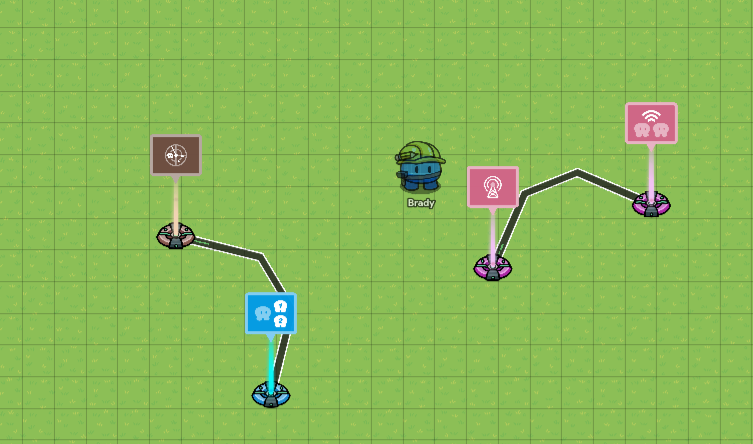
You can use a tag zone. To choose a tagger, use a lifecycle on game start, a relay for a random player, and set them to the second team. Did you want to make it an infection tag game?
LMTS32
April 22, 2024, 3:04pm
3
yes infection would be good
Ok you can just use a team switcher. Wire the tag zone to a team switcher
you can check out these guides for the information you need.
https://forum.creative.gimkit.com/t/how-to-make-an-exciting-hide-and-seek-gamemode-coolian/3678
Hello everyone! Blizzy here! Today I will show you how to make Hide and Seek, a game I am sure you have played before.
Hello. Gimkit people and this is part 3 of my Tag/Hide-And-Seek Guide! If you haven’t already, go to these guides:
or
unless you have your own!
If you remember, I’m making a medieval-themed game.
Step 1. Teleport to Arena
Hello, Gimkit Community! I’m bluey_rosa and here’s a second version of my Tag-and-Hide-And-Seek Guide! If you have not read that guide, you might want to now: Tag Guide Part 1
Or if you already have a lobby you made yourself or using another guide, you can use that too, as long as you have one or more tag zones!
Note: I used the standard and easy method of assigning tag teams, Method 1 in my guide. If you used a random version, don’t worry-yours may look a bit different, but it’ll do the same …
Hello, Gimkit Community! In this guide I’ll walk you through the steps of making a tag/hide and seek game. There are many parts in a tag game, and this guide is the first of many that I’ll make. This guide will cover how to set teams and set the tagging team.
Step 1. Choose a theme and make a basic ‘lobby’.
Step 1A. Choose a theme. Make sure to look at different types of available terrains and props that will make your game look more realistic. That means that you shouldn’t choose a theme that…
Yep! Be sure to mark a solution!
system
April 23, 2024, 1:16pm
8
This topic was automatically closed 3 hours after the last reply. New replies are no longer allowed.