Today I’m gonna show you how to make a stereotypical Christmas tree in Gimkit.
WARNING
This guide will be a little more complicated than my others due to layers, that’s why it 2/10 instead of its typical 0/10.
Items
You will need:
- 3 circular barriers.
2.A snowy tree
Extra Items
- 3 poles
Steps
First, change your barriers settings so they are like this:
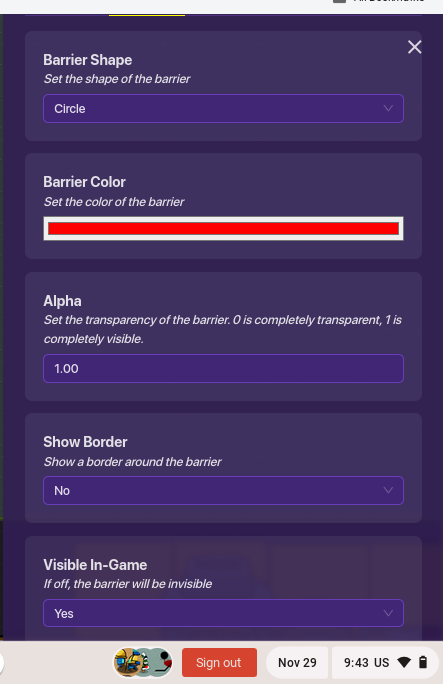
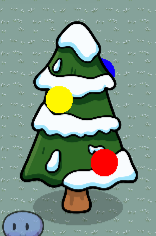
You can change the color, layers, and size to make it look like whatever you want. Then, place the barriers on your tree. It should look like:
Extra Steps
Take your 3 poles, size them down, and make them black. Put them inbetween the barrirs and layer it to look like its conecting them!
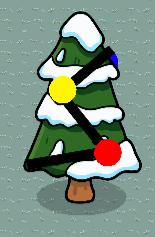
Wanna make your lights glow? Check out this guide for ideas! Or this one!
There we go! You can change it up to fit your needs. Happy Giming and Merry Christmas/Happy Holidays!
-EG <3
EDIT: Also checkout this guide by WolfTechnology.


 !?!?!
!?!?!