raeB
September 22, 2023, 3:25am
1
Ah yes, back to my roots… This was the first thing that I did in Gimkit Creative (other than doing the tutorial and placing down terrain.
Here is a simple guide on how to make a note that you can read similar to the ones in Snowy Survival and One Way Out.
You will need a button and a popup.
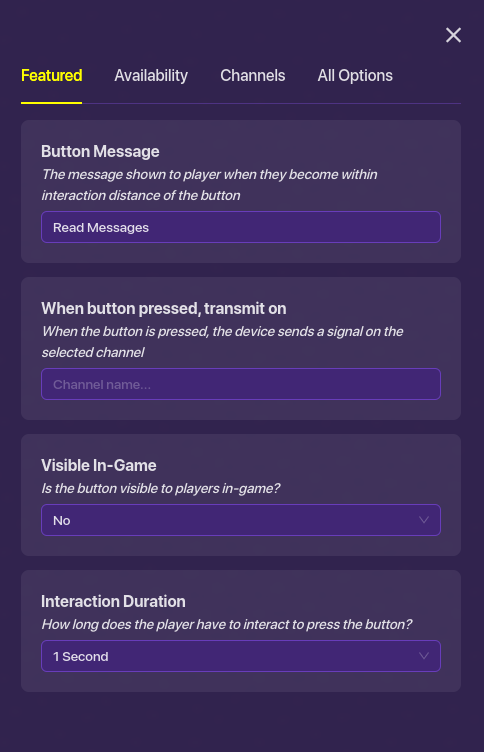
Place down a button and set it to the settings down below:
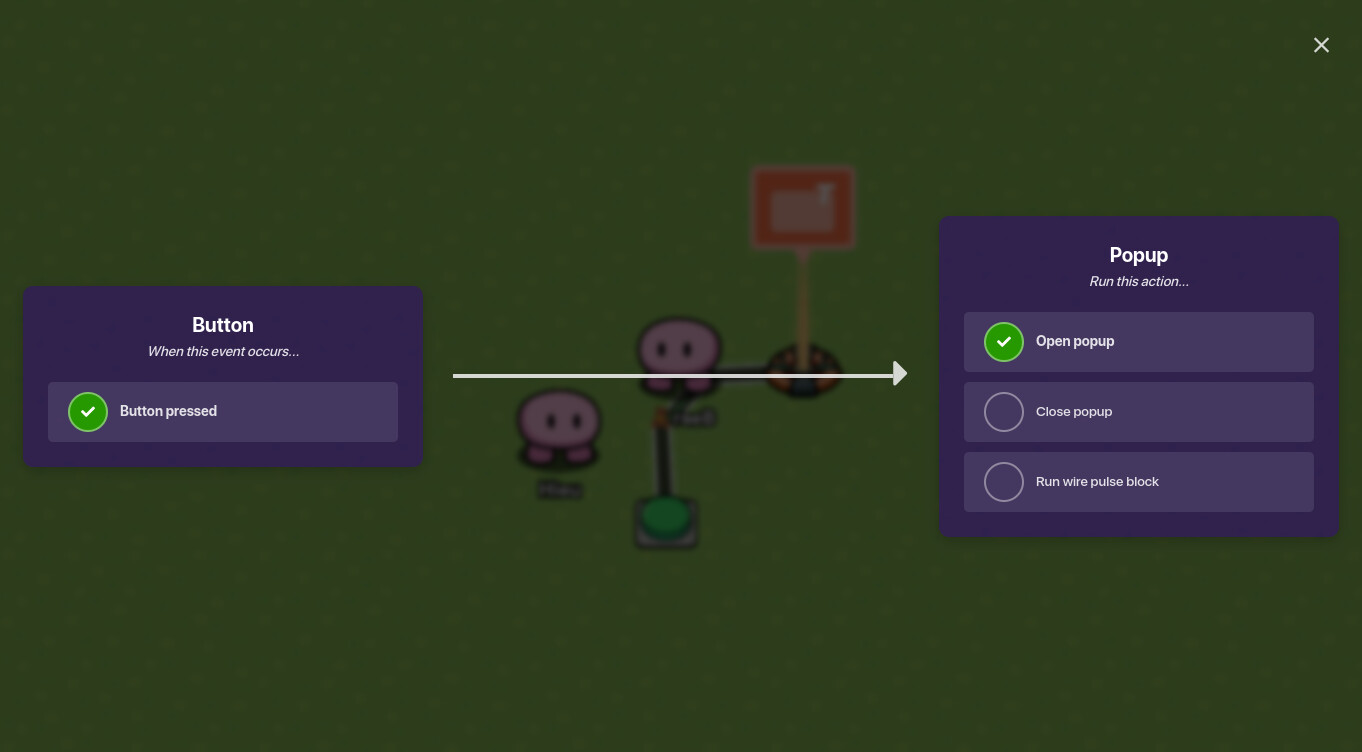
Then place down a popup and wire the popup to the button so that when the button is clicked it shows the popup message.
And there you go, a simple guide on how to make a note that you can read. Hope you enjoy.
4 Likes
Argo77
September 22, 2023, 3:30am
2
Hasn’t this already been done?
1 Like
raeB
September 22, 2023, 3:30am
3
I’m not sure. Sorry I’m new.
Argo77
September 22, 2023, 3:32am
4
All good, it was done ages ago.
Oh wait, it was lost.
Here’s the guide:
Ever wanted to have a note, such as the ship logs in One Way Out? Well, here’s how!
Place down a button, popup device, and any prop. (ex: paper, computer, etc)
Make the button invisible and place it next to your prop and pop-up.
Type the text you want to appear in the popup device (and button device).
Wire the button and pop-up together (when button pressed → open popup)
Additional Information~
*Button-
The button message can be anything you like, depending on your game mode and…
Welcome to the forum, @raeB ! Check out the #beginner-must-read and forum-tips
2 Likes
ok I’m sorry I didn’t know
IainIsHere:
at least that’s from what I hear is allowed please correct me if I’m wrong, I don’t think I am though
You’re completely wrong💀
Necroposting doesn’t have to do with anything you said, it’s based on how old the guide is and if the user who made was recently online or not.
IainIsHere:
is allowed on guides, device topics and thubnail requests
Only allowed on the guides, that’s it.(i think)
morphues:
guides can be bumped even after a year
Nope. Nuh uh. Big no-no.
Now, let’s let this guide rest and GBOT!
2 Likes