First off, this is related to GKC (because yes… thumbnails are GKC related) Second off, this is my second guide so don’t hesitate to give feedback! Anyways with that out the way, lets get started!
Items you will need
For this tutorial you will need
- A graphic design program
- Blank gim template
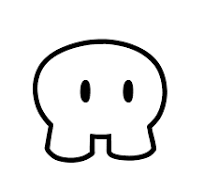
Setup
Go to your graphic design program (I will be using canva).
Next click custom size (or design button).

Then enter the size, 500x500 (or logo).

Next, download the blank template by right clicking (or double tap/two finger tap on Laptop) and selecting “Save Image as” and entering a file name.
Now head back to your graphic design program and import your image

That’s it for setup! Feel free to mess around with the size of the image.
Drawing
For this next step, you will need a color palette or a character to base it off of.
For this example, I’m going to base my gim off of Bluey (the australian kids show)

The first thing you need to do is color in the base of the gim, when your done it should look like this:

Next, add any details to the body (like bluey’s dots and eye circles)

After, add the eyes (if you can, use the Gimkit eyes)

Finally, if you character has ears or extra body parts you can add them now

And that’s it!
Closing notes
This is for moderators/Ludo Studios. This guide was made with the intent of helping users create a custom gim for their thumbnails for Gimkit Creative maps. I do understand that Bluey doesn’t belong to me. This guide was made under Section 107 of the Copyright Act of 1976: “Allowance is made for “fair use” for purposes such as criticism, comment, news reporting, teaching, scholarship, education, and research” . Fair use is a use permitted by copyright statute that might otherwise be infringing.


