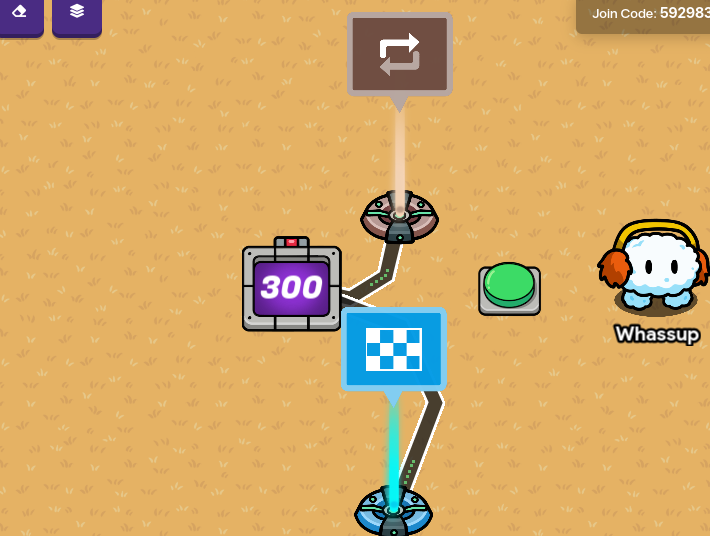
In this tutorial, I will be showing you how to make a timer, with a start button. (Of course)
Step 1. You’ll need 1 Counter, 1 Button, and 1 Repeater, or a end game device if you want to end the game.
Using @NavyCatZ ’s method of Health regenerating, make that mechanism. Instead of using a health granter, use a counter.
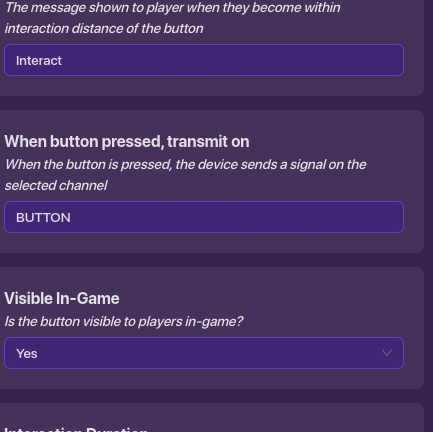
Go to channels for the button and make a channel (I used BUTTON)
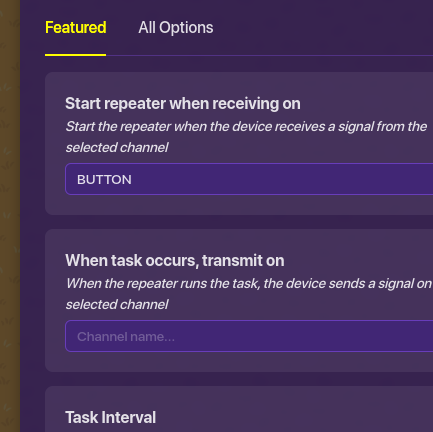
Go to the “Channels” tab for the repeater and “Start repeater when receiving on” and set it to the channel. (I used BUTTON)
Add a counter
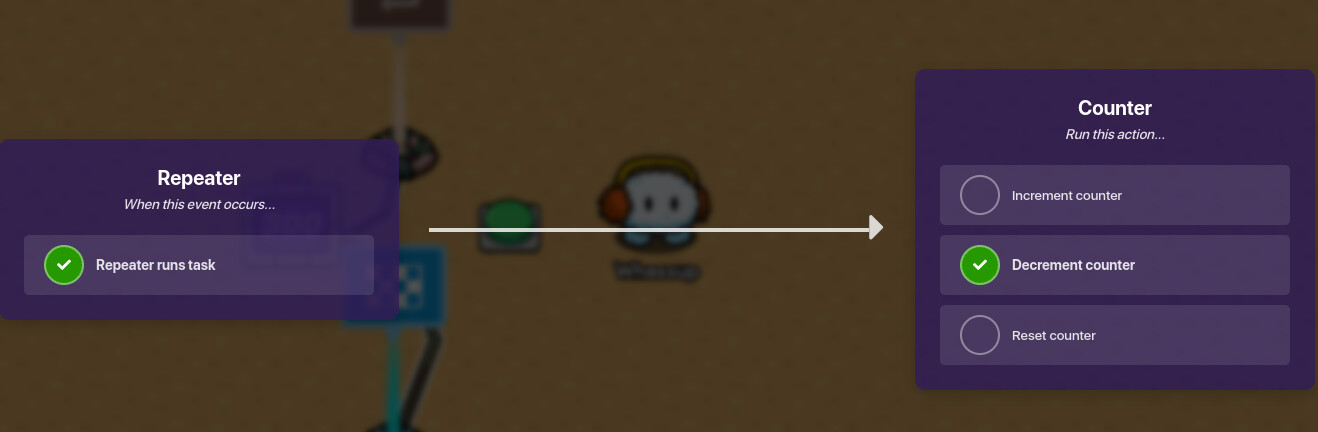
Wire the repeater to the counter so that Repeater runs task → Decrement counter
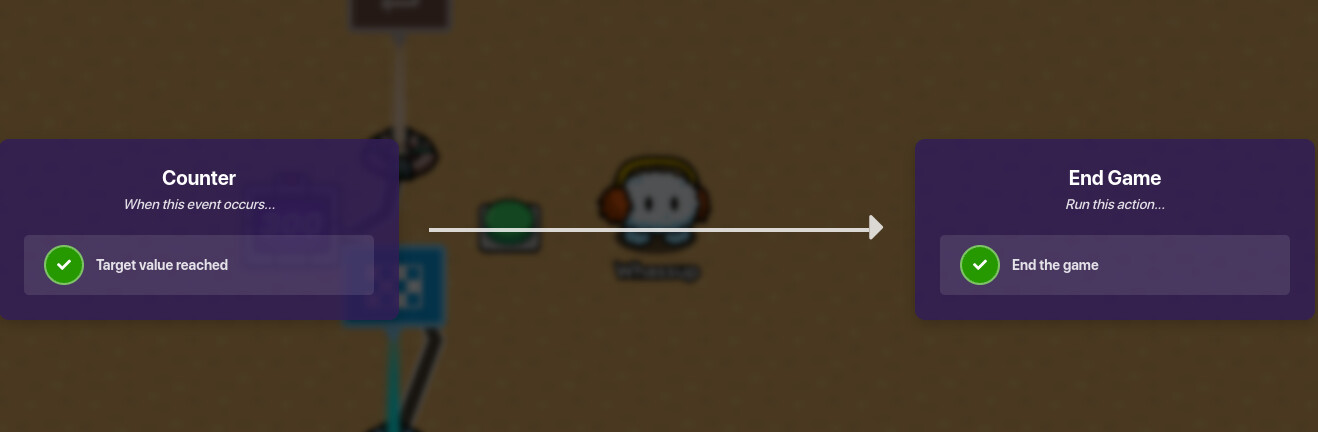
OPTIONAL STEP:Target value reached → End the game
HERE IS THE WIRING:
Hope you enjoyed!
FINAL PRODUCT:
CREDIT:
Today I will be showing you how to make a timer. I have seen many questions about this topic, so I want to answer it now. There will be a few bonuses like how to start and stop the timer in the middle of a game(very simple), how to make this timer only for a certain team(or player), and how to activate something when the timer ends. These are all very simple, so I doubt anyone will have trouble with this.
7 Likes
Fine then. I will delete this. Sorry I copyright.
2 Likes
You don’t need to delete the content. Just add a link to Blizzy’s guide in there and then move it to devices.
3 Likes
And then move it to devices.
1 Like
Blizzy
December 18, 2023, 7:06pm
9
There are too many guides about this. And please don’t be that rude. I can see your deleted post.
3 Likes
Please sorry. I did Not know it was rude. Sorry. @Blizzy
1 Like
I my opinion this is very helpful, but I already know how to make one, but it is useful to more ways to make it.
4 Likes
Welcome to the community @ausk32111 .
1 Like
That was 2 days ago. There’s no way that code is still active. Also, its only in one image, and its not even the whole code…just saying…
5 Likes
I’ve come and gone from that map like 6 times already.
2 Likes
I liked this, but you used the button and not the start. how to make it start when you hit the start button. again, great guide just fix that one thing.
1 Like
the button starts the countdown.
Wait what? First post is today yet they joined in August?
but I don’t want to press the button, I want to start the game and the time start
then switch the button with a lifecycle.
Welcome to the forums, @Pandapants2000 !