The reason I am making this is because when I was trying to make a last man standing thing all of the other “how to’s” where so confusing, so here is on that is super simple, WITH images
items you need
Zone
Counter
End Game
3 Triggers
2 Life Cycles
Team Switcher
Teleporter
-
Place down your Counter and set the starting value to 2. Turn “Use Target Value” On and change it so 1.
-
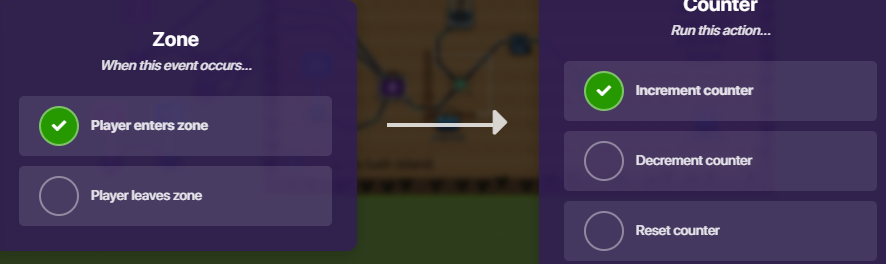
Place down your Zone and connect it to your Counter. Player enters zone - Increment counter
-
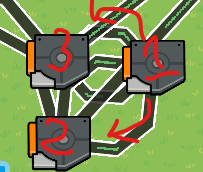
Now move that to the side a place 3 Triggers.
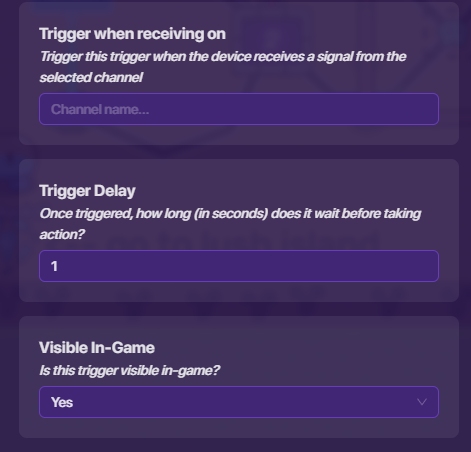
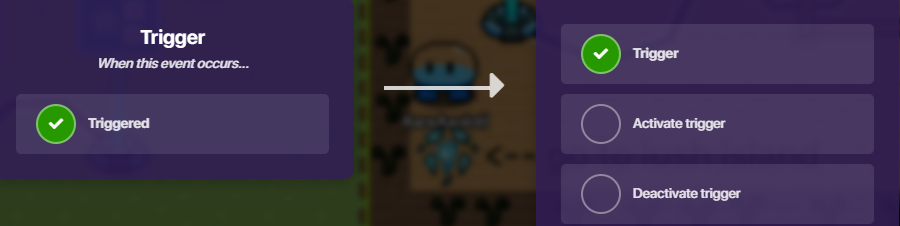
change ONE of there trigger delay to 1. (ONLY 1) THEN connect the other 2 triggers to the 1st trigger. Triggered - Trigger.
-
From your 1st trigger, wire a wire, one to each of the other triggers so that it says, Triggered - Deactivate trigger. (MUST TRIGGER 1ST TRIGGER TO THE 2 OTHER ONES!!)
-
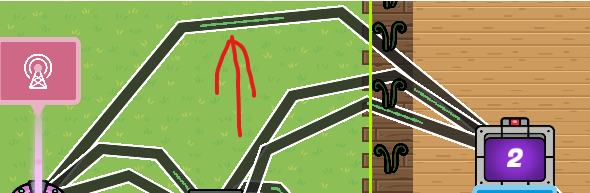
Grab 1 of your Lifecycle’s (this should be this first one you have used) and attach it to the OTHER 2 TRIGGERS NOT THE FIRST ONE!!! With the wire transmit, Event Occurs - Trigger
-
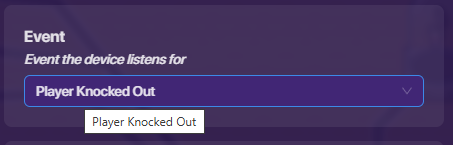
Go to the Life cycle That you just used and go into it and change Event from, Game Start - to - Player Knocked out
-
Now make a wire that goes from the Lifecycle to the counter. The wire transmitting Event occurs - Decrement counter.
-
Next Grab your 2nd Life cycle and your Team Switcher.
Like last time, in your Life cycle change the even from, Game Start -to- Player Knocked Out
And now your Team Switcher.
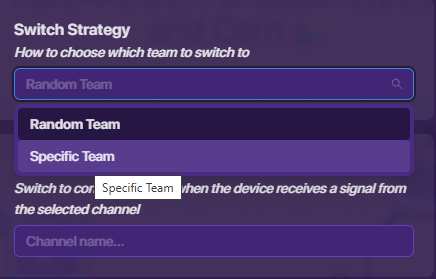
Go to Switch Strategy and change, Random Team -to- Specific Team.
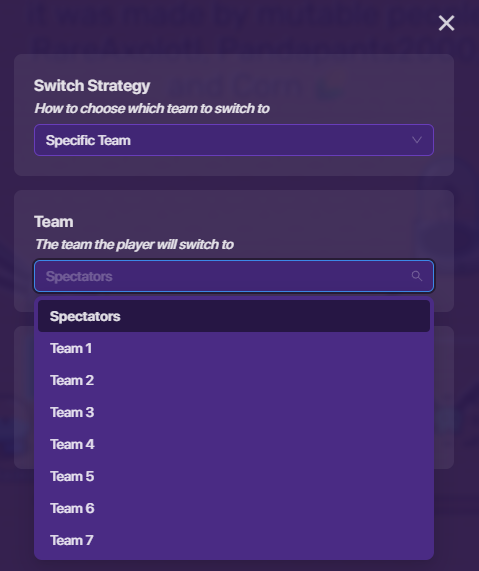
Then the Team to Spectators.
-
Grab your End Game Device and connect your Counter to it. wire, Target Value reached - End the game.
-
go back to your zone and grab your teleporter. Wire your Zone to your Teleporter. Enters Zone - Teleport here.


(All this does is that when the game starts it puts you here and then in the blink of an eye it teleports you away so that it doesn’t break. once i can find out how to make it so that it turns the Zone off for one person ill change it.)
And That should be the end of the tutorial Hopefully it works, this is the updated version. because of how gimkit works. How everyone has a Holitastic Day and good night.
Was this a good Tutorial?
- Yes, Great tutorial, but something was wrong
- No, This was horrible and it didn’t work
- No and yes, Not a good tutorial but it got the job done
- YES!! THIS WAS THE SIMGLE MOST GREATEST TUTORIAL IN THE HISTORY OF TOUTORIALS!!!
1.2k View  awesome


