Welcome to the guide, where we will take a deep dive into the icon images of Gimkit!
Currently, in Gimkit Creative, two devices support the use of icon images. These devices are:
The Vending Machine:
The Popup:
There are currently 11 total icon images that have been documented. 21 others have been used in official Gimkit games, but we do not currently have access to them.
This is an interesting one. In this, you have two items shown, as well as an arrow pointing at one of them. There are 8 like this found in Farmchain. Can’t be sure if this is an item or an icon.
Icon images are set in this setting found in the “Popup” and “Vending Machine” devices:
Icon images are set uniquely compared to other Gimkit Creative systems.
If you are adding an icon, you will need to include icons/ followed by the name of the icon. For example, if I wanted to use the Stopwatch, I would put icons/Stopwatch in this setting.
Items are very similar, except that instead of using icons/ you will need to use items/ instead. If you want to use a gadget as your icon image, put the name of the gadget, without the rarity. For example, if I wanted to use the Stoneburster, I would use items/Stoneburster.
Looks good, just one thing
You ignored the only device in the game which has its existence designed for the sake of icons
ITEM IMAGE ITEM IMAGE ITEM IMAGE
Why do people always ignore this thing
Erm actually , it’s called a Hammer. It’s currently unreleased, along with the Pink Crystal item and the Grey Crystal item. (Josh or Jeffo if you see this pls add those items and myb add the player skin changer)
Bit of a breakthrough in these icon images discovered in the Discord!
You can use any item including the ones in the Unusable Items section of this guide except for the Farmchain image because that is not an item.
As an example, you can plug in “items/Diamond” to use the Diamond or “items/Silver Ore” to use the two examples respectively.
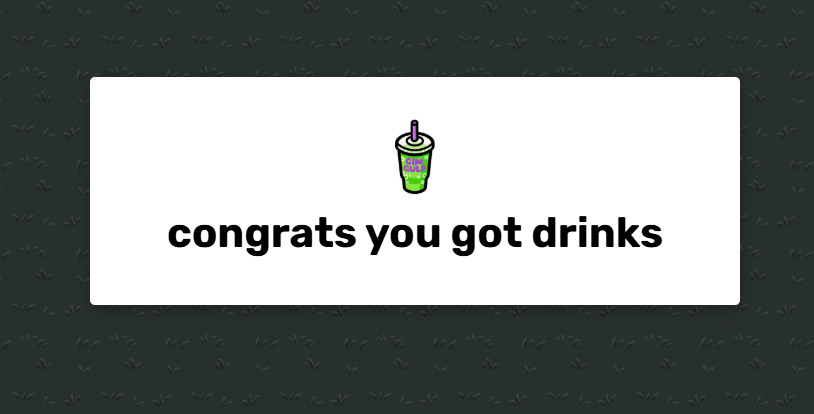
You can also see it in action as I use “items/GimGulp” in the Popup below:
You can find these hidden item icon names at Items - The Gimkit Wiki and use the name under the “Name” column after “items/” like you’d usually do. As for the Flags, I don’t know. If you figure that out I’d love if you’d share that info.
Special shout out to HexaMonkey_1234 for sharing this at the Discord!
This guide is so good. That I shall give it the tremendous honor of the signature@Nate1 bumb
BUUUUUUUUUUUUUUUUUUUUUUUUUUUUUUUUUUUUUUUUUUUUUUUUUURRRRRRRRRRRRRRRRRRRRRRRRRRRRRRRRRRRRRRRRRRRRRRRRRRRRRRMMMMMMMMMMMMMMMMMMMMMMMMMMMMMMMMMMMMMMMMMMMMMBBBBBBBBBBBBBBBBBBBBBBBBBBBBBBBBBBBBBBBBBBBBBBBBBBBBBBBBBBBBBBBBBBBBBBBBB
Ahh. That felt good.













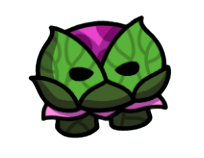

















 , it’s called a Hammer. It’s currently unreleased, along with the Pink Crystal item and the Grey Crystal item. (Josh or Jeffo if you see this pls add those items and myb add the player skin changer)