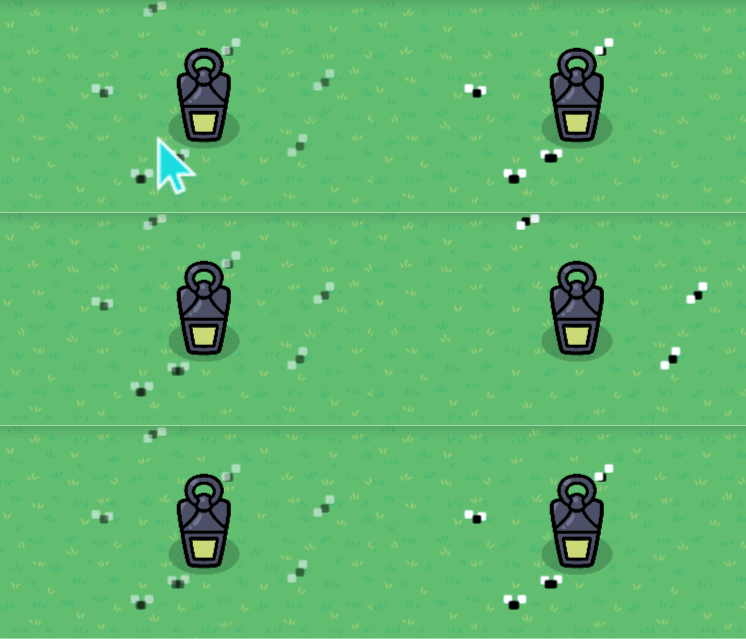
How to make a moths/flies moving around a lantern

oddly specific title…
hi I’m 4314 and this is a guide on how to make something that normally nobody likes. I’ll make a moth zapper next, but for now I hope u like bugs :smiling_face_with_horns:

okay this guide is somewhat simple and aimed more towards newer users, but also just serves as an extra detail for the more experienced to use

bugs

first make your bugs using colored text (periods)


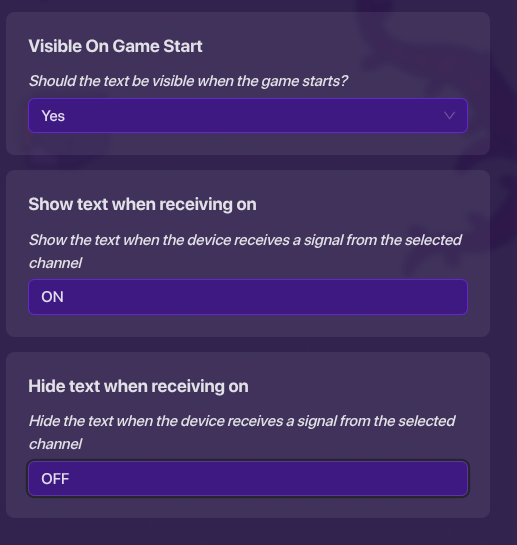
half of the flies (and their wings) should have these settings


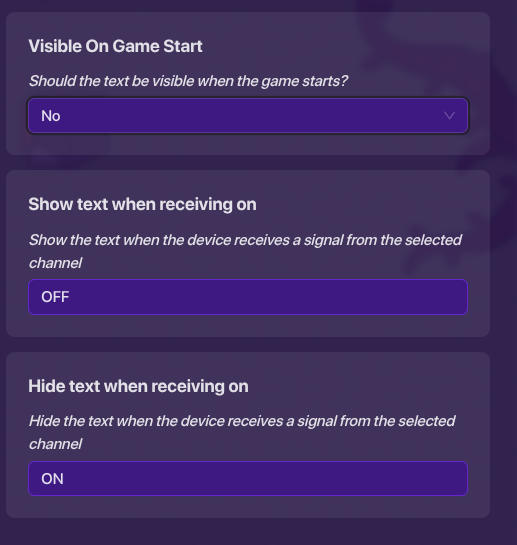
the other half (and their wings) should have these settings

trigger loop

next get two triggers and a lifecycle.
trigger settings:

  1. not visible
  2. cannot be triggered by player collision
  3. 2 second delay

lifecycle settings:

  1. listens for game start

connect the lifecycle to one of the triggers
(event happens)---------------------------(trigger)
now connect the first trigger to the second trigger
(triggered)-----------------------------(trigger)
now connect the second trigger to the first trigger
(triggered)-----------------------------(trigger)
you have made a trigger loop!
trigger 1 should transmit on channel ON
and trigger 2 should transmit on channel OFF

Screen recording 2025-08-29 7.42.39 AM

^
is it working?

10 Likes

Noice Guide, altho you should use dropdowns the next time you make a guide (No offense)

2 Likes

I can fix that…
lemme just edit this

2 Likes

nice guide
here take this like
:heart:
try to refrain from using long paragraph for device settings
for example,

I would write that like
Get 2 triggers and a lifecycle
Trigger settings:

  1. Not Visible
  2. Cannot be triggered by player collision
  3. 2 seconds delay

Life cycle settings:

  1. Listen for game start

that makes it cleaner

no

Screenshot 2025-08-28 7.53.04 PM
s-s-six s-seven?
I need a mental asylum

4 Likes

okay…
thank for the advice
thank for the like
and that’s why we have the edit button!
67? really?

3 Likes

Can you try to make a GIF so we can see it? That’d be cool, but I understand if you can’t

Sounds good, thanks for trying

2 Likes

I’ll try…
I got to find a website first…

3 Likes

nice guide I give it a 6/7, you could add a things to actrract the reader more or add more to the guide so its not so short.

Edit: no the gif isn’t working @4314

2 Likes

the two of us need go to go into a mental asylum

2 Likes

thank for advice
Take like

will do
EDit button power

5 Likes

Do note you can upload gifs to the forums, using websites is unreliable as they do not always work. Use this guide for how to make a gif.

2 Likes

wow I just tried it and that is :exploding_head: :exploding_head: :exploding_head:
thank u so much for that advice. u just made my life a lot easier

2 Likes

Just so you know, this should be in Art instead of Community Made Guides. And it should be tagged with art-guide maybe. And the GIF doesn’t show up. Other than that, the design is pretty good.

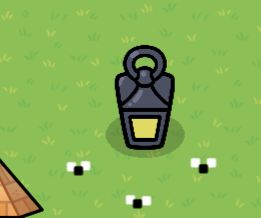
okay I can move this, and I think the gif is fixed

3 Likes

The GIF is working.

1 Like