Note: I remember @Here_to_help made some guide on this, IDK if it still exists. But the method used there is less efficient and doesn’t work.
Do you want to make it so your items drop on the ground when you die? Have you tried using the Gimkit settings but all it does is delete them? It’s actually quite simple to drop your inventory on death, however it takes more memory for each item you do this with.
Devices Needed
- 1x Lifecycle 50 memory
- 2x Item granter (per item) 70 memory
Total memory: 120
Memory added for each additional item: 70
How to Make the Items Drop
Step one: Track when people get knocked out
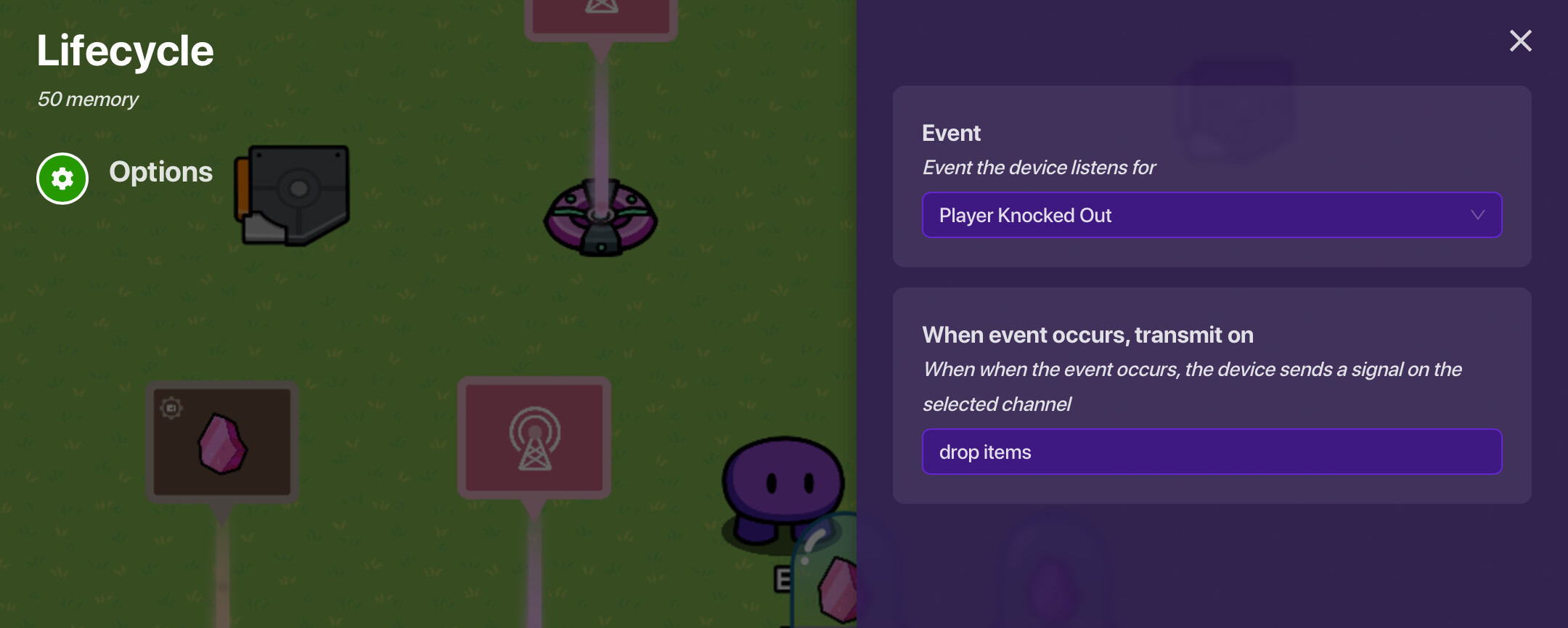
This step is simple. Place the lifecycle, and have it be set to listen for player knocked out. Set it to broadcast on drop items. recommend you use channels because it will be much easier (and neater) to do this for multiple different items with channels.
Step two: Dropping items
This step is also pretty easy.
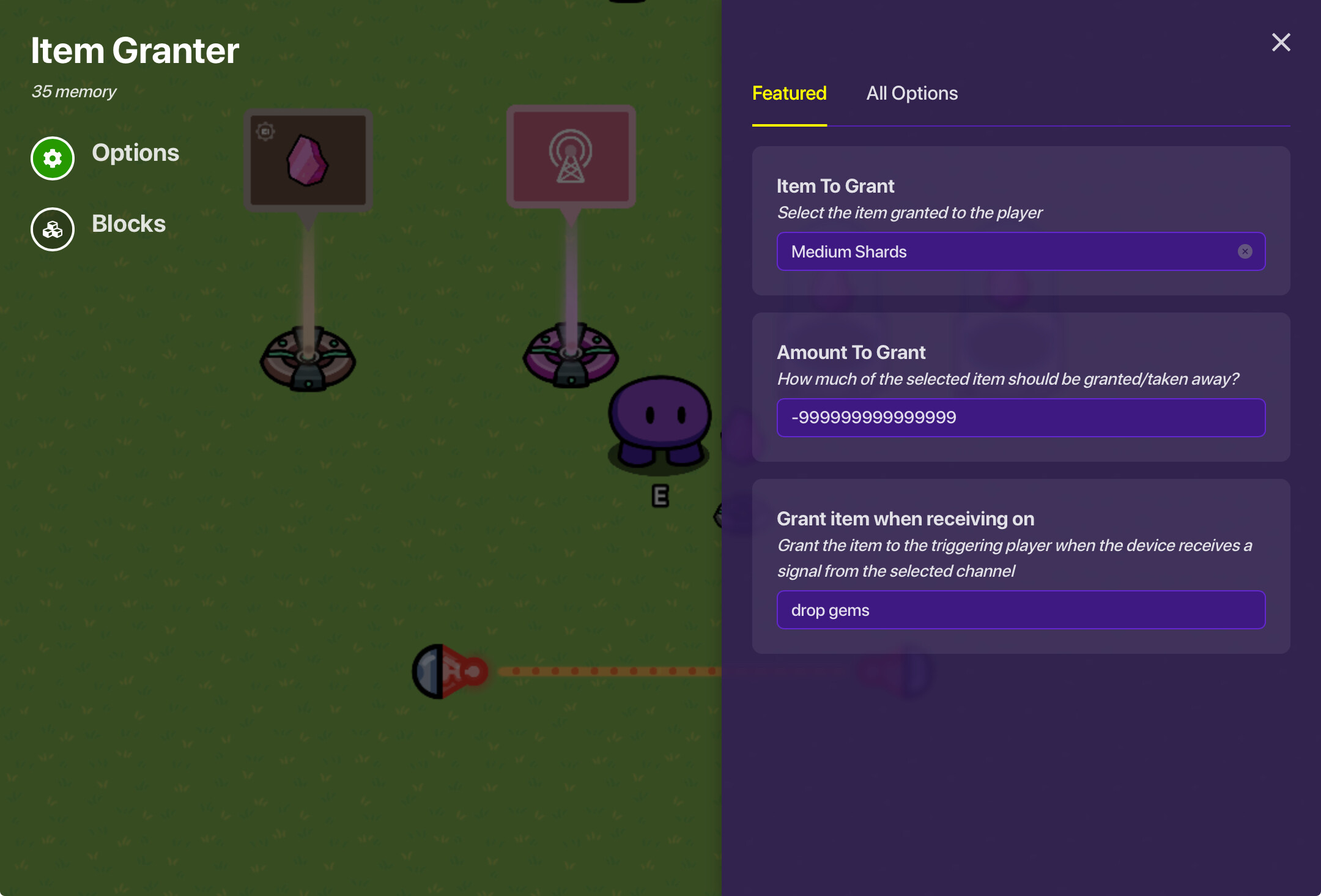
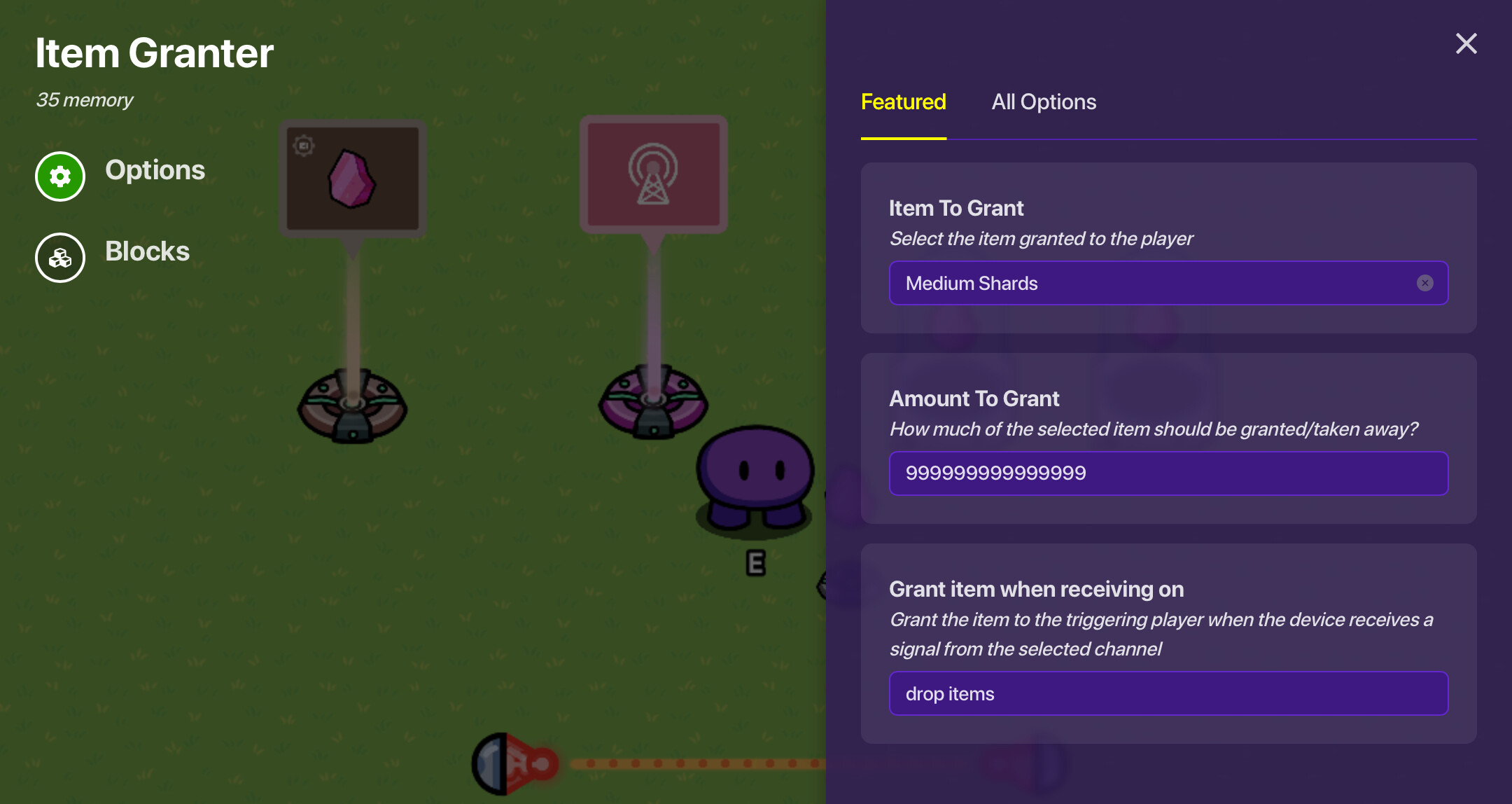
Place the two item granters. Set them to grant whatever you want to drop onto the ground. One will grant exactly 999999999999999 of the item, and another exactly -999999999999999. I recommend you copy paste those numbers instead of trying to read them. Set them both to grant when receiving on drop items. MAKE SURE TO PUT THE CHANNEL IN ON THE ONE THAT GRANTS 999999999999999 FIRST. This is so that item granter grants the items before the other one. The reason this works is because of how Gimkit handles multiple channels/wires receiving on the same time.
What do I do if the item I have has a max capacity?
Instead of granting 999999999999999, grant the max capacity of the item.
If the max capacity for the item can change based on upgrades, this is more complicated. It’s possible to still drop them on the ground, but I won’t cover it in this guide. Sorry for those people.
Now whenever you get knocked out, all of the item you had will drop on the ground! Repeat step two for as many items as you want.
How this works
A Gimkit player can only have 999999999999999 of an item, so when you grant that amount, if the player has any of that item, that amount will overflow when you grant the item. Then the negative granter is to remove the items that were given during this process.
End
