Soo…
I might have gotten addicted to tectonic track lately.
While i was playing, i noticed this very very cool mechanic - Heavy Shards
As you can see…
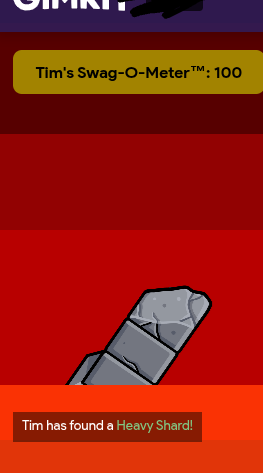
This thing here is what got me confuzzled
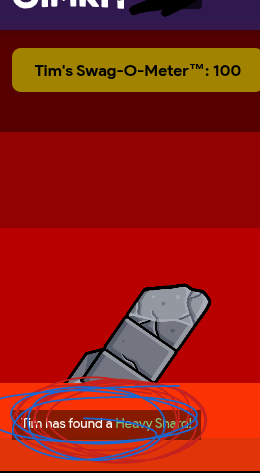
How did he do that?
How did he make it  ?
?
Help.
Soo…
I might have gotten addicted to tectonic track lately.
While i was playing, i noticed this very very cool mechanic - Heavy Shards
As you can see…
This thing here is what got me confuzzled
How did he do that?
How did he make it ?
Help.
It does not show up for game hosts when you are testing your game
I think a button
Use the Activity Feed
Check this out:
Also use blocks inside the trigger
@Joshua4
I believe that is something that you can enable in the map settings called a UI, which shows knockout feed. Not sure how he got it green.
This guide shows you precisely how to do it.
Thanks!
But how do you access the activity feed? How do you send the message?
psst…
mind telling me how to make your pfp invis?
Thanks!
I just found that guide!
Also use the Activity Feed
Oh to make it invisible right click on my profile as save the image then use it as yours!
Your Welcome
There’s a block called “activity feed” in triggers and other devices
I see all and know all :DD
…and also have an 82.37 wpm typing speed
For the activity feed part, use a trigger and click on the ‘Blocks’ tab. Create a block for ‘When triggered…’ and create something for activity feed. I’d explain more but bakedpotato beat me to it
This topic was automatically closed 3 hours after the last reply. New replies are no longer allowed.