Exhaustive List of All Gimkit Weapon Stats

I spent 5 and a half hours researching this lol.
Hope you guys find it useful for ur games.

Melee gadgets
Pickaxe:
lvl 1 Damage: 1
lvl 2 Damage: 5
lvl 3 Damage: 25
lvl 4 Damage: 100
lvl 5 Damage: 300
Reload: N/A
Ammo: Infinite
Range: 2 blocks

Automated gadgets
Blasters:
Damage: 20 (+3/lvl)
Reload: 1 sec
Ammo: 12 (+4/lvl)
Range: 16 blocks

Pixelator:
Damage: 12 (+4/lvl)
Reload: 1 sec
Ammo: 30 (+2/lvl)
Range: >17 blocks

Stoneburster:
Damage: 12 (+3/lvl)
Reload: <1 sec
Ammo: 18 (+2/lvl)
Range: 7 blocks

Zapper:
Damage: 14 (+2/lvl)
Reload: 1 sec
Ammo: 12 (+2/lvl)
Range: 8 blocks

Artillery gadgets
Evil Eye:
Damage: 72 (+8/lvl)
Reload: 4 sec
Ammo: 4
Range: >17 blocks

P.M.L:
Damage: 44 (+7/lvl)
Reload: 4 sec
Ammo: 12
Range: >17 blocks

Prickler:
Damage: 32 (+4/lvl)
Reload: 1 sec
Ammo: 16
Range: 13 blocks

Quantum Portal:
Damage: 184 (+12/lvl)
Reload: 2 sec
Ammo: 1
Range: >17 blocks

Slingshot:
Damage: 60 (+6/lvl)
Reload: 4 sec
Ammo: 5 (+1/lvl)
Range: 16 blocks

Snowball Launcher:
Damage: 28 (+2/lvl)
Reload: 1 sec
Ammo: 12 (+2/lvl)
Range: 16 blocks

Timekeeper:
Damage: 38 (+1/lvl)
Reload: 3 sec
Ammo: 20 (lvl 2: 7 [+1/lvl])
Range: 12 blocks
Super weird gadget, lvl1 has 20 ammo, lvl2 has 7 ammo, then it follows +1 rule. Damage has constant change. Thanks Josh.

Twister:
Damage: 124 (+8/lvl)
Reload: 2 sec
Ammo: 3
Range: >17 blocks

Wooden Wand:
Damage: 20 (+4/lvl)
Reload: 3 sec
Ammo: 20 (+2/lvl)
Range: 12 blocks

9 Likes

I’m sorry @JudahZ, but there already is a guide on Gimkit weapon stats

Here, we are not allowed to make guides on what already has been made.


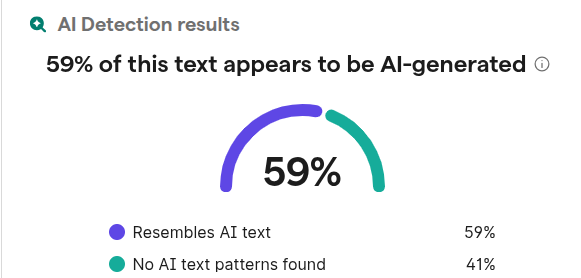
Now that I look at it, it does seem that some parts of it are AI.

12 Likes

welcome to the forums @JudahZ did you know there’s a search bar at the top right corner of your screen? Check to see if anyone has posted something like yours before you post!

1 Like

please, dont.

@Duckie i was talking to the OP

from the other topic: pretend i’m liking this

4 Likes

AI is blocked on my computer anyways

Even if they did use ai, they still had to have collected all of the info for each gadget which AI wouldn’t know. I sent it through ZeroGPT which said 30% and the most ai sentences being “Evil Eye:” and “Reload: 4 sec”. While this may be a duplicate it is not ai.

Likely just the formatting, I don’t believe the OP used ai.

4 Likes
  1. you put “exhaustive” in the title, which means it’s probably gonna be long
  2. please use dropdowns
  3. there has already been guides made on this
  4. add delay between shots (reload time)
  5. what’s the difference between automated gadgets and artillery gadgets?
  6. pickaxes have durability
  7. timekeeper can hit multiple enemies (piercing shot)

You’re probably right, I only tested it with 2 sentries that were close together, so it’s probably splash damage, not piercing shots

5 Likes

You didn’t even mention the Timekeepers splash damage :sob:

@potato123, its not a piercing shot, its a 2x2 splash weapon im pretty sure.

2 Likes

AI doesn’t have these stats. This guide was made by a human, who spent hours of there life figuring all this out.

Personally, I think @JudahZ’s is better. This one is easier to read, and has specific math the other one doesn’t include. The guide you brought up also uses opinions, which may not be accurate.

2 Likes

I think it looks better without drop-down, and is much easier to read. This user is new, and you didn’t tell them what any of this stuff is, so how will the know what you mean? This is stats, which means numbers. Pierce is not technically a stat. Reload time is there, delay is practically impossible to measure. Automated gadgets fire quickly, while artillery are slow. This is basically time between shots. Pickaxes don’t have durability by default.

2 Likes

yo welcome to the limbo people think is hecc even though it isn’t, this is peak, the only big thing that needs improvement is that the speed of the gadget projectiles is very important. (or maybe i have no reading comprehension, sometimes it just happens), @TheCatIsCrazy , maybe it seems that way because of the bolded and italicized text, can’t say for sure, doesn’t really seem like AI based on “(+x/lvl)”, “Super weird gadget, lvl1 has 20 ammo, lvl2 has 7 ammo, then it follows +1 rule. Damage has constant change. Thanks Josh.”, “Blasters” right after “Automated gadgets”, only thing that looks like maybe ai besides the format is “Artillery gadgets”, and that’s sort of a stretch.

4 Likes

pretty cool
as others said- try adding in drop downs

heres a formatting guide
you can read it to see if theres anything you want to add to your guide

extra formatting options for the uninformed!

[1]

Headings!

you can make this using a hashtag and a space (# exampleText)
there are SIX different sizes of heading!

exampleText (# exampleText)

exampleText (## exampleText)

exampleText (### exampleText)

exampleText (#### exampleText)

exampleText (##### exampleText)
exampleText (###### exampleText)

you can also make this using h1-h6 wrapped in the left and right arrows!

exampleTxt

<h1>exampleTxt</h1>

however, it seems like if you put text under headings using html formatting (that ^) then all formatting for that text just doesnt work

heading6
**bold**

bold

<h6>heading6</h6>
**bold**

**bold** //why does this one work?

[2]

heading6

bold

<h6>heading6</h6>

**bold** //??????

Dividers!

you can make these using three asterisks in an empty row! (***)
examples above this and directly below this sentence


Footnotes!

i used to refer to these as tooltips but it turns out theyre actually named footnotes
you can make these using one caret (^), one left bracket, whatever you want inside, and one right bracket!
^[]
[3]
also images can go into the tooltips
[4]


Images!

you probably know how to put these in
but you can actually change the sizes to a number outside of 100, 75 or 50!
simply go to the text version of the image

![2025_12_05_0dl_Kleki|690x431, 50%](upload://8Z7cJoamPD5uiGyRpwYgOg29ujL.png)

find where the size is typed in;

690x431, 50%]
/* aka
width x height, size of image] */

and change the percentage!

![2025_12_05_0dl_Kleki|690x431, 10%](upload://8Z7cJoamPD5uiGyRpwYgOg29ujL.png)

you can also crop them via the size (they wont stretch)

![2025_12_05_0dl_Kleki|690x200, 50%](upload://8Z7cJoamPD5uiGyRpwYgOg29ujL.png)

Strikethrough!

you can make these by using two tildes (~) on both sides of your text!
~~exampleTxt~~
exampleTxt
[5]
theres multiple ways of doings this, though markdown uses less characters

[s]exampleTxt[/s] bbcode; <s>exampleTxt</s> html; ~~exampleTxt~~ markdown

the rest of these will just be extra things you can make using markdown (and maybe bbcode or html)

More Formatting Options!

Superscript and Subscript!

[6]

Normal text for comparison<sup>exampleTxtSuper</sup>
Normal text for comparisonexampleTxtSuper

Normal text for comparison<sub>exampleTxtSub</sub>
Normal text for comparisonexampleTxtSub

Small Text!

jk apparently “< small >” but with no spaces is blocked

Big Text!

<big>exampleTxt</big>
exampleTxt

Marked Text!

<mark>exampleTxt</mark>
exampleTxt

Deleted Text!

<del>exampleTxt</del>
exampleTxt
[7]

Inserted Text!

<ins>exampleTxt</ins>
exampleTxt

Keys!

<kbd>exampleTxt</kbd>
exampleTxt

EXTRA STUFF

you can actually stack formatting! (kinda)
helloo
<ins><big>**he**~~ll<mark>o</mark>o~~</big></ins>

sometimes the formatting wont work
like in this example
hel~~lo~~
<kbd>hel~~<mark>lo</mark>~~</kbd>
this one is meant to have a slashed + marked segment
lo
~~<mark>lo</mark>~~
however <kbd></kbd> stops that
this will prob be true for other combinations i havent seen yet

its also possible to stack things on themselves
like this here
hihihi
<kbd>hi<kbd>hi<kbd>hi</kbd></kbd></kbd>
i tried doing the same thing with subscript however it seems they stop people from doing that


  1. if it matters at all; i just copy & pasted this in since i dont have the energy to constantly retype this everytime somebody makes their first guide or has bad formatting ↩︎

  2. two slashes (//) make a comment in c sharp ↩︎

  3. exampleTxt ↩︎


  4. ↩︎

  5. :.|:; ↩︎

  6. some of these might tell you “< aa >exampletxt< aa > is not allowed!” or smth like that dont ask me why that happens but idk how to fix it ↩︎

  7. fun fact: this is actually how i used to do strikethroughs :sweat_smile: ↩︎

5 Likes

How has nobody talked about the actual stats in this guide until now?

I actually fact checked 10 minutes ago, every single weapon has the wrong reload stats, some are half a second off, some of multiple seconds off. The only weapon with the right reload time is the timekeeper but even it has the wrong ammo ammounts, the timkeeper actually has 6 ammo at uncommon and goes up by 2 every rarity.

Some gadgets also have other wrong stats, and most of them are missing a key part of their stats;

!GADGET RANGE CHANGES!

About half the gadgets have higher ranges depending on the rarity, which is just not present in this guide, this guide just has a ton of misinformation and it will probably be bad if your game depends on these gadgets having specific stats. (Which usually goes for most good games).

Also, I fact checked using the Miraheze Wiki which if you didn’t know, also contains EVERY WEAPON STAT AND INCLUDES MORE STATS. This guide is missing some important parts like gadget fire rate and projectile speed.

The info was probably also made by AI because some gadgets reload times are multiple seconds off which is way too much to be human error in my opinion, think what you want though.

Summary in case you didn't want to read my lecture

This guide has misinformation and multiple stats are wrong, was most likely made using AI, just use the miraheze wiki instead.

Edit - @thatOneCringe, Im aware that its blocked for some people but either way this guide has a lot of misinformation.

Edit 2 - @AntLav, thats just off topic and adds nothing to the conversation

Edit 3 - @thatOneCringe, Every gadget has a set numerical fire rate, it may not seem like it but every gadget fires at a specific rate (ex, 1.6 per second, 5 per second)

7 Likes

We must remember thought that the Gimkit Wiki is blocked for many users because they are most of the time using a school assigned computer (like me).
Okay. You might wanna go to the website and put the information here, as a correction @JustAToaster.
Also I don’t think there’s a specific speed(numerically) for each gadget. They are just ranked by saying fast, very fast, slow, etc.

3 Likes

Using the wrong pronouns is bad, I get it.

But if your not going to care enough to put your pronouns in your bio or something, don’t get mad and suddenly care when someone gets them wrong.

Instead just politely correct them and or put your pronouns in your bio.

3 Likes

I would put them in my bio but I forgot how I edited it in the first place

1 Like