how would one make a chat system
When the pictures get deleted I’ll add more detailed instructions
Step 1: Game Overlay
Get a game overlay and set it to these settings
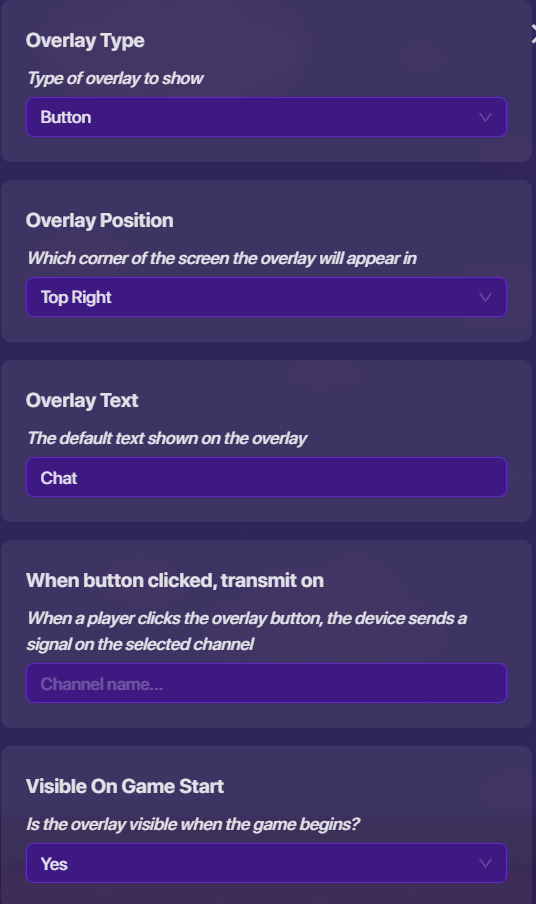
(Whoops that was the wrong picture, leave everything else as is)
Step 2: Popup
Get a popup and set it to these settings
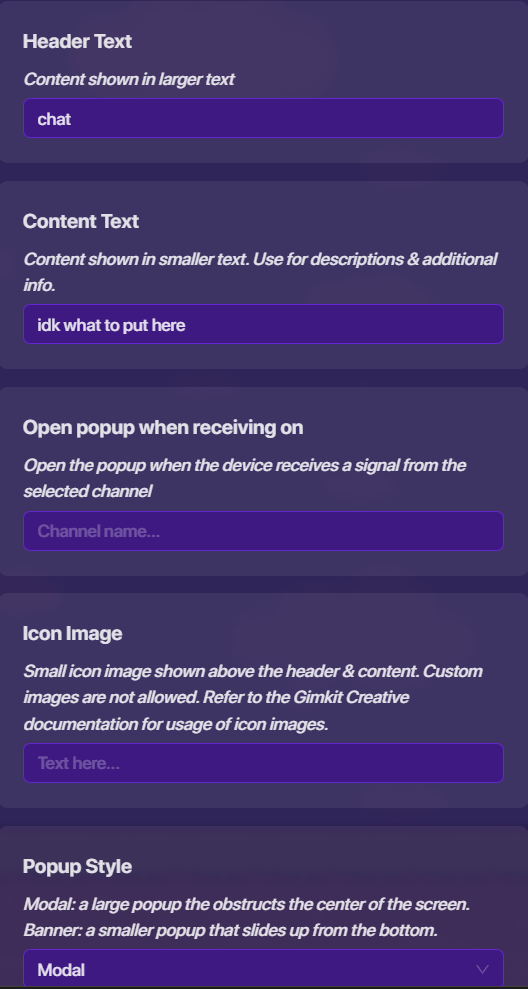
Custom images
set call to label actions to anything you want and the channels too
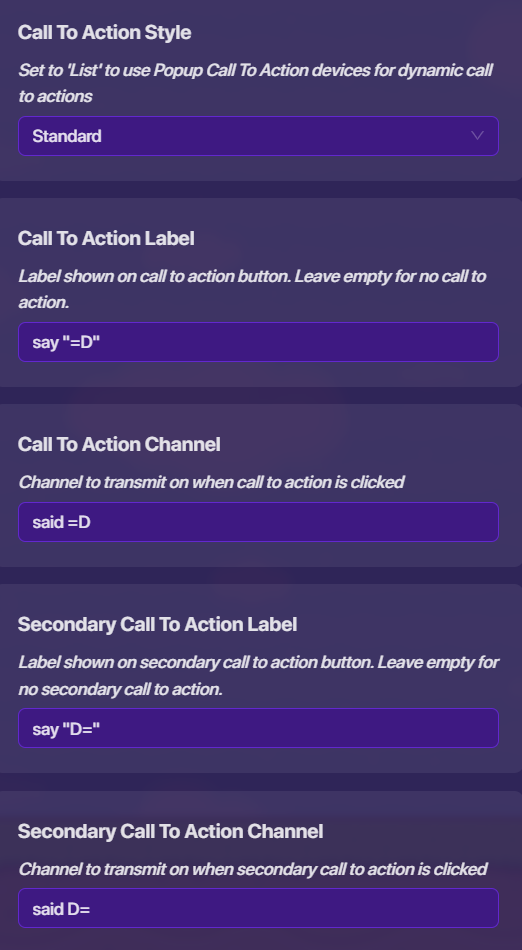
set font and background to anything you want and leave rest as is
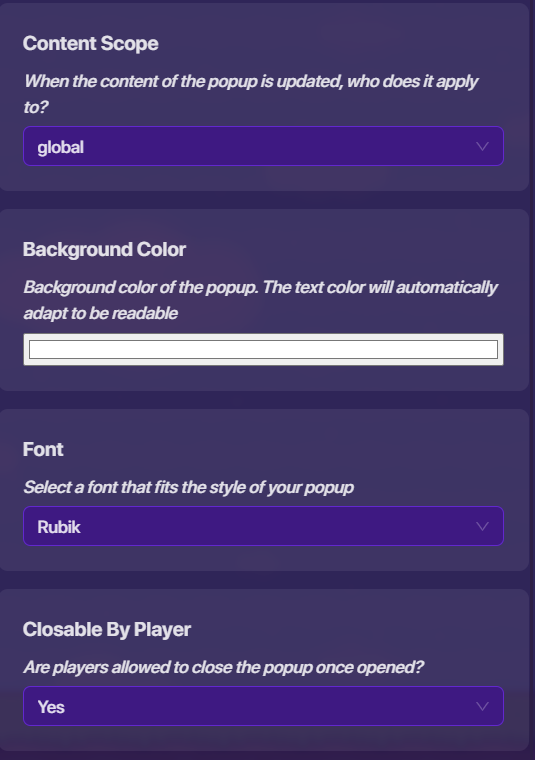
Step 2.5: Channel
Connect Game Overlay to Popup to open when clicked with channels
Step 3: Notifications SETTINGS
Set both of it to this

Step 3.5: Notifications BLOCKS
go to one of its blocks and click “when receiving channel” to the corresponding channel as the one in the call to action
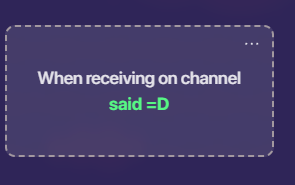
make the blocks this with the exception with the header text and content text, use what you want it to say
make sure there’s a space before " says"
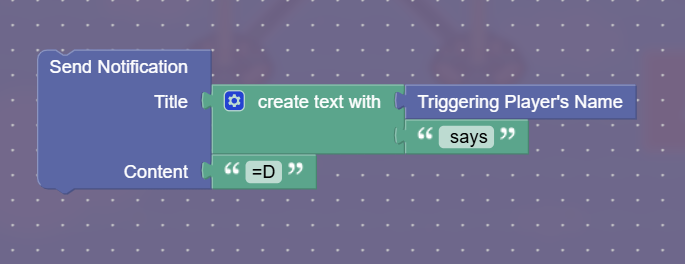
do the same to the other with the corresponding channel
Sorry if my grammar and the way I talked in this was a bit off and confusing, it was11:30 PM in my area and I was so sleepy  (I’m fully awake now, might edit it to make it sound better)
6 Likes
Look at this guide for help to make a chat system (TwiceOnce has an idea too, dang I was too late)
Guide to the Ultimate Chat System
(wait, I just skimmed through this guide and the pictures are gone…)
Also, can you answer this question so I can help you a bit more?
EDIT: To add to TwiceOnce’s post, the devices you will need is probably a game overlay (to show the button to the chat), notification devices(to notify players once you chat), and popups(for the things you want to say in the chat).
3 Likes
Correct me if I’m wrong, but cant you use channels? They use less mem
2 Likes
Do i need the season ticket for this @TwiceOnce I’m pretty sure u do bc of the call to action thingy. I got that far and then i need to get the season ticket. Is there another way to do this?
this is necroposting. I’m sorry but the community does NOT like this
2 Likes
Huh? I’m lost what is that
posting on an old topic. the last post was 5 months ago
2 Likes
My bad bro i didn’t know
It’s not that deep tho
First of all, Necroposting is a basic rule. You should not revive a old Help topic [1] Please refrain from necroposting using the knowledge
only Community Made Guidelines ↩︎
3 Likes
Well I’m kinda new and that’s not really an official rule so i didnt know
Thank goodness this is only a day before I was unbanned and not like 2 months  , anyways no, you do not need a season ticket.
anyways yay I’m unbanned
6 Likes
Is there a way to make a lot of chat options on one pop-up I want to add like 50 or how can I do it?
yes, simply just make the other option switch to a new popup giving options for more, I can’t really think of any other free option nor do I have that much experience in gkc
so basically you will only have one option on what to say per page and if you want another one you just have to keep pressing next?
could u maybe add some pictures pls on the call to action stuff and the block code
im kinda lost
Just to let everyone know, even if you post on this, adding to a necropost by saying something, it’s still necroposting. That goes to @goodbread and others. I know you guys are new users, but remember to look to see if the last Help Bugs Art post was written within the last week. If so, you can post – if not, it’s necroposting.
DO NOT REPLY PAST THIS POINT.
6 Likes