Hi! I was wondering if anyone here has some fun and easy ideas for a solo or 2 player games? it can be any theme, style or topic but it also needs to be a little tricky. Also, i was wondering if there is any way you could insert a chat or something like that into a game so we can talk and share while playing! (idk if that is a good idea but pls share ur thoughts!) Thank you!!! (:

2 Likes
Welcome @EllieBear to the forums!! Don’t forget to read the Rules!!
Anyhoo…
You could do like an escape room (Ex: Escape the Castle, Escape Grandma’s House) and you can get many ideas on the creative discovery page on the Gimkit Website!
And for the chat, you cannot do that here but you can chat here: https://gimkitcreative.wixsite.com/game-sharing
(Chatting is not allowed on the forums and neither is g@me c0de sharing  Sorry!!
Hope that helped! Ping me if you need any other help! (P.s. you ping by using @ and then my name like this: @GimkitLover1 )
ALSO: Once you are helped by anyone or like once you get the answer you need, you can mark the solution so this help topic closes and it doesn’t cause clutter 
I think I’m done here, I might be back with more information for you
3 Likes
Thank you!!! I will keep that in mind  @GimkitLover1
2 Likes
Yeah, GimkitLover1 basically covered all of the rules and stuff (We all appreciate GimkitLover1 here in the forums  ), but you needed solo and two player game ideas! Here are a few for top-down, (because I lowkey su ck at making platformers lol). I used drop-down boxes, so press them and the info will, well, drop-down. Pretty self-explanatory lol.
Top-down
Maze!
Mazes are a good, (sometimes) short option! I would reccomend keeping them shorter so the player doesn’t rage quit because the map is too big and they get stuck and don’t know where to go. THIS CAN BE SUPER FRUSTRATING!!! Some ideas for maze are:
Laser maze: you can use the laser device and laser beam manager devices (optional) if you want them to enable and disable.
Details on how to enable and disable lasers!
First off, you will need a laser beam and a laser beam manager! Add your laser, click on it, and adjust the damage so it can k!ll the player (1000 is generally good). Scroll down a bit and you’ll se a “laser group” section. Enter in a group (I used deactivate1 as mine).
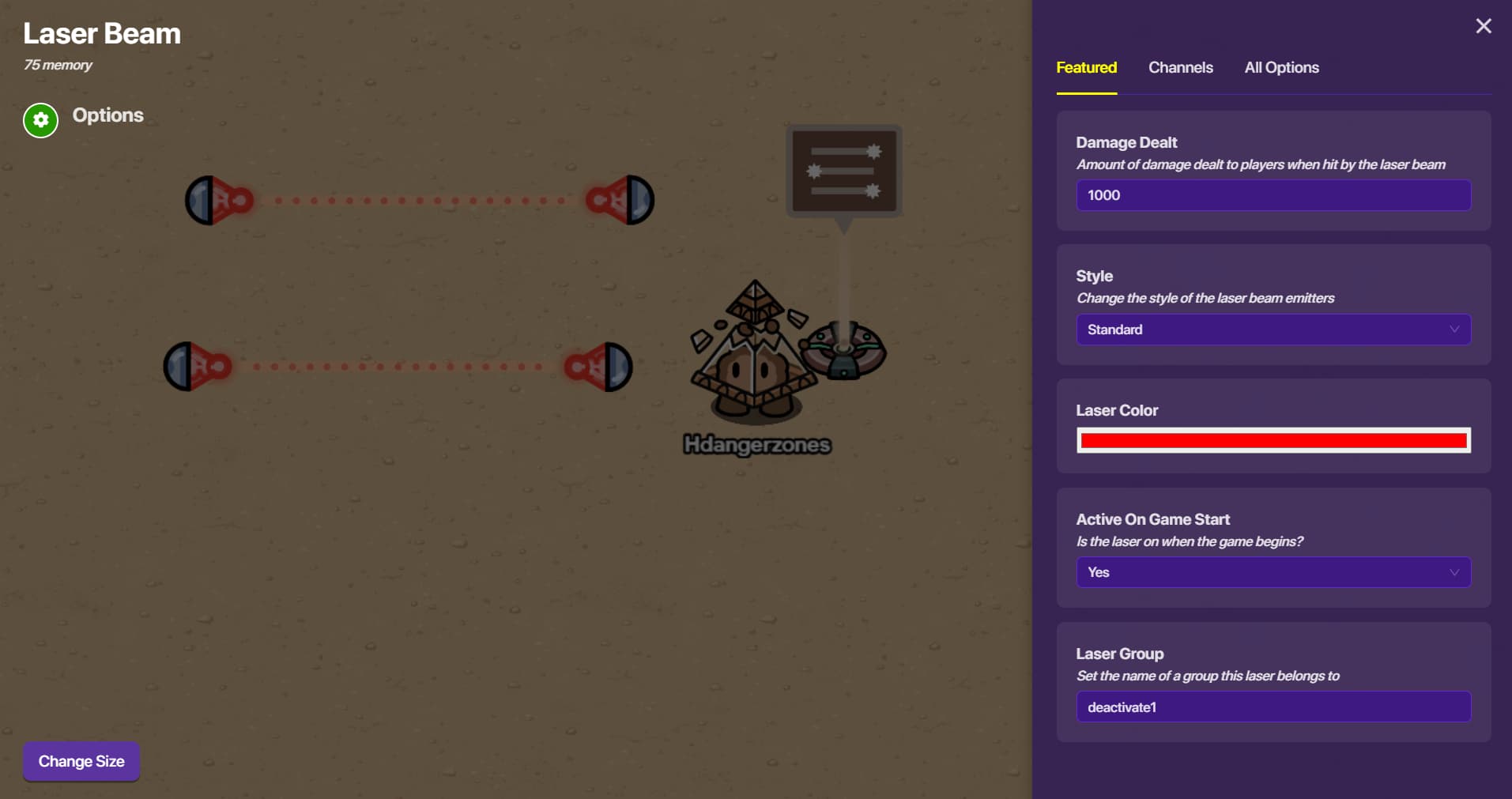
Now, go to your laser beam manager. The very first section is
Laser Group. Now, enter in the laser group above (in my case, it’s deactivate1.) Then, adjust the time it’s active (on), and deactivate (off). Wait… is deactive even a word…? Mine looks like this:
You can use this manager with any amount of lasers, and they will all activate and deactivate at the same time as long as they are under the same group.
Invisible maze: These are extremely, hard, so I would reccomend keeping these ones even shorter. Basically, it’s a maze made all out of terrain. The catch? The maze walls are the same terrain as the floor! To do this, just put down some floor terrain, and some wall terrain the same design as the floor! It can be very disorienting, so keep it short and sweet!
Regular maze! I realized I forgot about this one, so I’m gonna add it (I was overcomplicating it!!!) Regular maze walls and the shape of it will have to be manually set down, unlike the laser maze. Add some props and decoration, like other stuff. Pretty simplistic, but can look AMAZING if done right.
Sports!
Sports are pretty basic, but can be lots of fun! For Blastball (the easiest sport to make):
You’ll need a ball device and a ball capture zone. You can change the appearance of the ball under the first section. For the capture zone, if you wwant it to be bigger you can select it and press “change size” on the bottom left-hand corner. Then, drag to readjust the size. Add some boundaries (wall terrain and barriers work well) and maybe some obstacles! And voila, you have a blastball game!!! (one person, but still…) As a bonus, you can wire an item granter device to the ball capture zone (wire is: ball enters zone > grant item) and give them something whenever they score!
Adventure!
This one can be either short OR long! Basically unleash your creativity, and if you don’t know how to do something, then the forums are here Some ideas for adventure are:
- Escape Grandma’s house
- Escape the spaceship
- Find the infection
- Basically anything you can imagine!
Possible for both!!
Bossfight, but educational!
Add a questioner device. Add a sentry but put a barrier around him so he can’t fire a projectile at you
details here
In your barrier device, go to “appearance” at the top, go to the “visible in-game” section, and press “no”.
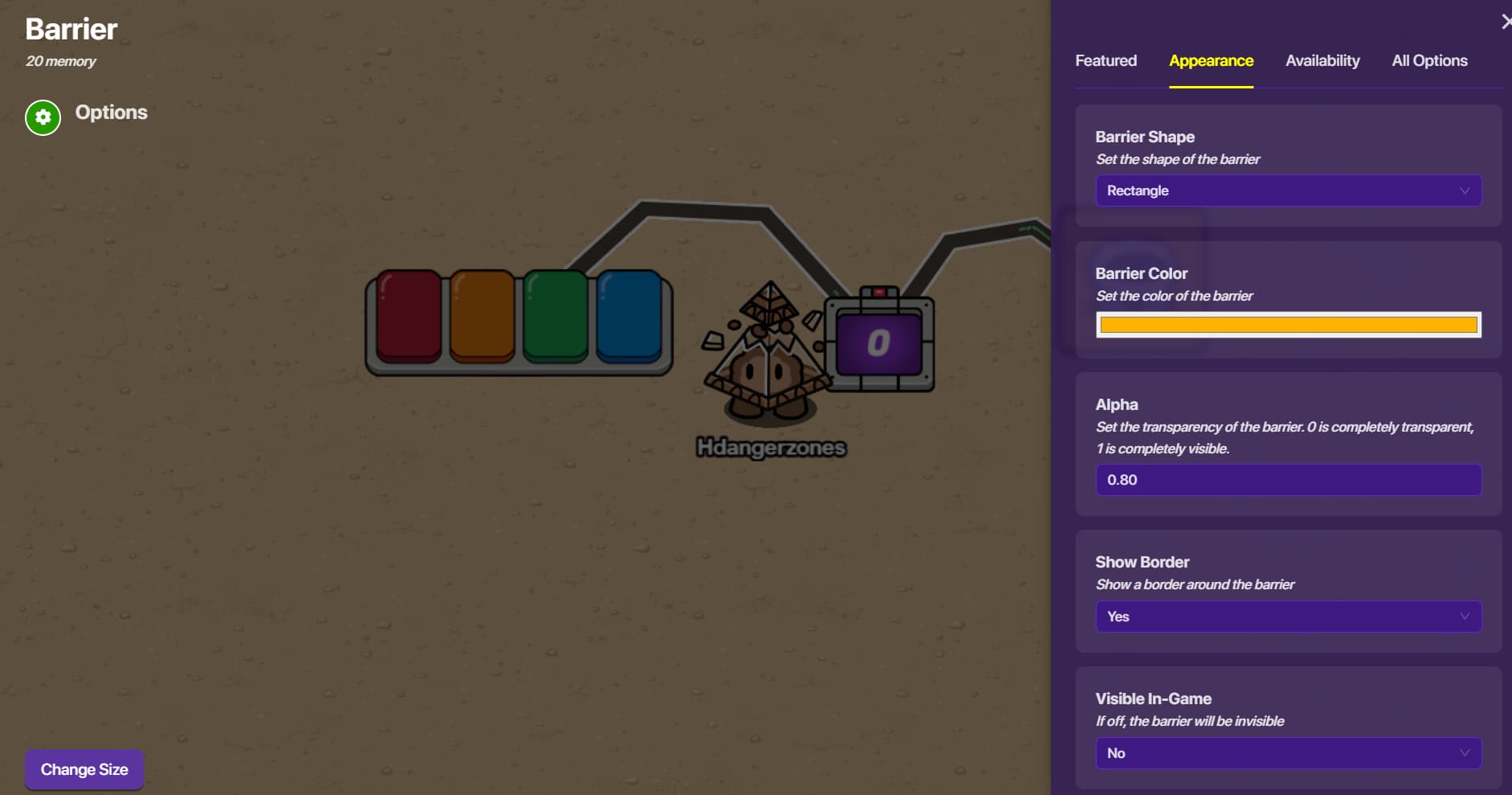
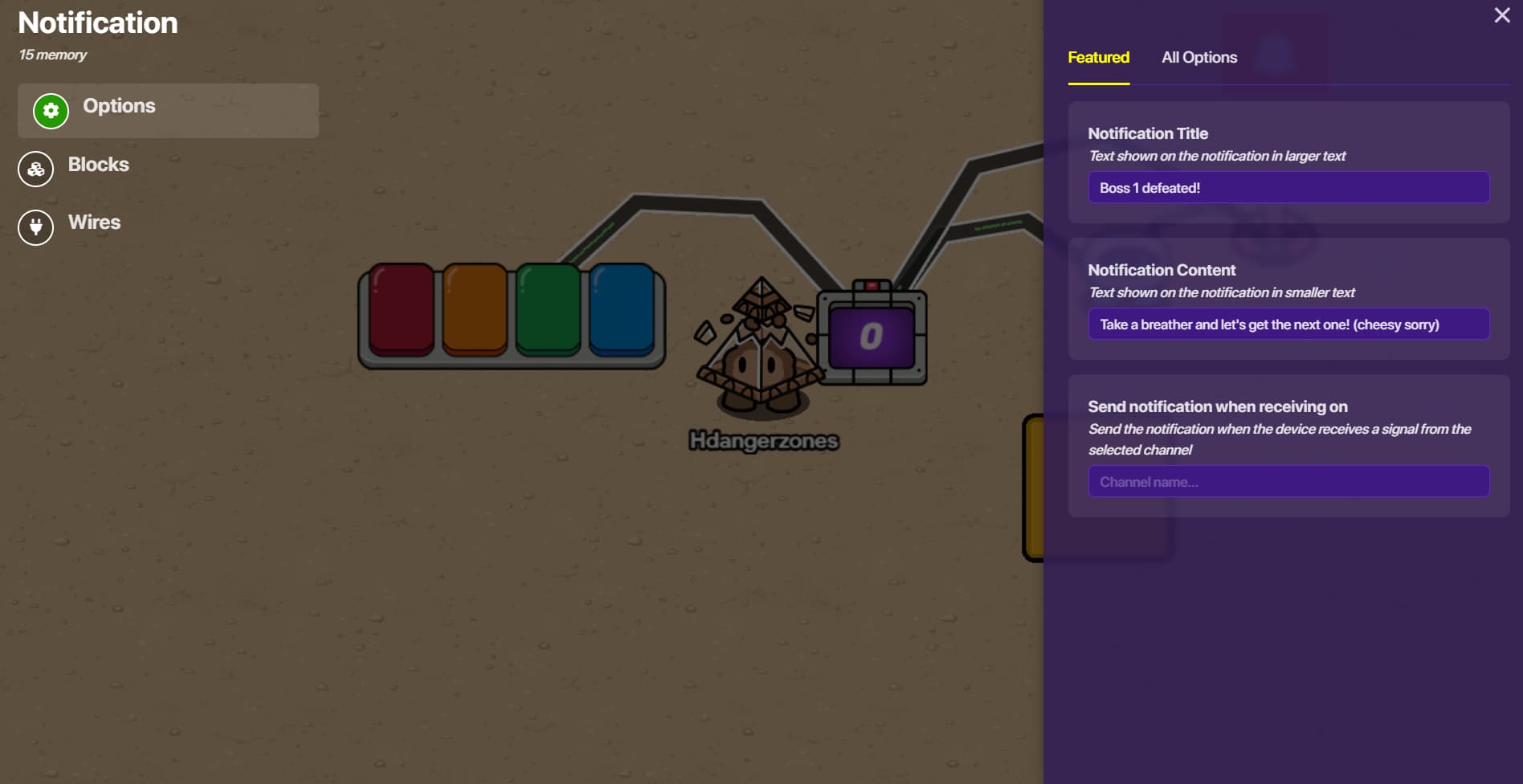
Now, add a counter device. Go to “target” at the top, and select “yes”. Now, put in a value. This will be how many questions they need to answer in order to “defeat” the boss. Now, wire the questioner to the counter (quesrtion answered correctly > increment counter). Then, wire the counter to the sentry (target value reached > deacticate sentry). As a bonus, add a notification device and wire it to the counter (target value reached > send notification). Then, click the notification, and customize the message. For example:
Money Rush!
This is going to be pretty menial, but might be fun!
Add an item spawner with cash. Then, copy and paste it a bunch of times hehehehe. Have the players run rampant and collect as much as they can! I’ll show you how to make it show on the leaderboard later. As a bonus, you can make secret rooms with spawners that grant MORE CASH!!! (such as secret invisible buttons that deactivate a barrier prop so you can get at what’s behind that barrier. Like so:
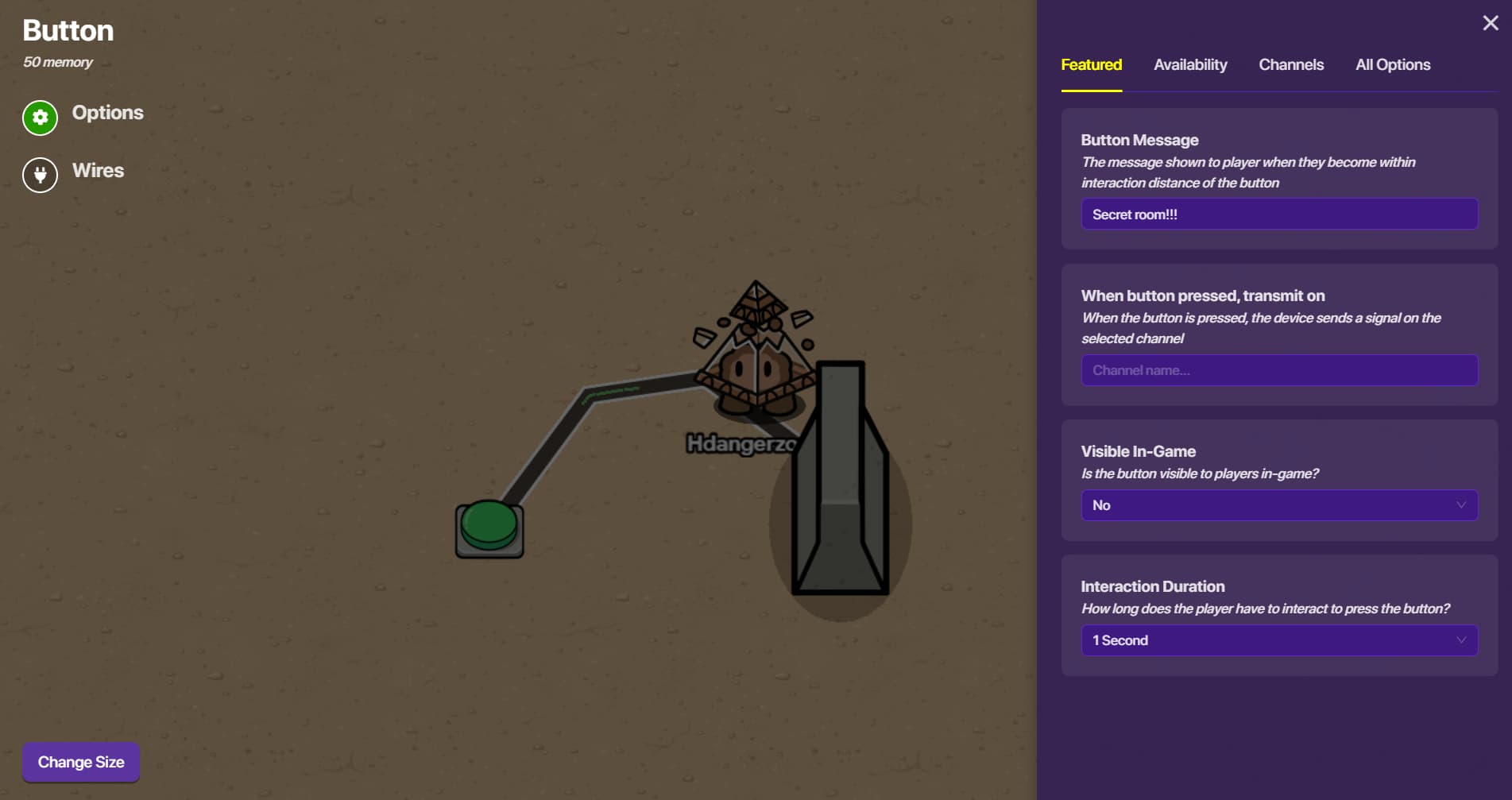
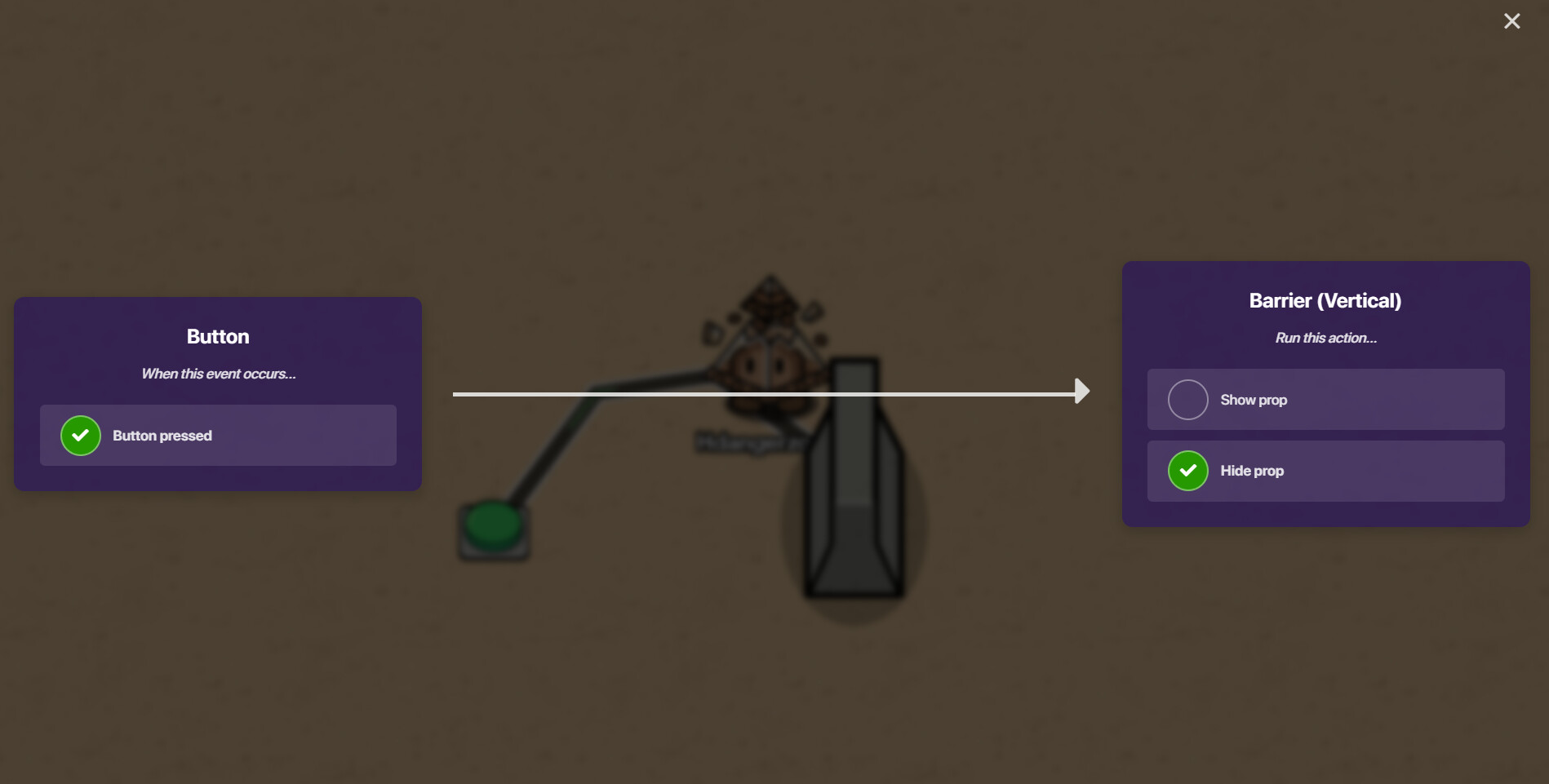
That’s just the barrier part, in reality hide the button somewhere like in a bush or something, And make a room behind the barrier I just can’t right now cuz it’s late (11:50 pm).
To show up on the leaderboard! Warning: I only THINK this works, it isn't tested
Add an end of game widget device, a property device, a counter device, and an inventory item manager device.
In the property: set the “property name” to something (I did ca$h). Se the type to “number”, and the property scope to “player”. Wire it to the counter (Property value changed > increment counter). Make sure to make the counter invisible in-game, and the scope to “player”.
Go to your inventory item manager device, and set the item to “cash”. Go to the “properties” menu on the top, select “yes” under “update properties”, and enter in your property name (in my case, “ca$h”).
Now go to your widget, set the type to “statistic”, and under the “property” section, enter your property name (in my case, “ca$h”. Below it you can label how it shows up.


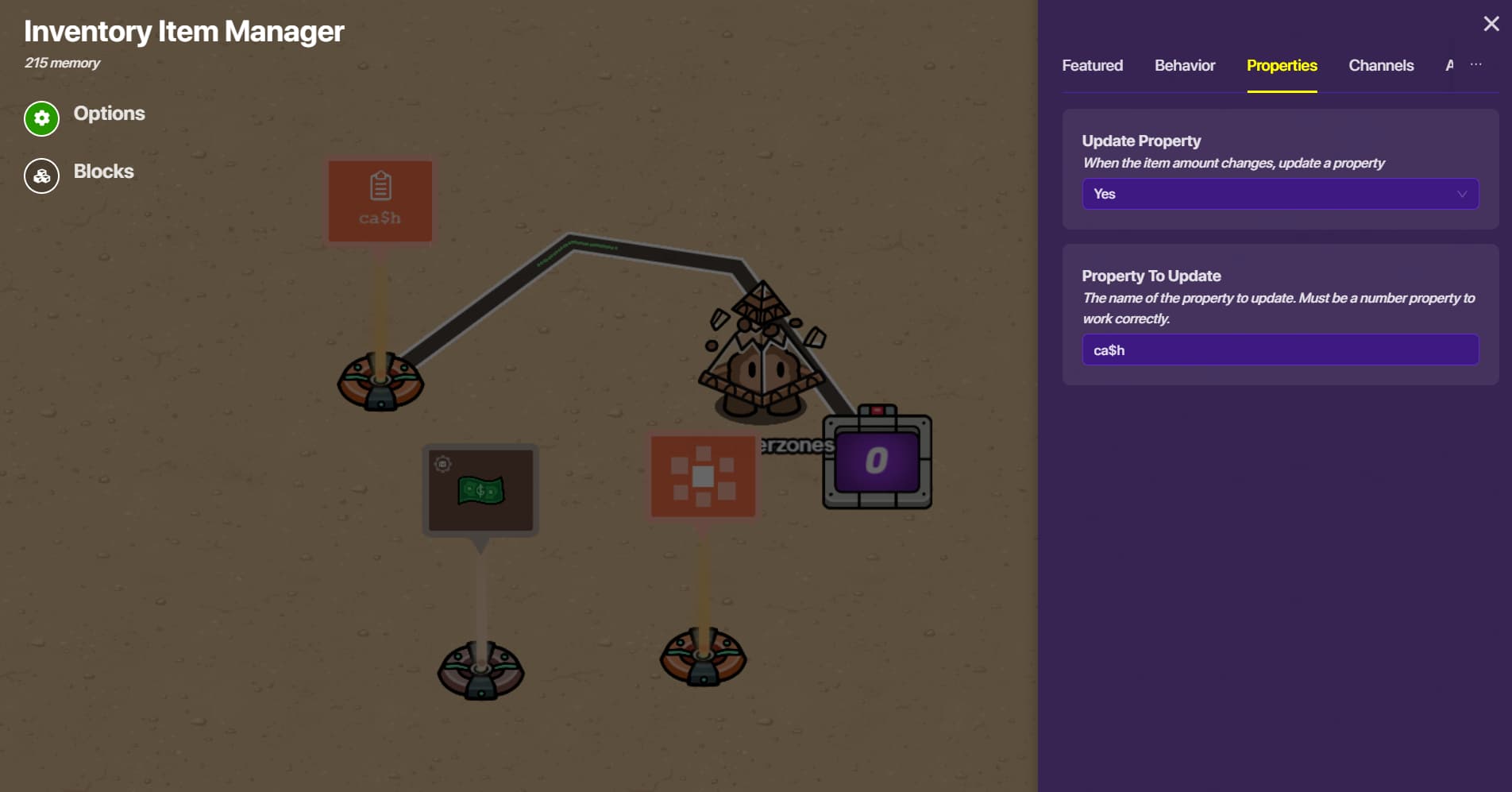
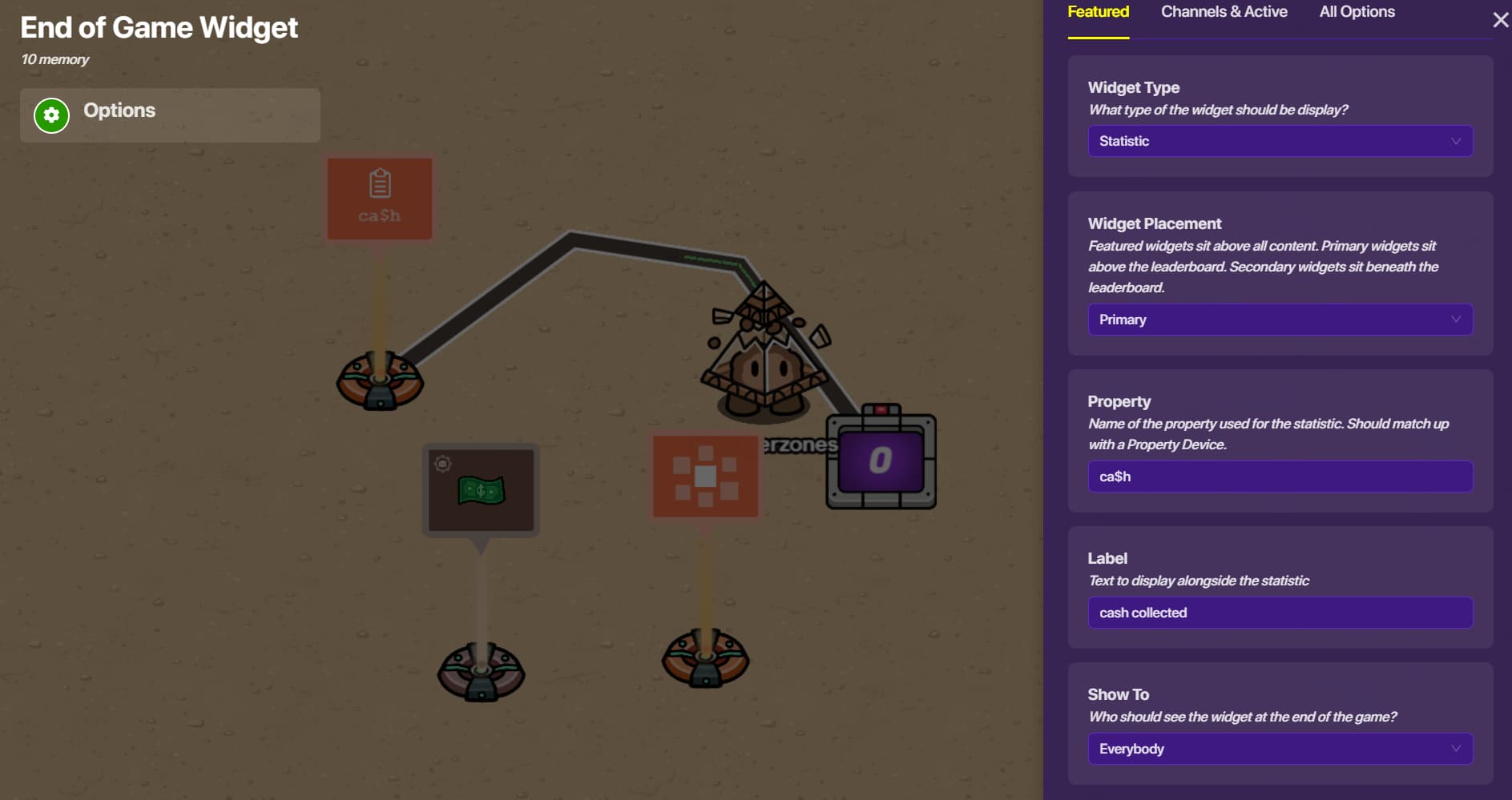
This took about two hours to type, so I hope this was (somewhat) useful
Goodnight Gimkit forums!!!
3 Likes
If I forgot to cover something, leave a reply and I’ll respond tomorrow or someone else will know the answer!!!
2 Likes
Yes we do!
btw @EllieBear what ideas are you leaning towards maybe I cane help on the details? Cause if I run loose on all the ideas I can think of then that’s too much.
3 Likes

umm… that’s a tricky question but i am thinking of maybe having a small quest where you have to find objects, for example you might be two thieves trying to get a super rare artifact? but idk what do u think
1 Like
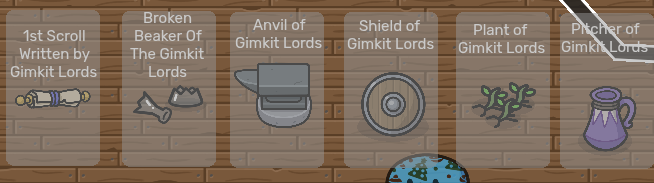
popping in here if you don’t mind, here are some artifacts that you can use, I have these in my game for like a museum!: ↩︎
2 Likes
To build an in-game chat system, try using the stuff in this post:
Maybe, if you decide to integrate the chat system, the 2-player game could be about having to lead the other player to a certain spot through a maze using the chat while the guided player’s screen is completely black.
(The chatting options could be “up” “down” “left” “right” etc.)
3 Likes
here are some ideas
- You can never beat a good Story/RPG Game you know something where every interaction is planned out making the player have to play the role of someone they aren’t
- You mentioned a chat option so (how I interpreted it)that can lead it to a Team Work Game which I will try to make in my spare time
- The next idea which is pretty self explanatory and is super common, a Tycoon/J*b Game like Fishing or farming
- Now my final game idea for ye is a good ol’ fashioned platformer (JUST NO MATER WHAT, NO RAINBOW OBBYS/ DIFFICULTY CHARTS THERE ARE TOO MANY)
4 Likes
Ooooh. I like how these are common objects that can blend in with the environment. Make it a bit trickier to find them. For example, the plant could be in a park or the garden, and the player might have to go find it.
3 Likes
Soooo I actually found a old (well not really) post of mine on someone elses post thingy. here it is VVV
OOOH so if you want different endings, here are some you could do.
Different Endings
So there are definitely many ways you could do this!
If your going for a theme or something like that and have multiple quests or characters/sentry’s it’s best for one of these. VVV
- The “Good” ending: ( Like a reward for playing the game correctly, or the game makers main ending.)
- The “bad” ending: (This happens when the main person makes absolutely terrible decisions in the game, goes off track, doesn’t play the game correctly and ends up lit di Cough cough failing miserably.)
- The “true” ending: (Hidden behind specific requirements. like collecting all little objects and reveals the truth behind the plot. Maybe like waking up and realizing they were in a dream.)
- The “bittersweet” ending: (the main person wins but at a great cost.)
Choice based endings VVV
- The “selfish” ending: the main person doesn’t help at all.
- The “Self sacrifice” ending: The main person is not selfish and self sacrifices.
- The “walk away” ending: the main person just is very mature and lit doesn’t give a cra p.
Joke endings!
- The "early"ending: the player does the main part of the game early or just sits in a room for a long time… and gets this ending
- The " Actual Joke" ending: you should just put a lil rubber duck in the corner that is able to be clicked. then the player gets this ending when they reach 100 clicks or 50. lol
- The “fourth wall” ending: this is honestly kinda unsettling to the main person who is playing. where the characters realize they are in a video game and directly ask the player to turn it off, but it glitches and the "game " stops the characters from finishing their sentences. Ends up having all the characters go to the default sentry skin. (become robots in the game ig)
3 Likes
Thanks! i think this will help a lot! 
2 Likes
To make a chat in-game, there is a way, but making you able to type directly into it is prob impossible, but u can make it that players can select what they wanna say from a selection of things. There should be a guide on it in the forums!
And welcome to the GKC forums! Hope you have a good time! (plus dont get flagged)
3 Likes
You can do simulator games like
Simulator Examples!
Airport simulator
Punch a wall simulator
Christmas tree simulator
Library simulator
Punch Monsters simulator
Or maybe a tycoon, but I don’t think you can make one.Just in case, these are examples
Tycoon Examples
Money tycoon
Water park tycoon
Build an airport tycoon
Build a TV store tycoon
Make water bottles and prove your dad wrong tycoon
etc.
Yeah, so have fun with those examples, and start creating!
2 Likes
This topic was automatically closed 3 hours after the last reply. New replies are no longer allowed.