When the pictures get deleted I’ll add more detailed instructions
Step 1: Game Overlay
Get a game overlay and set it to these settings
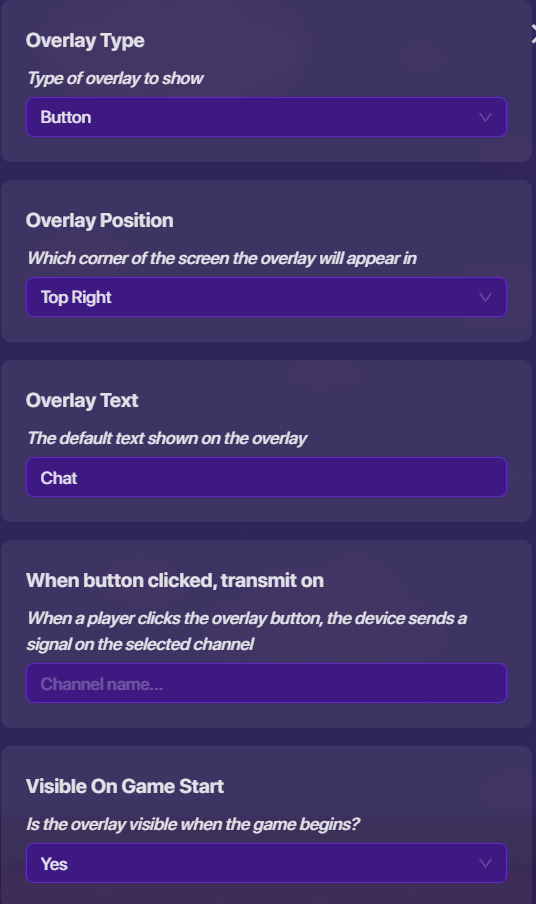
(Whoops that was the wrong picture, leave everything else as is)
Step 2: Popup
Get a popup and set it to these settings
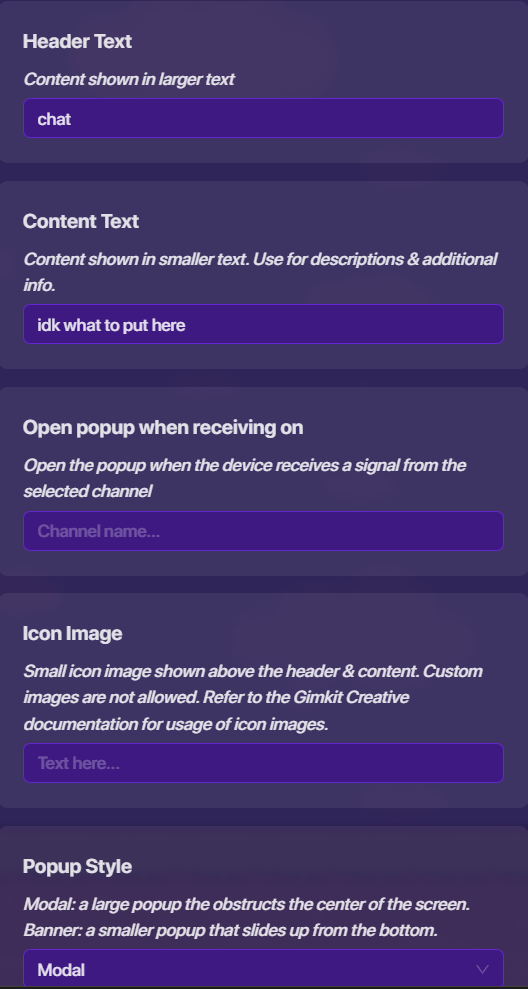
Custom images
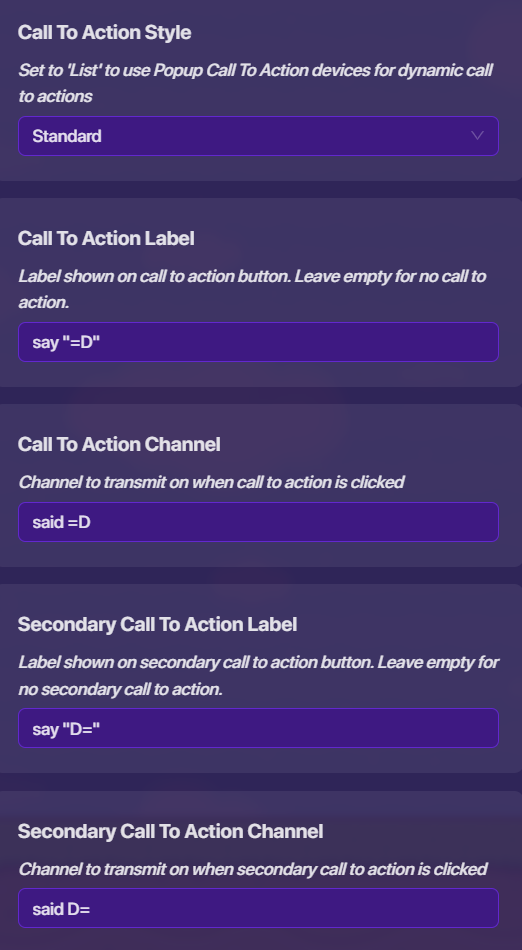
set call to label actions to anything you want and the channels too
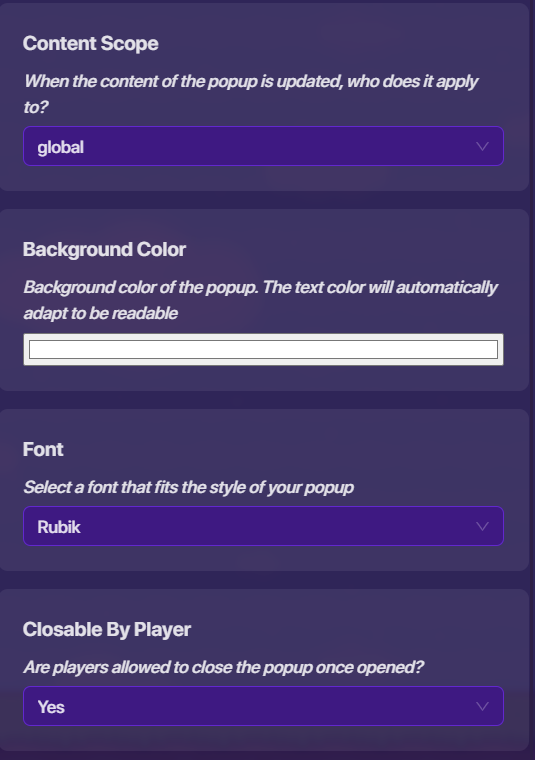
set font and background to anything you want and leave rest as is
Step 2.5: Channel
Connect Game Overlay to Popup to open when clicked with channels
Step 3: Notifications SETTINGS
Set both of it to this

Step 3.5: Notifications BLOCKS
go to one of its blocks and click “when receiving channel” to the corresponding channel as the one in the call to action
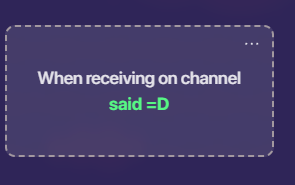
make the blocks this with the exception with the header text and content text, use what you want it to say
make sure there’s a space before " says"
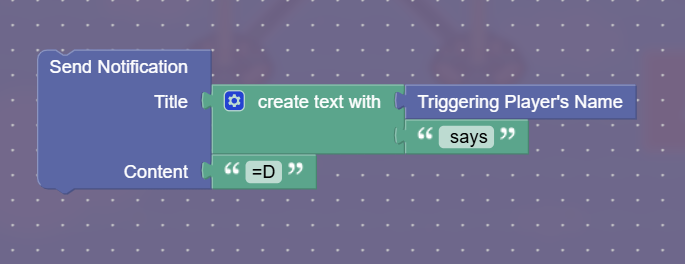
do the same to the other with the corresponding channel
Sorry if my grammar and the way I talked in this was a bit off and confusing, it was11:30 PM in my area and I was so sleepy  (I’m fully awake now, might edit it to make it sound better)