If you wanna add to this guide just ping me and tell me what you’re gonna add I will tell you if you can or not add it.
This guide has extra things added on to the obstacle to make it CHEESE  proof.
The three set obstacles 🟩
This obstacle is really bad just giving a warning , I only kept this since this is my first every obstacle I made.
1: the first one you put the player is small gap.
In walls of gap leave a one block open. The player will have to jump in the small gap then jump out.
2:
The second is to make the player have to jump their farthest distance and then land inside a small gap in a giant pillar. You can add a laser to make sure the player jumps high enough.
3
For this you have to put the player in a tight gap again.
You have to give them a pickaxe and a dynamic sand block.(Any dynamic block works)
The player would have to use the sand block to place ground underneath them.
They have to quickly break the block and jump then place the block down again so they don’t fall.

The dynamic dirt block clutch 🟨
This obstacle is an obstacle that makes the player jump one block farther then they can jump at max jump distance. Though this jump is impossible if we were to give the player a dynamic block that they can place right at the end of the jump this jump becomes tricky but possible.
-
To do this first make two pillars that are 13 blocks away from each other. (Don’t make -one pillars taller than the other)
-
On top of the first pillar put a zone that is wired to a item granter.
-
The wire should be (Player enters zone - Grant item) Make the item granter grant negative 1 dynamic dirt.

-
Now add a zone touching the ground between the two pillars make sure you extend the zone until it touches both pillars.
-
Now place a respawn.
-
Wire the respawn to the zone. (Player enters zone - Respawn player).
-
In the middle of the two pillars at the max height of the pillars add a zone.
-
Place a item granter.
-
Wire the item granter to the zone. (Player enters zone - grant item)
-
Now make the item granter grant one dynamic block.

The game play looks like this.

Gadget jump 🟨
The Gadget launch jump.
What is theGadget launch jump.
It is basically a jump where you have to throw a projectile midair to defeat a sentry. Once the sentry is defeated you can safely land on a platform.
-
So lets get started first make a pillar as tall as you want just make sure the pillars isn’t too short.
-
Now make a prop that is at least 7 blocks away from the platform.(Don’t make it above 13 blocks or the jump is impossible)
-
Set the prop to not visible in beginning of the game.
The product so far looks like this.

-
Now on the beginning put a item spawner that spawns a gadget (any rarity and any gadget except for melee gadgets ).
-
Now in the middle of the prop and platforms add a sentry which has 1 hp and make the scale 2x. (You don’t have to make it with a scale of 2x , it just makes the obstacle easier)
-
Now on the beginning of the platform add a zone. Wire the sentry to the zone. ( Player enters zone - deactivate sentry) Make sure to make the zone extra tall.
So far your product should look like this.

-
Now wire the sentry to the prop (sentry knocked out show prop).
-
add a zone above the sentry and wire the sentry to the zone. ( Player enters zone activate sentry)
The game play is like this.

The pillar 🟥
First make a long tower of any block of your choice don’t use dynamic blocks
Then skip one block and another tower.
Then near the the structure add a trigger , make the trigger have an Active scope of player then make the it so it is when triggered it transmits “1” and then make it so that is when it receives 1 the trigger deactivates

The Dynamic Dirt Block clutch variant 🟩
This guide has so many obstacles related to dynamic blocks that I might as well
rename the guide to the Ultimate guide to Dynamic dirt.
This variant is very similar to the original but instead of placing it sideways you place it under you.
Now you could just make the player fall down and have to clutch with a dynamic dirt but its easily cheese able. Let me show you how.
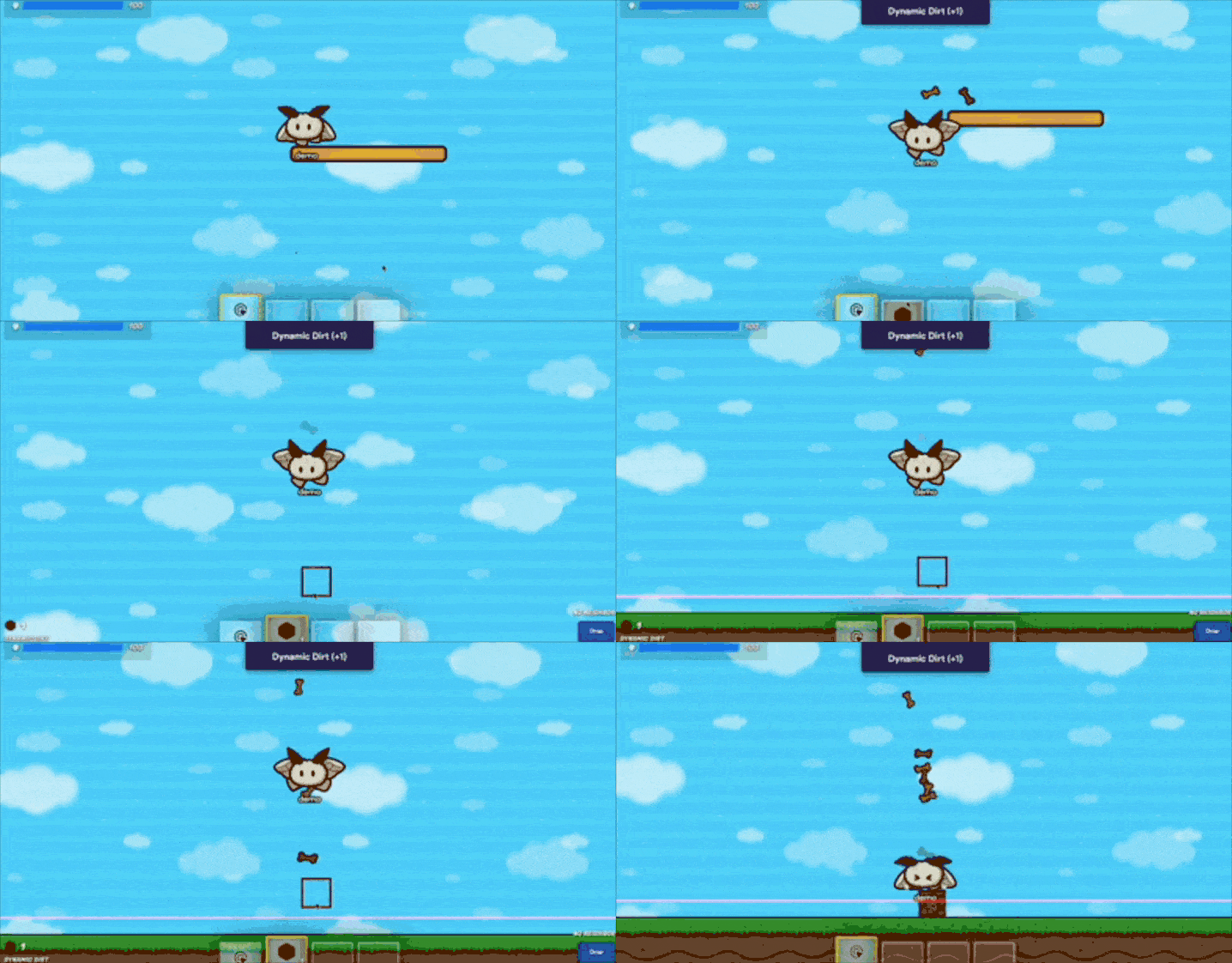
Since the player still has their double jump , right before they reach the ground they can use their double jump to gain some extra time to place the block down. As you might have guessed the solution is simple just take away their double jump.
Build something like this that requires a double jump to get past.
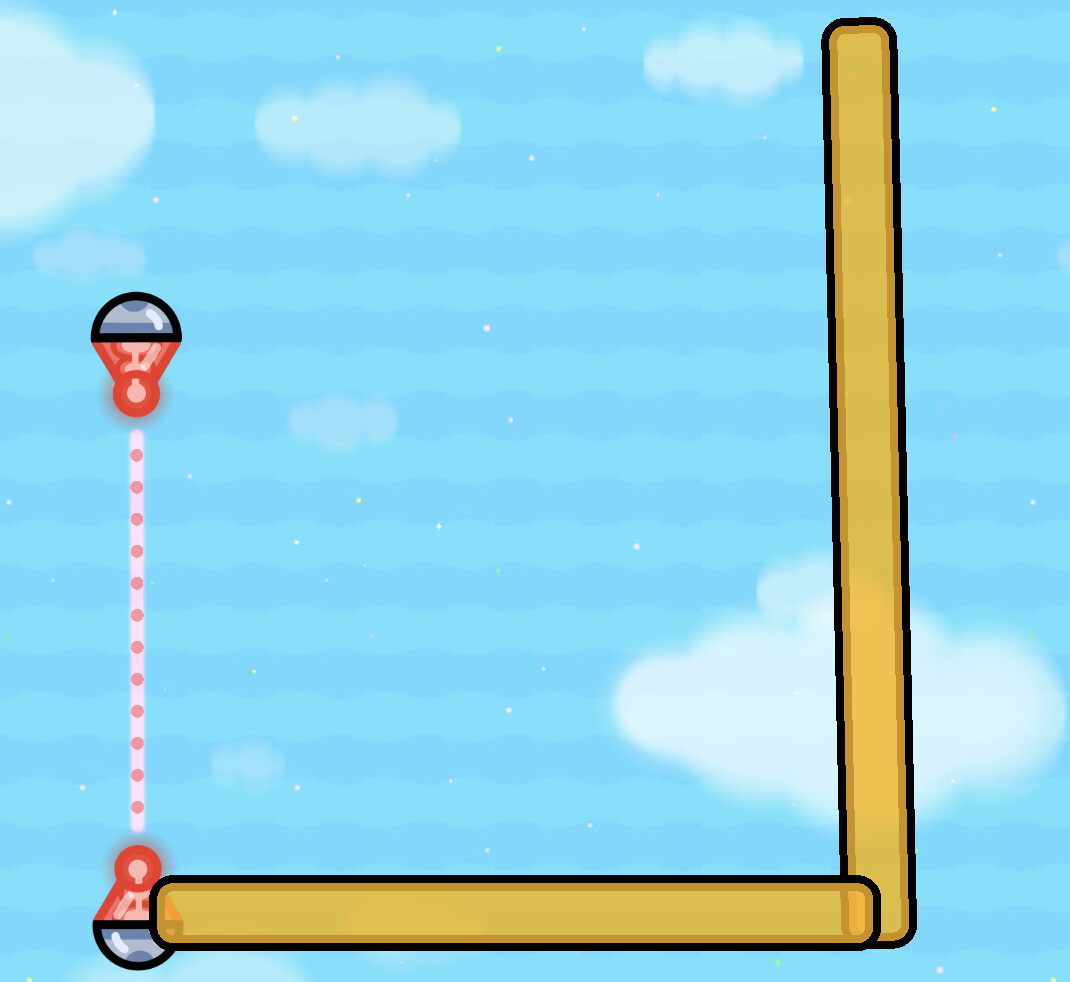
-
And know just add a zone and a item granter
-
Make the item granter grant 1 dynamic block(Any dynamic block works)
-
Now wire the item granter to the zone/(Player enters zone - Grant item)
-
Make a decent sized fall , that the player can fall through.
-
On the ground add a laser that deals enough damage to make the player respawn. Or make a zone that is wired to a respawn.
The end result looks like this
(Note: This is very simple and easy to make)
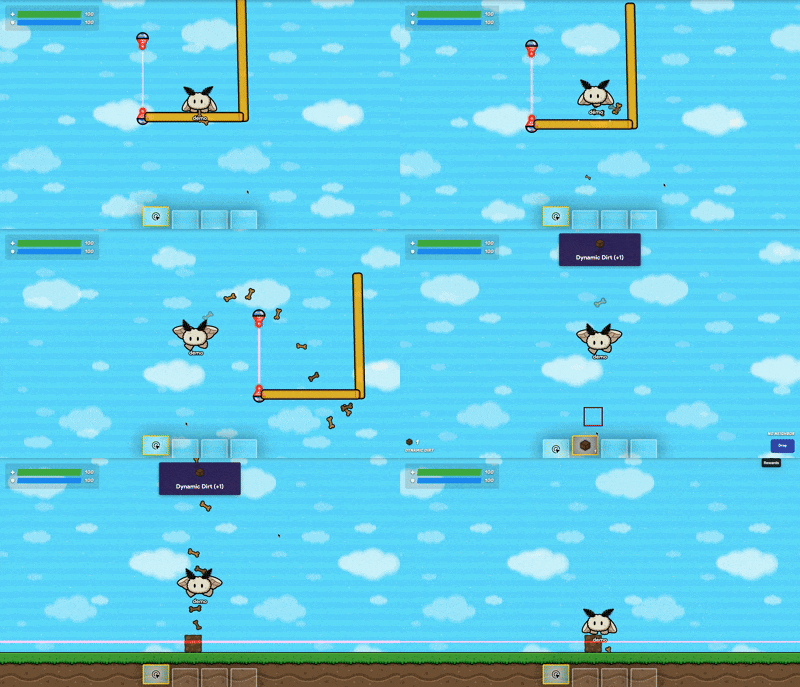
(I was fixing some issues and the gif stopped working , I will be fixing this soon)
That’s it thanks for reading!
This my first guide so if their are any suggestions I would be glad to read them.
and if you have anything you wanna add please tell me.

 )
)