things youll need: barrier, spawn pad, buttons, end game, item granter
Make the base make opening for the host
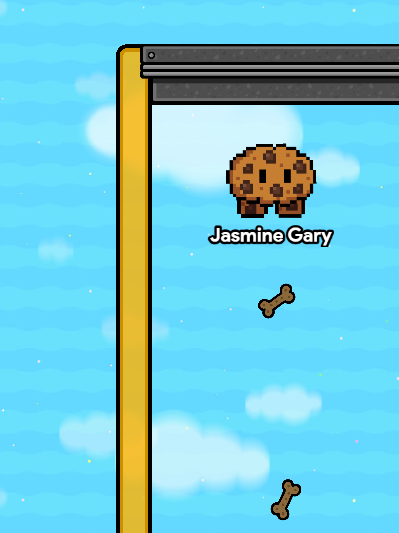
resize the barrier like this make sure the barrier avalibilty is player
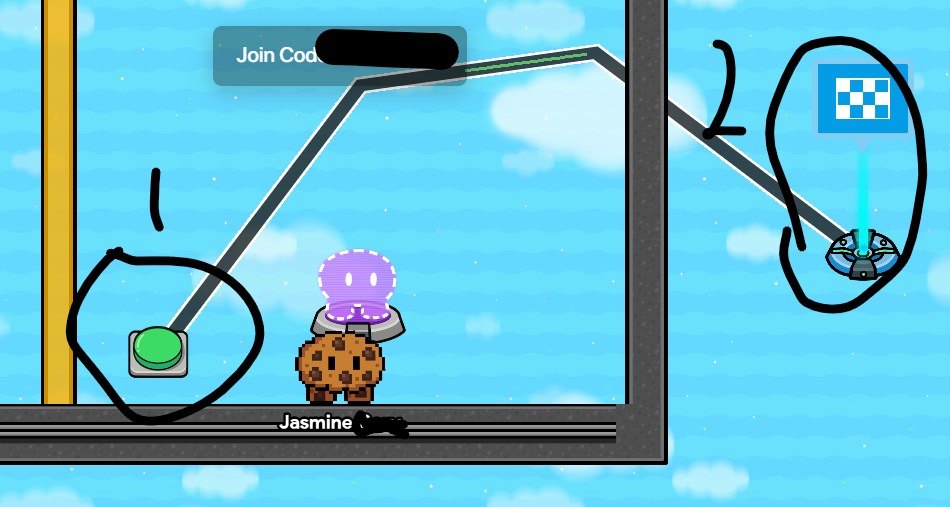
2.3: add teleporter and wire it to button if wanted when button pressed teleport player here
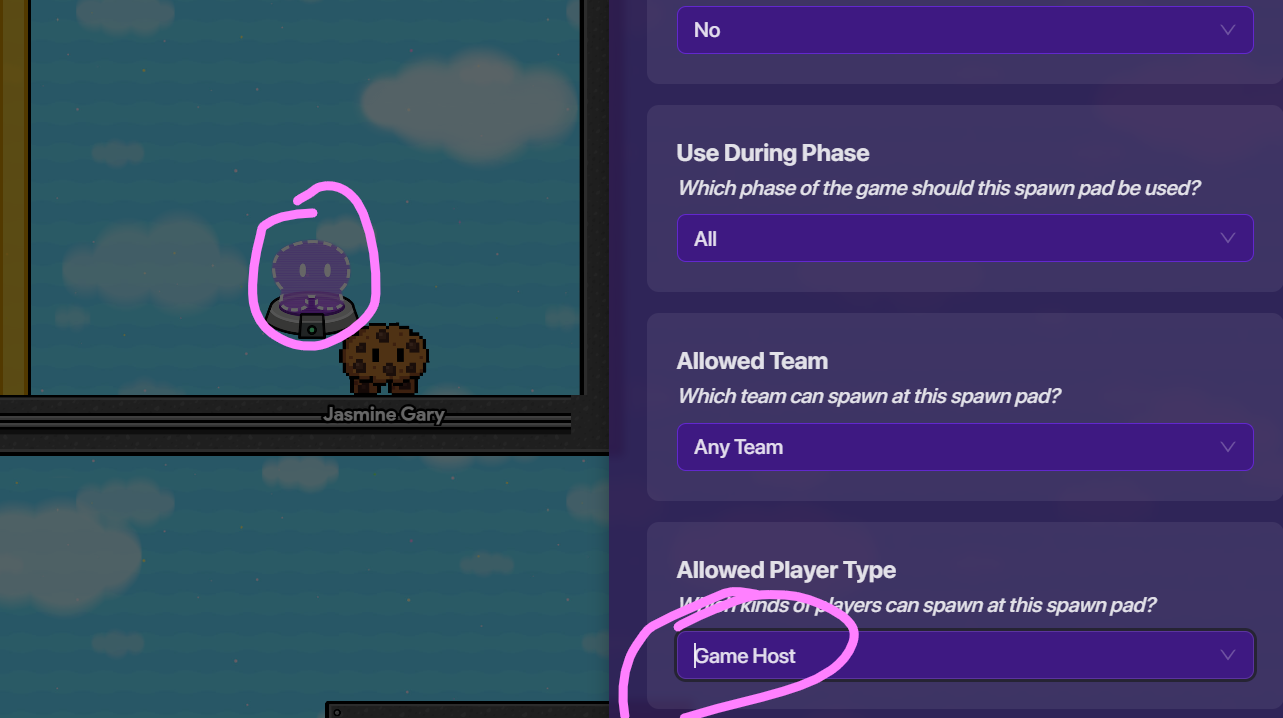
add a spawn pad like this make sure your spawn pad for non hosts is players and host is game host
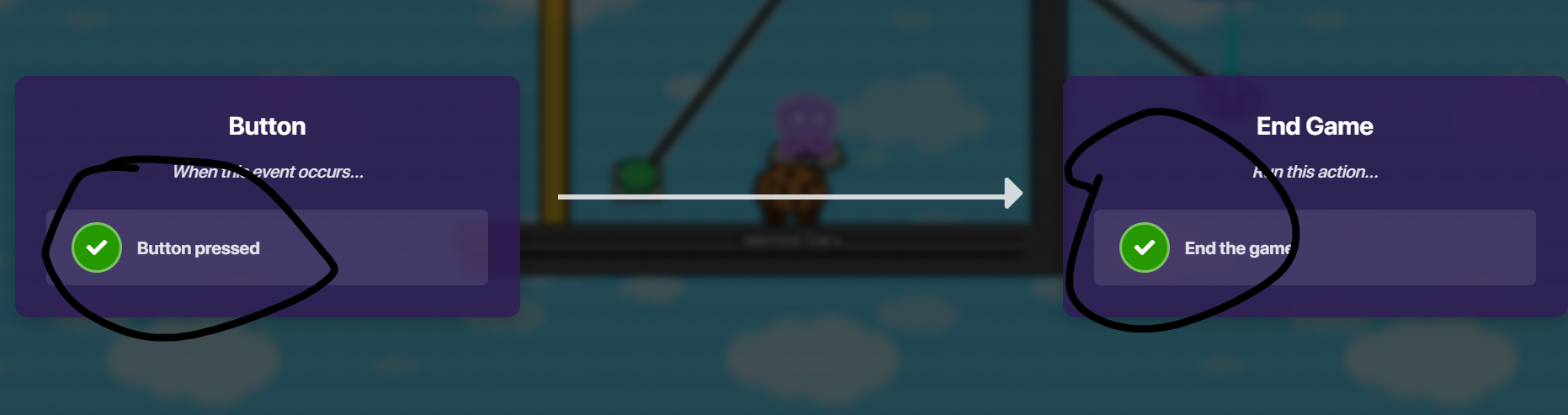
wire the button to end game rename it to “end game”
Use a button wire it to a item granter use an item of choice i personally use a gold key gold
name the button “get this for later”
If using teams use this
bonus team switcher since random team is just lazy if you can please try using 2 teams make a button that says switch player to team 1 or 2 idk
16 Likes
Nice guide,
Consider adding [ Mini Guide] to the title and the gimkit-beginners tag to this guide.
7 Likes
I know a lot of people who could use this. It’s a nice guide. Well-written.
1 Like
Nice guide! This could be helpful for lots of beginners!
Erm… This is somewhat off topic but why did you add a box?
You know only Regulars can make reusable bumps right?
@ForsakenGD , its this , Regulars can make a post wiki and you can tick this box so it would bump a post just by ticking the box. (Make one by typing [ and ] together)
2 Likes
What’s a box? (Please Don’t flag, I’m learning.)
…Whatever you say. I don’t want to get banned for being off topic
They meant what the check box was since its a weird concept in the Forums.
Edit - now that I read it again it does seem weird, I guess your right about this one.
Here
Hi, and welcome! This is the Gimkit Creative Help Forum, or just the Forums, or just GKCF. I’m SeamlessMoon (this whole thing is by blackjack), and here’s some important things you may need to know as a beginner!
OFFICIAL LINKS:
Official Rules
Forum’s FAQ
Forum’s Terms of Service
^^Please read all of these^^
CATEGORIES
Ask questions in Help .
Make tutorials in Community Made Guides .
Request thumbnails and make building guides in Art .
Look out for official releases in Updates .
Find answers about a glitch in Bugs .
Be technical and invent in Devices .
Get excited for Gimkit Awards !
PRO TIPS:
Try to stay ON TOPIC! A little self-control never hurt anyone, haha.
DO NOT share active codes. It’s an official rule!
Search before you post. Your answer may already be in plain sight.
Don’t use AI. It’s extremely looked down upon here.
Don’t worry if you mess up or make a mistake here! Everyone has accidentally broken a rule, so it’s OKAY !! Just learn from it, and move on.
TRUST LEVELS
TL1 : Brand New Account, limited replies, limited likes.
TL2 : Average Trust Level, unlimited replies, more available likes, can post images
TL3 : Regular User, unlimited replies, even more likes available, can wiki-fy own posts, stronger flags.
TL4 : “Moderator-ish”, unlimited replies, more likes, can wikify others posts, even stronger flags, can close/open posts, and more.
LEVELS OF GKC KNOWLEDGE/BUILDERS
Brainless
NO IDEA how to work around with GKC
Beginner
Knows how to use terrain, props, devices
Thinker
Knows how to use devices pretty well
Builder
Can build really good art and can build stuff like CTF and tag
Master
Good with everything except for blocks
Semi-Pro.-
Good with everything, Blocks are good except for a tiny bit
Pro.-
Good with everything
Legend
People like the mods who actually build Gimkit
CHART ABOVE IS UNOFFICIAL AND CREDIT ARE UNCLEAR.
That’s all you need to know and more as a new user! Once again, welcome, and good luck! We hope to see you around, and can’t wait to see what you’ll achieve! Have an amazing day!
Also this guide needs a bit of work like drop downs, formatted text, better grammar etc.
7 Likes
how to make it! the check box @JustAToaster