hi I have started making guides again. so next up is a wolf howl moon thing.
but… first…
o
o /
now I will show you the actual guide
making the background
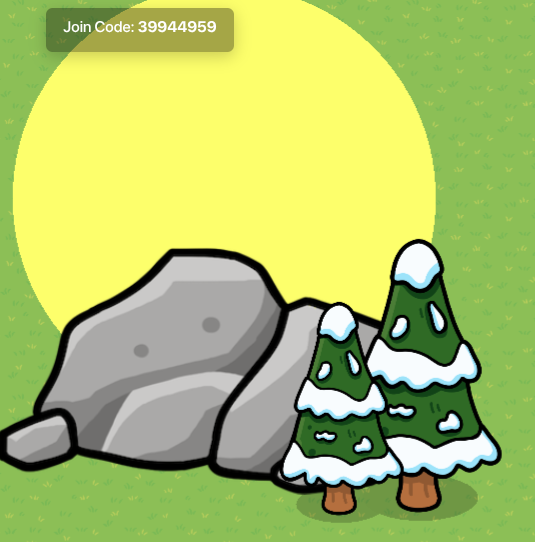
okay so make a big yellow circle barrier with no border, and there’s your moon.
next make a big rock. perfect
now add some big snowy trees
add anything else u want
ur done2. 3. 4.
wolf body
okay just get a bunch of black tinted wood poles (8)
3 black barriers with no border
now put the poles into groups of 2 like this
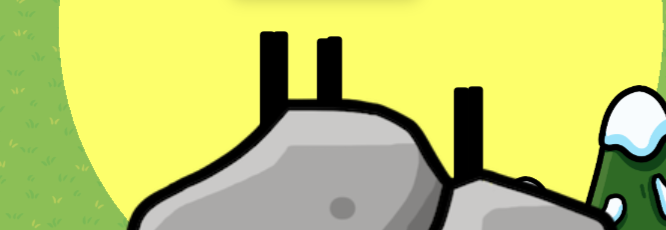
now add the barriers like this

you might have to move the legs a little
next add the tail

ur done with the body
head down
first get some barriers
like 4-5
next get two pointed signs
and make them tinted black
now start making the head like this
VERY IMPORTANT: make sure all the barriers and signs u use for the head activate on channel HEAD DOWN and deactivate on channel HEAD UP

now add another square barrier

now add the signs as the ears

now move the head onto the wolf
HEAD UP
okay make sure to switch the channels so that they activate on head up and deactivate on head down
and these should not be active on game start
just repeat the steps from head down but rotate all the components so the head looks like this

now move the heads onto the wolf
awooooo
make a text and set the channels to activate on head up and deactivate on head down. write like awooo or something, up to you
wires and channels and stuff
get a camera view a camera point three triggers and that’s it
make the camera view just big enough so you can see the whole scene, the trees, the Moon, the wolf…
make the camera view activate when ever you want
like if you need a button to be pressed and then the cutscene started make it button pressed activate camera point
or if it happens when the player gets a counter to a certain number, make it target number reached activate camera point,
when triggered activate camera point works for a trigger.
okay now however you activated your camera point connect it to a trigger too
its setting should be
- cannot be triggered by player collision
- not visible in game
- 3 second delay
the other 2 triggers should also have these settings
so O---------TRIGGER
now connect that trigger to another trigger with the same settings
TRIGGERED--------------------------------TRIGGER
that second trigger should transmit on head up
now connect that trigger to another trigger that does two things - TRIGGERED---------------------DEACTIVATE CAMERA POINT
- transmits on channel HEAD DOWN
this is to reset the the cutscene for the next player
gif coming later