Minecraft (20 char spam aeaeae)
2 Likes
You should add different designs, this guide is quite simple.
3 Likes
not necessarily because that guide just shows how to make 3d terrain.
3 Likes
Could you link up our terrain guides?
They would be helpful.
Other than that, decent guide -228/10
reasons
-3472/10 question
1 Like
sure.
why mr zappy zaptos
anyways I’ll link up some guides in the first post.
2 Likes
The first step (the bottom terrain shape), should the next layers be on top of it or below it?
1 Like
That looks So Good NGL
1 Like
On top of the bottom terrain, it should end up like this:
Top: grass
upper: dirt
medium:dirt
lower: dirt
bottom: dirt
2 Likes
people didn’t like it
Seriously, why did my topic get flagged?

1 Like
Uhm… i was gonna actually use this guide, why was it flagged?
1 Like
I dont completely know but a lot of guides yesterday had thier first posts flagged, so it might be people flagging things for no real reason.
So I looked through topics and I didn’t really see any that showed you how to make a floating island, so I guess this is the guide to do it.
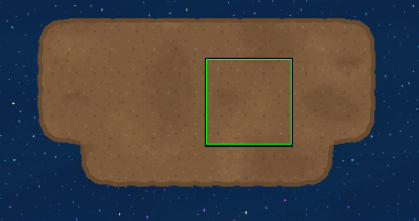
Step 2
continue making that shape with dirt using layers, lower, middle and upper.
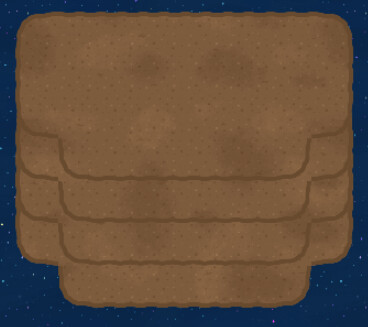
you should end up with this^
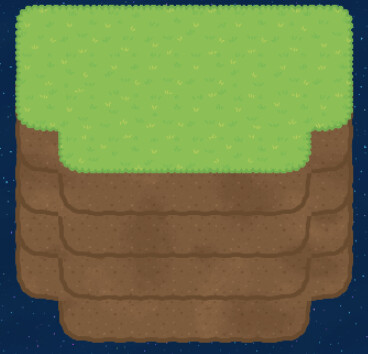
More Designs:
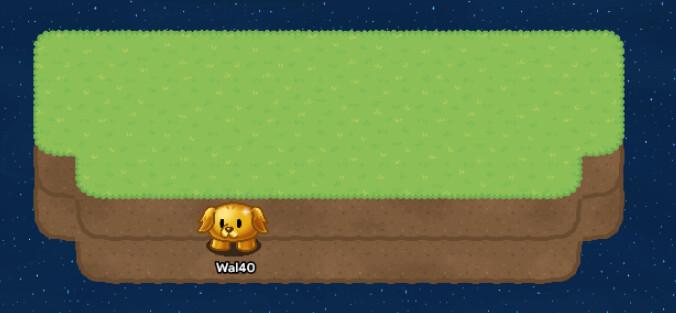
Bridge between 2 islands
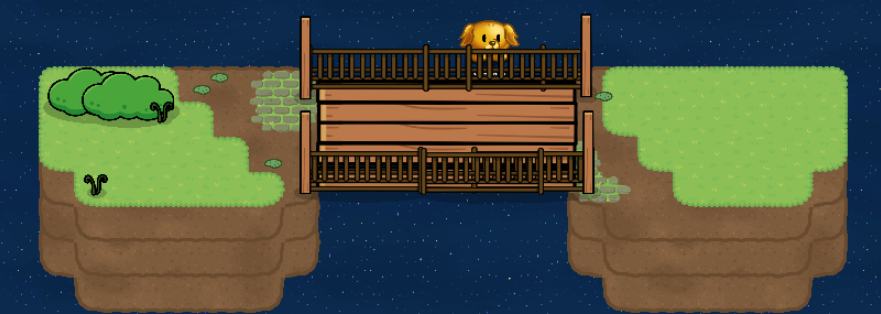
I might make a guide for this one since its way more complex but its just 2 islands with a bridge connecting the 2.
And that should be it! this design works with any type of terrain, this is just the basic way.
if I did anything wrong, or it was already made before, tell me and I can fix it, hope this
helps.
guides that help with terrain:
5 Likes