How to make a hunger bar!

Hello! Here is how to make a hunger bar!
Lets get started!
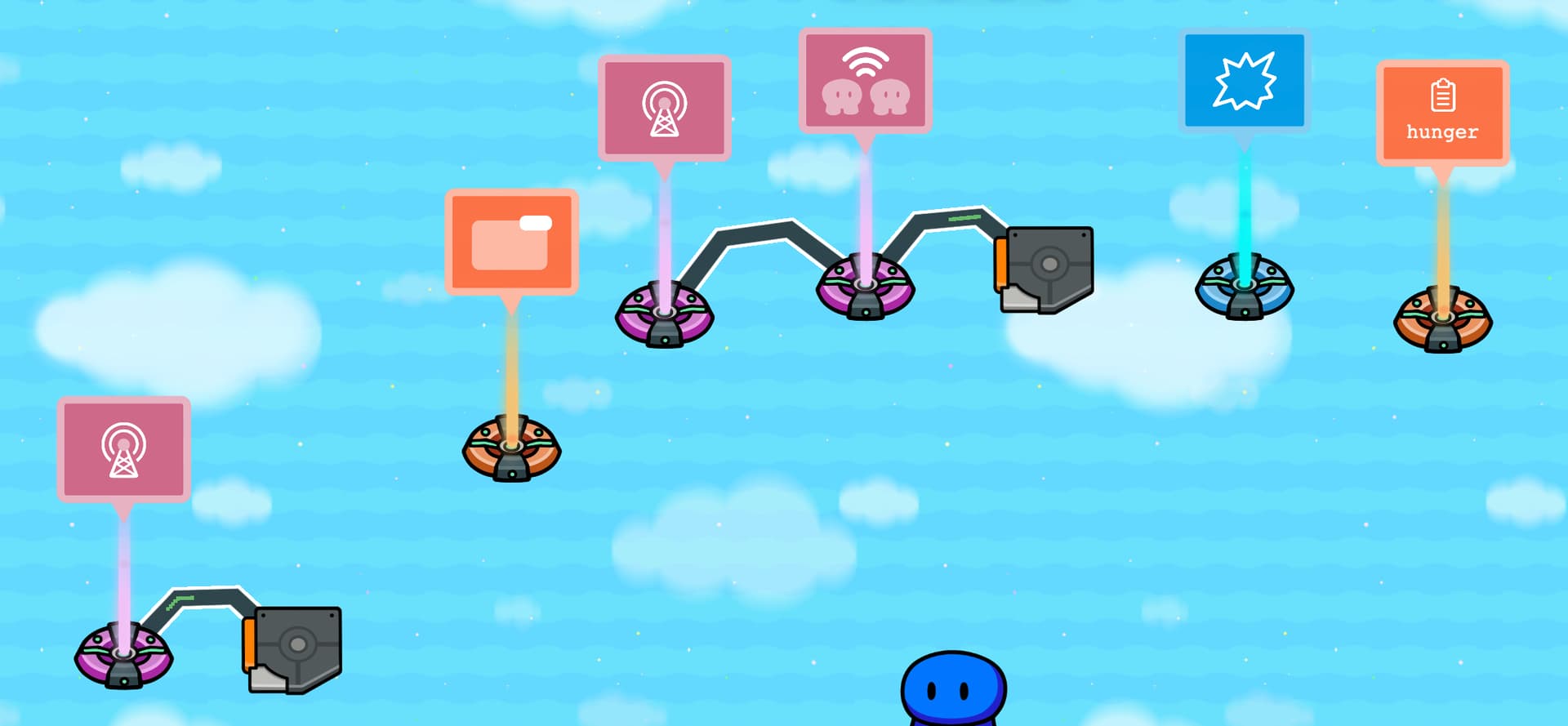

Lets grab a lifecycle and a relay. Both at default settings! Wire them together!
Event Occurs --> Trigger Relay!

Now wire the relay to the trigger!
Relay Trigger --> Trigger!

These are the blocks for the Trigger!
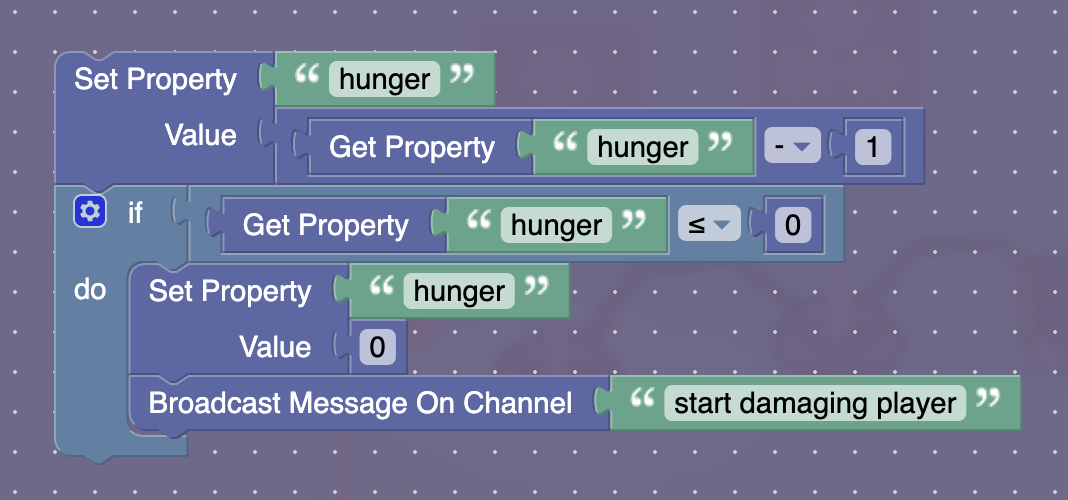

This makes it so the property hunger is set 1 less than it was before! Then it checks to see if it is <= 0! If it is, then set it back to 0 and broadcast on “start damaging player”!

There is this really nice devices called never use repeaters! This trigger uses that! It broadcasts on “loop” and triggers on “loop” with a delay of 1! Make sure it is invisible in game and can’t be triggered by a player passing over it!

Grab a damager! Make it damage the player on “start damaging player”! Make it damage however much you’d like!

Grab a property! Name it hunger! Make it player scoped! Make it’s value 100 (number)!

Now for the overlay!
Make a block on “loop”!

Put these blocks in!


If you’d like, change the “|” for an emoji! It doesn’t work on mine, so thats why I chose the line!
It works by setting the food point variable to 1/10th of the hunger property, rounded up! Then in the text it grabs a substring from letter 1 to letter n and sticks it to the end of "Food Points: ".

Now we need a reseting mechanism!
Make a lifecycle for player KO’d and a trigger! Make the trigger trigger when the lifecycle event occurs! Make the blocks this:


This makes it so the player doesn’t keep respawning in an endless loop!

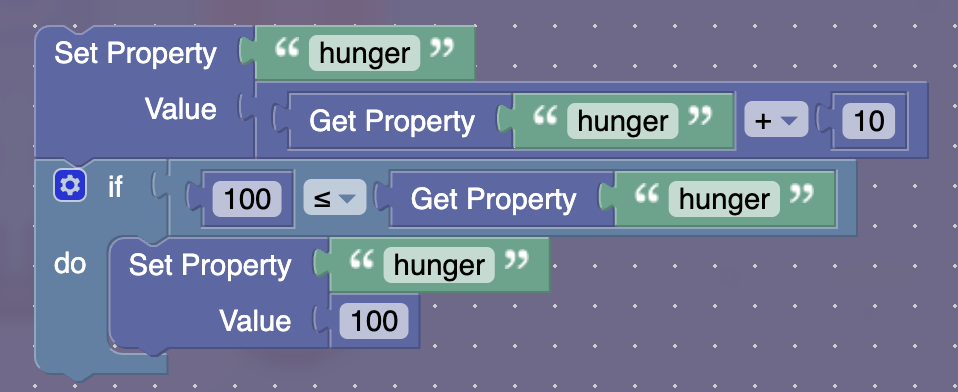
And finally, make it so hunger is obtainable! Just make sure these blocks run when food is found:


Cya Gimkitters, have a :sparkles: fabulous :sparkles: day!
Give me feedback! Anything is welcome!
THE IMAGES ARE NOW FIXED!!! :grin:

11 Likes

sorry for saying off topic things, but I was reading and found this:

you shouldn’t say things that don’t contribute to the topics…

1 Like

Nice guide. Try to use some dropdowns to organize and shorten it, and make images smaller when possible.

im preyty sure thisbhas been done before.

Yeah but the images are gone

This guide is technically not a dupe.

3 Likes

Old guides have no pictures, I think

2 Likes

i see. then this should be fine.

(post consumed because I can’t risk a flag sorry bout that @Blud )

1 Like

How to make a Hunger Bar (Unfinished Guide)
This isn’t done
How to make a hunger/energy/water bar :yellow_square:
this one has no photoes

1 Like

So yeah not a dupe

You might want to put the tag code on it. I was quite disappointed to see code snapshots. Otherwise, great guide!

Bump.

w blud
5 Likes

Yo wut is this @Jhan
Screenshot 2026-01-14 6.50.19 PM

1 Like

Are you asking where to find it or what does it mean?

where Idk I am trying rn

1 Like

and what it is cus I need to know

1 Like

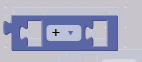
So go to the math tab on the block section and grab this block.
image
Next set it to multiplication.


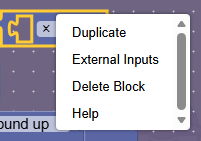
Now what your going to do is right click over the block and its going to show these options.


Choose the external settings option and there you go! You get the block you need!


Not sure, but I think it allows you to multiply or do multiple actions with just a block.

3 Likes

External inputs? What’s that?

2 Likes

It basically changes the format of the block to make it a bit more readable (line by line instead of in-line), for example the set property - value block is an external input block by default, while logic and math blocks like those shown above are internal input blocks by default.

3 Likes