I see turned props but when I turn them, They don’t turn
1 Like
Give us more details.
I thinks he’s tryna say how do I turn a prop
are you talking about how to flip props?
1 Like
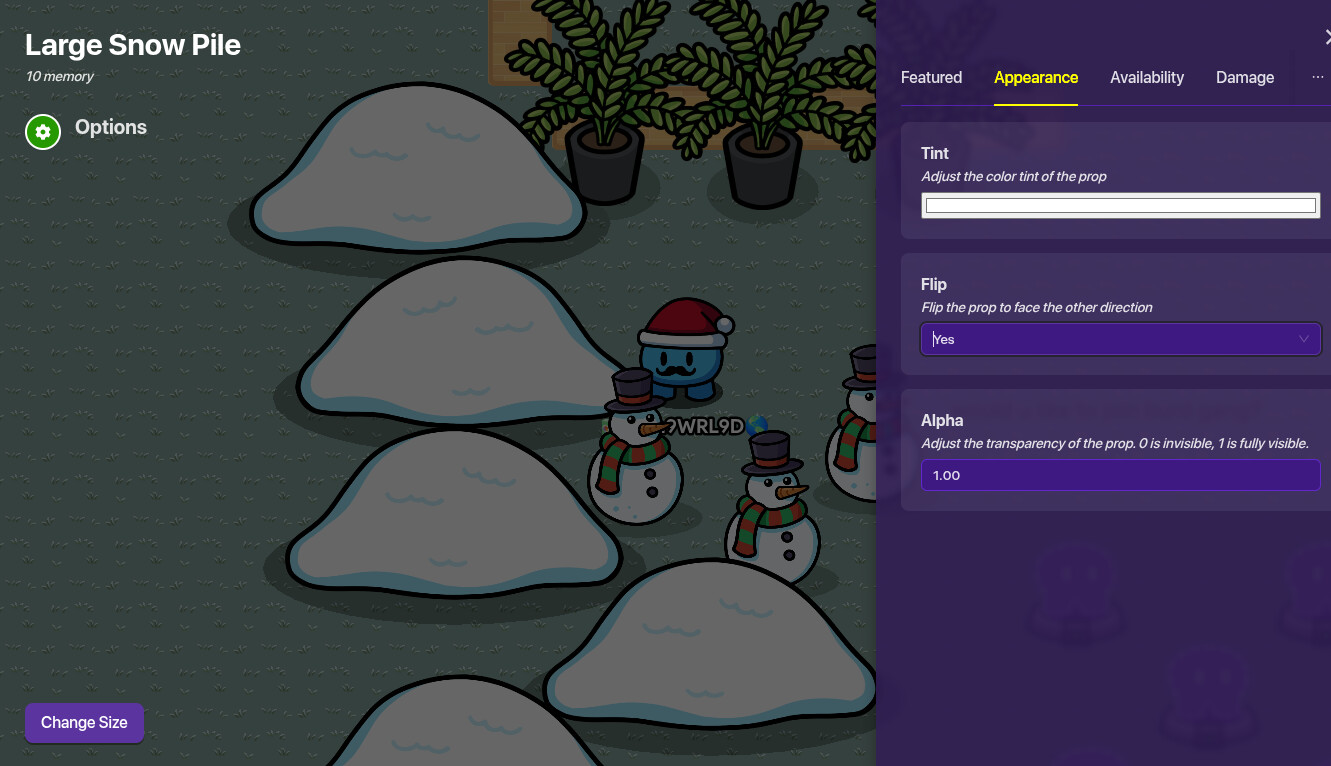
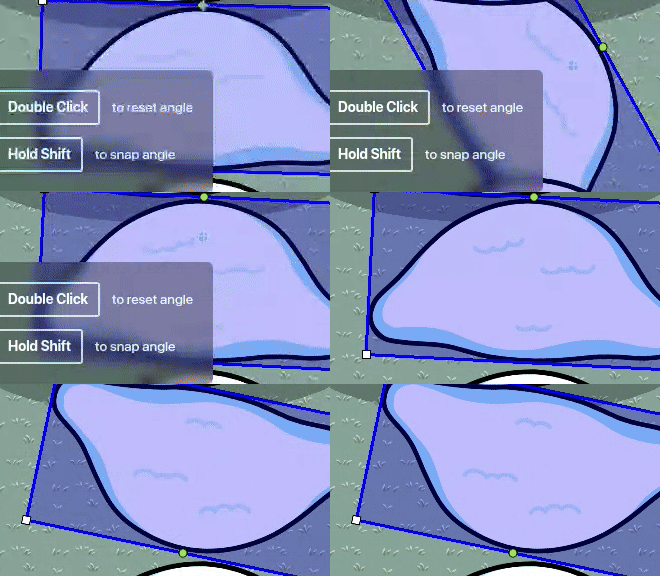
i think he means how do you flip props i had a struggle on this one time i will get you an photo and show you how first one will be how to flip props now here’s how to rotate props
click on ur prop click change size and rotate how ever you like after your done and you figured it out mark an solution sorry that its a little bit laggy
2 Likes
animation tab for custom shapes
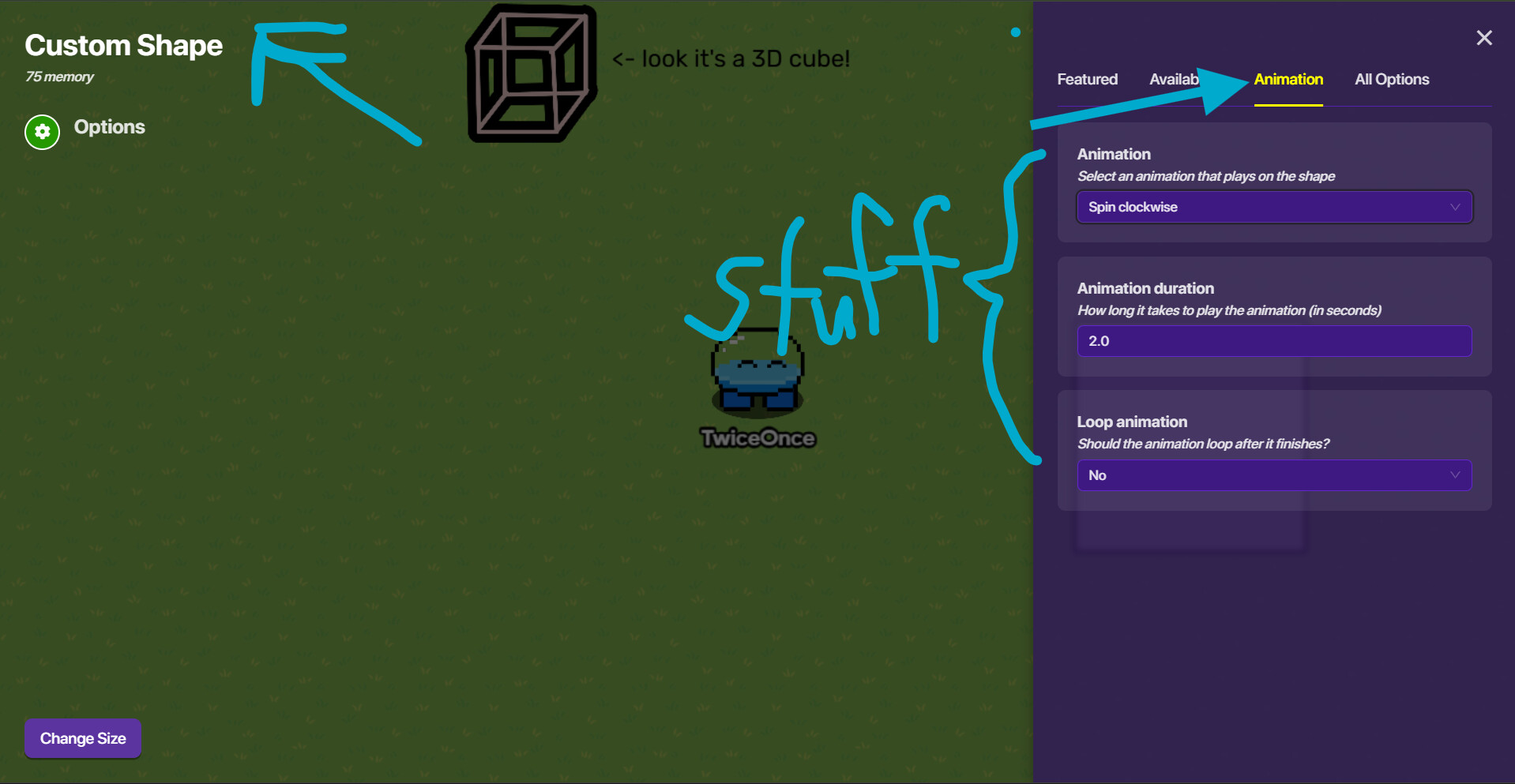
animation for props (repeaters [eek!], trigger loops, wire repeaters)
•☽────✧˖°˖☆˖°˖✧────────✧˖°˖☆˖°˖✧─────✧˖°˖☆˖°˖✧─☾•
one more thing, please search before you post
and since Minions_GG told me to put a picture on how to find the search bar last time I did this
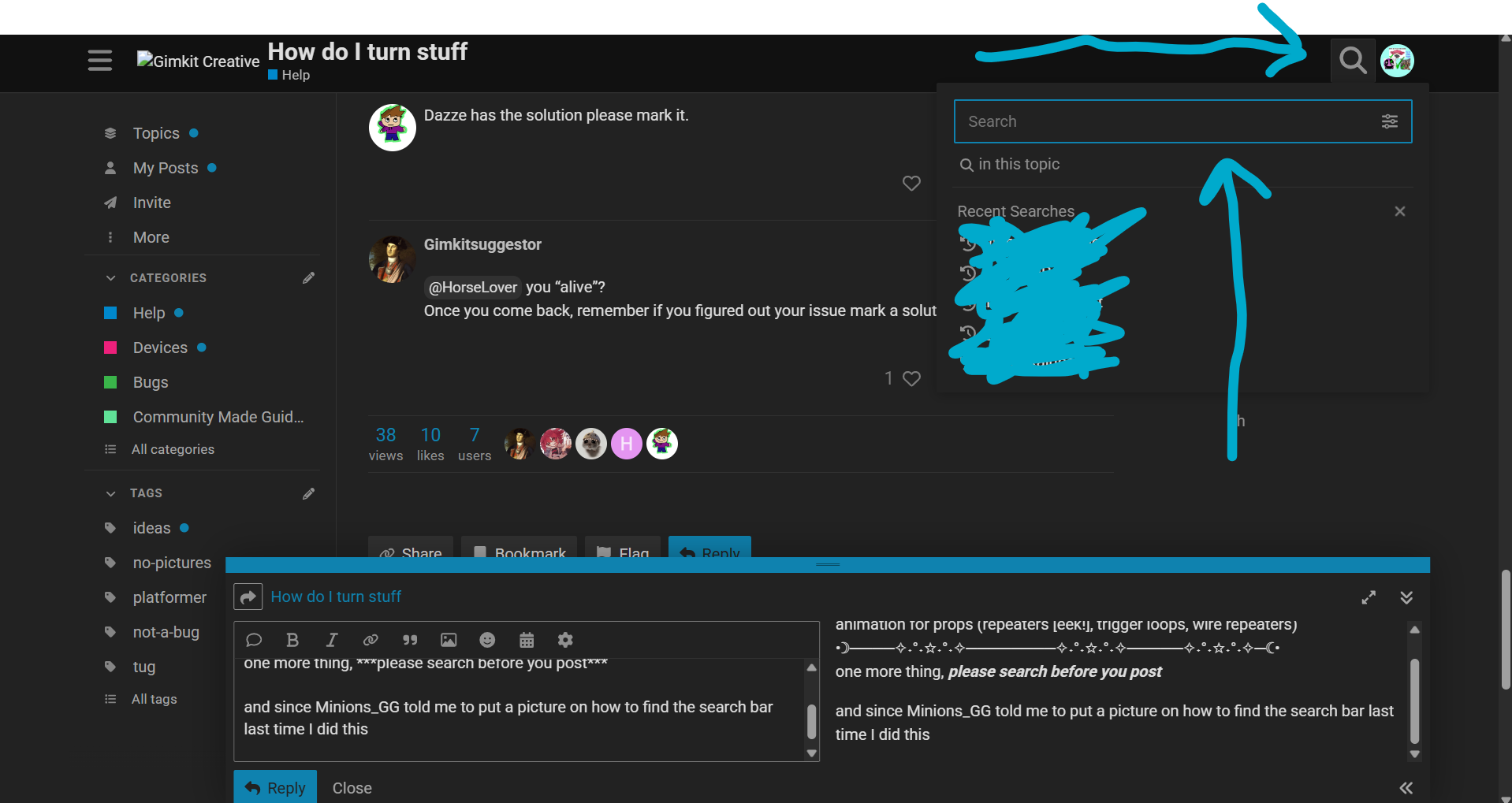
marked over the search results since people got concerned over that for some reason last time (even though I just look at random profile bios when I’m bored)
2 Likes
what.
ok uh, when you turn props, they don’t turn??
yeah, what momo said
I thought you were gone forevers and I was sad 
you just go into settings and click flip prop in the appearance tab.
spinning it by using the change size option will only flip it horizontally, not vertically, by the way.
5 Likes
do keep in mind sometimes that flipped props when almost off screen they will vanish even though they’re there
2 Likes
You can got to the props settings either you hit flip or go to change size to make it bigger or move it around
welcome and please mark a solution.
Please mark a solution, you got a lot of responses, and it doesn’t need to stay open.
Done. I marked it as resolved
You should mark the person who helped you the most, or helped solve your problem as a solution.
5 Likes
This topic was automatically closed 3 hours after the last reply. New replies are no longer allowed.