Is it possible to telport a player in gimkit creative to a set of coordinates.
1 Like
not that i know of, unless u have many teleporters
3 Likes
Other question, can you use gimkit creative on an educator account?
yes, you can (don’t ask why ik)
Oh, I found it. Rjkhsgoifuerhdg9u
i might be slow but isn’t just teleporting a player to another teleporter teleporting them to a set of coordinates?
To pass the 20 characters limit use these: < >
You just need there to be no spaces in between them for it to hide the stuff.
2 Likes
Yes, what I mean is, like input a set of coordinates, and it tps them there.
1 Like
I thought teleporters could only teleport you to other teleporters? Like teleport to Target Group teleporter when you walk into a teleporter, or Teleport player Here when a teleporter receives a certain channel or wire input.
Either I just didn’t know teleporters could do coordinates, or they can’t and you just assumed that they can teleport to coordinates. I’m sure a Forumer good with teleporter systems can tell us if there’s a way for specific coordinates.
1 Like
You could technically do this, although there would have to be a smallish map only and it would take some coding[1]. I’ll give it some thought. You can teleport a player using a button to a place and you could input coords by updating properties with counters. @AlexC am I the one? 
I’ll do some research and give it some thought and get back to you in a day.
using blocks btw ↩︎
1 Like
A day=1 hr=my world= huh. Anyway, I figured it out (sort of). I’ve got a system without block code working that can teleport the player where ever they want along the y and x axis and the negatives.
Mini guide time  :
:
Building the x and y axes
First take two barriers, make them not active on game start and put on vertical and one horizontal. Then place teleporters equally along them like this:

I didn’t make it down the negatives, you can copy across anyway. Go into each teleporter and number it along and up, I only did 3 along and 1 up in this case including 0,0.




For reference the 0,0 was middle, the 1a was the one to the right of mid and so on just add 1 each time to the end. Do this for the y axis up and down and the negative part of the x axis.
Building the system to record coordinates
Next, place two counters and 5 buttons like this:
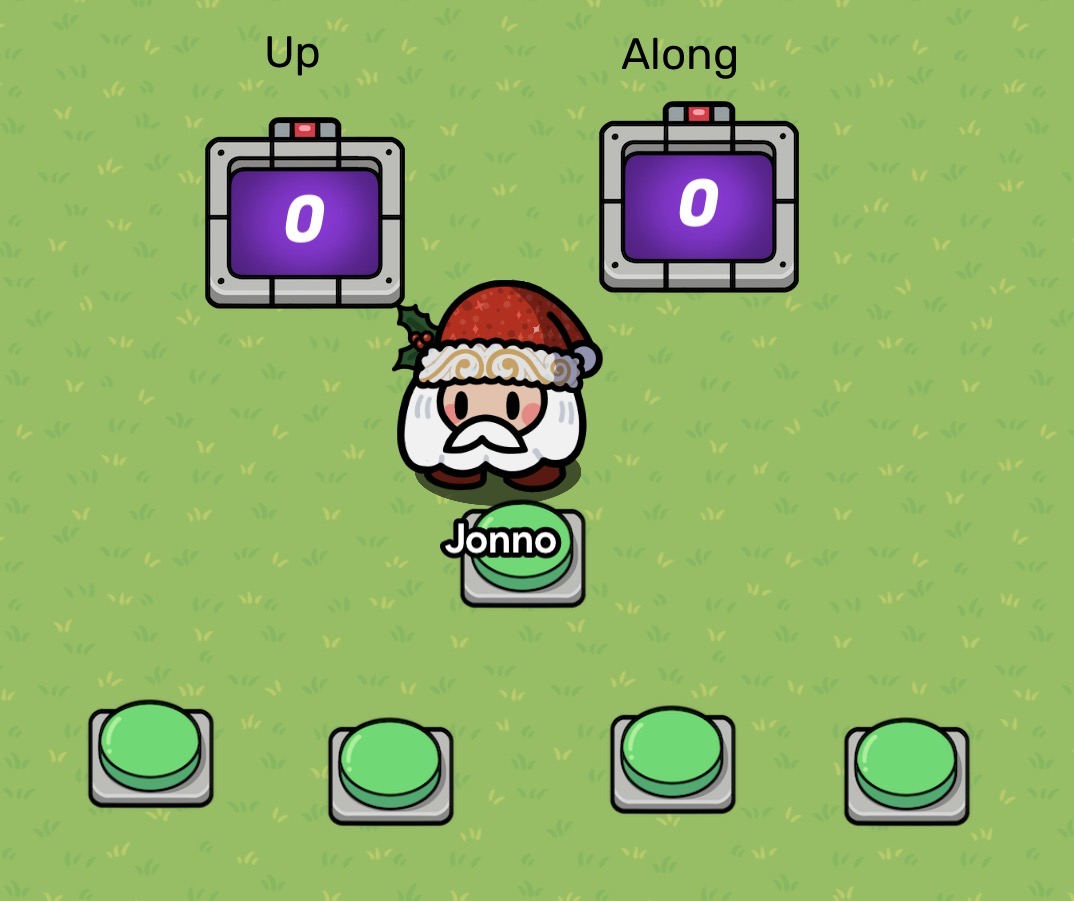
The middle button is to guarantee the choices, more on that later. The left counter for the Y axis has these settings.
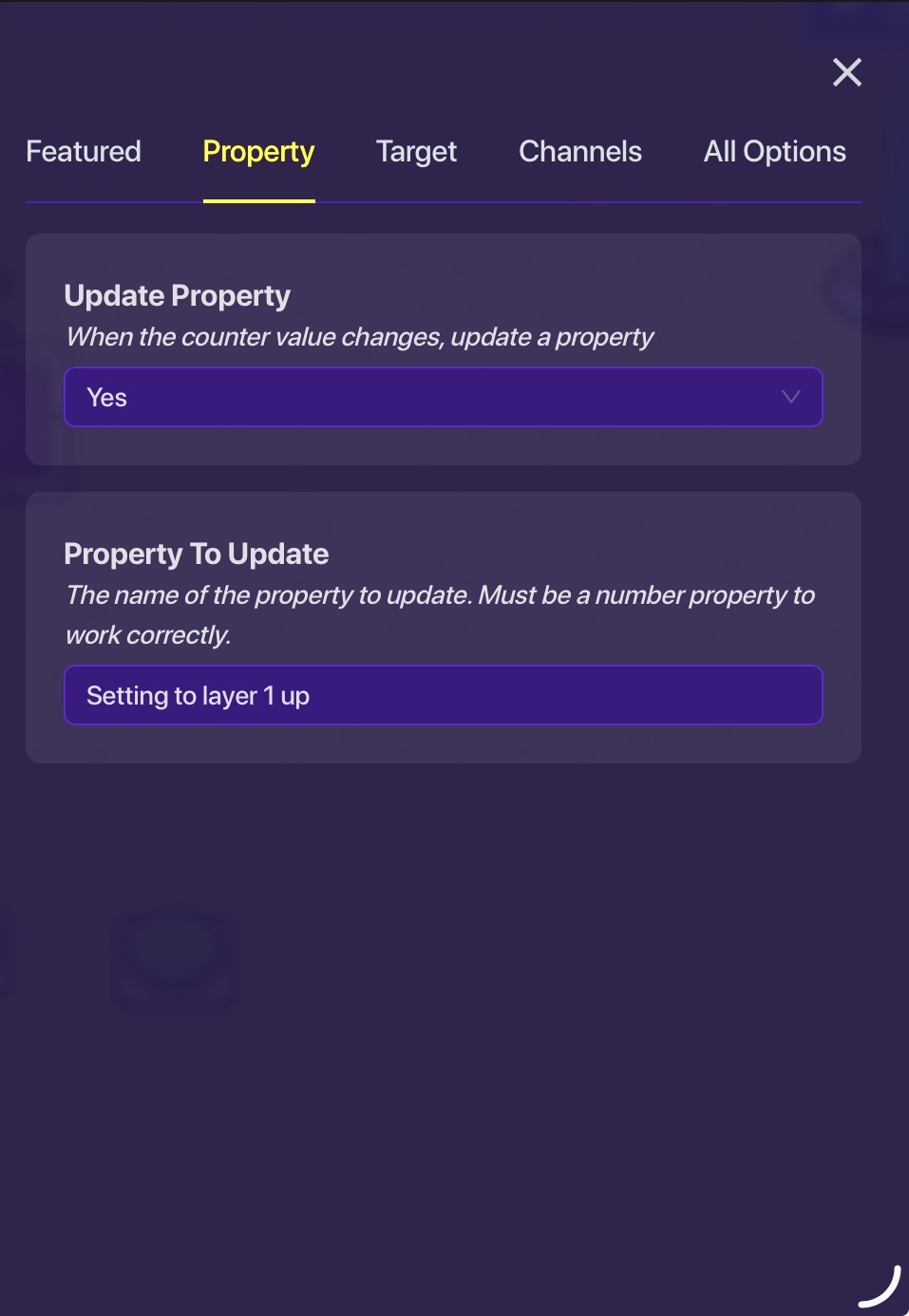
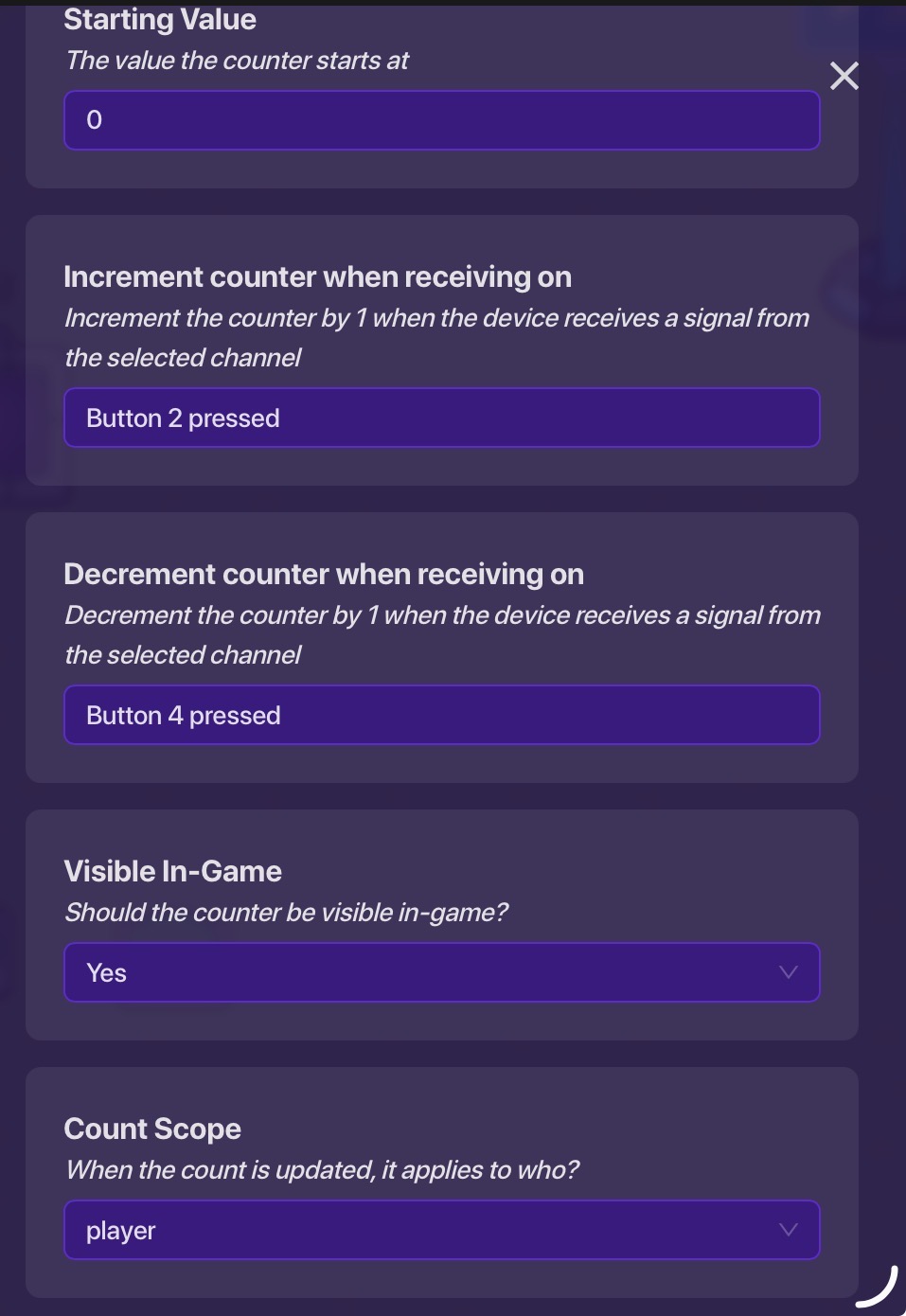
And the “along” has these:
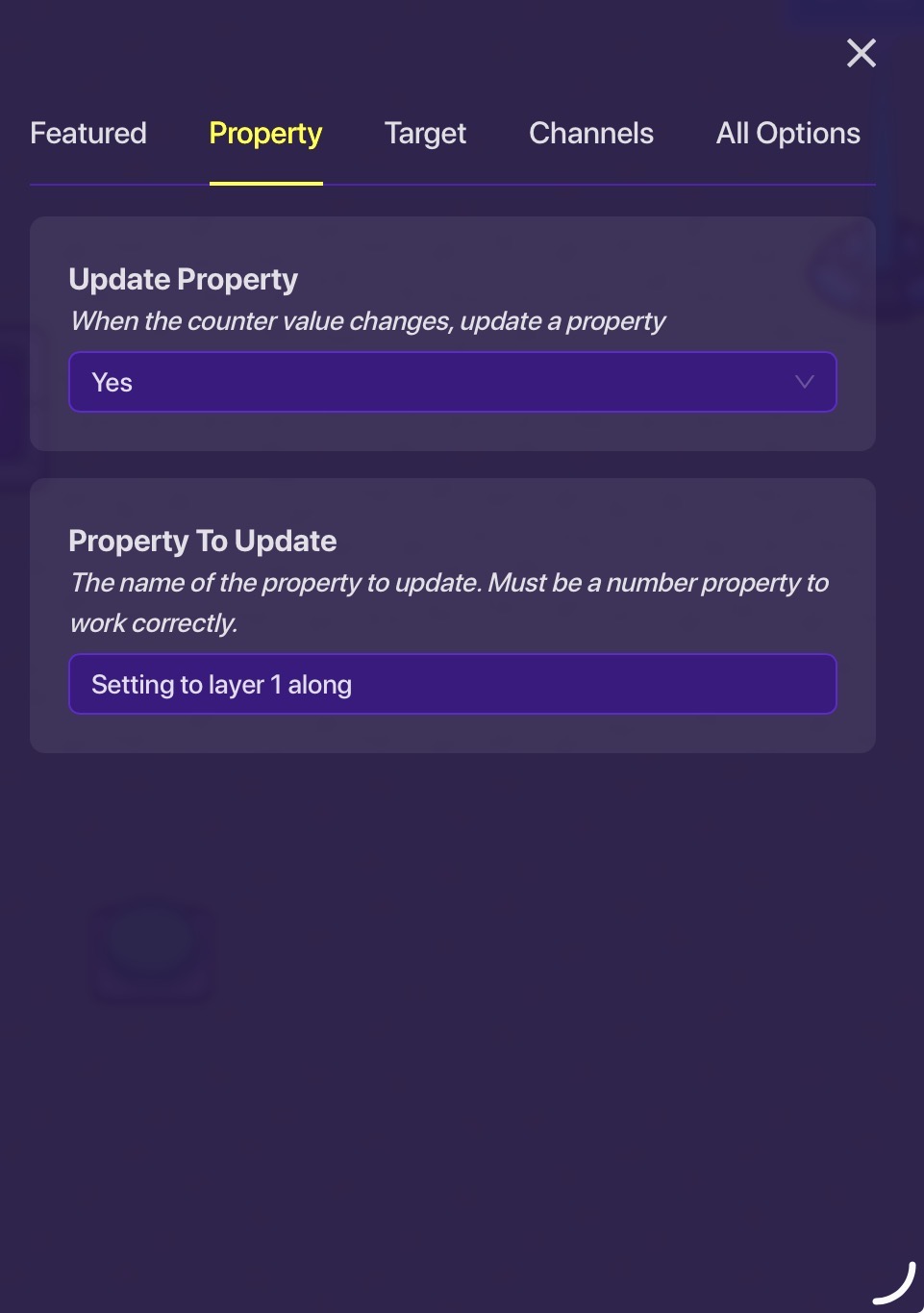
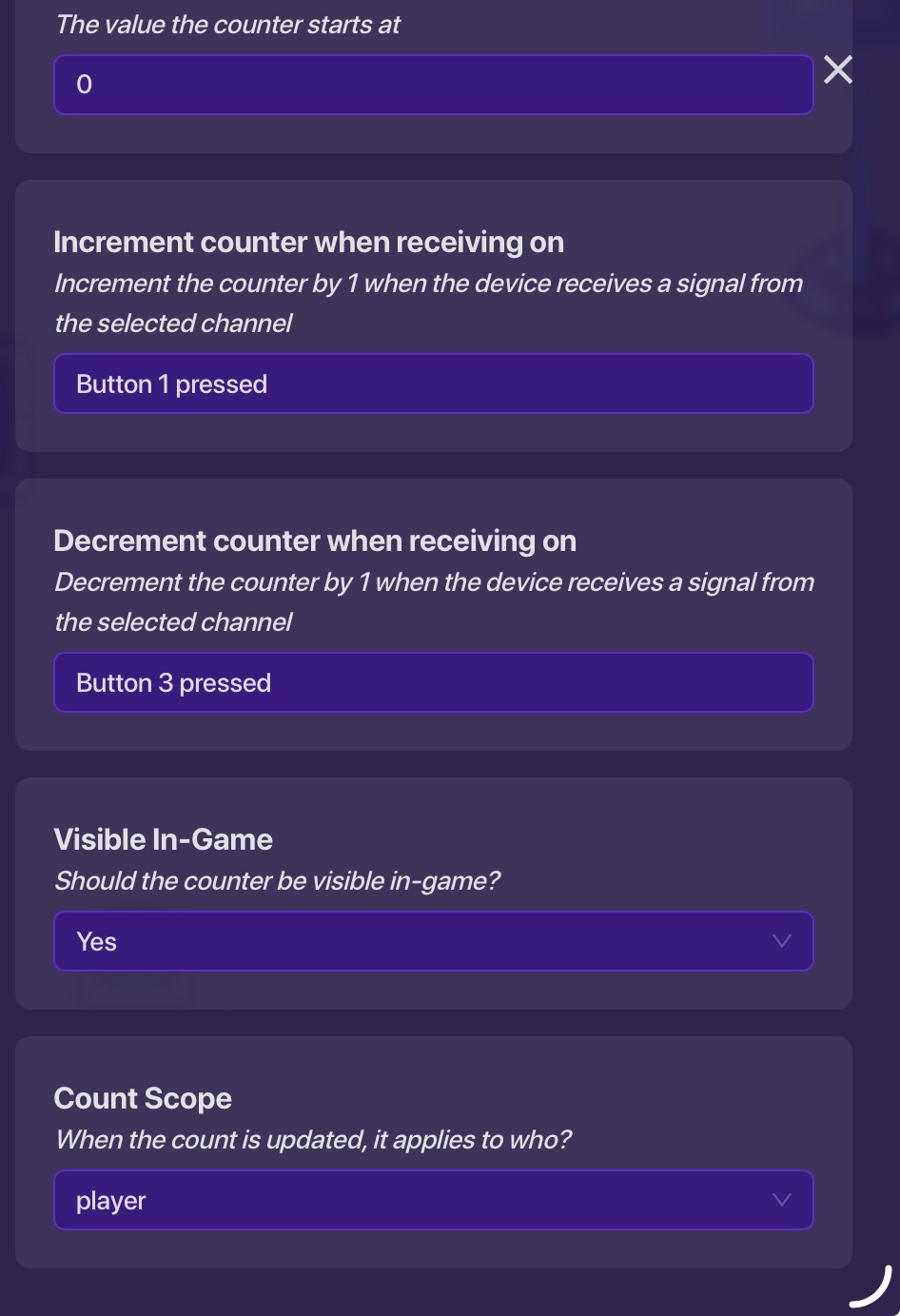
Then create these 4 buttons, the ones on the left are increment, decrement and same with right. For this, 1 is on the right increment and 2 is left increment and 3 is right decrement and 4 is left decrement.
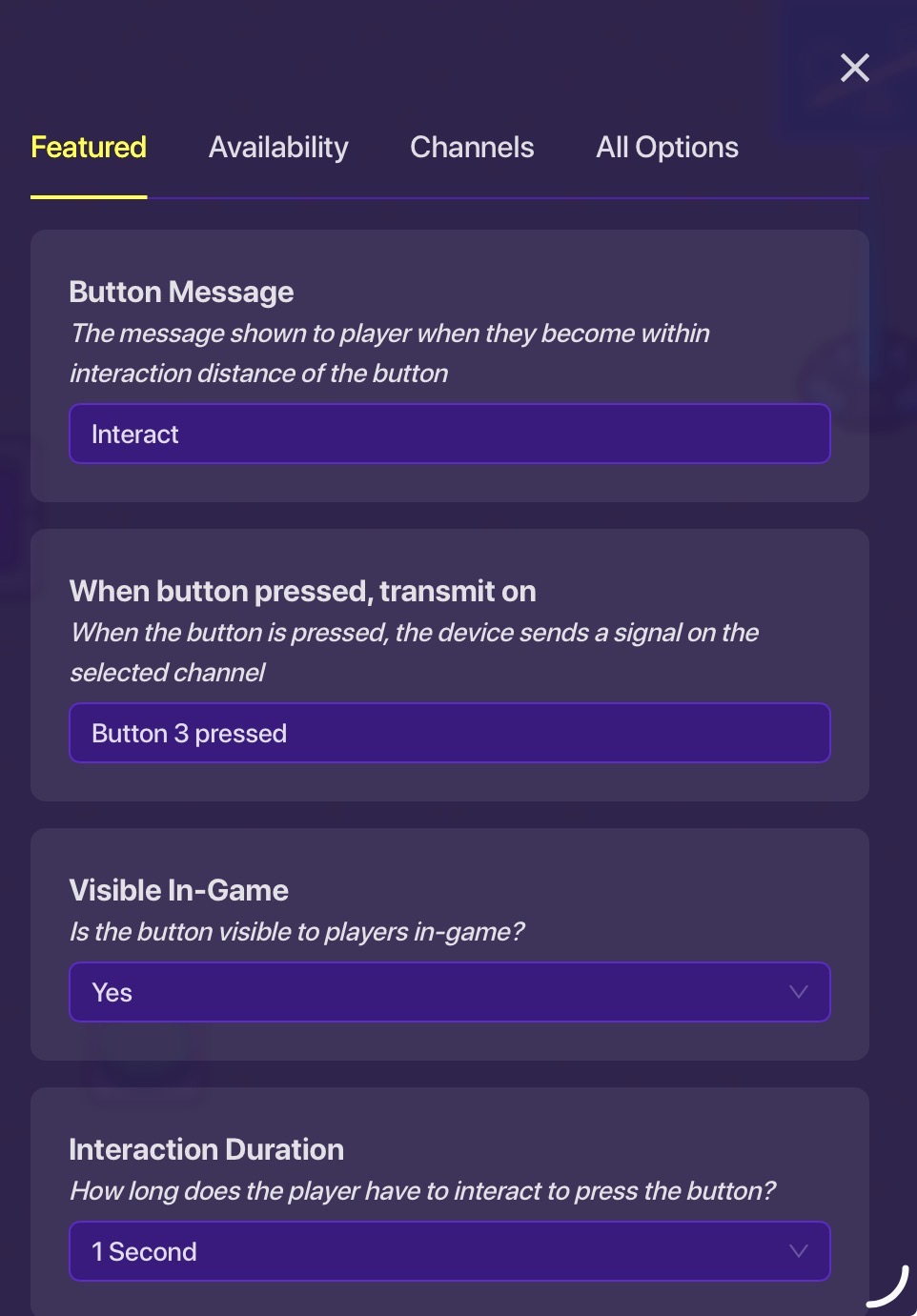
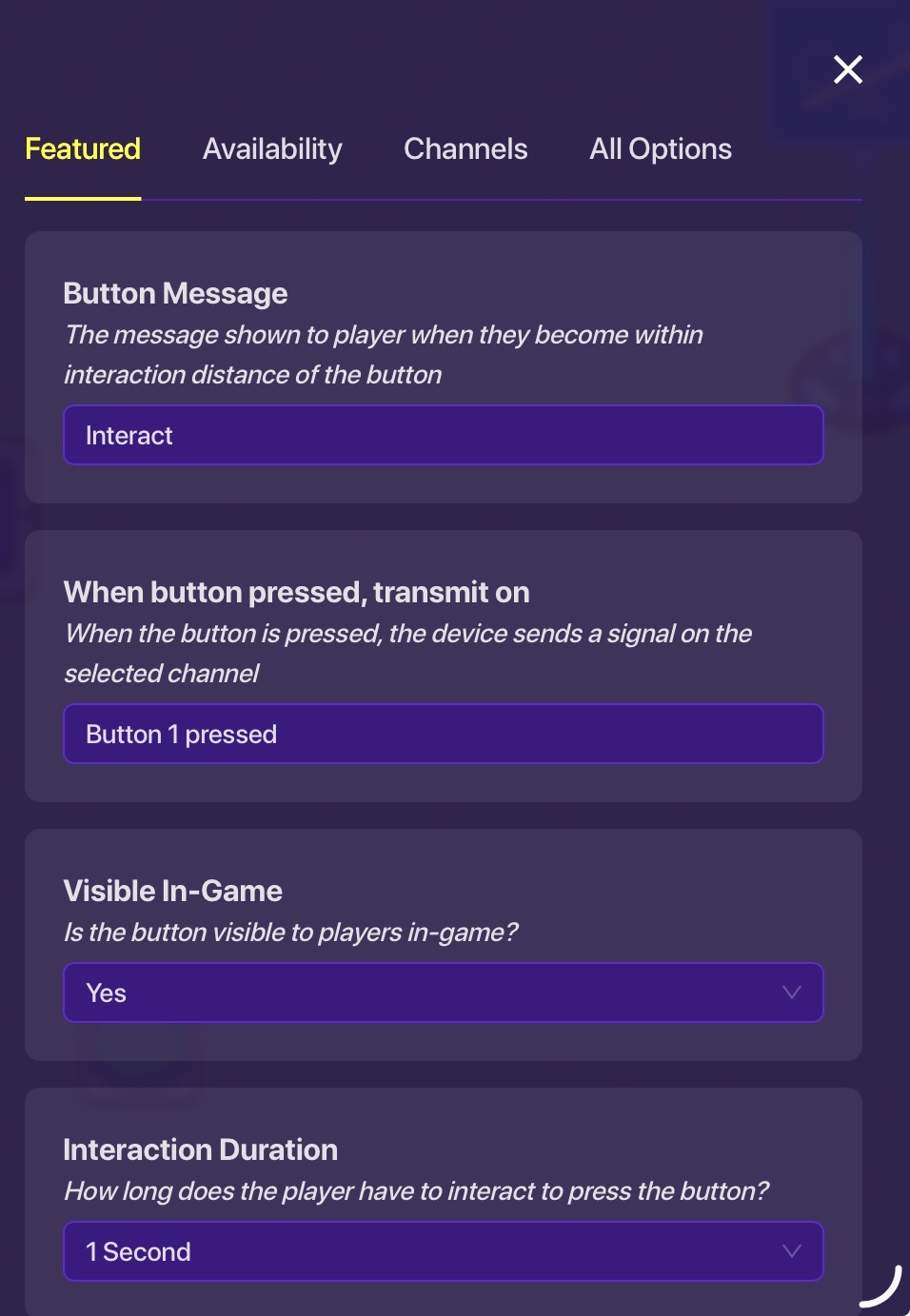
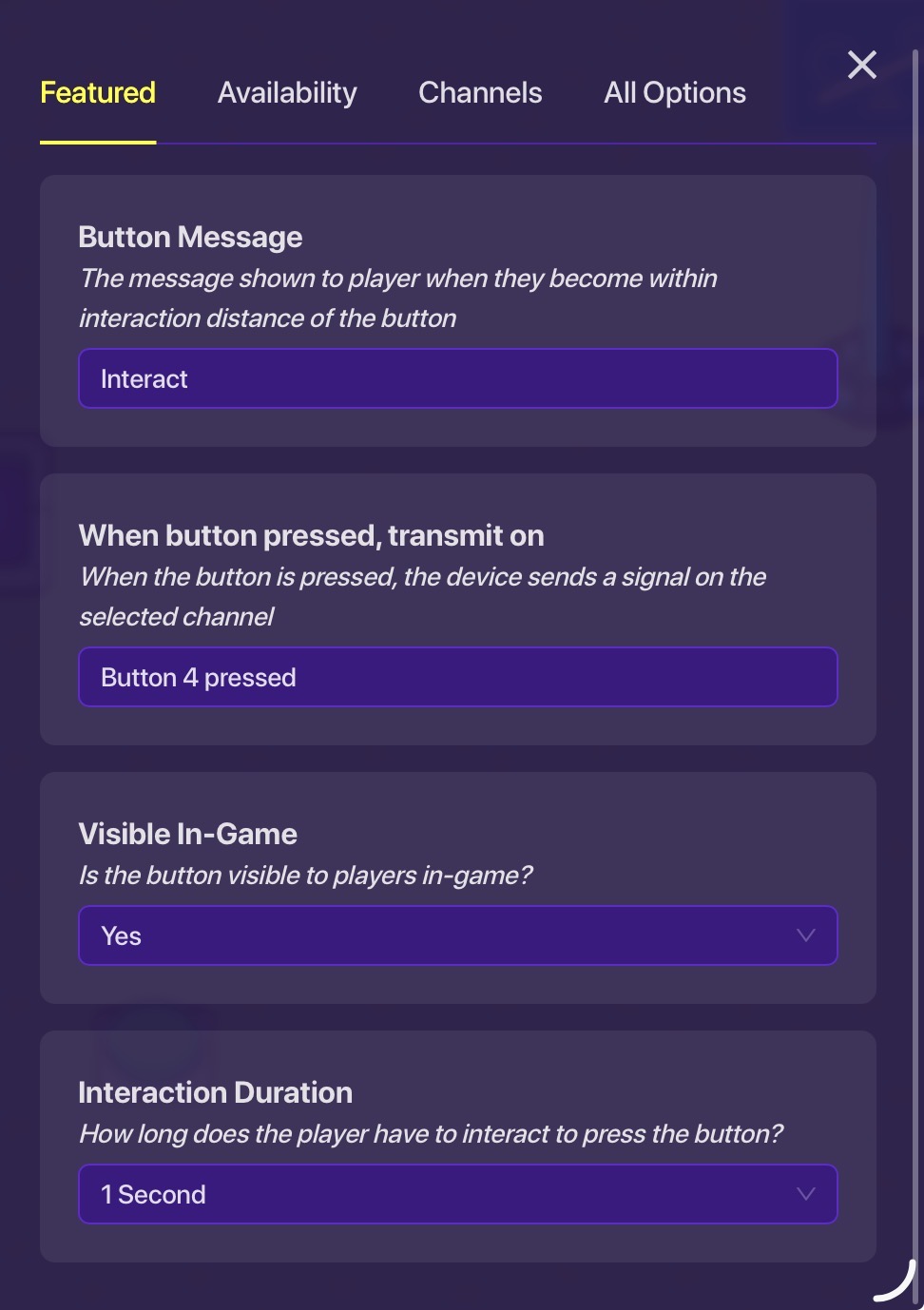
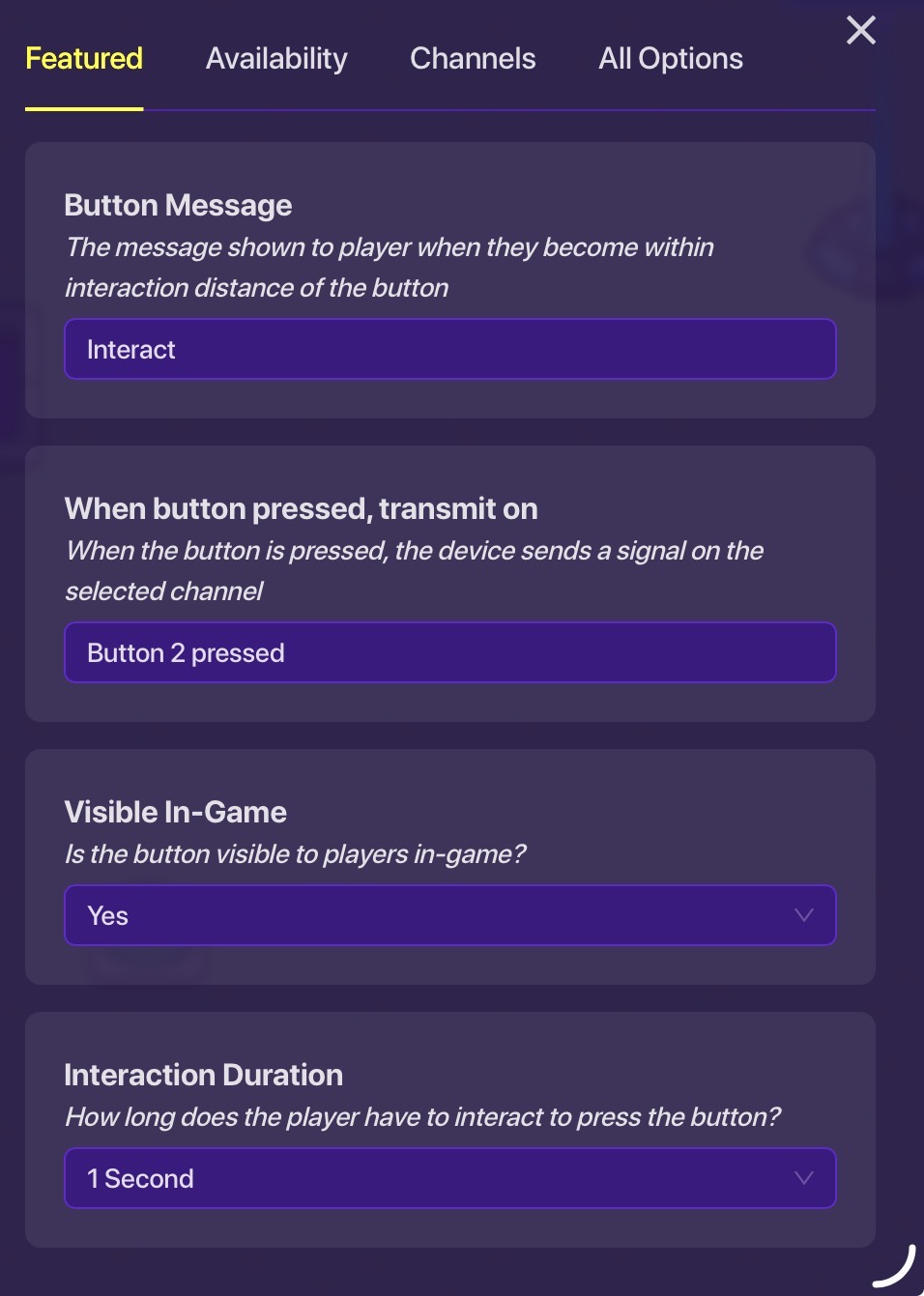
Then add these two properties:
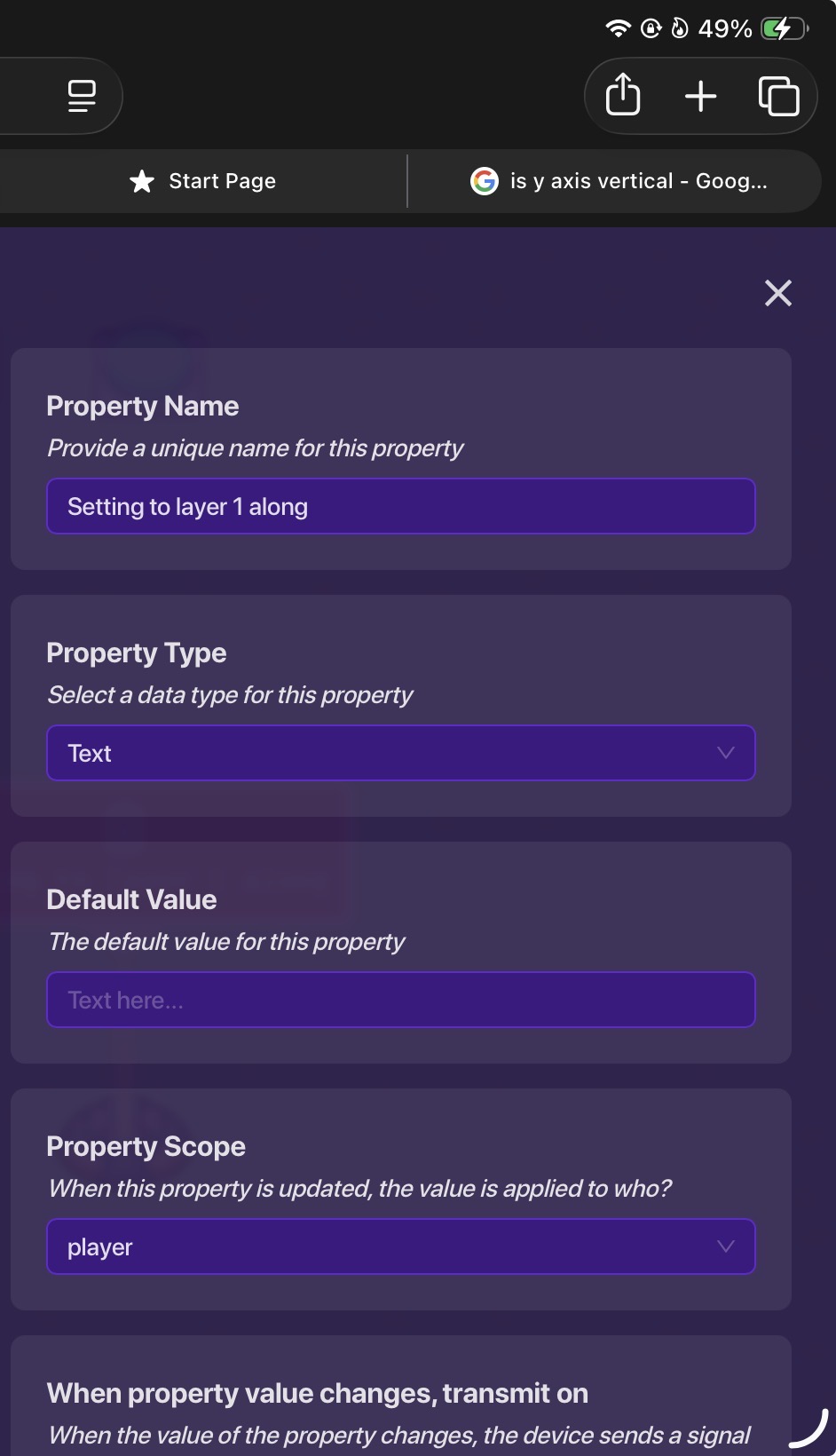

Converting to teleportation
Next set these checkers, add 1 as you go along.
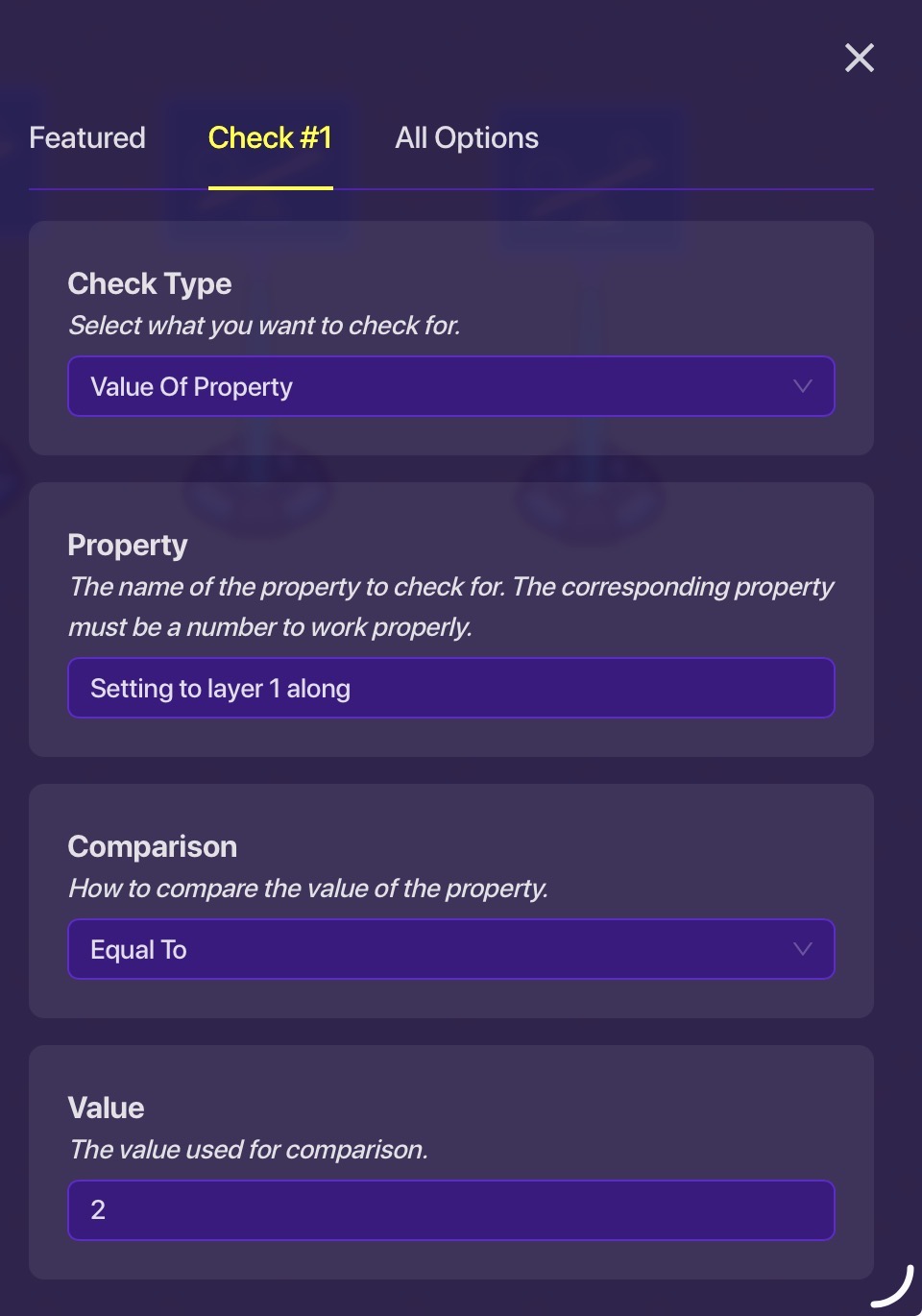
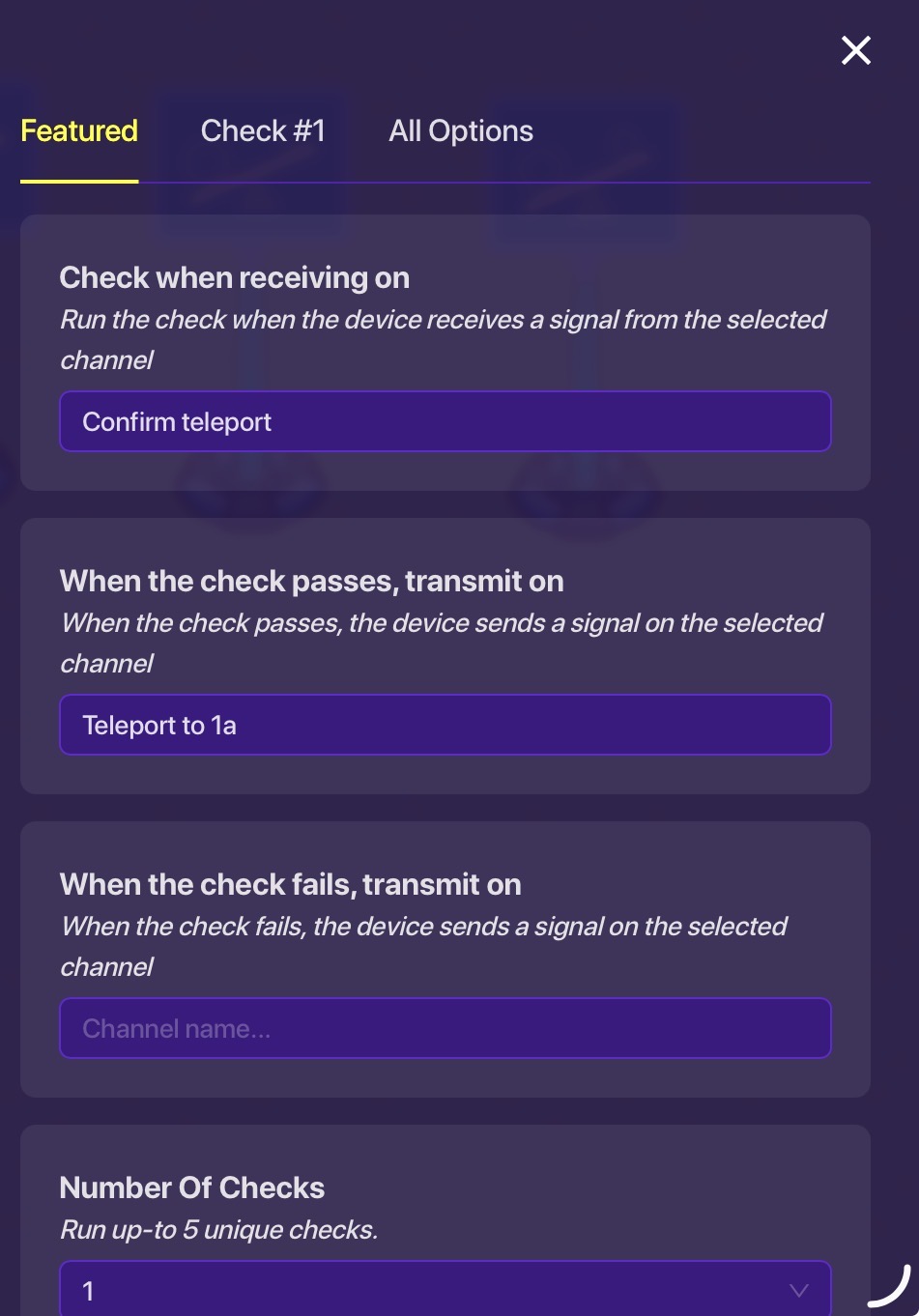
Finally, edit the middle button:
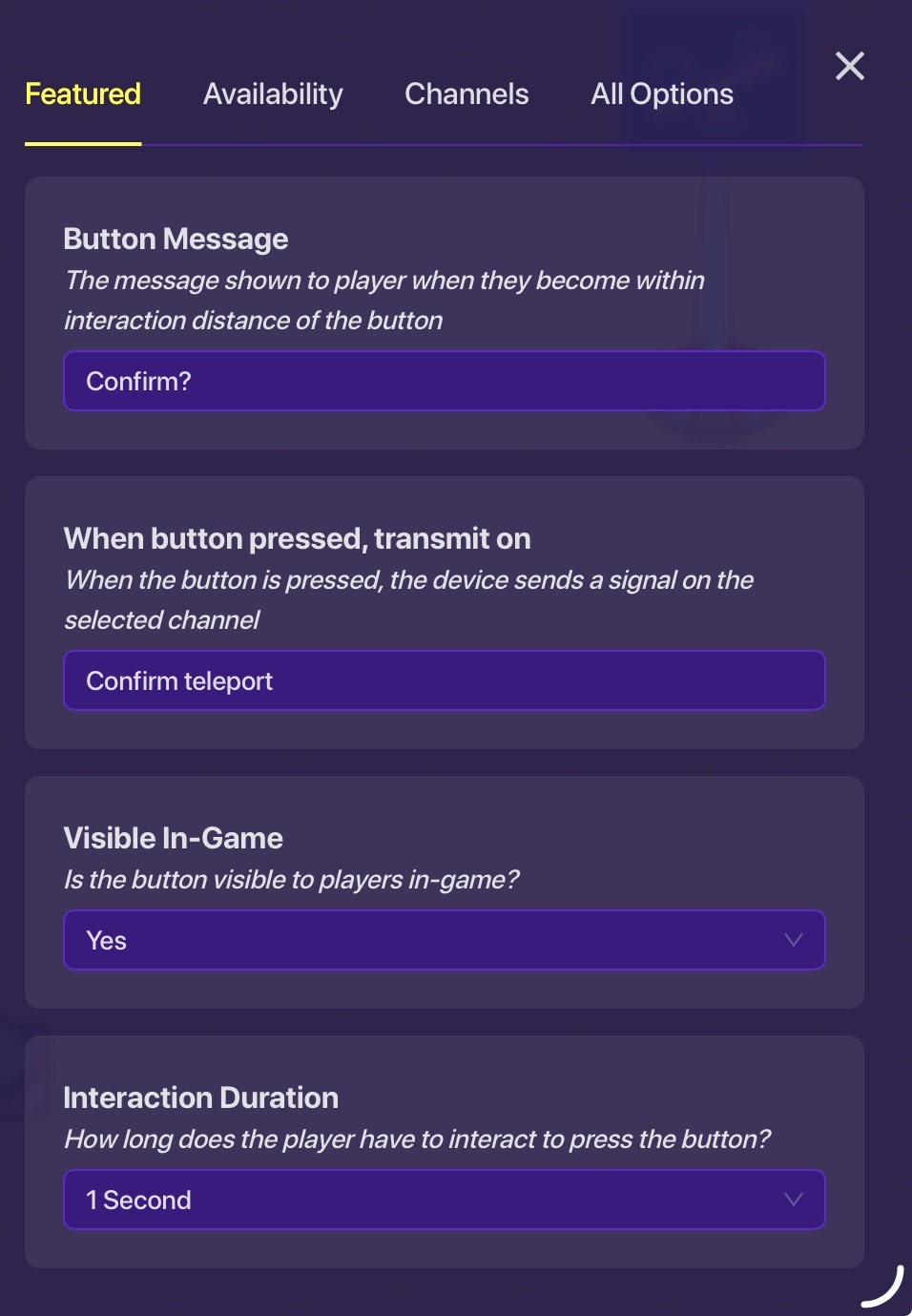
Just make sure that the player only uses either the y or x axis else it breaks. I’ll explain more later,
Signing off,
@MikeyJonn
2 Likes
How does that get in between, it would tp you to the y axis then the x axis, or vise versa.
Make this an actual guide?
2 Likes
Not to be rude, but if you looked through the topic, you can see that OP clearly asked a question about MikeyJonn’s answer that hasn’t been replied to, so no, OP has not found what they need.
3 Likes
Ok sorry I did look through I was just asking.
It is a real guide now. I created it here:
I don’t understand the question exactly, can you elaborate?
Oh, wait, I realize you said it only works on axis. I didn’t read the disclamer. Thank you!!!
1 Like
This topic was automatically closed 3 hours after the last reply. New replies are no longer allowed.