A recent help topic was made regarding this idea so I cooked this guide up and I thought I should be a full guide that everyone can use! [1]
Disclaimer: This only works along the y and x axes. Make sure you’re player only inputs along those.
Anyway, guide time:
Building the x and y axes
First take two barriers, make them not active on game start and put on vertical and one horizontal. Then place teleporters equally along them like this:

I didn’t make it down the negatives, you can copy across anyway. Go into each teleporter and number it along and up, I only did 3 along and 1 up in this case including 0,0.




For reference the 0,0 was middle, the 1a was the one to the right of mid and so on just add 1 each time to the end. Do this for the y axis up and down and the negative part of the x axis.
Building the system to record coordinates
Next, place two counters and 5 buttons like this:
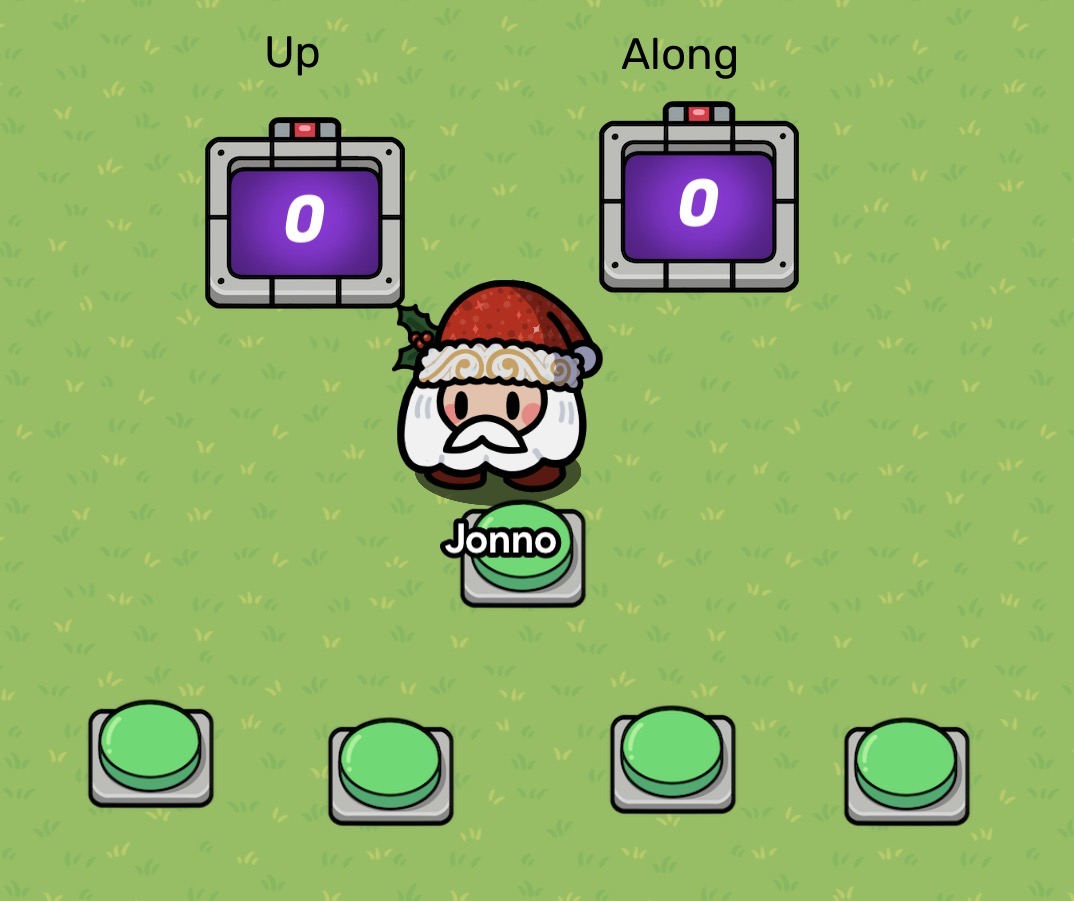
The middle button is to guarantee the choices, more on that later. The left counter for the Y axis has these settings.
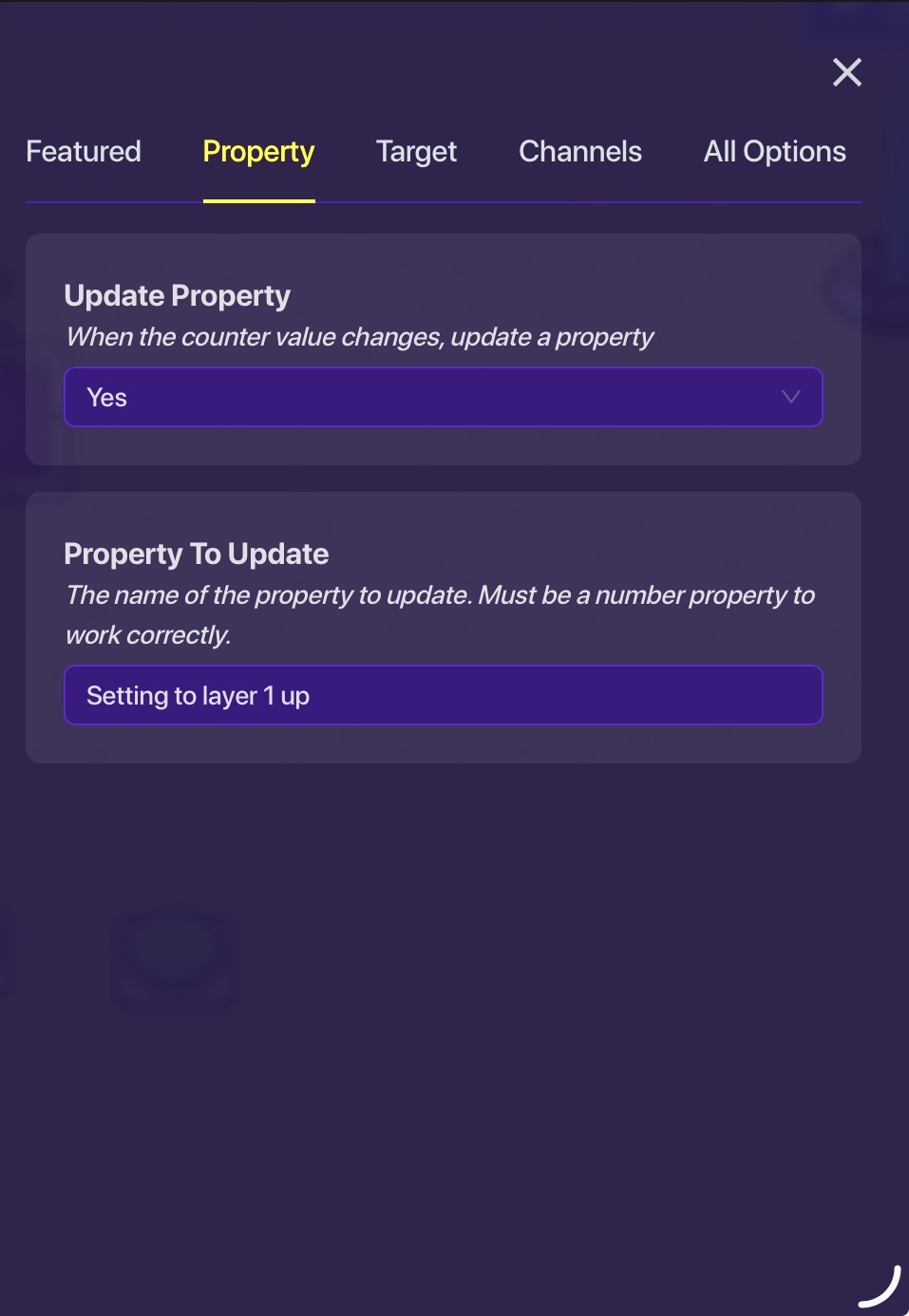
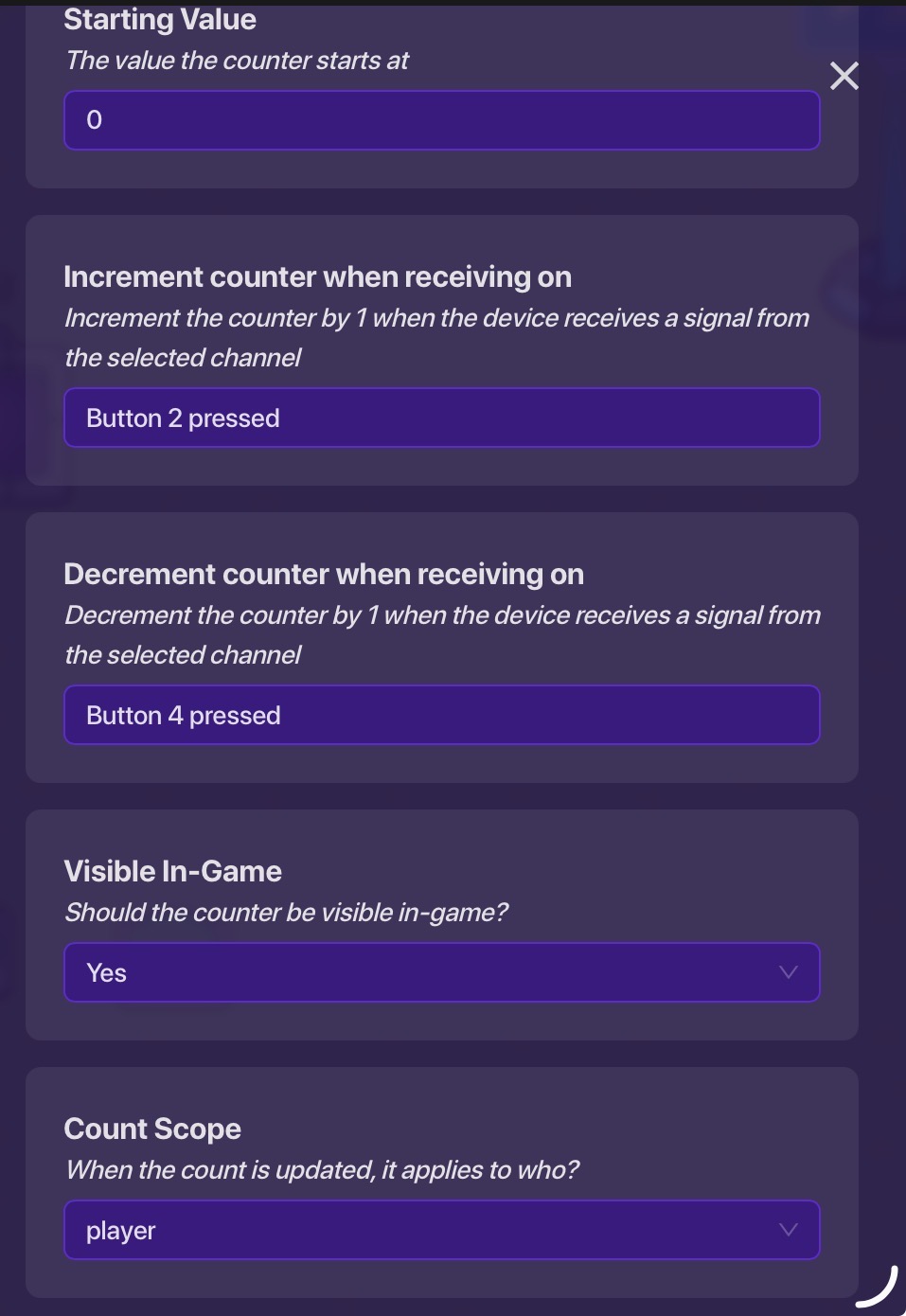
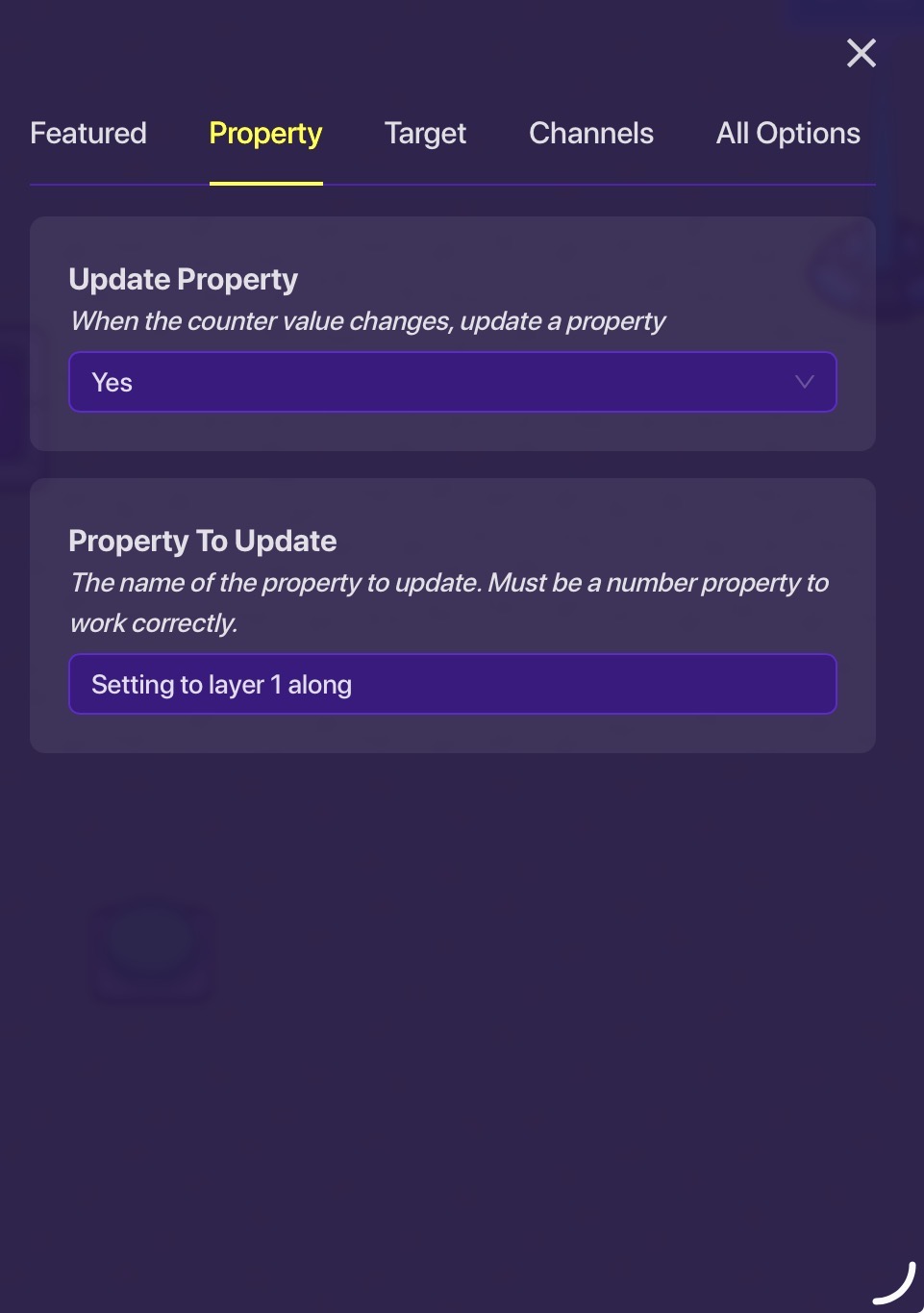
And the “along” has these:
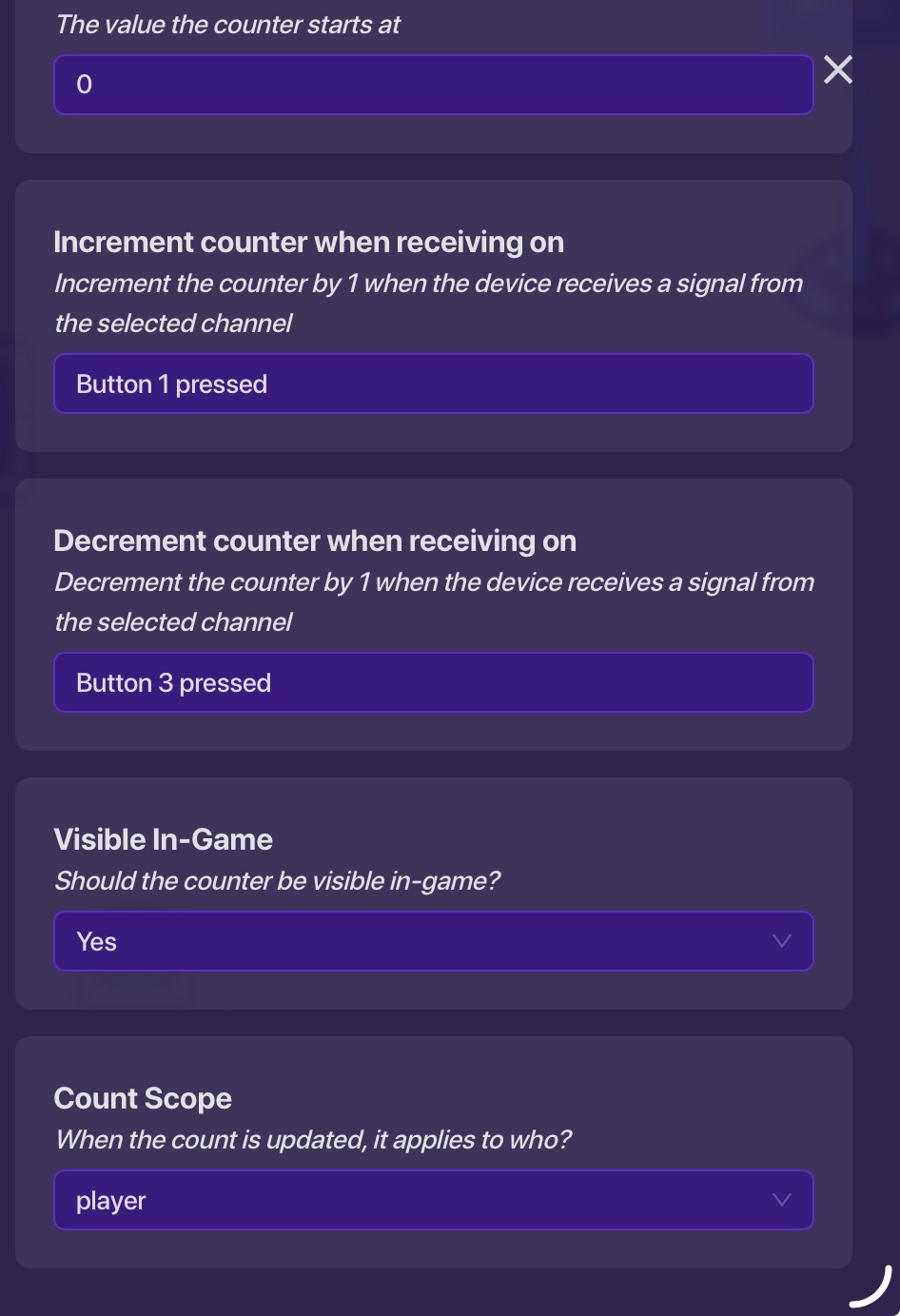
Then create these 4 buttons, the ones on the left are increment, decrement and same with right. For this, 1 is on the right increment and 2 is left increment and 3 is right decrement and 4 is left decrement.
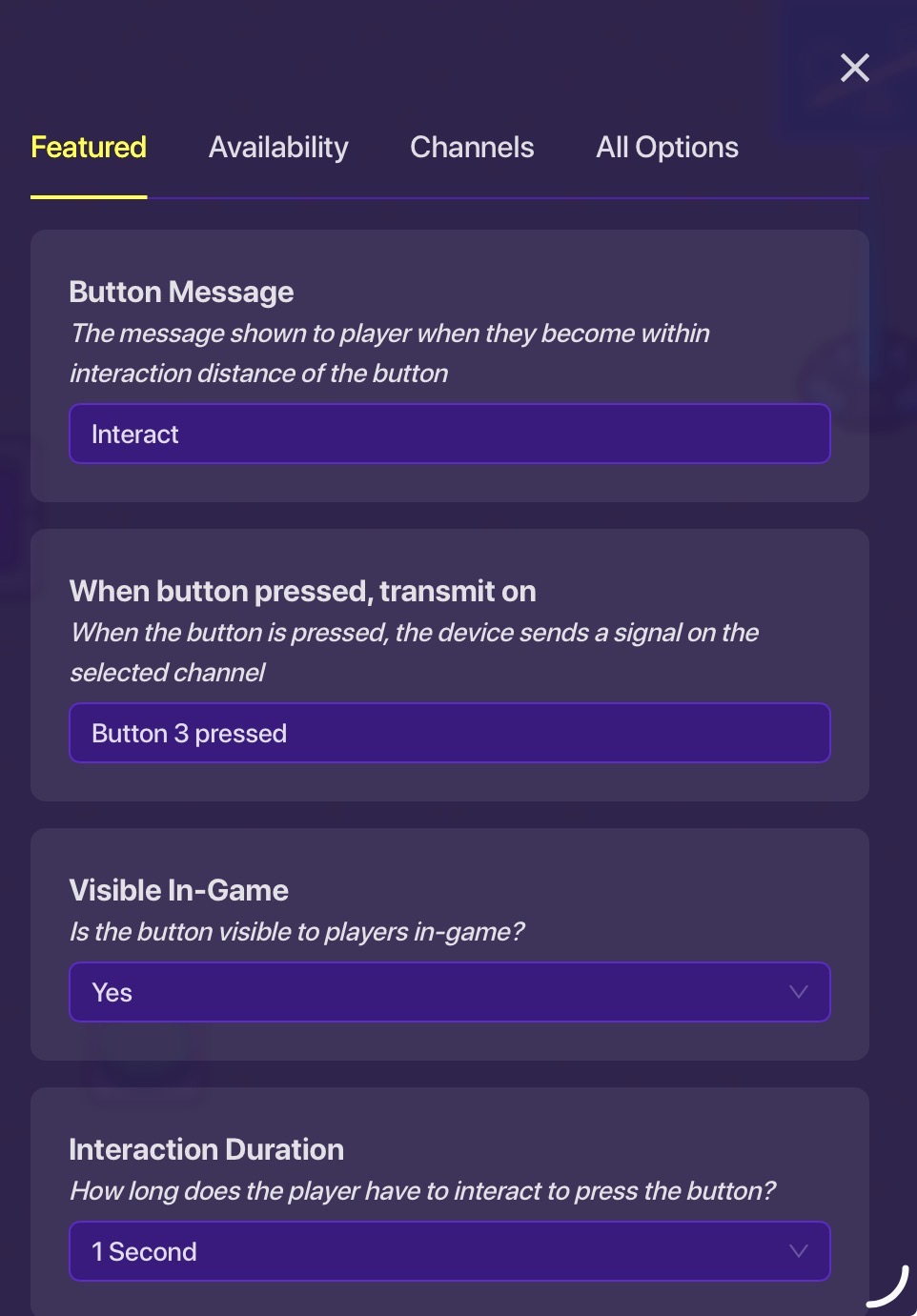

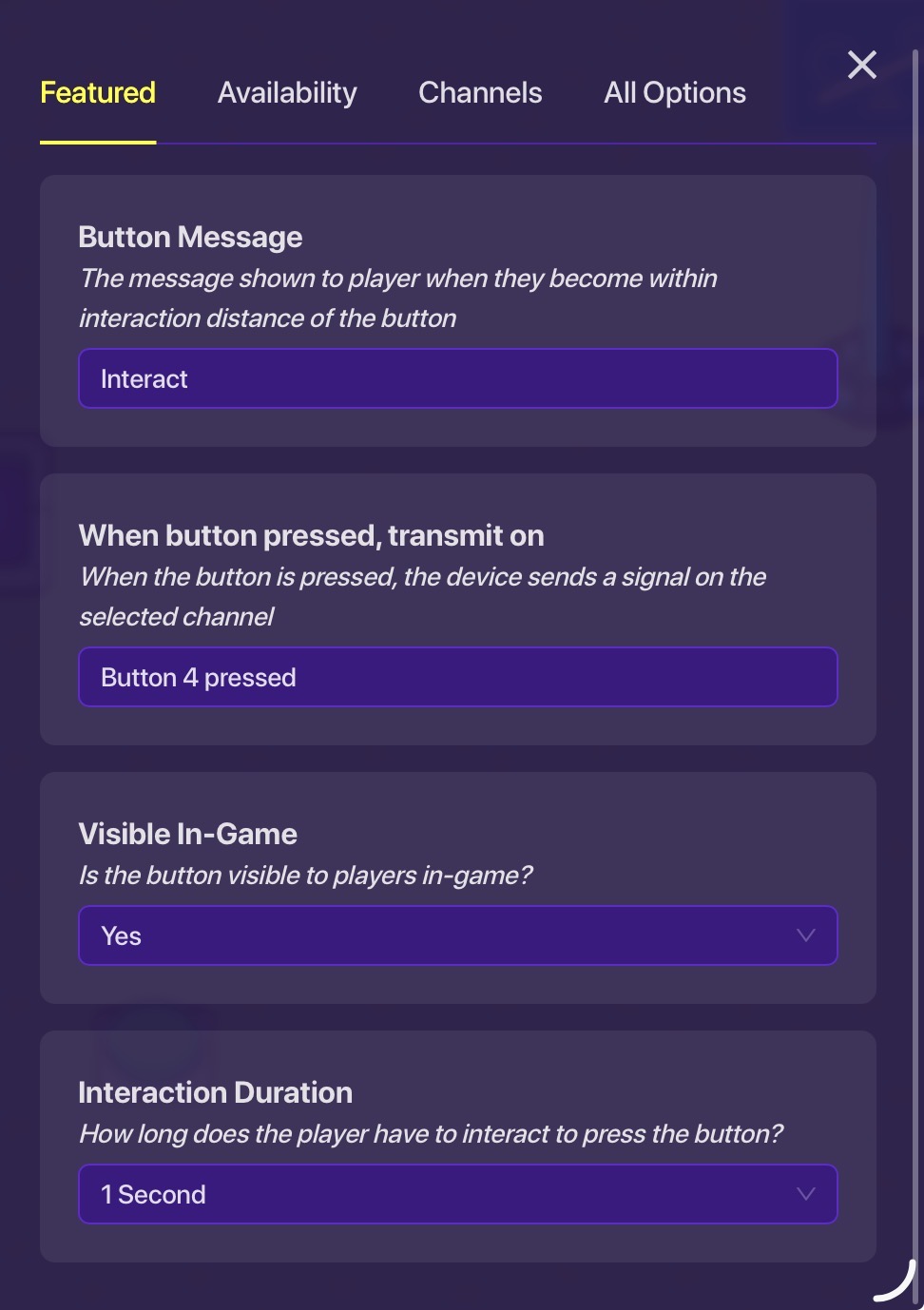

Then add these two properties:

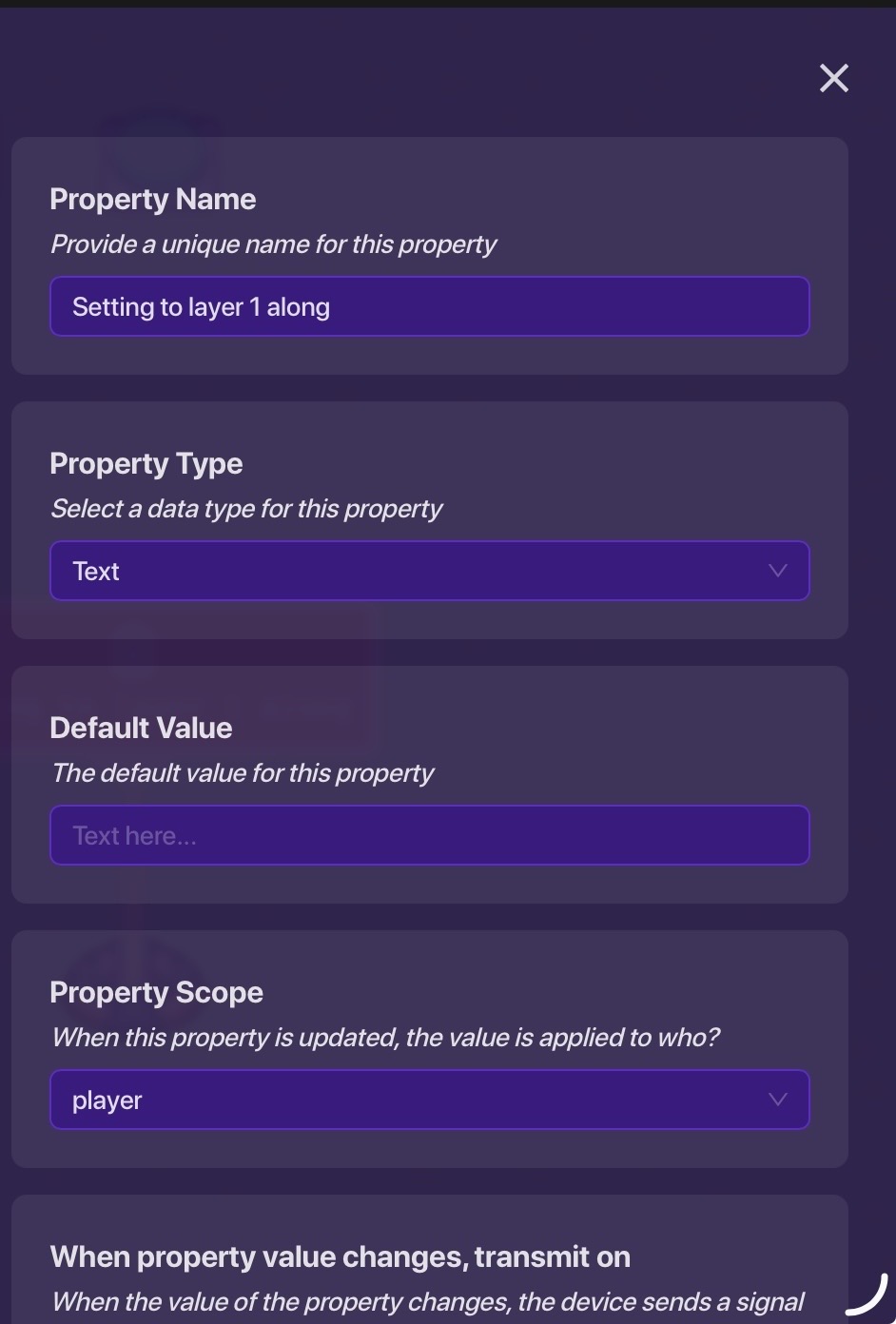
Converting to teleportation
Next set these checkers, add 1 as you go along.
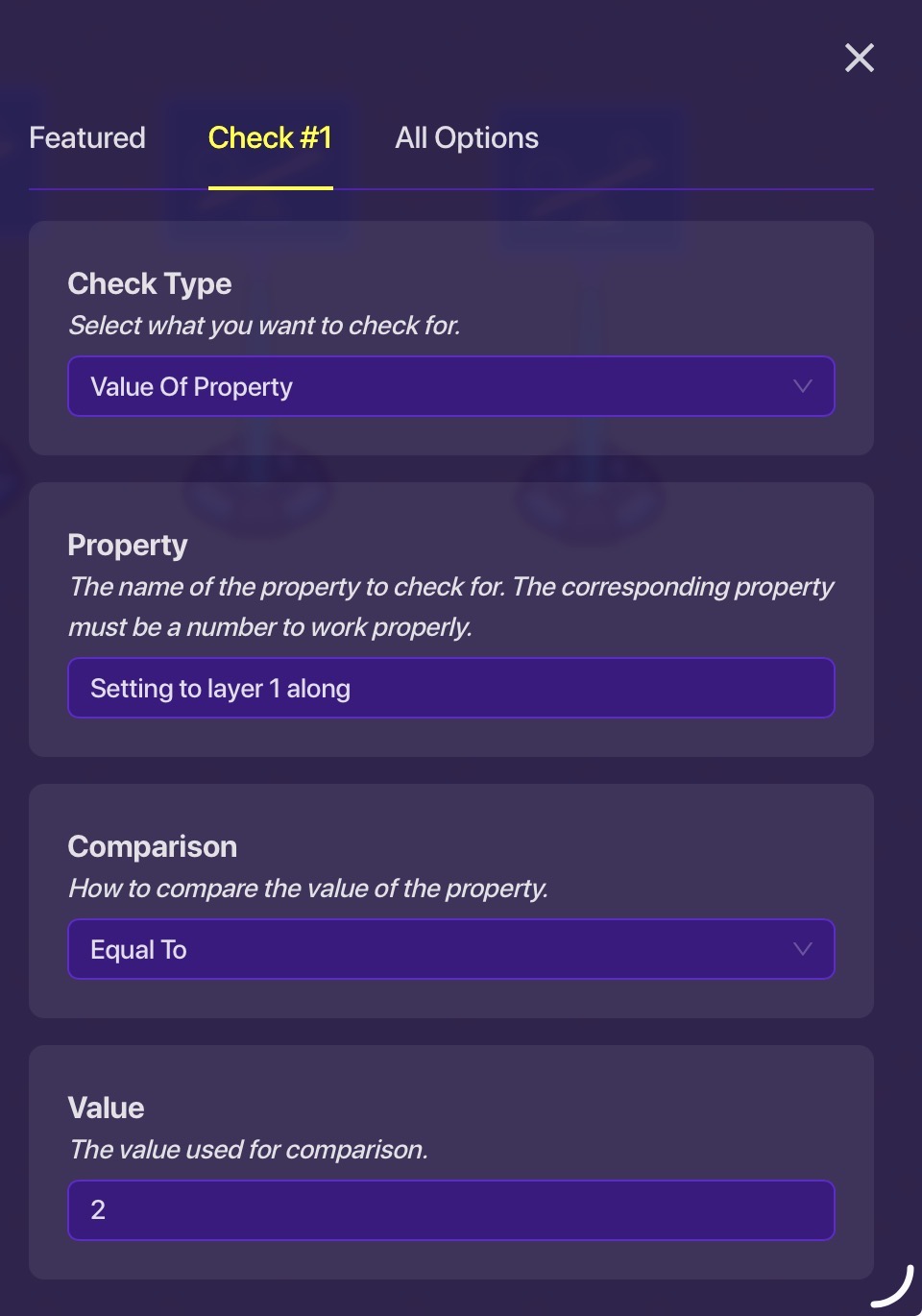
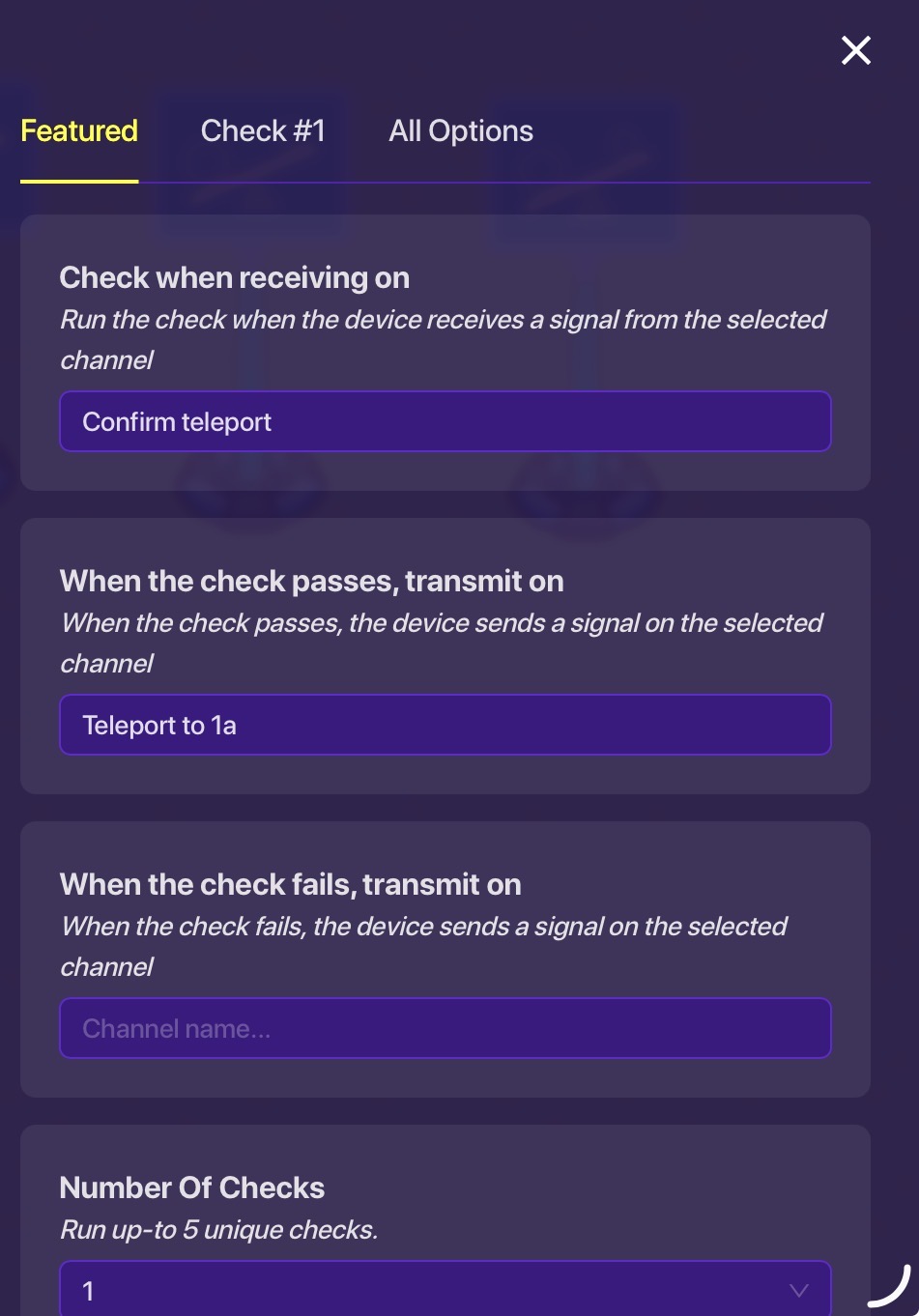
Finally, edit the middle button:

If you want to use the y axis please transfer the system to add 1 as you go up towards the top of the map. To teleport to the negative versions of the axes configure more checkers that detect negative properties in the way shown, just put equal to -1, -2 and so on and create more teleporters.
Thanks, @MikeyJonn
I’m writing this at 3am, I really need a life, at least it’s Saturday tomorrow ↩︎

