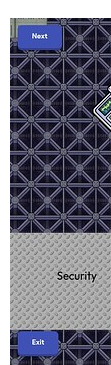
They’re saying you have to click the “Next” game overlay button in the top left corner of your screen to go to the first camera. It doesn’t automatically bring you to the first one.
1 Like
I meant none of them work, if I click Next, nothing happens.
1 Like
elaborate. becuase this isn’t a thumbnail request.
6 Likes
In step 4, the guide says:
I’m pretty sure by button, bubba means the counter. The counter should update the property. Could this be your issue?
1 Like
No, the property the Counter is supposed to update matches the Property itself.
1 Like
I have just gone and tested it on my own and @some_kid yes that is what I meant… and on the camera point dropdown it should say: “Make sure you have the Close Camera game overlay to: When Button Clicked, transmit on - camReset”
Also make sure the counter has Reset counter when receiving on - camReset
Sorry about not stating this when I made the guide
Edit: I cannot fix the actual guide due to it being made over 2 months ago… so the guide will not be changed to add the stuff I stated in this post.
2 Likes
nice guide! With the season ticket you are able to make a camera selection system using the list function. Just a fun Lil fact
1 Like
@YourAvgGimkitDev If what I said in my last response fixed it(or at least helped to fix it), please let me know.
Thanks
So I found a error I made with the code but it still didn’t fix it, right now I’m redoing everything in a blank template and I will tell you the results when I’m done
1 Like
Okay thank you for letting me know… I shall await for the results.
1 Like
Results:
Click Here
It didn’t work. 
I feel like I’m doing something very wrong.
1 Like
Okay… let’s start with the block code, can you send me an image of that.
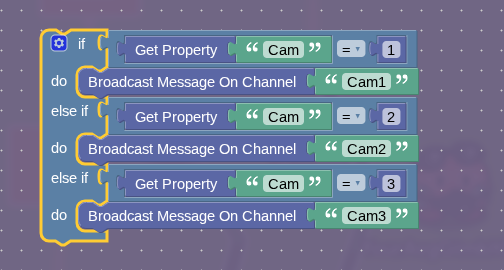
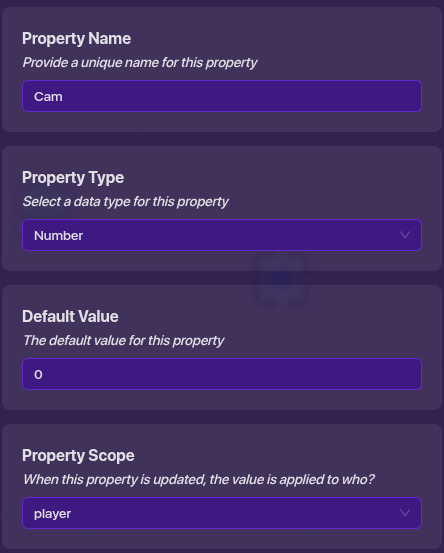
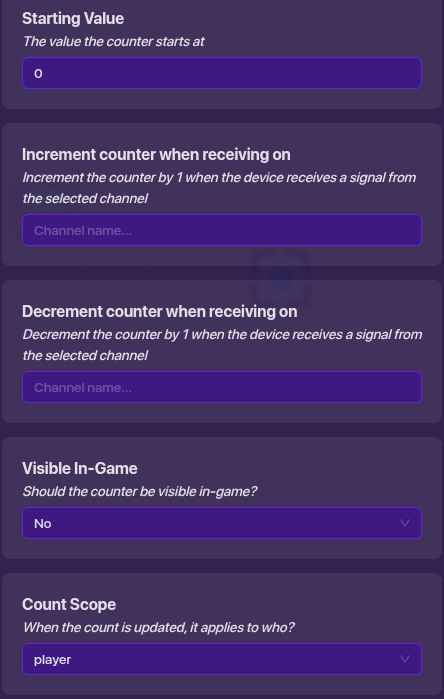
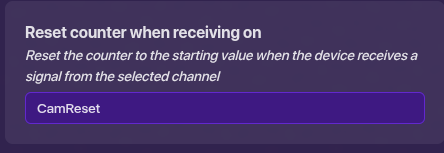
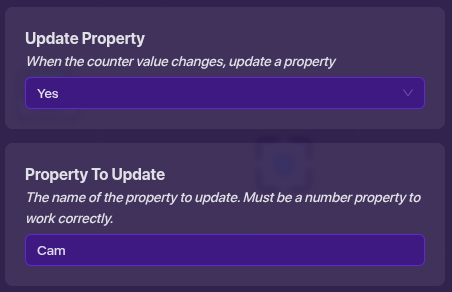

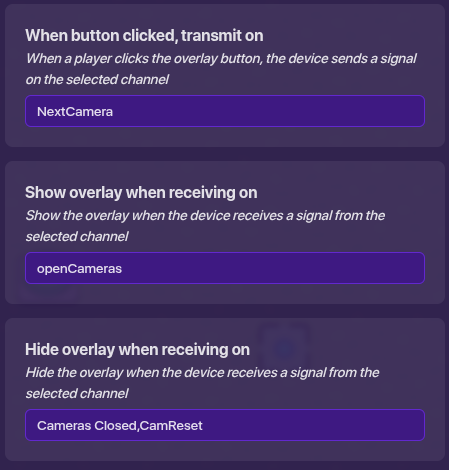
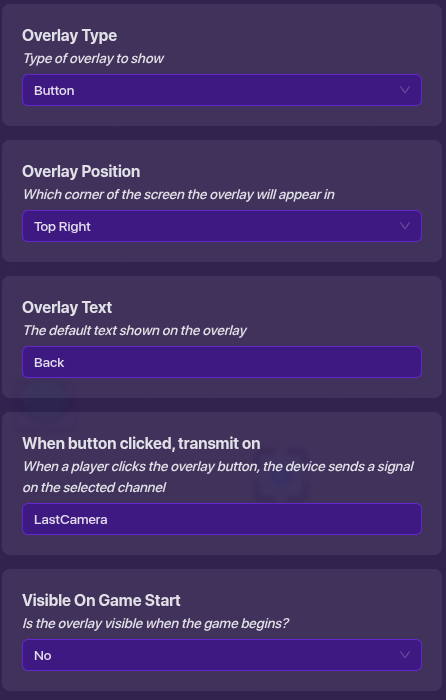
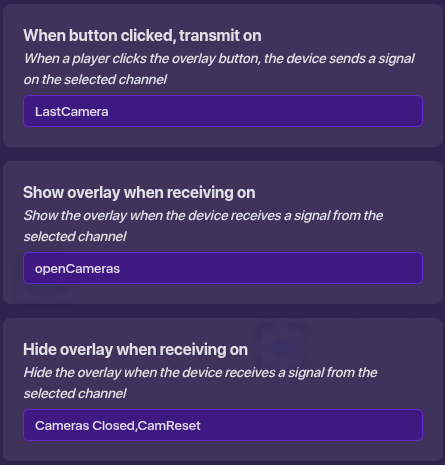
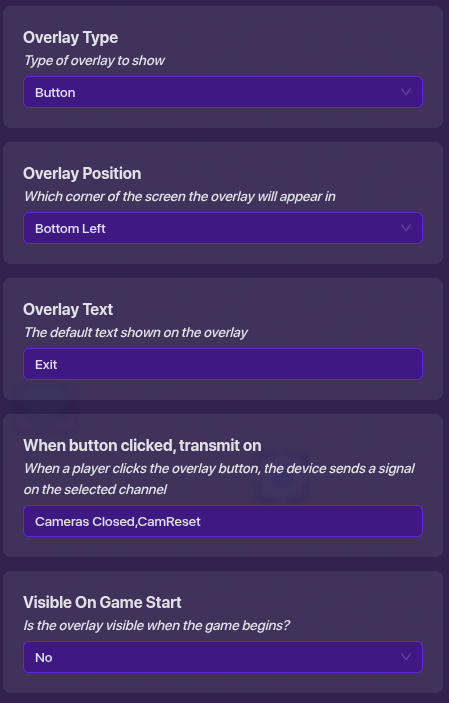
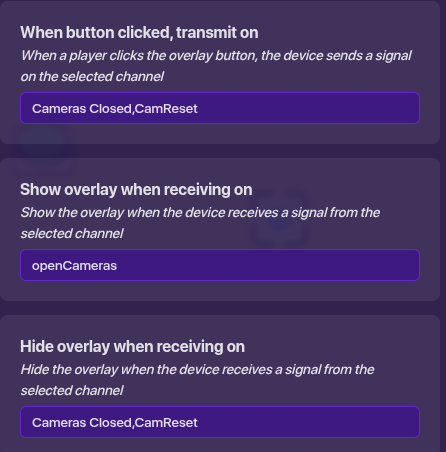
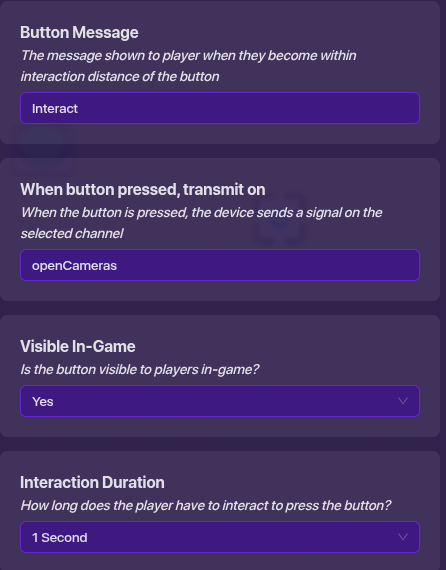
Okay that is good… can you send me images of the settings on the devices(Yes I know it is a lot)
Edit your last post for this.
For the wiring it should look something similar to this:
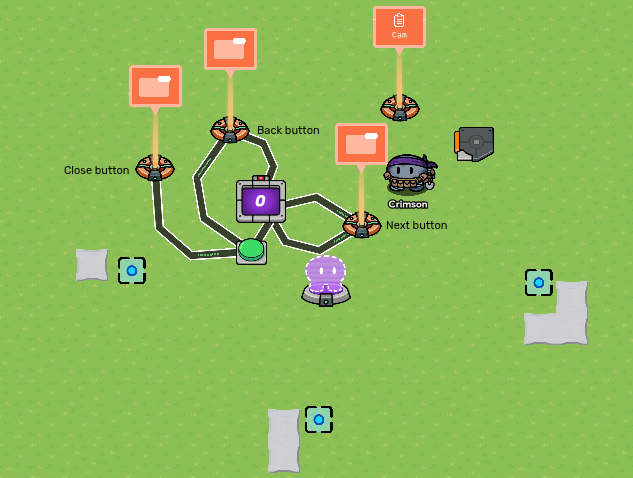
Button to Close Cams overlay:

Button to Back button overlay:

Button to Next cam overlay:

Back button overlay - counter:

Next cam overlay - counter:

I did this to clarify the wiring for you.
2 Likes
Great guide!
I did everything, and it all worked, though
Also, I modified it a little to allow for going back past the first camera. You can press Previous Camera on Cam 1, and it will take you to Cam 6.
1 Like
See I tried to do that, but it ended terribly for me… that is why I didn’t add it to the guide.
Great job though.
You should remove that post and edit your other response to avoid unneeded posts.
Thanks!
1 Like
Okay @YourAvgGimkitDev all of those settings are correct… however you didn’t show the settings for the trigger(Non-block code) and the camera points. If you could respond to this with images for those, I can check them to make sure those are correct.
If they are all correct… then it is your wiring that is messing you up, I will not give up until we get this fixed.
