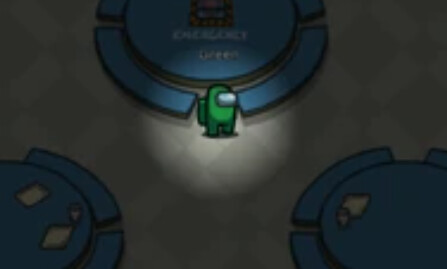
im tryna make among us in gimkit and i need help for the lights out sabotage
i wanted to use that one camera feature called ‘camera view’ but that didnt really work well
does anyone know how to?
im tryna make among us in gimkit and i need help for the lights out sabotage
i wanted to use that one camera feature called ‘camera view’ but that didnt really work well
does anyone know how to?
You could make a black barrier spawn
no, they’re asking help to make the environment AROUND you black.
welcome to the forums @toastedcheetah! make sure to read the below.
s.rules
s.orules
s.faq
and is this what you are trying to do?
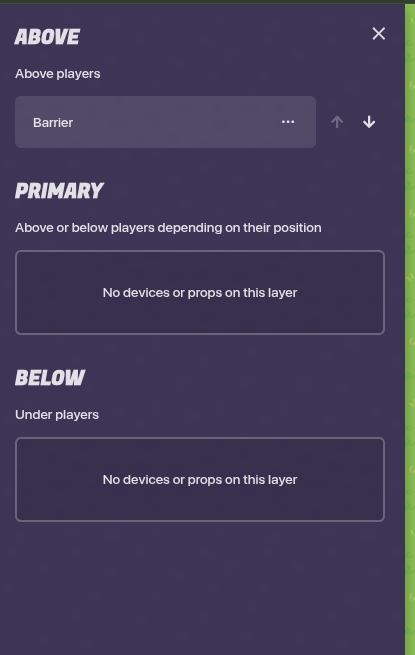
Try a black or gray barrier. Then put it behind the layers.
Welcome to the forums @toastedcheetah. Don’t get flags, read the rules, and eat chezburgers (yes).
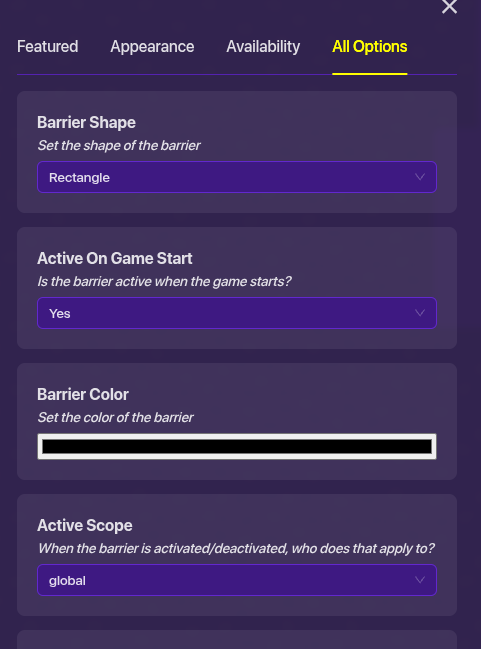
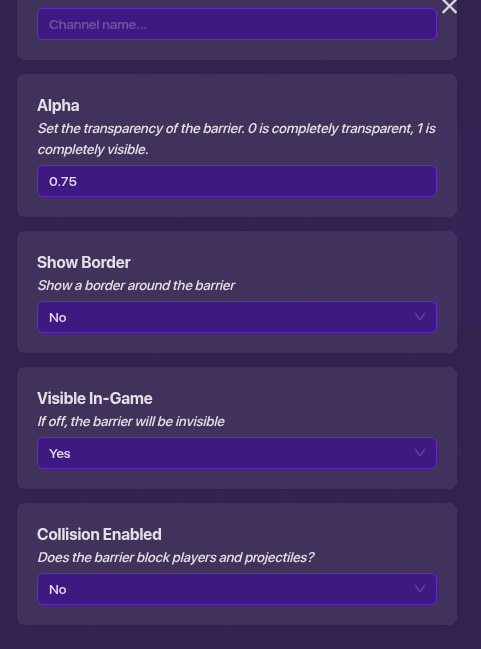
Get a barrier click it then apply these settings

Hey, hey, hey. Welcome to the Gimkit Creative Community Help Forum. More often than not, forum-goers are here to help you!!! So let’s begin.
Assuming you’re talking about that picture above, hopefully this helps:
you better hope you have enough memory for this one
Of course, I’m just guessing you want to light to follow your gim.
Hello, and welcome to the community!
Maybe if you use zones and barriers it might work
yeah, i know. only guide I could find though.
Make sure to mark a solution.
Give him some time he will come back and see your reply
just make a black barrier turn of collusion and put it at the top layer. and make it as big as the map