Want to add burning and freezing effects to your game?
This is the guide for you!
Burning Effects
Items needed.
x1 button
x2 trigger
x1 health granter
x1 damager
Step 1!
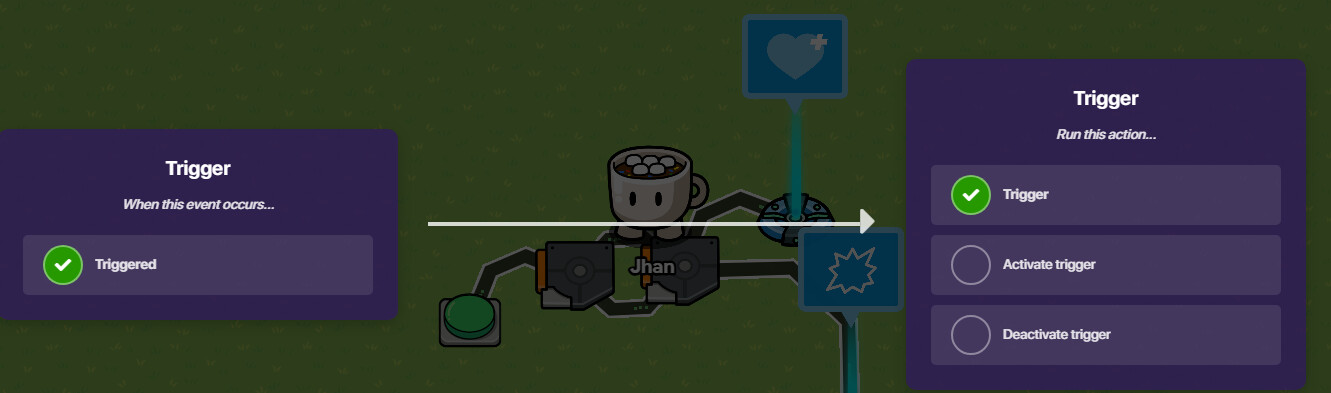
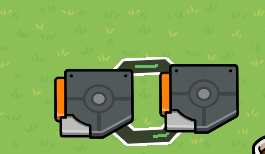
Make a trigger loop!
add a delay to each of the triggers of 0.5.
You can also make them not visible in game.
Step 2
Place one button, this button will trigger the system but it can be switched out by a zone or any other device you want.
Wire the button to one of the triggers.

Step 4
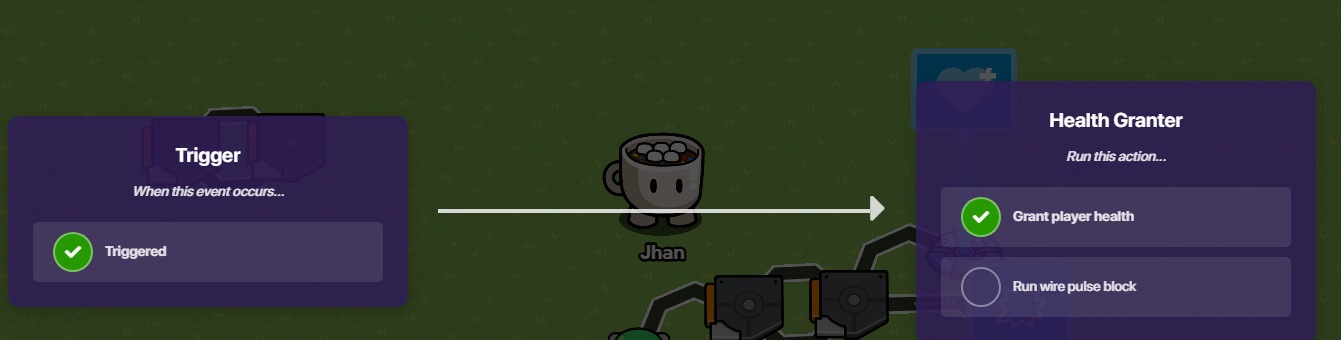
Place a health granter!
Set the amount of health granted to 1!
Also set it to only be able to grant shield.
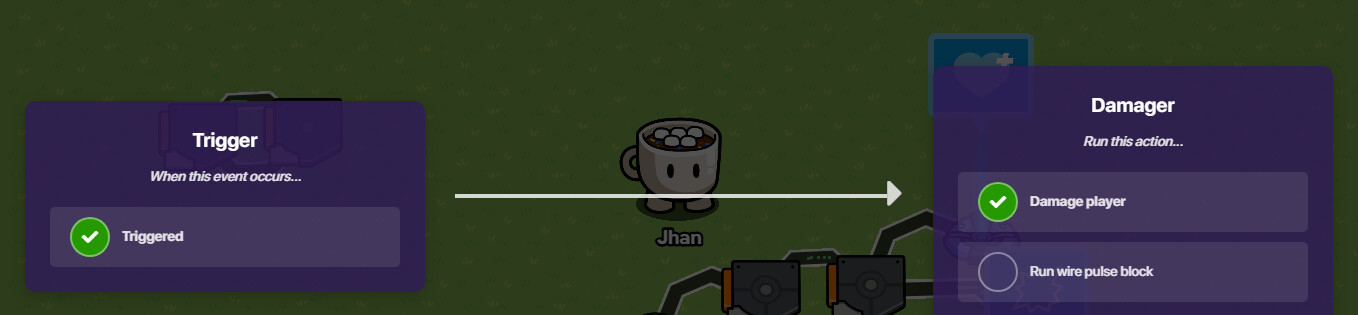
Wire the same trigger you wire to the damager to the trigger.
Step 5!
For this step you need any other device like a zone or a button to stop the system.
For example, if you use a button wire it to one of the triggers like the following image.
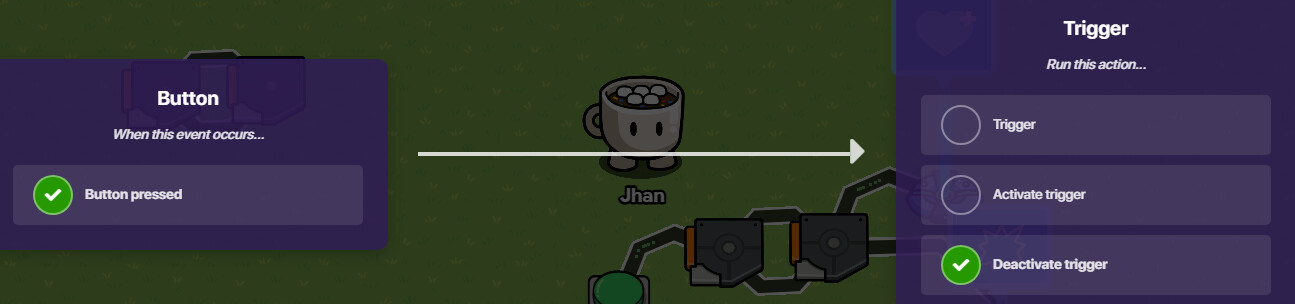
Now get the button from the first step not the one that was just mentioned and wire it a wire repeater. (don’t change the settings)
Wire the wire repeater to the trigger that is supposed to deactivate.
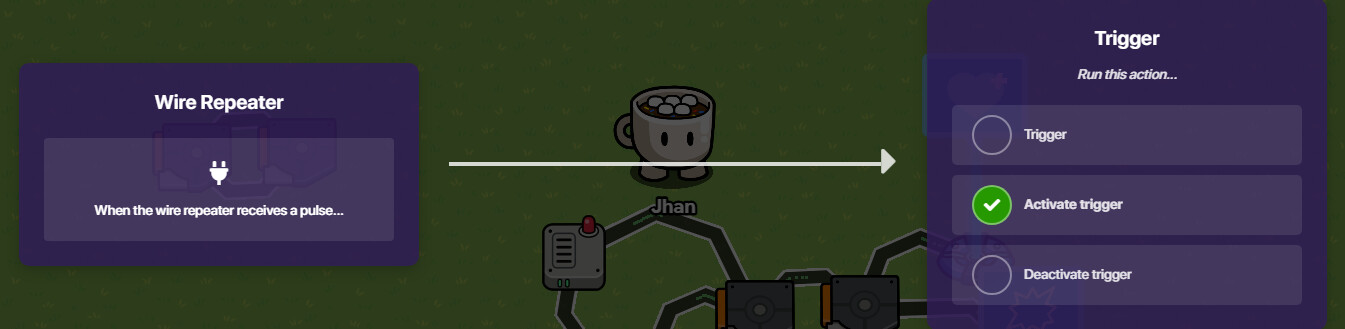
Now your done!
Freezing effects.
Items needed.
x1 button
x2 trigger
x1 health granter
x1 damager
Step 1!
Make a trigger loop!
add a delay to each of the triggers of 0.5.
You can also make them not visible in game.
Step 2
Place one button, this button will trigger the system but it can be switched out by a zone or any other device you want.
Wire the button to one of the triggers.
Step 4
Place a health granter!
Set the amount of health granted to 1!
Also set it to only be able to grant health and not shield,
Wire the same trigger you wire to the damage to the trigger.
Step 5!
For this step you need any other device like a zone or a button to stop the system.
For example, if you use a button wire it to one of the triggers like the following image.
Now get the button from the first step not the one that was just mentioned and wire it a wire repeater. (don’t change the settings)
Wire the wire repeater to the trigger that is supposed to deactivate.
Now your done!
Extra notes.
Make sure that the player doesn’t have shield or else the screen will appear blue instead of red.
Freezing meter.
WI.I.P
Dehydration meter.
W.I.P
