Blastball Question (not answered in the guides)

how do i do the property thingy so that the leaderboard at the end of the game shows how many goals were scored for each team [1]

i went into the game settings and changed the score thingy to look for a certain property (score) but idk how to make it and stuff


  1. determining the winner and loosr ↩︎

Use a counter and property device.

2 Likes

how tho [1]


  1. maybe pictures pls… ↩︎

1 Like

LIke, every time a goal is scored increment counter, and when counter incremented increase property (i think [I’m not good at blocks])

2 Likes

idk if you can do it with blocks but you cant do it with wires or channels

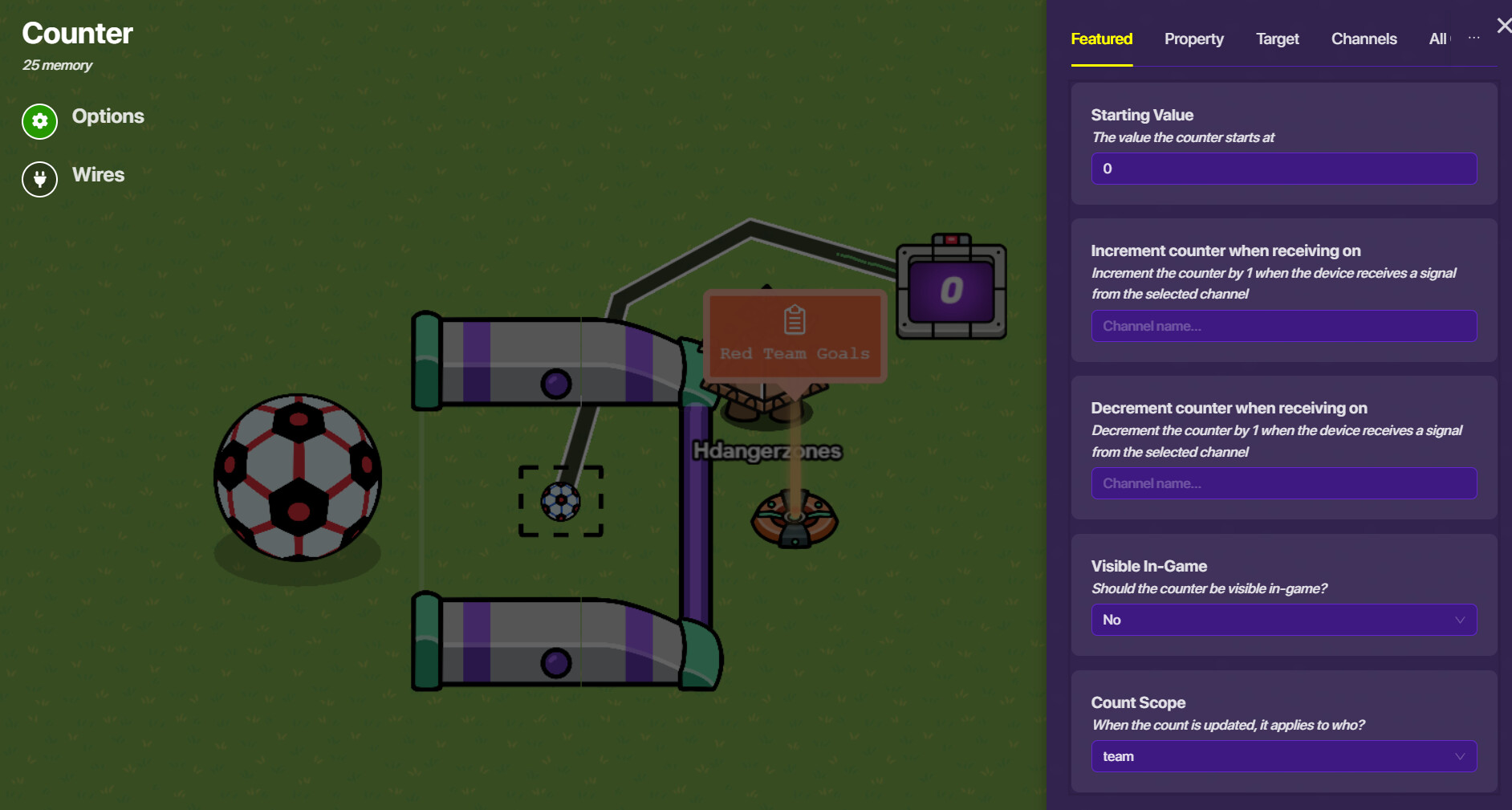
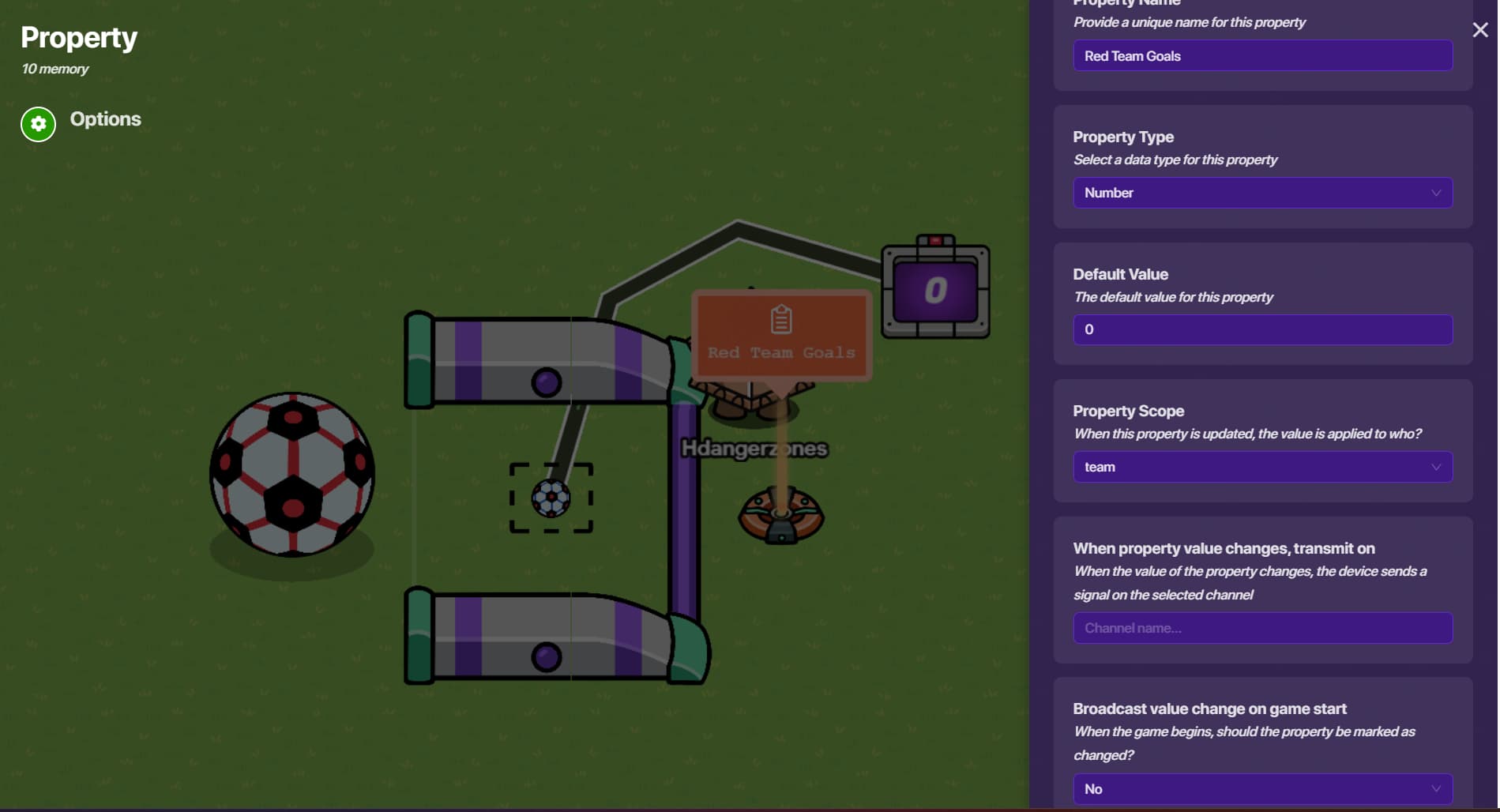
So you’ll have a counter device, and the ball goal device should wire to it so that ‘goal scored → increment counter’. The counter should start at 0, and under the “property” tab, have it update a property, we’ll call it “goals”. Note that there should be two counters & goals (for each team, of course), but only 1 property.
As for our “goals” property, make it a team-scoped property. This is the most important part. Then you just plug it into your map settings and boom! This should work!

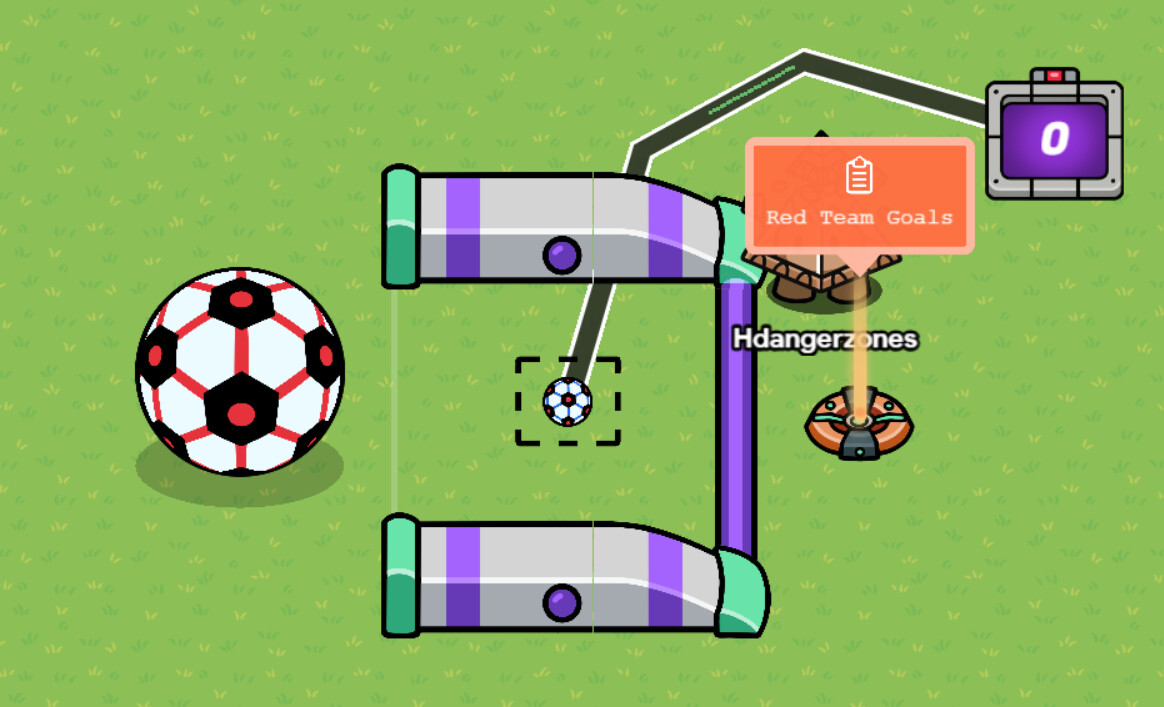
1 Like

I got you, I’ll look deeply into this.

I realize I posted that right when @Here_to_help gave u answer. ooops

2 Likes

You’re good lol haha it’s nice to see that you were trying to help :).

1 Like

Yep, Here_to_help is correct! You wanted screenshots, so here they are :slight_smile:

Screenshots


You can customize your goal, so no screenshots of that because it doesn’t matter (same with the ball)

One more thing! You wanted the amount of goals to appear on the leaderboard!

Instructions

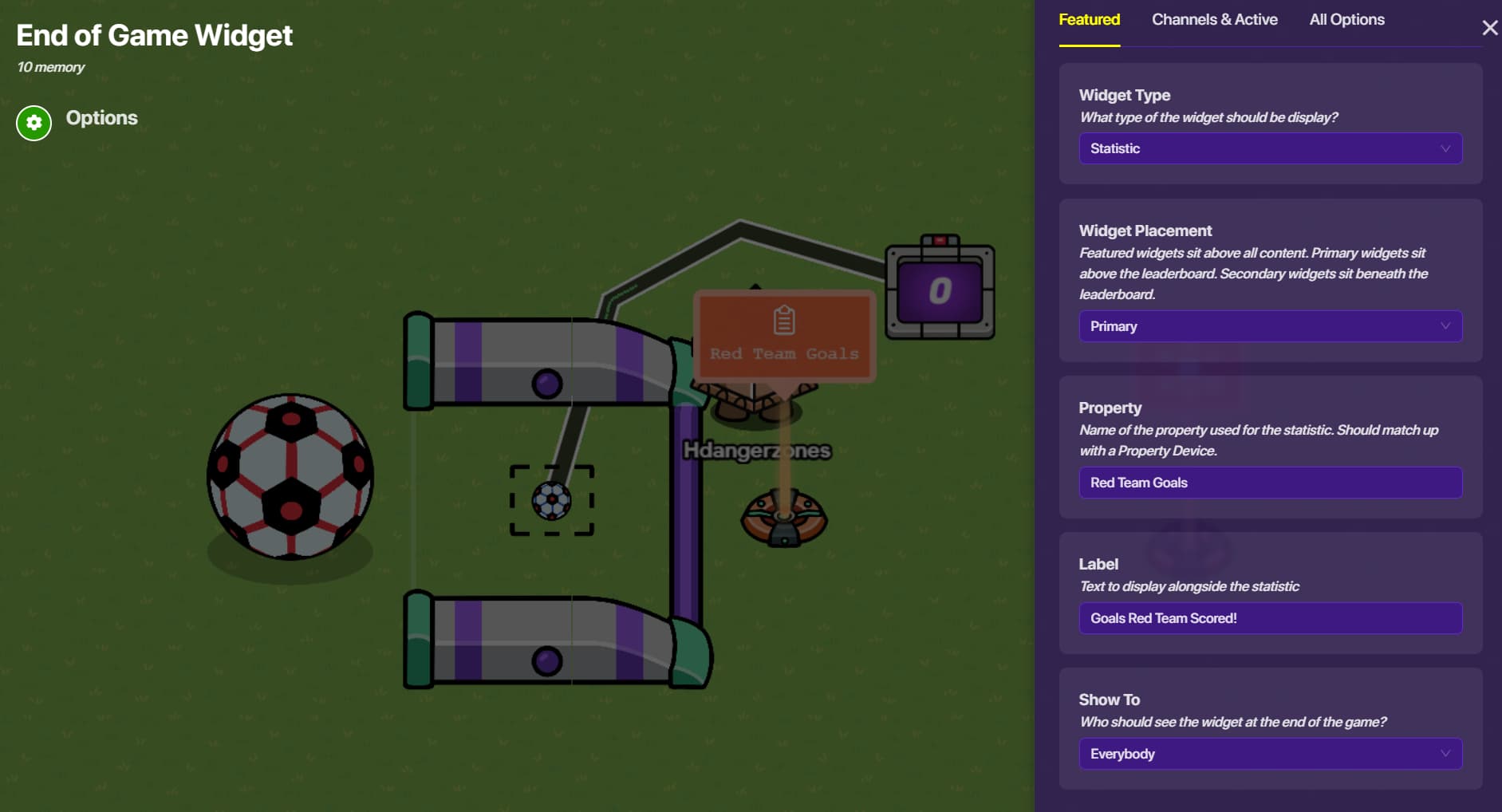
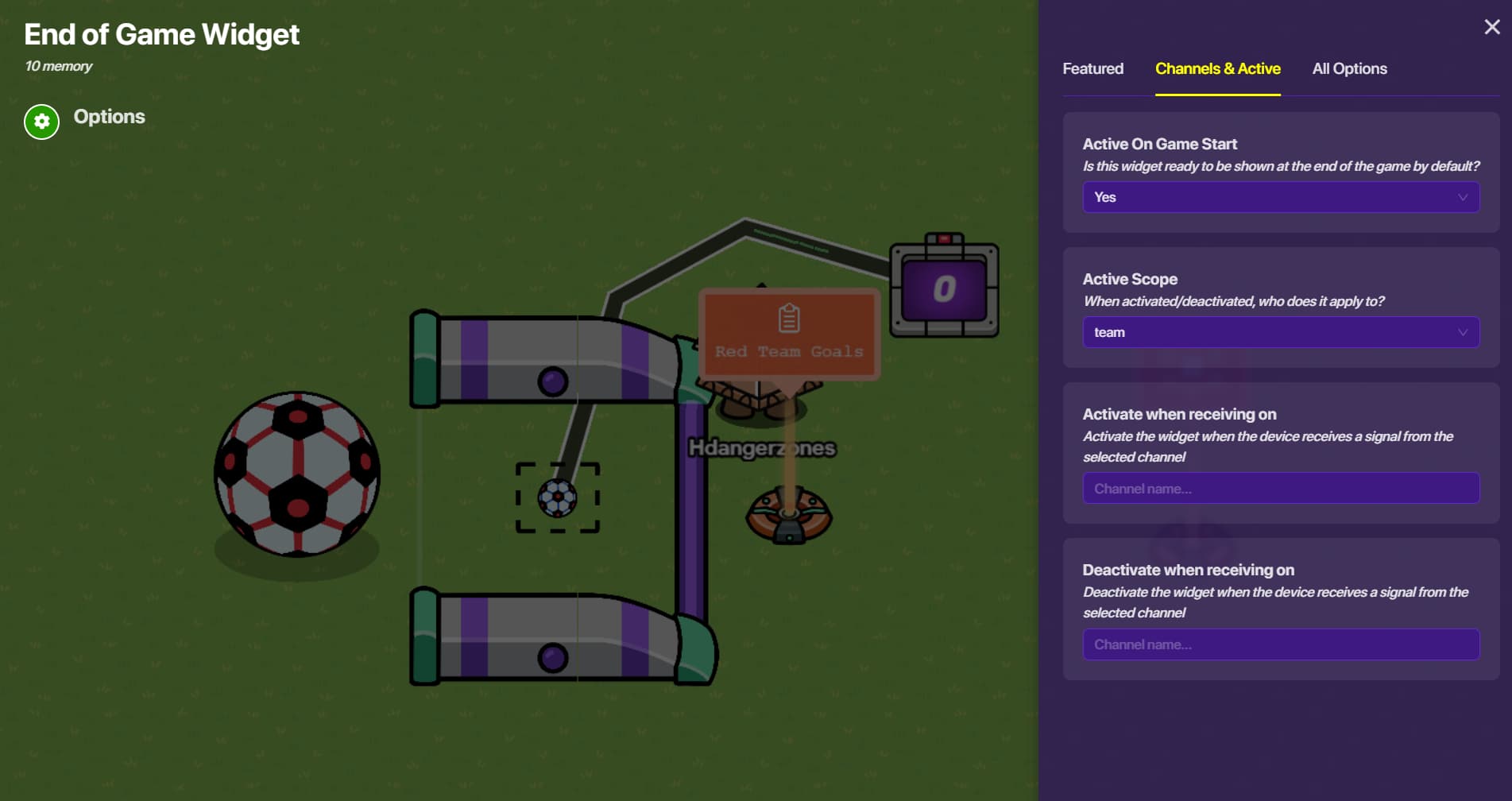
You will need and end of game widget device!

Set the following settings:


Same with the blue team, but with blue team goals instead of red team ones.

Hope this helped :slight_smile:

2 Likes

This topic was automatically closed 3 hours after the last reply. New replies are no longer allowed.