Hello there! Welcome to my first guide :D

Anywho, in this guide, I will be focus on how to make the Questioner appearing to your screen automatically in a fixed interval (I will use 60 seconds as an example), this system could be very useful in educational games or any general games involved with question answering. I will also go over some additional features to enhance the whole system.

Let’s get started!
First, for the basic system, you will need a Game overlay, a Relay, a Property, a Lifecycle, a Counter, a Questioner, and a Trigger.
You can replace the trigger loop with a repeater loop, which is very illegal highly not recommended due the high use of memory and inefficiency.
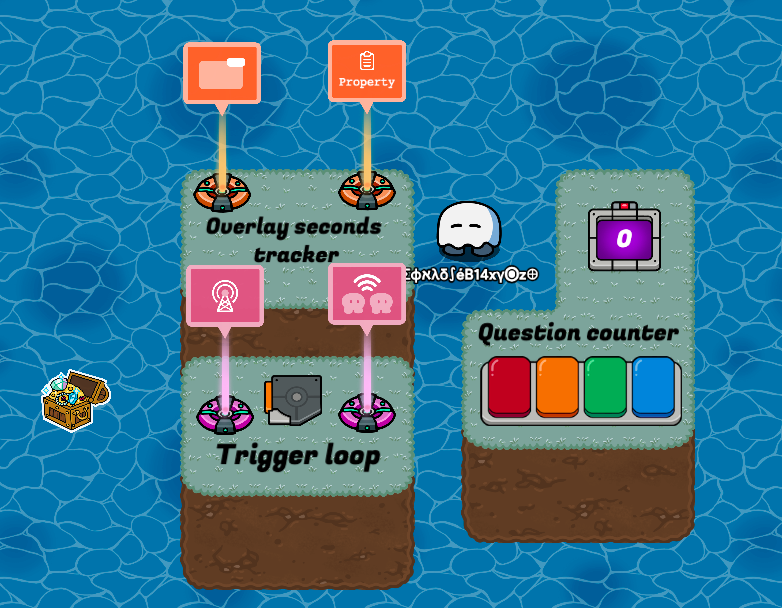
I love 3D terrain
Nice job completing the first step, let’s move on.
The whole system setup:
Now, the first thing we want to do is to make a countdown timer, which involves a trigger loop that transmit on a channel over and over again with a delay of 1 second.
Lifecycle Setting
- Event: Game Start
Relay Settings
- Relay audience: All players
Trigger Settings
- 1.0 second Delay
- Trigger when receiving on X channel
- When triggered, transmit on X channel
- Unable to be triggered by player collision (optional, in case somebody triggered the trigger accidentally and messes up your trigger loop)
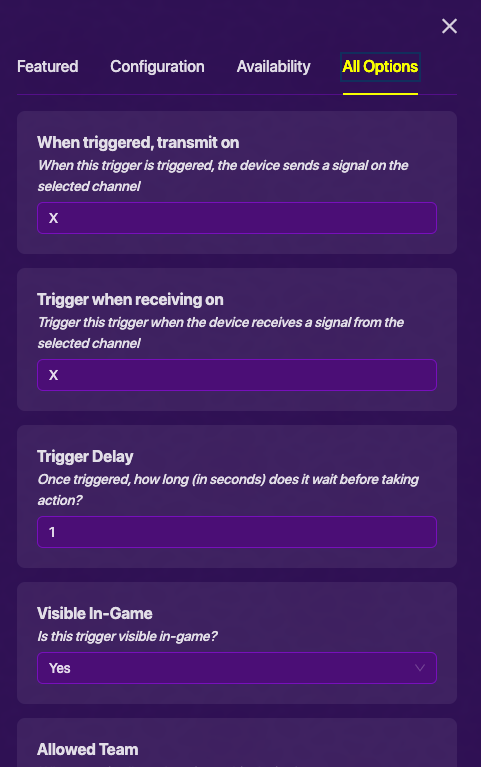
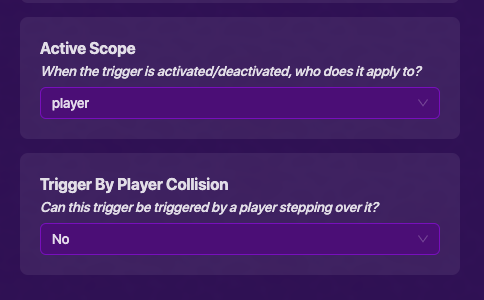
And now we completed the second step, yay!
“Here is a roasted penguin with BBQ sauce to celebrate”
._.
After we are done with the trigger loop, let’s jump to the next part: Counting and Open up the Questioner automatically after 60 seconds (ewdjekjrbjndhberbjnkdfhbeyx)
This is the main part of the guide, we will need a questioner and a counter to count the amount of seconds so the players could interact with the question screen that pops up every 60 seconds. Here we go!
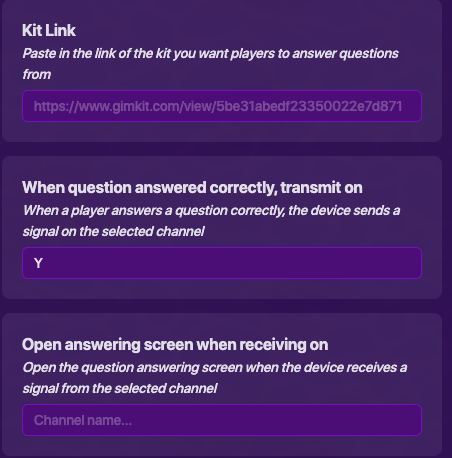
Questioner Settings
- When answered correctly, transmit on Y channel.
- NOT closable by player.
- Close questioner screen when receiving on Y channel.
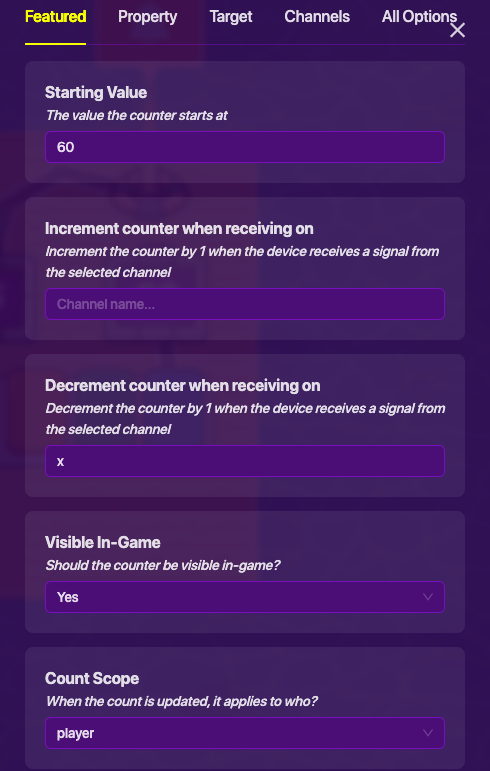
Counter Settings
- Starting value: 60
- Decrement counter when receiving on X channel
- Count update scope is “Player”
- Select YES on the Update Property and select “Timer60countdown” for the property
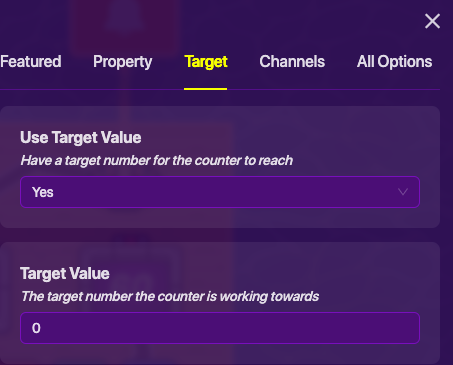
- Target: YES
- Target value: 0
- Reset counter when receiving on Y channel
Woohoo! It’s not difficult at all, is it?
After we are done with both trigger loop and the auto-questioner popup, we have to show it to the players that this is happening. Basically, we don’t want the players to be terrified by the sudden jumpscare of the questioner.
How do we do this? It’s time for the overlay!
You will need a Game overlay to track the remaining times until the next question, and also a Property to make the seconds “trackable”.
Almost done! Keep going.
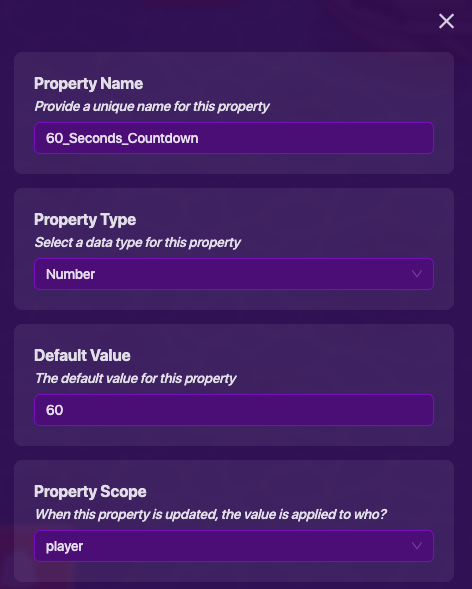
Property Settings
- Make the Property Name “Timer60countdown”
- Property type: “Number”
- Default value: 60
- Property update by “Player”
Overlay Settings
- Visibility & update scope: “Player”
- Text overlay
- Create a block that runs when receive on X channel:
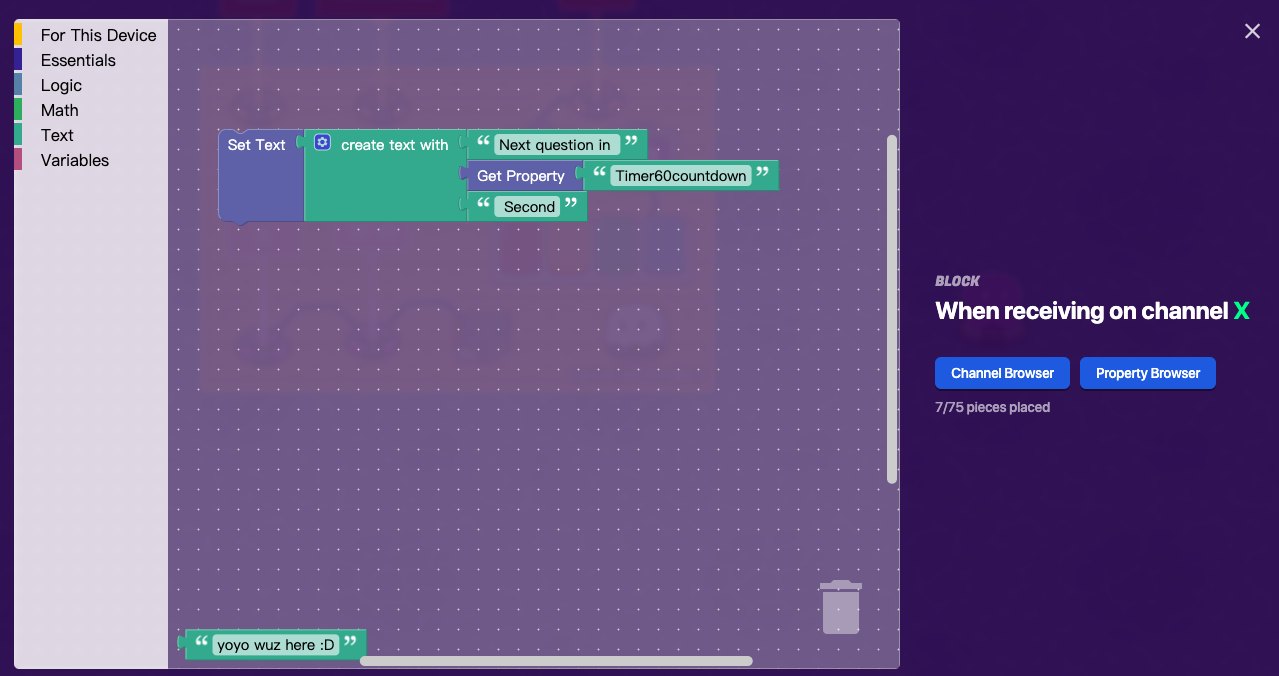
Just a reference.
In-game effect:

The number will decrease constantly until it reaches zero, and after the player answers the question, the number will reset back to 60.
All Wires
Lifecycle: (game start) → Relay (trigger relay)
Relay (triggered relay) → Trigger (trigger)
Counter (value reached) → Questioner (Open questioner screen)
Optional:
If you want the players to be warned when a question is about to occur, you can add a notification system to notify them.
You will need a notification and a counter
Counter Settings
Default value: 55
Decrement counter when receiving on X channel
Target: YES
Target value: 0
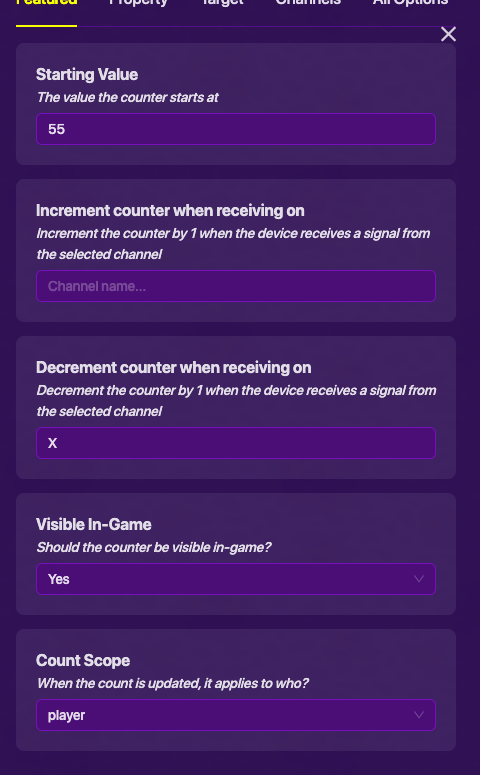

Notification Settings
Title: Something similar to “Next question in 5 seconds!”
Content: Something similar to “Get ready to answer the question!”
Notification duration (optional): 2.0 seconds
Notification type (optional): Warning
Send notification to “Triggering player”
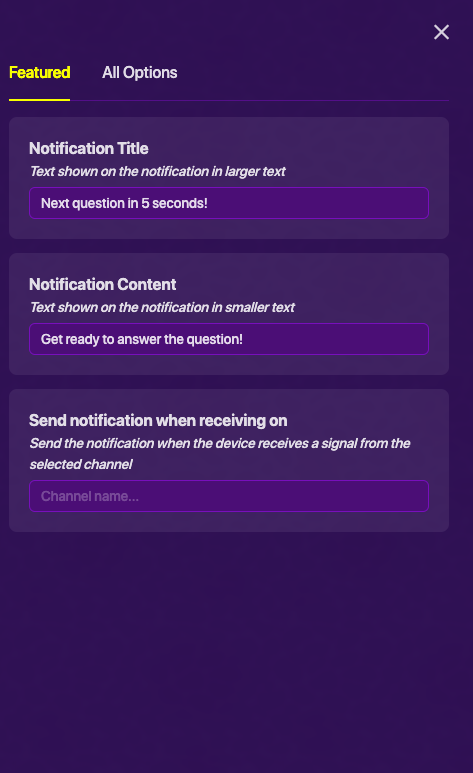
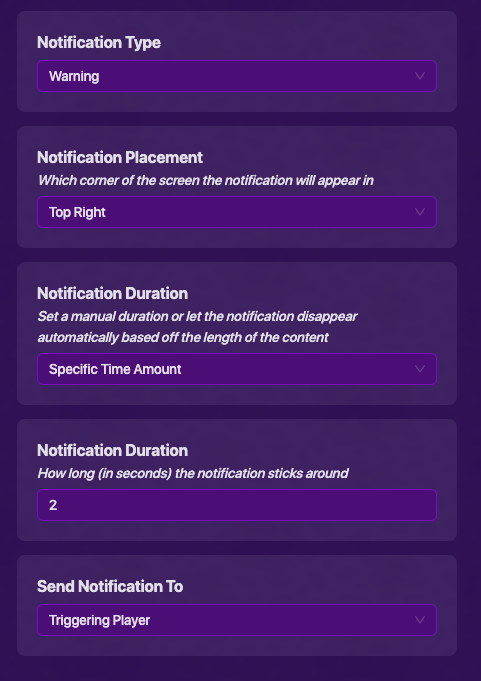
Annnnnd that is the end of the guide, thanks for reading, happy Gimkitting!
by @NotYoyo

- 0/10

- 1/10

- 2/10

- 3/10
- 4/10

- 5/10
- 6/10

- 7/10
- 8/10

- 9/10
- 10/10

- 11/10