Does anyone know how to add a UI on the player’s screen that shows how many lives you have left? I know you should look 1st but I did and all the guides I found relied on pictures that d!Ed during the picture removals for space on the forums.
Oh so here is a guide… its a bit messy but it works
Also WSG quote…
f
5 Likes
for the visual… you’ll want to use a game over… with the tracked item setting and the item for lives
to lose the life, get a life cycle, have it go on when player is eliminated, have channel (lose life)
then have a vending machine get purchase for one life (item you use for lifes)
if you have 3 lifes, have 2 life items, and if you do the
if failed to purchase, in the channels section of the vending machine to turn the player into a spectator, it should work out
ah. you beat me arcane
3 Likes
To make the system lifecycle that finds player dles then signal to counter starting 3 target 0 when player dles decrease by 1 when target value end game
4 Likes
I still don’t have ui as in game overlay showing u how many lives u have
plus It didn’t work for some reason arcane ember.
You can code the overlay to count how many lives the player has left, and display stuff accoringing to dat
never mind arcane embers work when I fixed the channel name typo, thx for help!
2 Likes
Here is random guide:
So grab an overlay, make it text, them block code it:
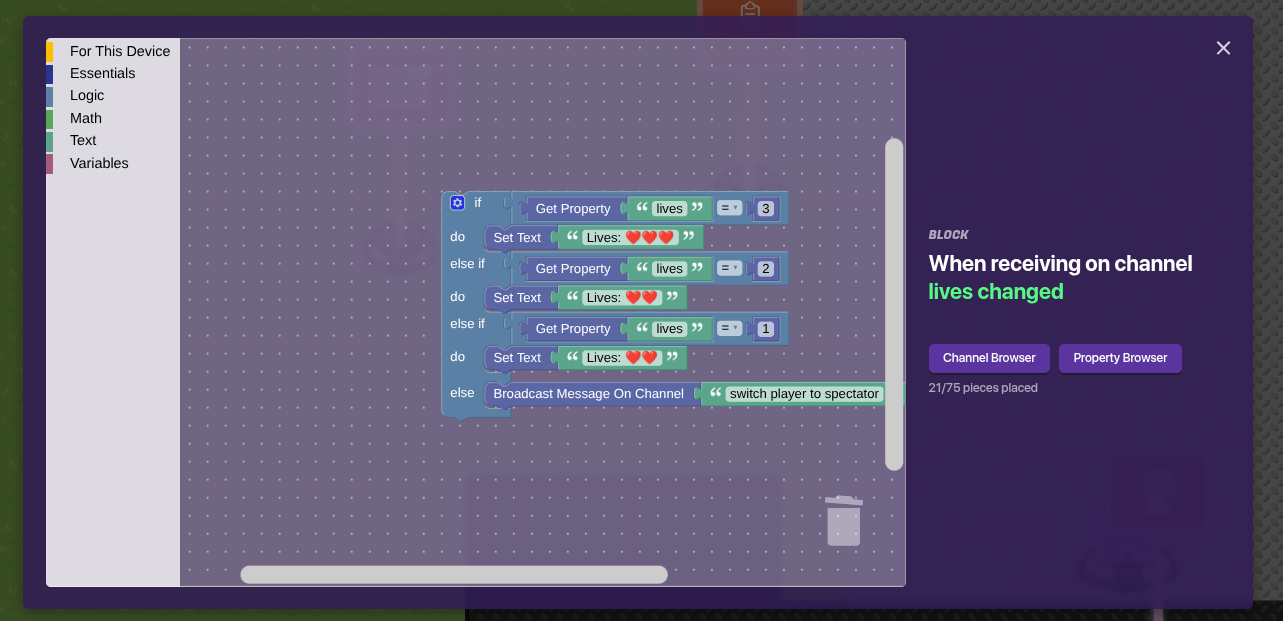
Then make a property:
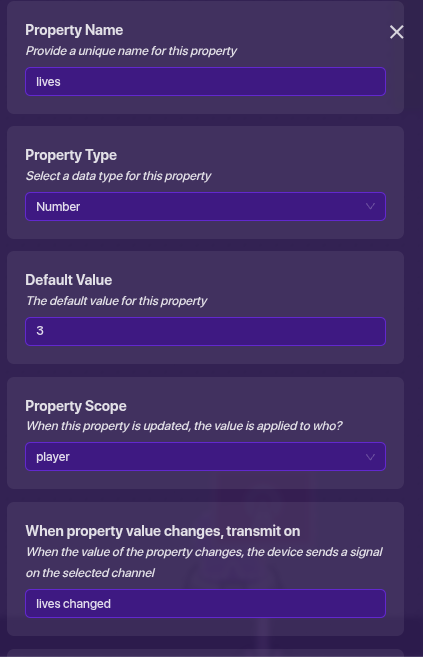
The grab a counter and make it update ur property:
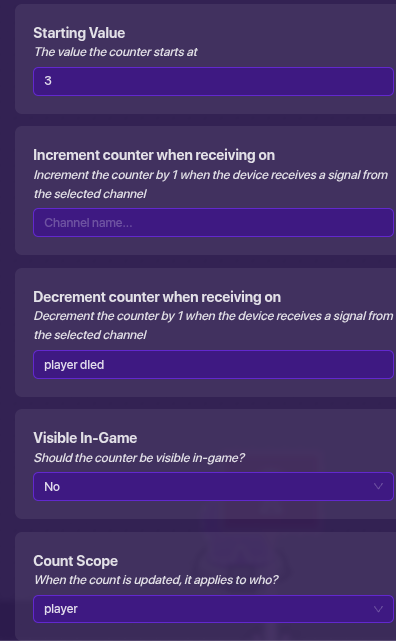
Then grab ur team switcher:
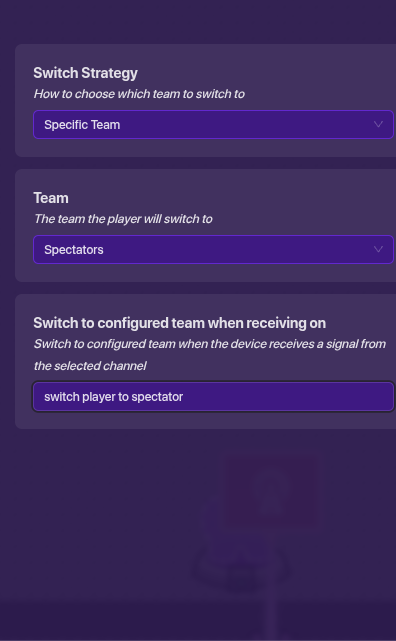
Welp guess I posted it just when @KingDave11-2 got the solution
wait @Aero_is_da_best_gim how to use heart emoji I like that better than the words 3
2 Likes
This topic was automatically closed 3 hours after the last reply. New replies are no longer allowed.