Weird Button Thing

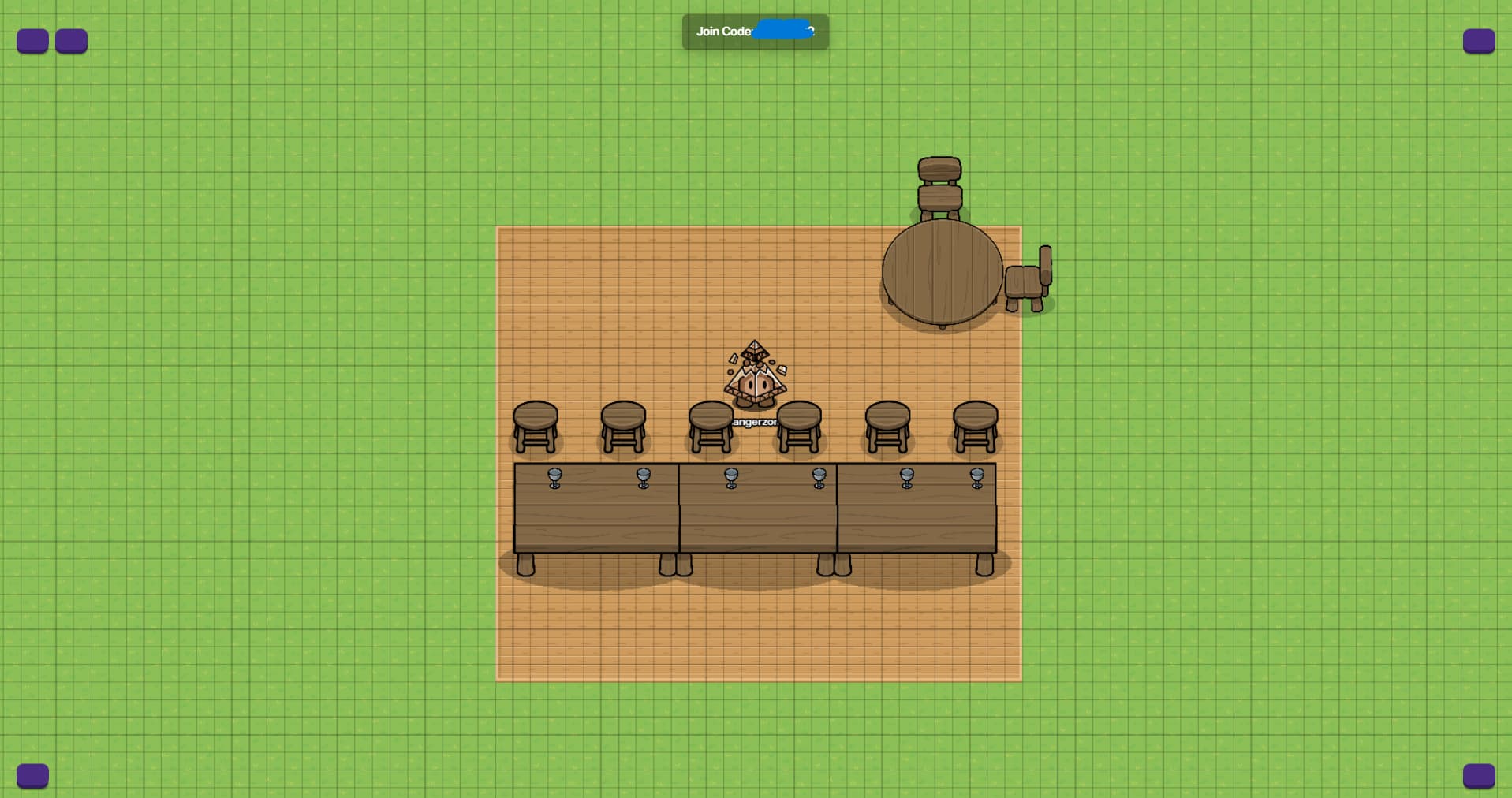
When I load into my gimkit map, the buttons look like this:


And when you go to delete items, there’s no button to close the menu

I’ve tried ending the game and re-loading in, but it’s still like that. I don’t need a reason why (I can use keyboard shortcuts and when deleting things you can press “e” to add terrain, then close out of that menu), but thought everyone should know :slight_smile:

1 Like

maybe change that to “ui” instead of buttons (people may get confused)

1 Like

Probably just a UI glitch. Reset your site or cache data, or reset your cookies.

Restart gimkit, or comp

1 Like

I’ve had this glitch for about 3 or 4 months. I think my school may have blocked the images of the icons. This shouldn’t affect editing, as you can just press esc to get out of the eraser menu.

2 Likes

So the buttons are missing?

1 Like

The outlines are there, the pictures aren’t

1 Like

I didn’t know esc does that! [1]

Also, I just checked on a creative map, it still shows the X for me, so it’s just your school that caused this then. Or it’s something else, like an account specific bug.


  1. Closing stuff is the main purpose of the escape key, so I don’t know how I didn’t know if=t worked in creative. ↩︎
2 Likes

I think it’s an account specific bug, I don’t go to school…

:joy: I mean a physical one, the account I’m using isn’t a school device, nor is it managed by a school.

I don’t necessarily need it fixed, the only thing that it inconveniences is the layering.

1 Like

If you made a new map, would it still be there?

2 Likes

Let me see…

–edit–
Yes, it’s still like that, both in top-down and platformer

1 Like

Well, as long as it’s still working for you and doesn’t lock you in the delete thing you should be able to just continue on as normal.

Edit: Sorry. :c

1 Like

That’s… not the point, he’s trying to fix the bug
Also all you’ve done is repeated what several people have said in the past

2 Likes

Yes you should probably move this project to another account for Gimkit(one that is not school managed) and see if it works or not.

1 Like

This isn’t school managed…

1 Like

Oh. I’m guessing that you reload it. Does reloading even work?

1 Like

Nope! Still like that…

1 Like

Try restarting your whole computer/device.

1 Like