This guide will go over how to create a working night system and fire for 99 nights games.
The nights
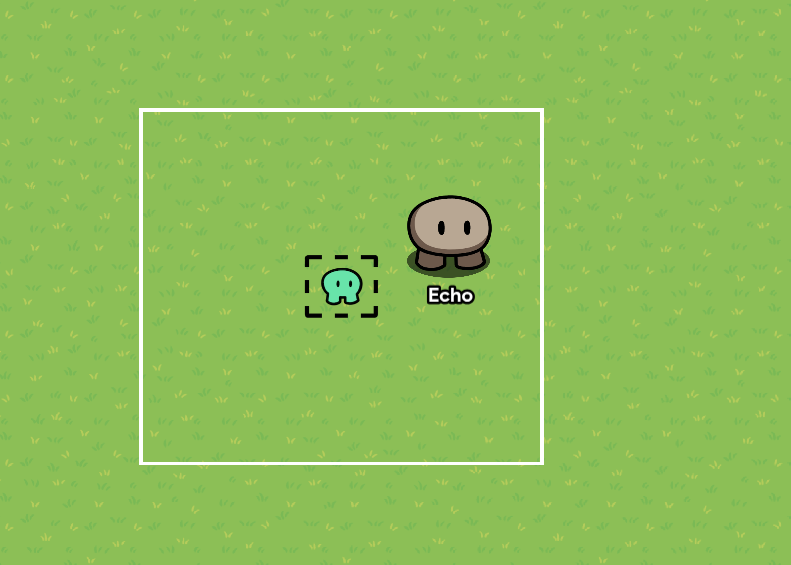
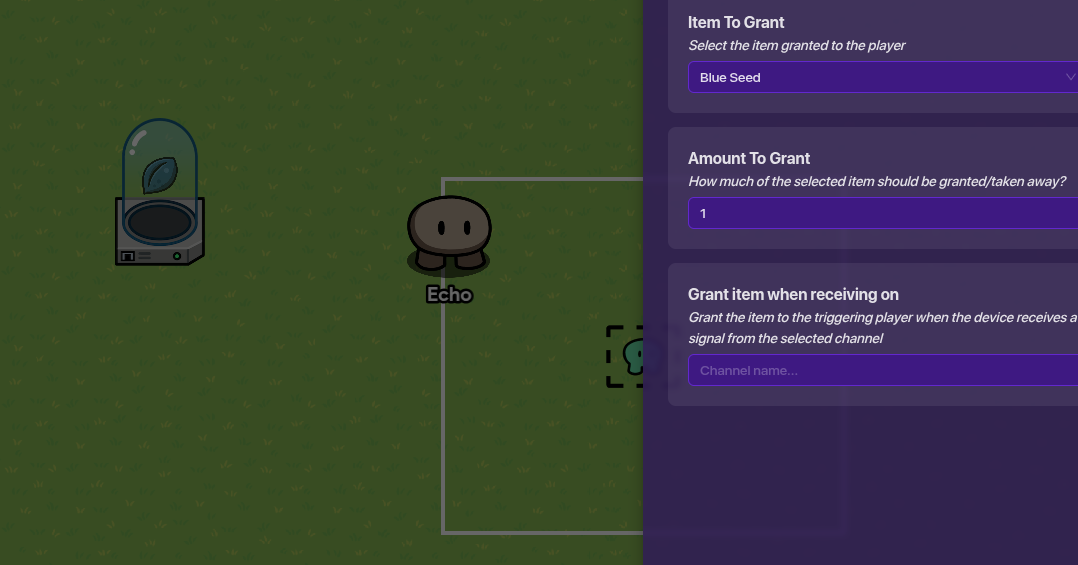
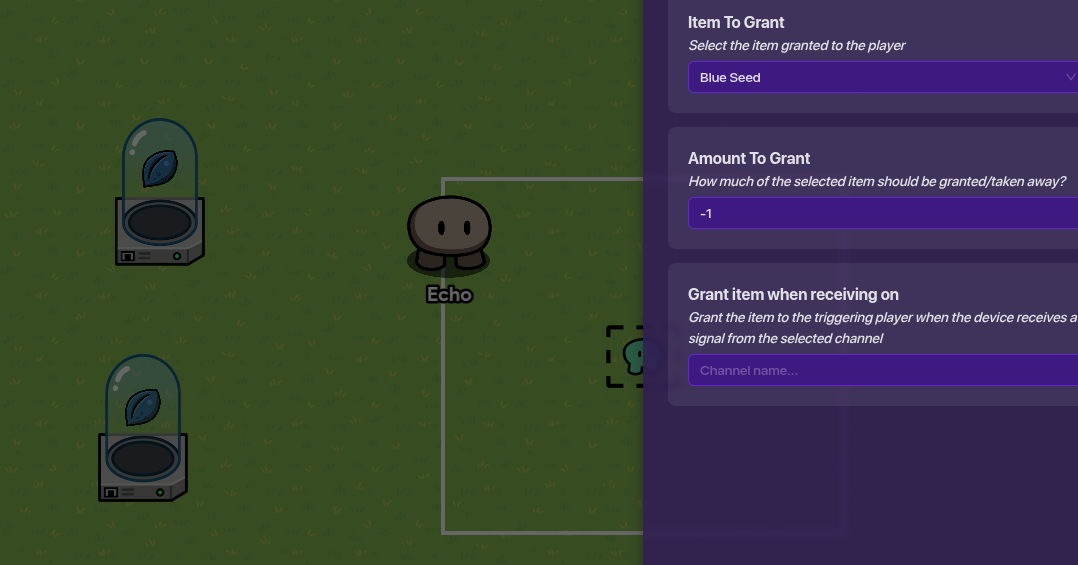
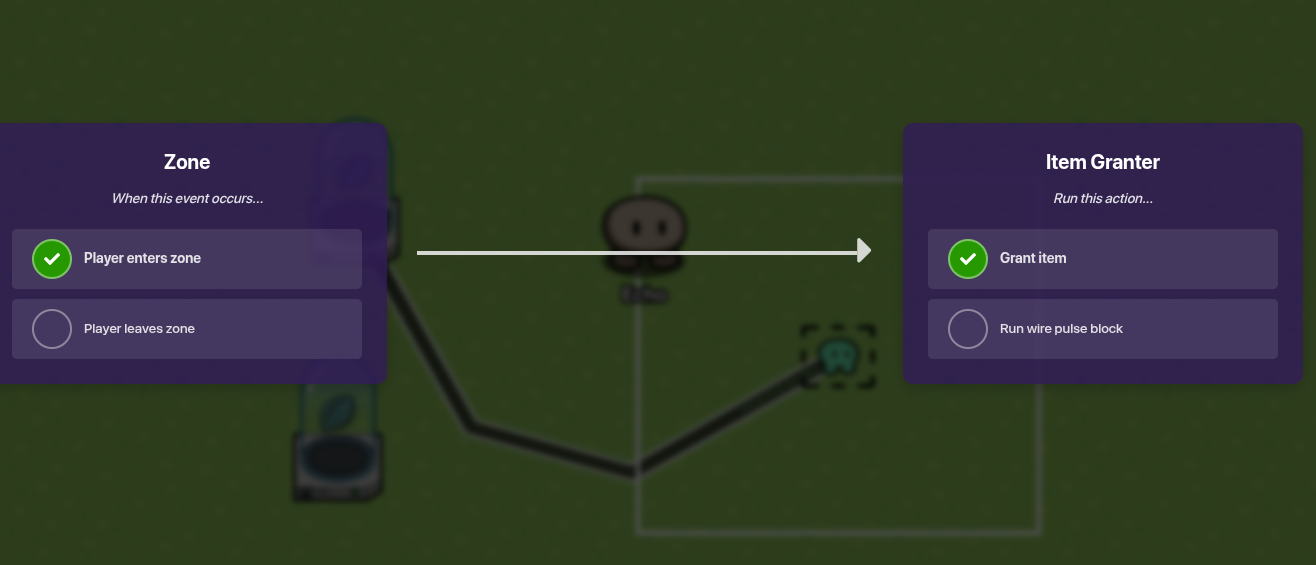
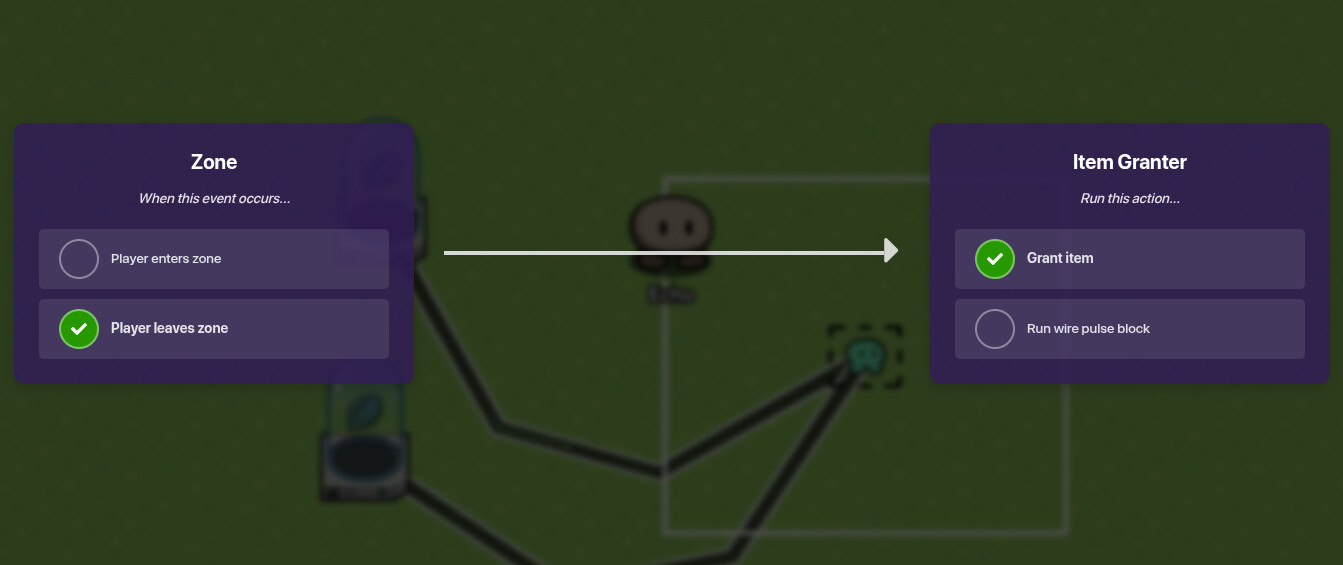
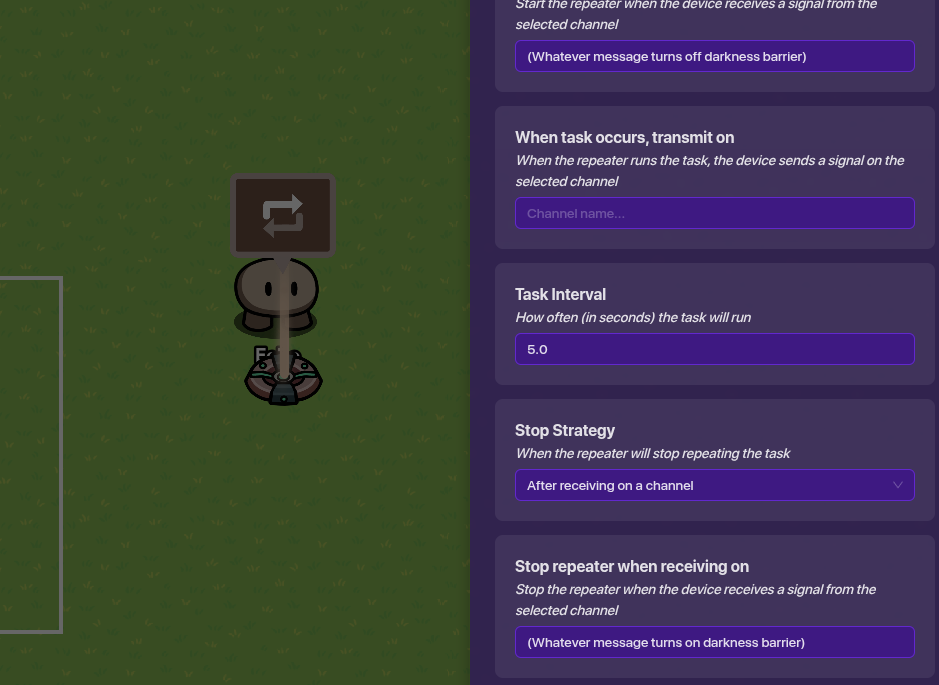
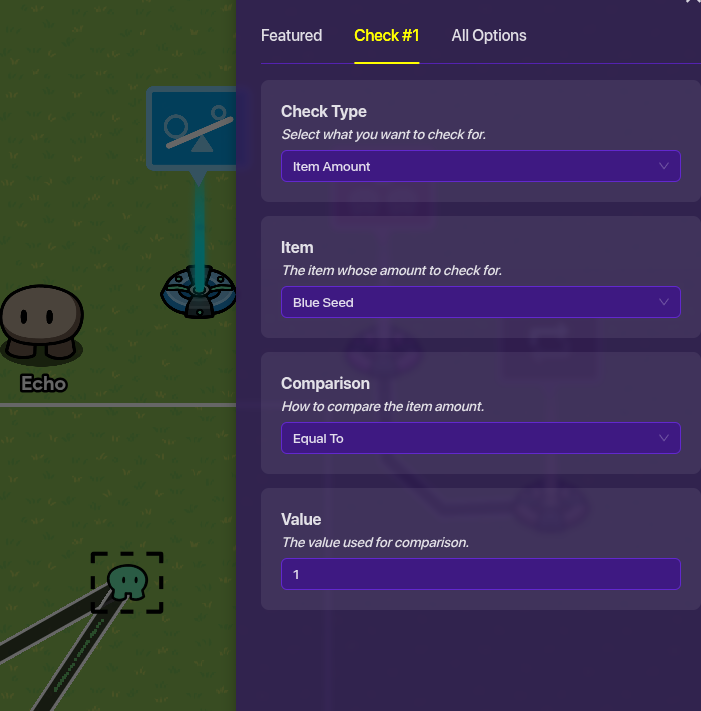
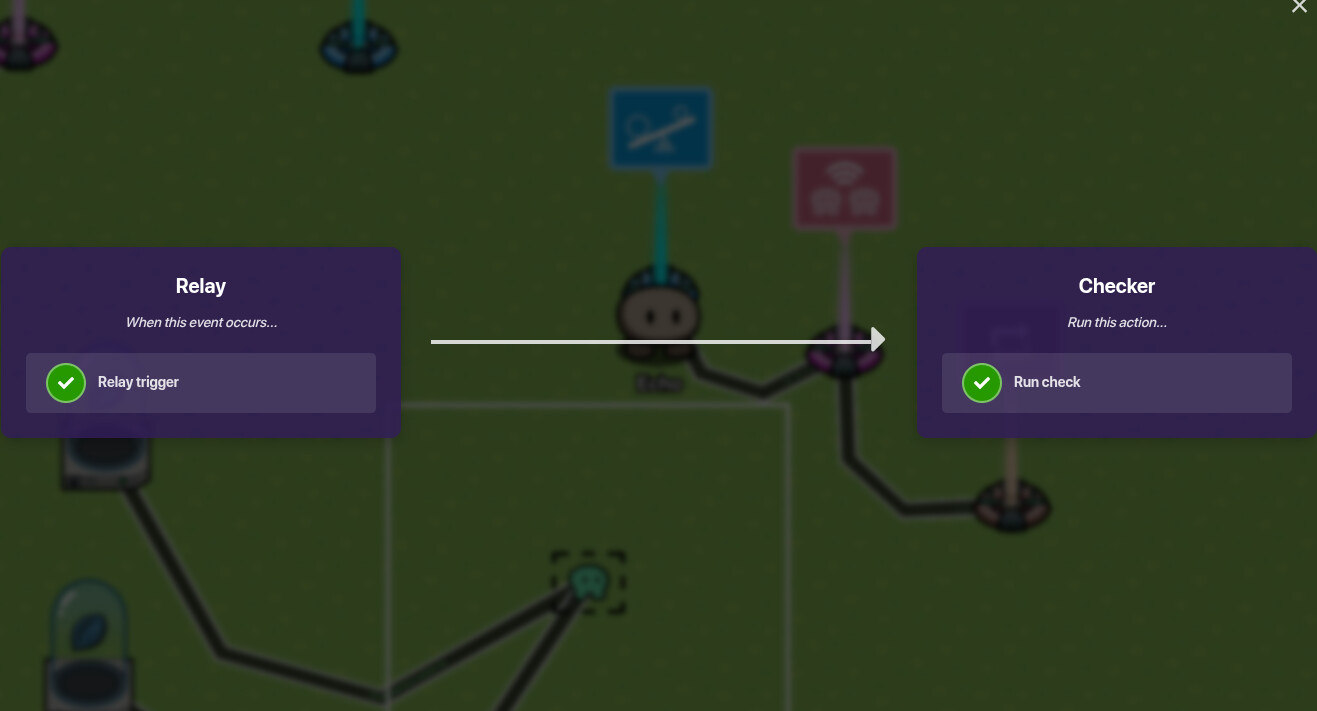
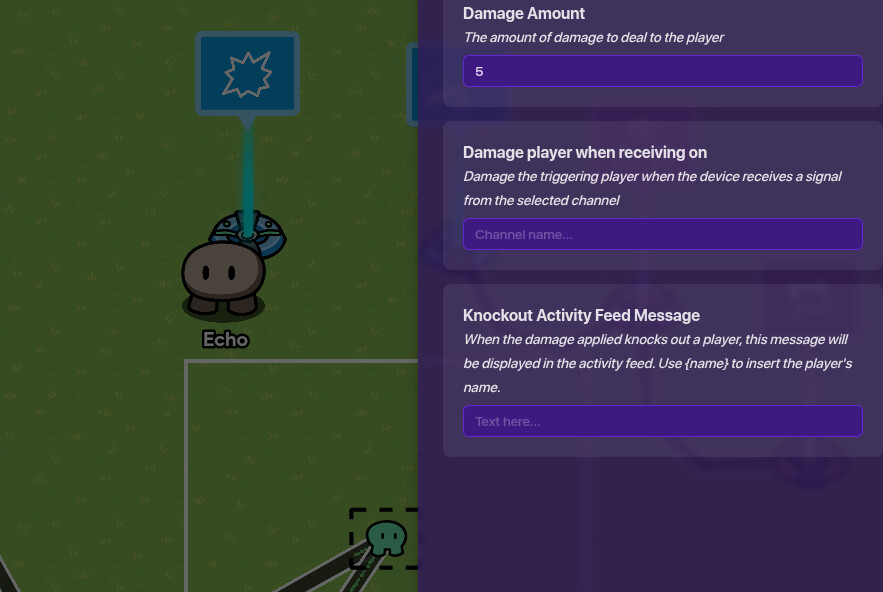
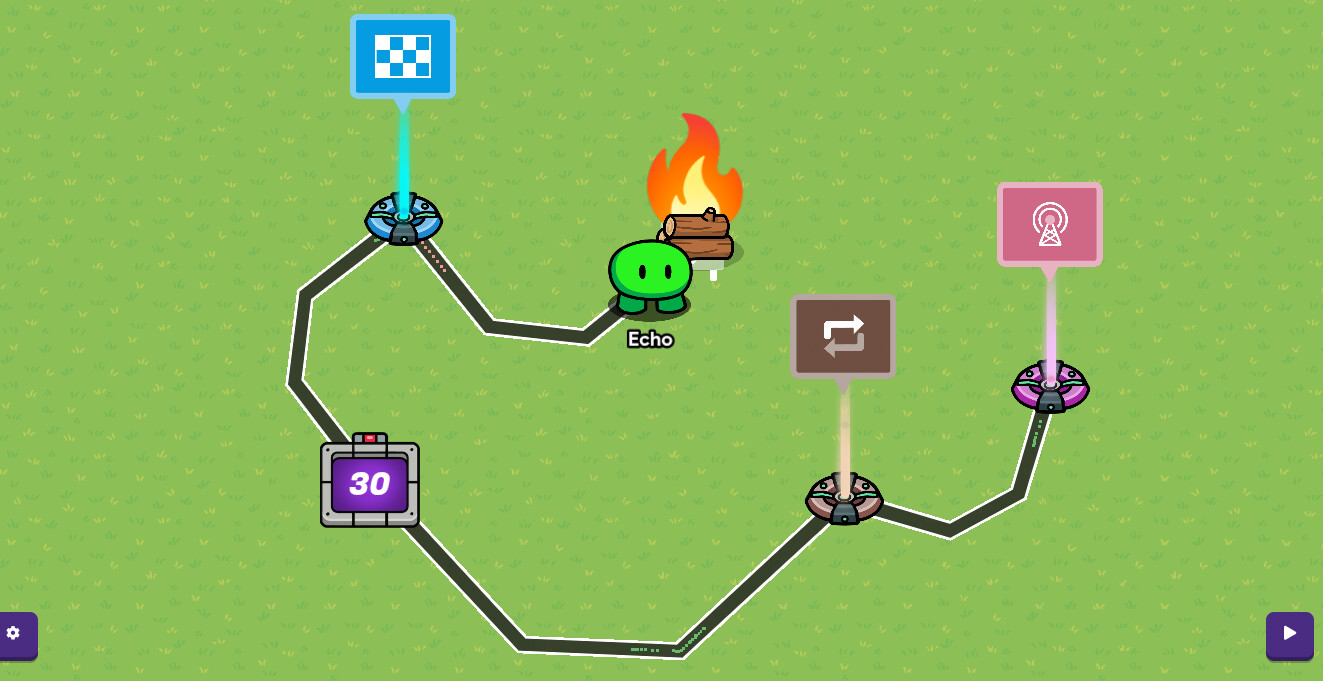
(I’m going to assume you already know how to make it dark) Set up a zone that covers the whole camp area. Connect an item granter to the zone using wires. Put “When player enters zone” “grant item.” The item granters should grant a single blue seed. Then, set up another item granters, and set it to granting -1 blue seed. Connect the zone to it, and check “When player leaves zone” “Grant item.” Now, you have a system to tell when the player is at camp. Next, set up a repeater. Set is to deactivate by receiving on a channel. Then, set it up so that it activates during the night, and is disabled during the day. (Connect it to the channel you use to activate/deactivate barrier that makes it dark). Make the repeater repeat every 3 seconds. Now, get an checker. In the settings, go to the check 1 tab, and set the item to blue seed. Now, pull up a relay. Connect the relay to the repeater. Check “When repeater runs task” “Trigger relay”. Now, connect the relay to the checker. “When relay trigger” “Run check.” Finally, get a damager. Set the damage amount to five. Connect the checker to the damager. Check “If check fails” “Damage player.” Now, you have a night system that damages any players who aren’t in the camp.
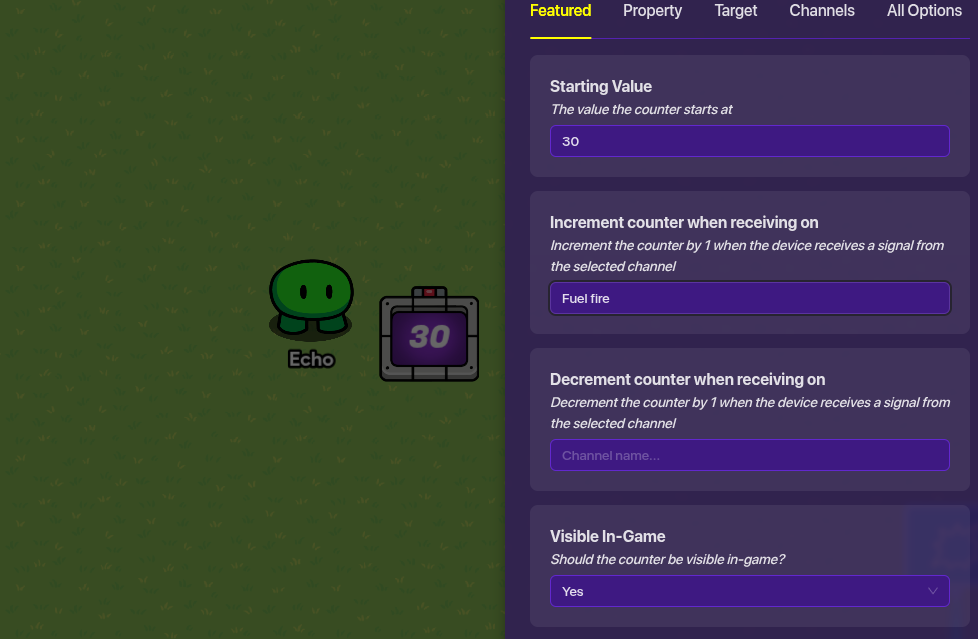
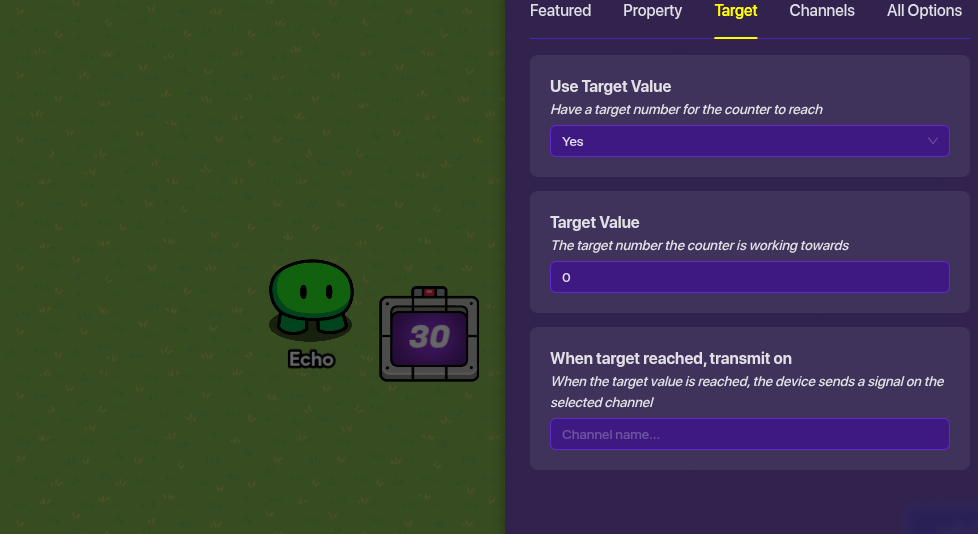
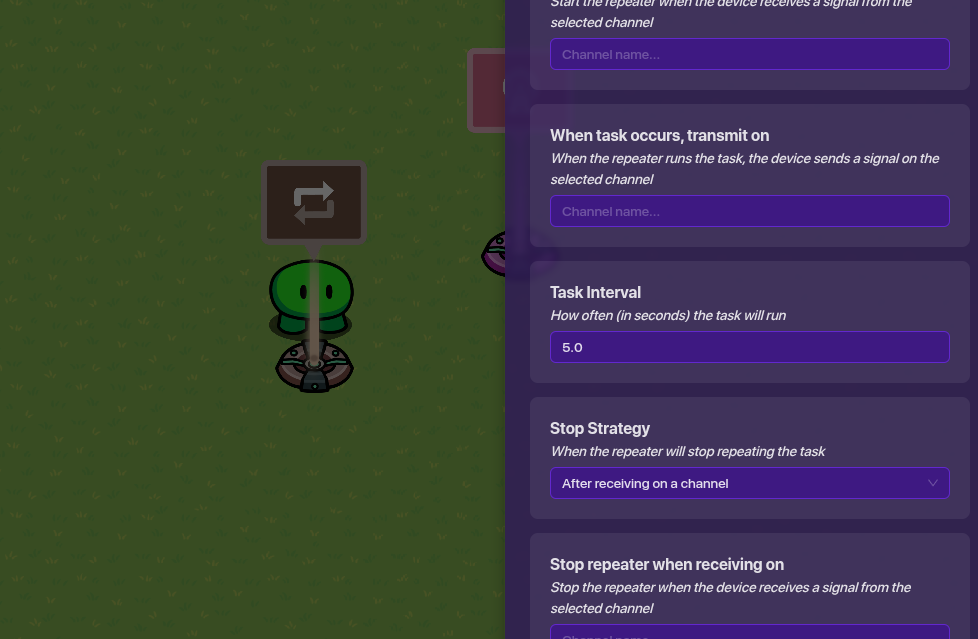
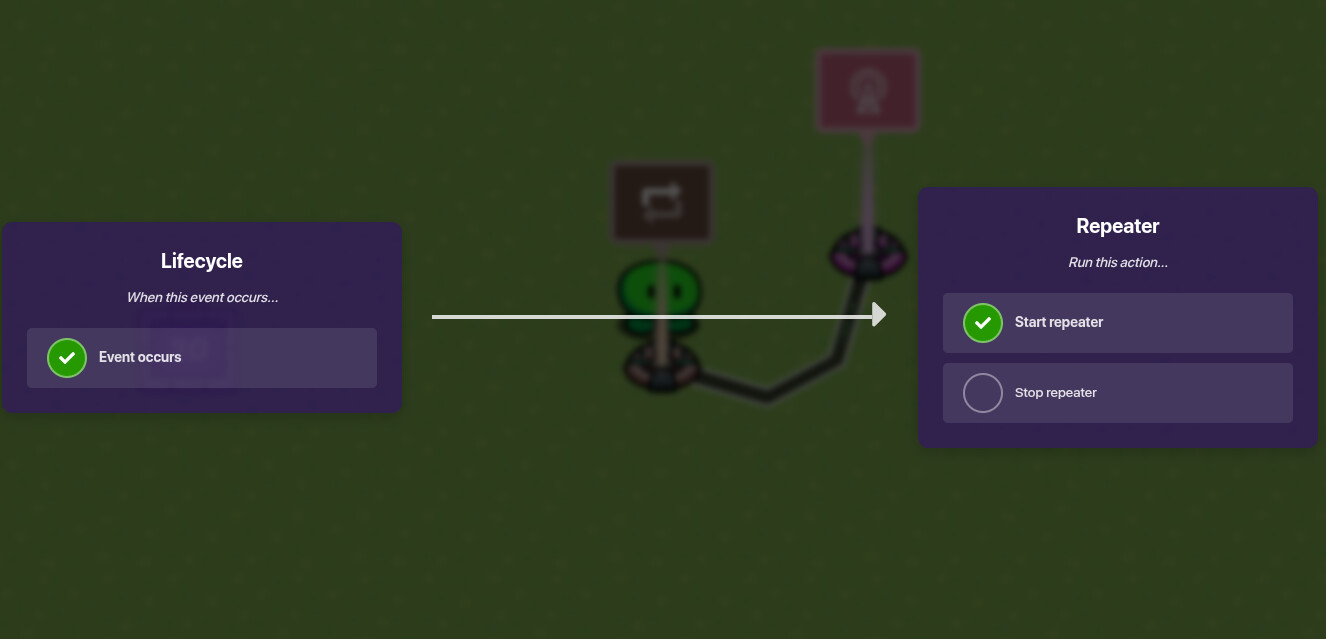
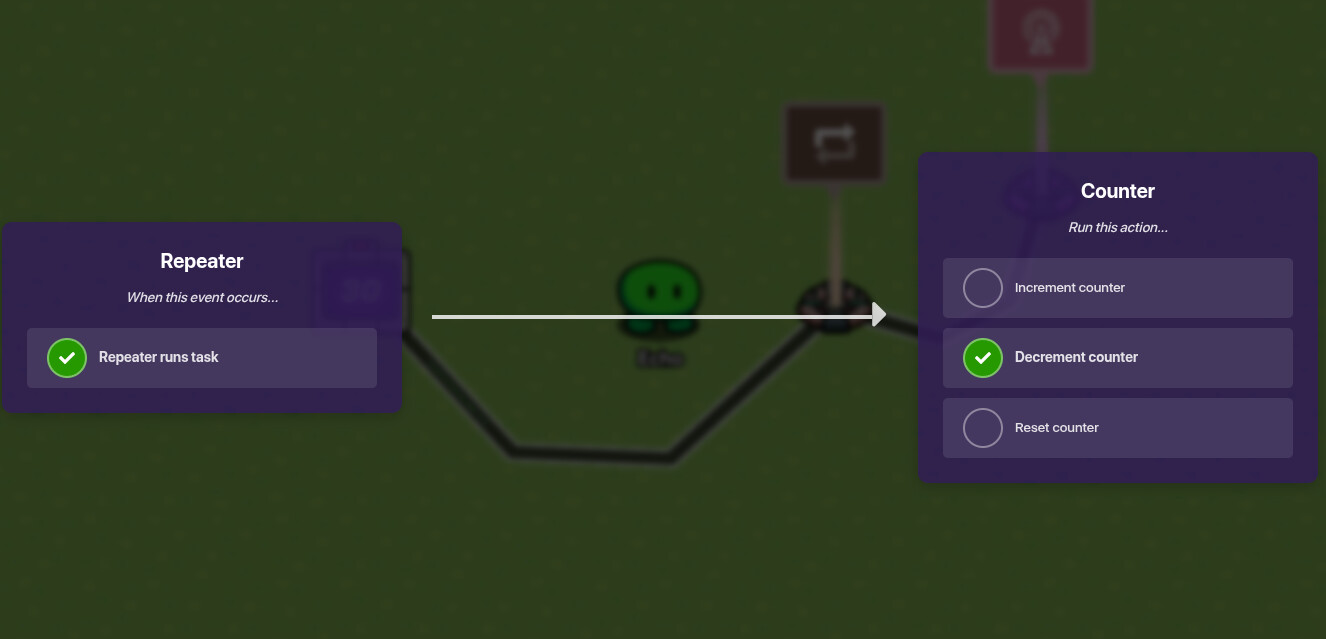
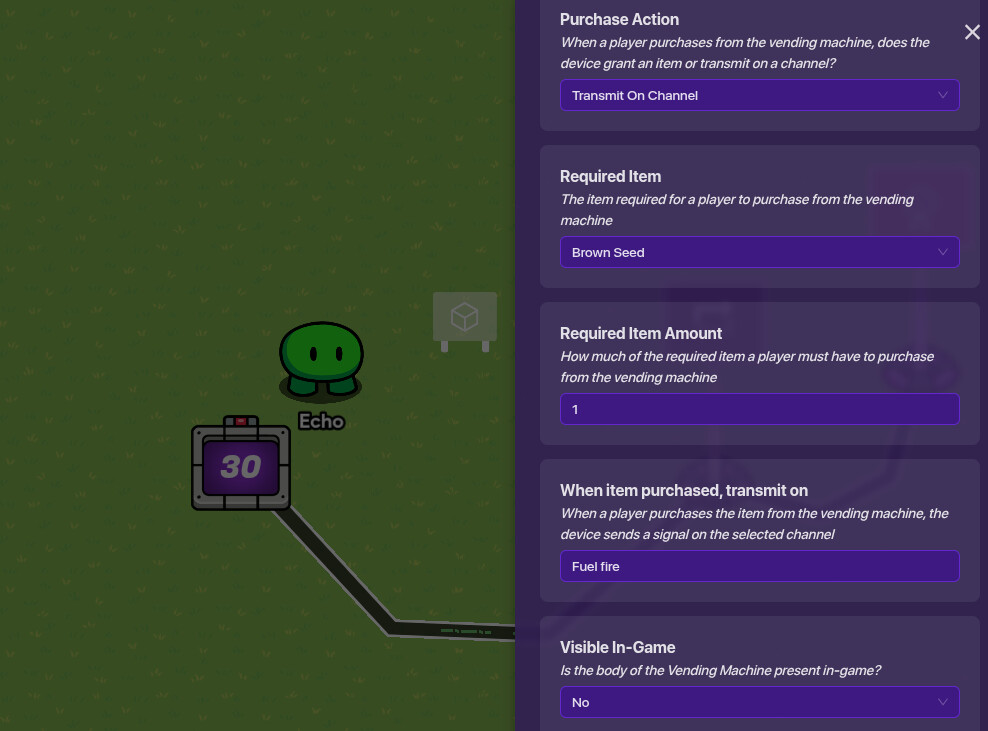
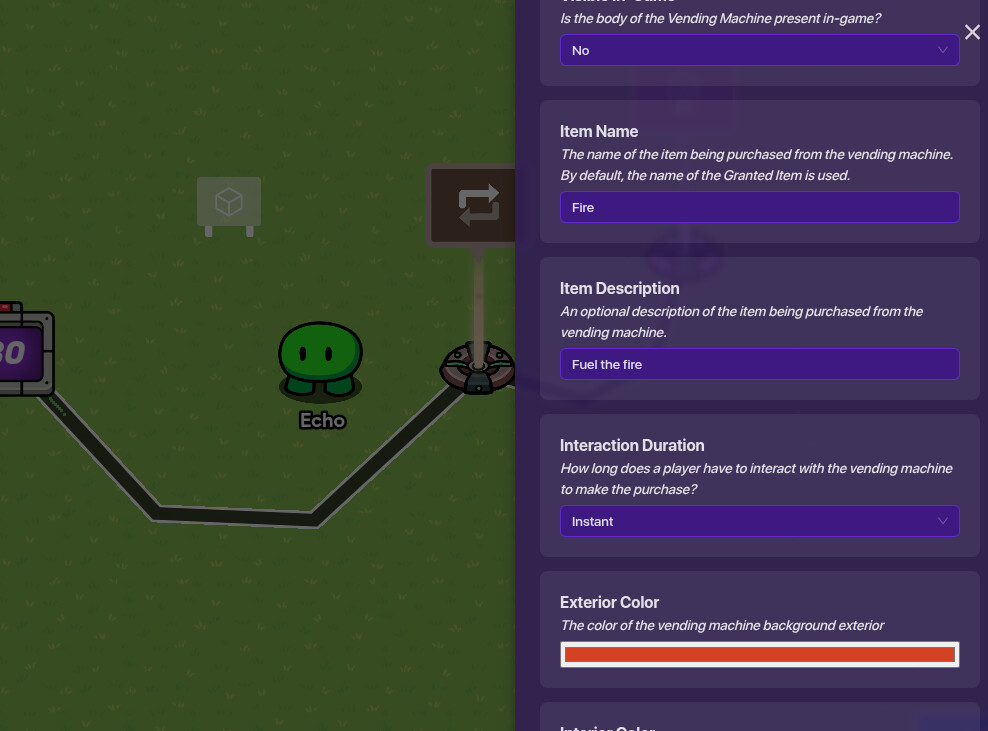
Start by getting a counter. Set the starting value to 30. Now, get a repeater. Set it to stop after receiving on a channel, but don’t put a channel down so it never stops. Make it run every five seconds. Wire a lifecycle to the repeater. Check “when event occurs” “start repeater”. Connect the repeater to the counter. Check “When repeater runs task” “Decrement counter”. Now, set the counter goal to 0. Set up a vending machine. Set it to transmit on channel, set the required item to brown seed (Wood) and set visible in game to no. Set When item purchased, transmit on to “Fuel fire”. Set the item name to fire, the description to Fuel the fire, and the interaction time to instant. Now, go back to the counter settings, and set increment counter to ‘Fuel fire’. The fire will now go up when you put in wood. Finally, get a game end device. Wire it to the counter, and check “when target value reached” “end game” Now, put the vending machine under whatever prop represents your fire.
2 extra notes-You can add a healing zone around the fire. To do this, recreate the checker mechanism, but make it always active. Instead of damaging on a check fail, make it heal on a check completion. Also, add a waypoint by the fire so people can get back.
In my opinion, idk why you guys want humor in guides so much, since it’s to help you with something, not help you laugh and say “Oh boy,that was a good one!”
Sigh.
Here we go again. Yours has 0 mention of fire, and you used the most basic night system possible. I’m explaining mechanics that you overlooked or ignored.
@JustAToaster (Replys hate me )
…Properties…scary…
IDK. I like blue seeds, and they are easier to connect to all the different things connected to being in camp.
…I don’t use real repeaters. I just said repeaters in the guide, since I don’t want to copy your guide. I just assumed people would choose the repeater they liked the best.




 )
)