Everything is made in like 2024 and the images don’t work, so how to make it in 2026? Preferably a lot like the one in Scaling Averheen where it’s down to 10ths.
3 Likes

3 Likes
The creator deleted the game. Of course. But I want like a game overlay at the bottom left of the screen showing the time during a speedrun. (Preferably toggleable)
1 Like
This is an impostor flag and ignore.
@Egg_and_Cheese
Are you sure it’s a impostor I think it may be actually might be @bakedpotato
1 Like
I am sure, I call potato a secret name and the imposter took 2 mins to go through my history to find it.
I call him baked potatoes
Um you have a secret name with @bakedpotato ?
Also what is it?
Still don’t jump to conclusions
1 Like
Man, @GregDav123 & @Egg_and_Cheese, don’t talk about it. I’ve already flagged them, so their posts are hidden. Plus, toes would never curse.
I got unbanned 2 weeks ago
5 Likes
Um that’s not what @bakedpotat0 is saying I think he is saying that it’s his spare account?
Also @Kormorant How did you get unbanded?!
You call him toes?!
But you were ban until May 1st though?
1 Like
…I think you can get properties to the tenths, and have it constantly count up with a repeater.
Wdym by a speedrun timer? Do you want one that just tracks second/minutes? Or is there more to it than that?
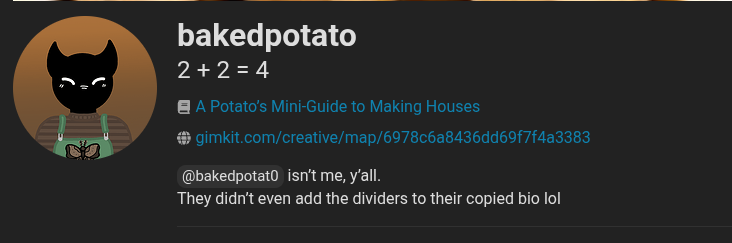
and the real one has 52 badges
@MazingManonYT Have you found a solution yet or not?
To make a speedrun timer in Gimkit Creative, use a Counter device to track seconds, a Repeater to increment it, and a Property to display the time. Set the Counter to start at 0, trigger the Repeater every 1 second, and use Zones to start/stop the timer upon entry or completion.
Mazing Man, you could use the Autosplitter plugin in Gimloader to get the most accurate speedrun timer.
1 Like
I mean yes they could, but not everyone has access to modding gimkit, and you can do it in-game as well anyways.
ahem
correct me if I’m wrong, I haven’t used gimkit in a bit buuuuut.
a trigger loop that has a trigger delay of 1 second, having block code set a property called seconds to that property + 1
then have and if loop to check if the property value is 60, if so then set seconds back to 0, and set another property, Minutes, to Get property(“Minutes”) + 1
now if you want milliseconds as well you can simply just get the numbers after the decimal point of the value given to you by the “Seconds in game” block.
1 Like