How do I do it I couldn’t figure it out I’m on cromebook
4 Likes
It’s a new device in Gimkit Creative. Open the Devices option under add/select when editing your Gimkit Creative map(s).
1 Like
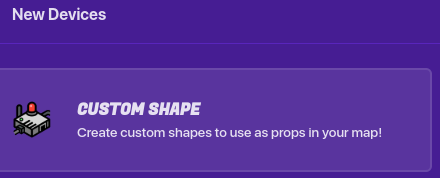
This is a very nice update but I wonder what the next update is?
Sound effect?
More props or blocks?
Less ST items? (Please)
Whatever is next we hope its AWSOME
8 Likes
I KNEW IT! I knew this update was coming soon. But I do hope that they come out with more cool stuff soon! Also, new topics in the forum should happen! Where people ask for custom shape ideas!
6 Likes
music!!! music is good too, I want more music!!! 
also, characters now are on the season ticket?, I don’t have a season ticket, but I remember I used a character (npc) before 
10 Likes
there are so many things you can do with this
custom fonts
scary things
things not even in gimkit
custom drawings.
so
many
things
11 Likes
Sound FX maybe? That would be another great UPD next to this art UPD.
21 Likes
It doesn’t work on mobile, but other than that this is an AMAZING update. Gimkit creative isn’t really meant for mobile so I understand why it doesn’t work.
9 Likes
This is the forums posting NEW update, not some post where you can tell them what to add. They added a new update to make us happy (Probably), you should be grateful.
Sorry if I sound mean, this is usually how I talk in situations like this :/
6 Likes
as right as that is, I see nothing wrong with people putting input on update topics, as long as it doesn’t stray off-topic. I’ve seen my fair shares of suggestions and ideas in Updates. I dunno.
Take this with a grain of salt, of course. 
17 Likes
yeah, also, have you noticed that some forumers have trouble with this update? i mean they have little bugs
9 Likes
The new shapes don’t work on mobile, I doubt they’ll fix it though as gimkit doesn’t have a dedicated mobile port yet.
5 Likes
With a problem that big, I doubt they’ll ignore it for long.
6 Likes
Hey bro, I understand. I didn’t mean to sound ungrateful, and I probably shouldn’t have said that, as I’m sure many people already have. But I truly am grateful for this amazing update and all it has to offer. And no, you don’t sound mean, again, I understand.
12 Likes
I hope they come back to the custom shape and bug fix it. I’ve been noticing some problems regarding the shapes, mainly the fact that you can’t outright remove the barrier, and that drawing on top of already existing drawings doesn’t overwrite it, but instead overlap.
This is two shapes with zero border.

This is 100% memory.
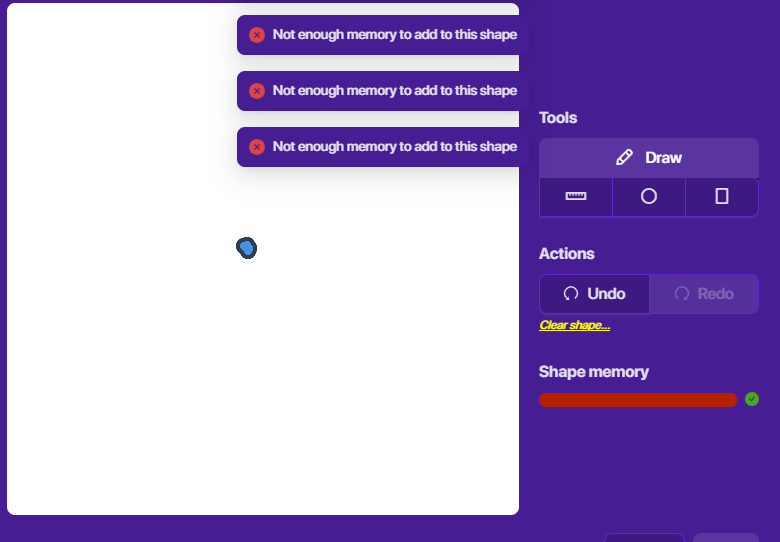
Also another thing I would like to suggest is the ability to use an eraser to erase specific parts without undoing something done, or clearing the whole page.
Also apparently drawing a circle takes more memory than use the circle tool. The memory balancing system is really bizarre to me. I’d think’d you make the draw tool the least memory tool while the others get more memory, but no. Draw tool is the most expensive tool to use.
I really hope they rework the systems.
16 Likes
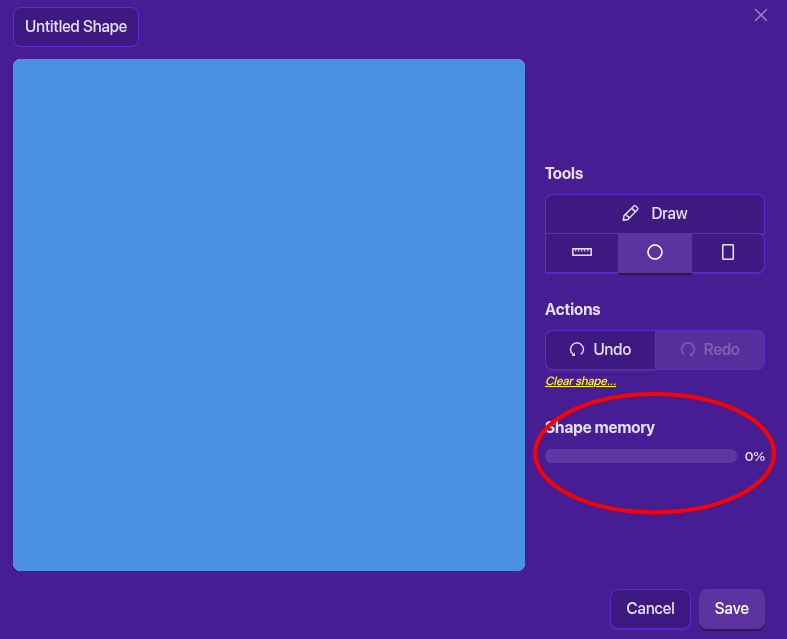
It is very weird. Here, I used the circle tool to fill the entire canvas.
It didn’t even go to 1% memory.
14 Likes
I think it’s based on how many shapes there are, not how big they are
4 Likes
Maybe because its just one shape
1 Like
It’s both, I could draw a circle with the draw tool and get to 50% memory while being able to use less than 1% memory with the circle tool
2 Likes