Have you ever wanted your barriers to look like this?
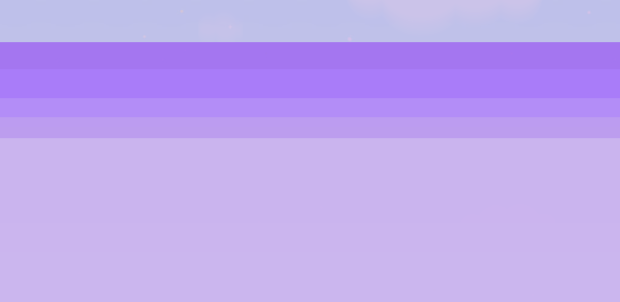
Purple Shanding!
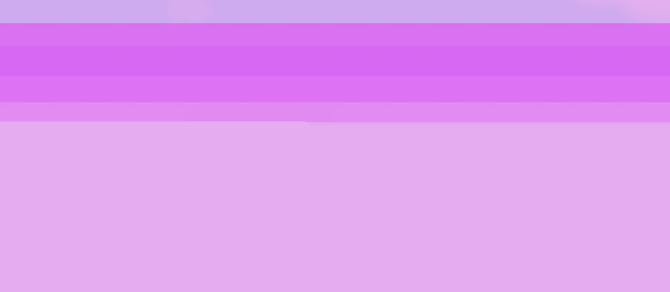
Pink Shading!
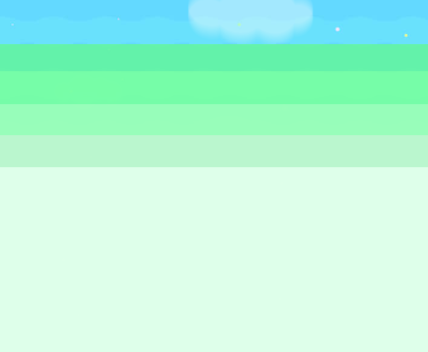
Green Shading!
I bet you have you just wont admit it…
One sec let me take this call!
Ring ring ring ring!
Hello?
ITS ME WAFFLES!
Can I help you with your guide today?
Sure Waffles!
YAYAYAYAY
Hangs up
Well today we will show you how to make it!
If you tell me that this is already a guide I will have a comapart!
YOU HAVE BEEN WARNED…
ANYWAYS… I have always wanted to make this guide so I felt like today was the day!
Choosing colors!
Waffle says,“This is a very important step! COLORS!”
When you are trying to make a barrier fade out you want it to go from dark to light colors.
(I prefer using shades of blue, purple, or pink!)
How to place the barriers!
So this is the easiest part (even waffle thinks this to!)
- You always want to make the barriers the same size and length!
- You want to place your barriers from dark to light (like in the photo)
- Then the last barrier (the lightest one) should be as long as you want it to be!
(I prefer to make it out of the player view)
ALWAYS MAKE SURE TO PICK 4+ COLORS
Waffles is watching u…
What you can use this for!
THIS CAN BE USED THE BEST FOR:
- This can be a very good v0id for players to fall into
- Secret Escape
- High in the clouds
- Mist
- Stairs (to the basement)
- This is also a very good way to hide a teleporter!
- For monsters to come out of!
-
WAFFLE WONDER LAND (Waffles’ idea)
Best colors (in my opinion)
Pink shading (like in the photo)
1st color: R:219, G:99, B:242
2nd color: R:219, G:88, B:242
3rd color: R:224, G:177, B:245
4th color: R:226, G:145, B:242
5th color: R:229, G:173, B:240
Purple shading
1st color: R:157, G:99, B:242
2nd color: R:170, G:126, B:251
3rd color: R:181, G:145, B:247
4th color: R: 190, G:160, B:238
5th color: R: 206, G:186, B:238
Green shading
1st color:
R:99, G:248, B:1492nd color:
R: 122, G:255, B:1673rd color:
R: 160, G:253, B:1914th color:
R:195, G:244, B:2115th color:
R:244, G:255, B:235
How to make it look better with a bit of symbols
You can add symbols such as:
- ★
- ☆
- ✦
- ✧
- ✩
Example:
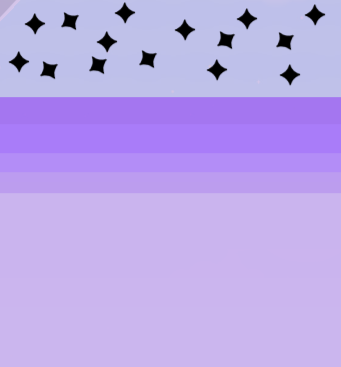
You can place these symbols on top of the barriers to make it more magical and look better!
How to make it act 3-d
To make it seem the player is going into a 3-d void you are going to want to make the 1st and 2nd barrier from the top behind the player and the rest above the player!
Waffles says,“BYE HUMANSSS SEE YOU LATER!”
Hope this helps fellow GKC creators!
PEACE OUT 
 Easy
Easy Semi-Medium
 Medium
 Hard
Hard Impossible…


