First, place two properties down, call one “players count” and one “players eliminated” they should both be global number properties.
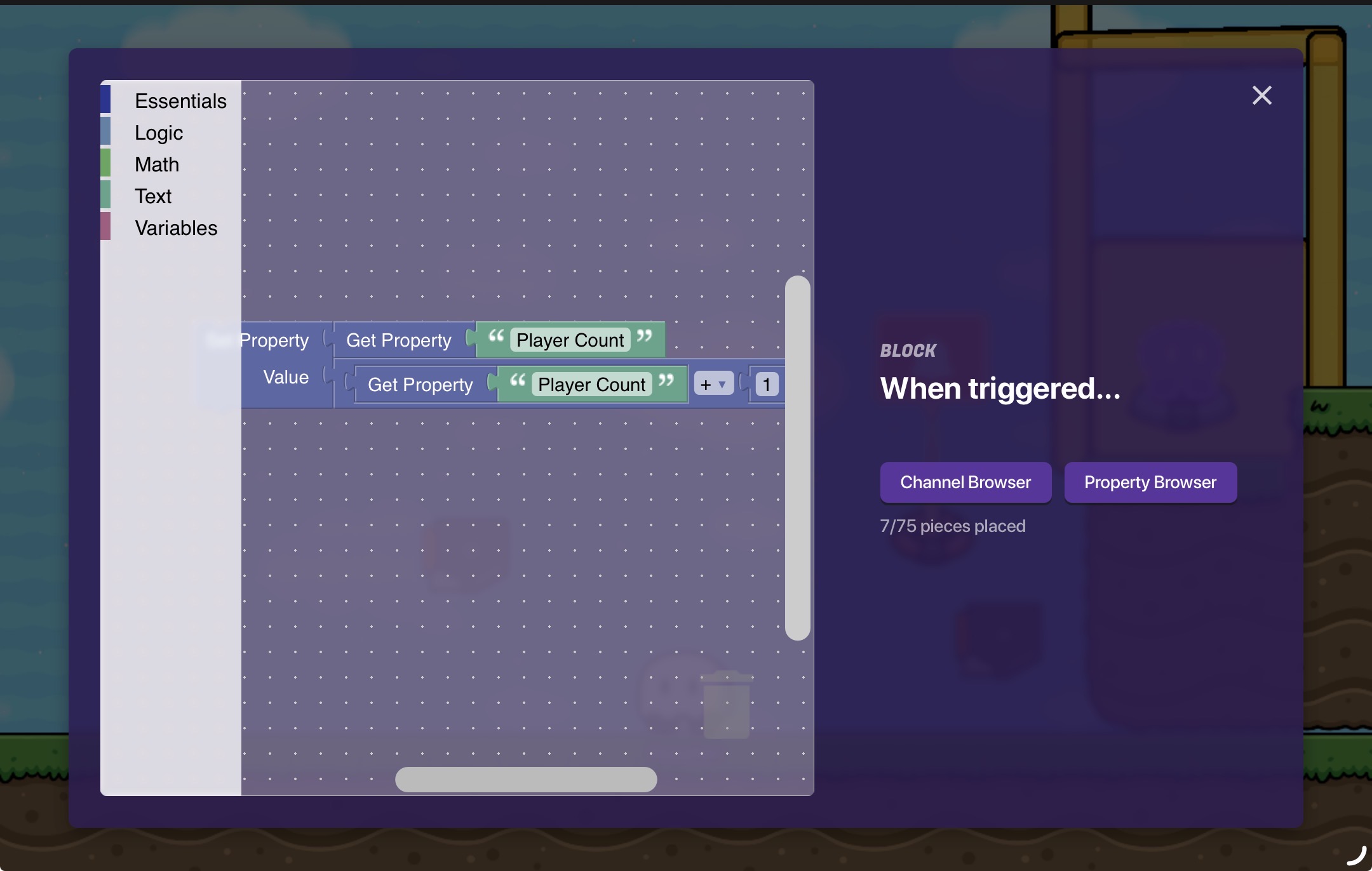
Then add in the button (preferably in your games lobby) when this button is pressed it will transmit on “enter game”, then get your trigger, make a little block code that activates on “enter game” the block code should look like this:
This will basically add 1 to the "players count: property.
Step 2
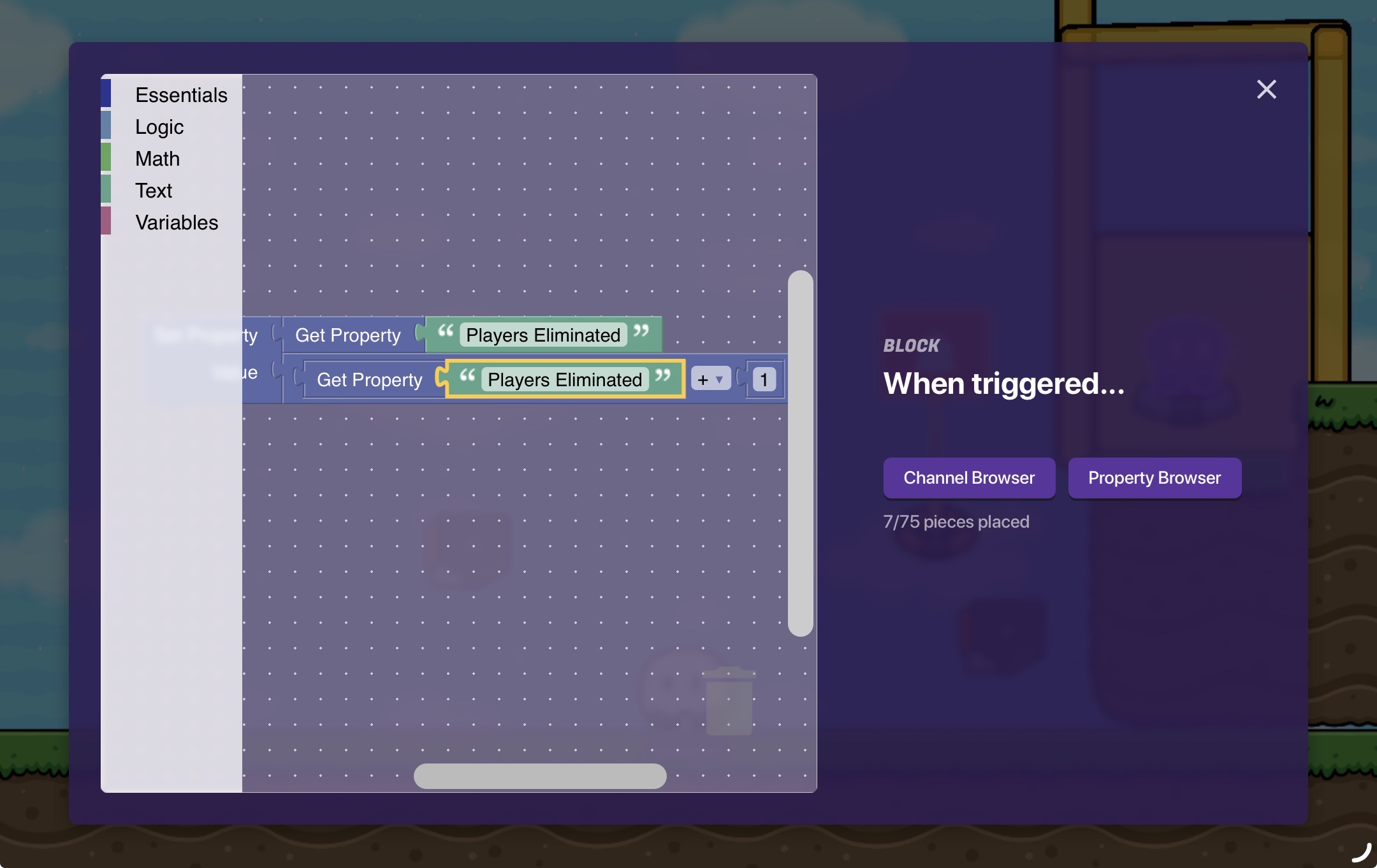
After this plop down your lifecycle and make it activate on player knocked out, use the team switcher to make them spectator if you want and make the lifecycle trigger “player knocked out” then get your second trigger and make more block code, its the same except different property names:
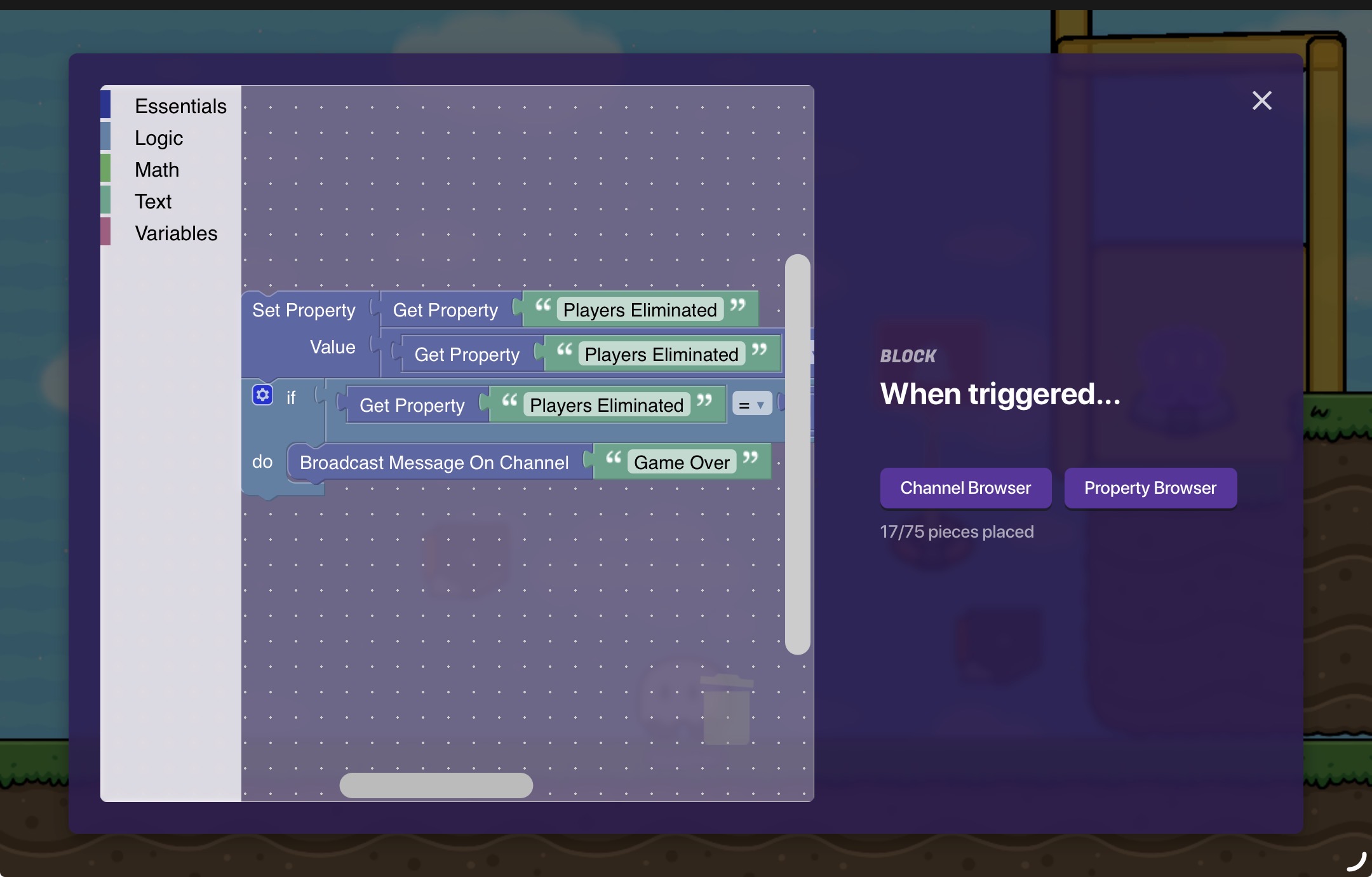
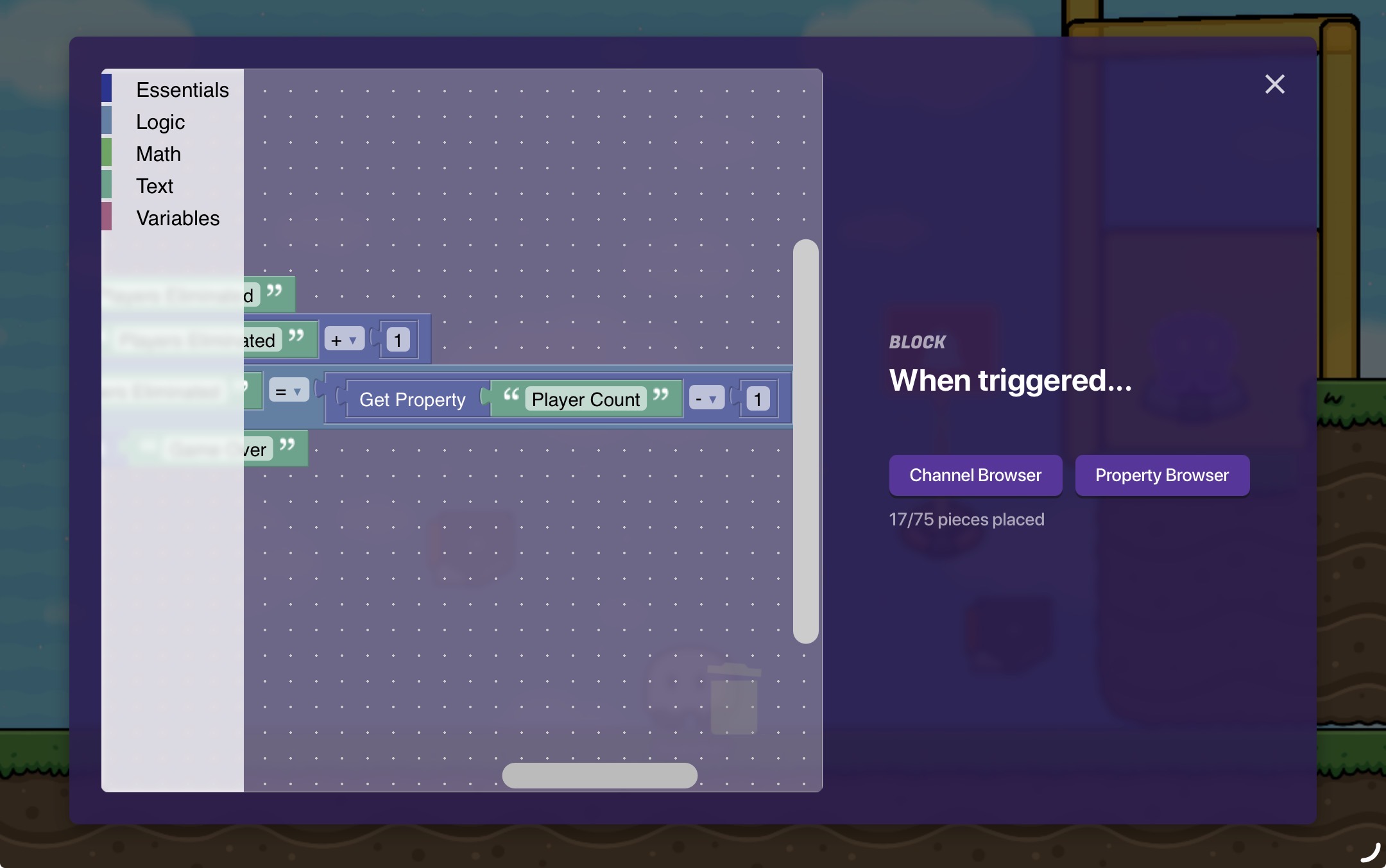
This block code does the same thing, it adds 1 count to the “Players Eliminated” property. For the final part you need to add a bit of block code to your second trigger:
This extra bit of block code will basically trigger on this channel when there is 1 player left by seeing if the players eliminated is 1 less than the player count. The game over channel can do whatever you want, give the winner money, end the game, etc.
This is a neat guide that could be useful to a lot of people! However, it has a couple things that I think could be done better.
The block code isn’t completely necessary. You should usually avoid block code unless you actually have to use it (eg. setting text, checking a property against another property.) this is because block code is almost always going to be more expensive memory-wise than any alternative method, and block code tends to deter newer Gimkitters. In this case, you’d probably want to use a counter that is set to update the player count property, and have a checker check if the player count is 1.
When you do want to represent block code, make sure all of the block code is fully visible. If your block code is bigger than the little window, you can use your browser’s zoom. (Ctrl + scroll wheel)
All in all, this is still a pretty good guide! Thanks for contributing to the community!
If they did not use that guide as a source they are not required to credit it. They can simple say this is an original guide and no other sources were used. Crediting a guide with credit of something you did not use is like making your own recipe from scratch and saying it is inspired by McDonalds. @JustAToaster
I tried doing this before but I couldn’t figure out how to make it so that it only reaches the target number during the game. For example, there are 3 players, the counter ticks up to 3 and triggers at 1, 2 players get eliminated and the counter triggers. The problem is that at the start of the game the counter starts at 0 and when one player enters the game it will instantly trigger.
Second…
I can’t do this for some reason… Im using safari on a half mobile half pc device? Idk if that affects it because I have pc controls as well as mobile issues (like the custom shape device, sigh)
One concern I have. If I make something like a last man standing system, and one player enters the game before everyone else, wouldn’t the system think that there’s only one person in-game, and therefore trigger the last man standing system?
No, having one player j0in at the start wouldn’t trigger the block code because the trigger that checks if there is one player left only checks when a player is eliminated.