Before we start, I will say the lore and system about my game. Basically, there’s this empire called “Gimsberg”, which is rulling a colony in the “New World”, however, this king named: “Jeffo” is really vile and is heavily taxing the people in the colony of “Little Gims”. Then, the people there got tired, and started to rebell back, after months of fighting, one of the biggest siege begin which is the siege of fort Giminster. Enough yapping about the lore, now I’ll be talking about the systems, there’re 2 teams as you know, the “Rebells of Little Gims” and the “Royal Army of Gimsberg”. The fort got 3 points to capture, point A, B, and C. If the rebells capture all of them, the Royal Guards will be defeated, but if the Royal Guards succeed to holdout for at least 10 minutes, the rebells was forced to retreat in defeat. Now I want you guys to help me map out the fort and what it looks like.
question: what time period or technological setting is this in? medieval? present day? sci fi?
oop shoulda realized lol
@Petalmany123 sorry i’m outta it right now my brain ain’t braining
Oh yea I forgot that one, it’s around the late 1700s (like the American Revolutionary War as you know)
What lore…?
Gimme a bit and I can see what I can whip up…
NO GUYS THIS IS NOT FLAG-WORTHY IM KEEPING PEOPLE UPDATED
Is the map top-down or platformer?
top down
I finished this post, before realizing this is all mechanics and not deco… so I’m sorry if I wasted your time  But if you want mechanics, here they are!
Ok, first of all, there should be a ten-minute timer. WITH NO REPEATERS!!! (are you proud of me resisting the dark arts  )
)
Details here!!!
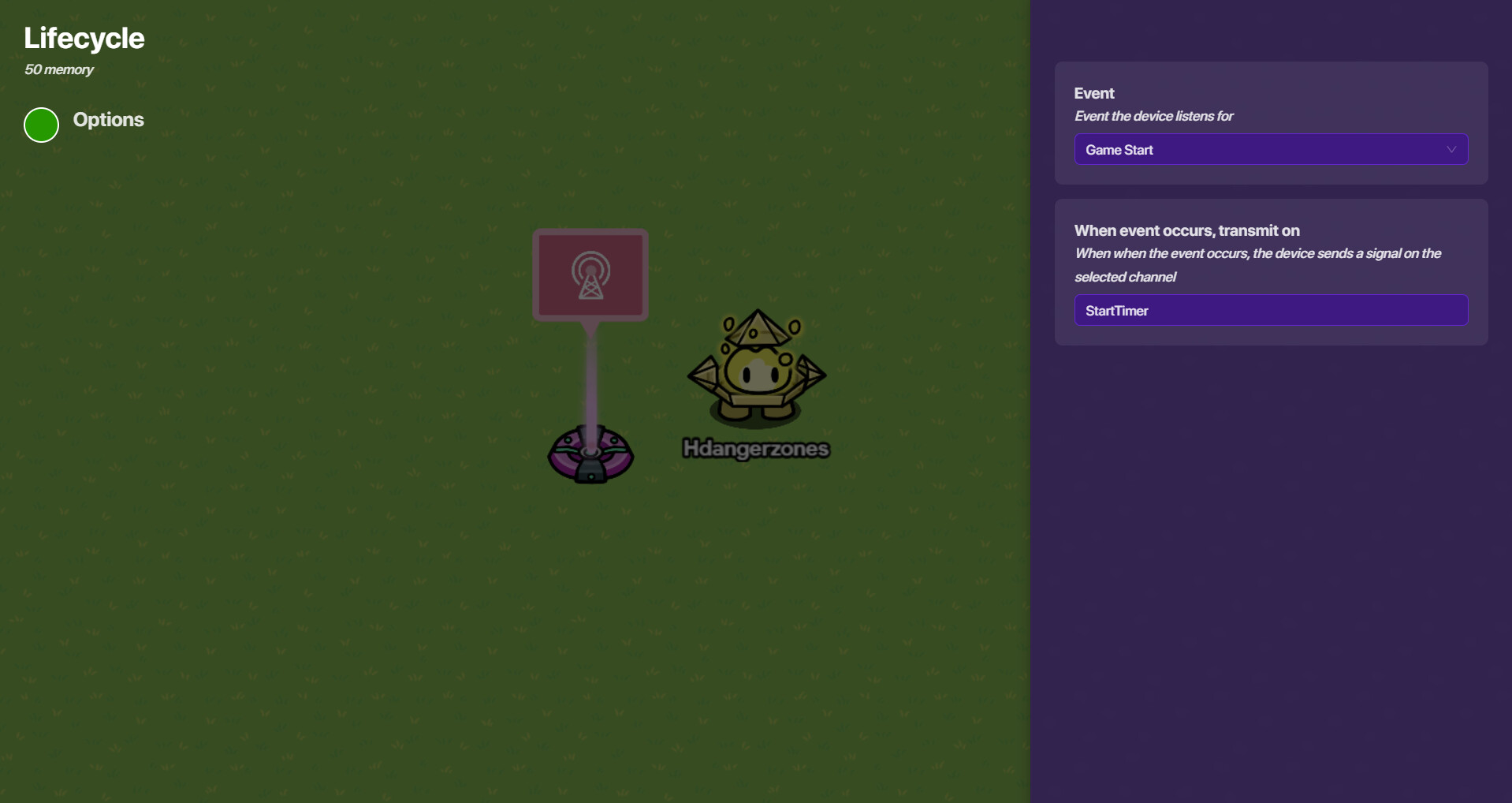
First off, add a lifecycle device. It should track game start once you put it down, but just re-confirm that it does. Also make it transmit on “StartTimer” when the event occurs.
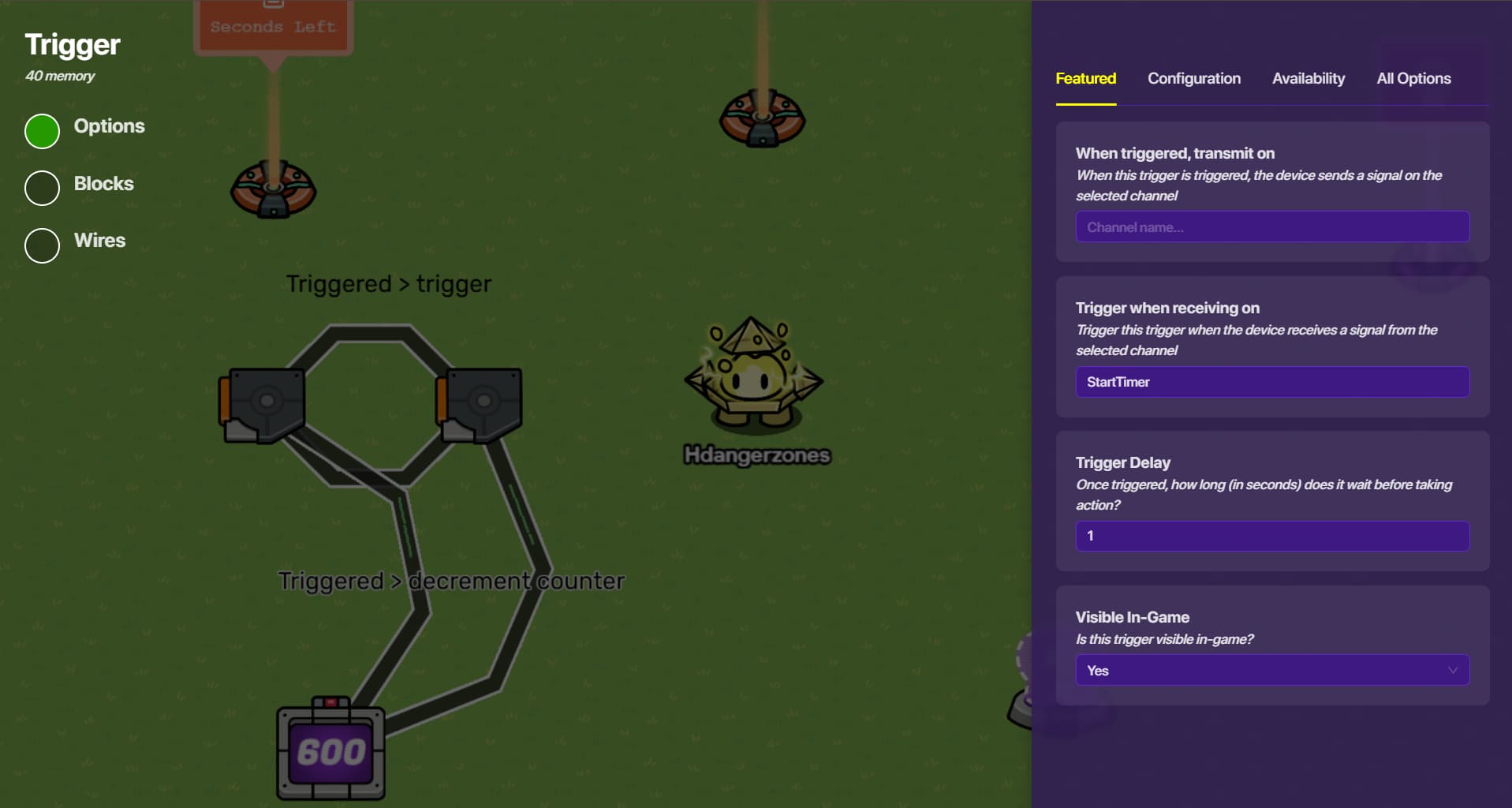
Now, add two triggers. Each trigger should have a 1-second delay (of course, trigger should be non-visible and not be able to be triggered via collision). Make the first one trigger when receiving on “StartTimer”.
Now, make each trigger decrease the same counter, like so:
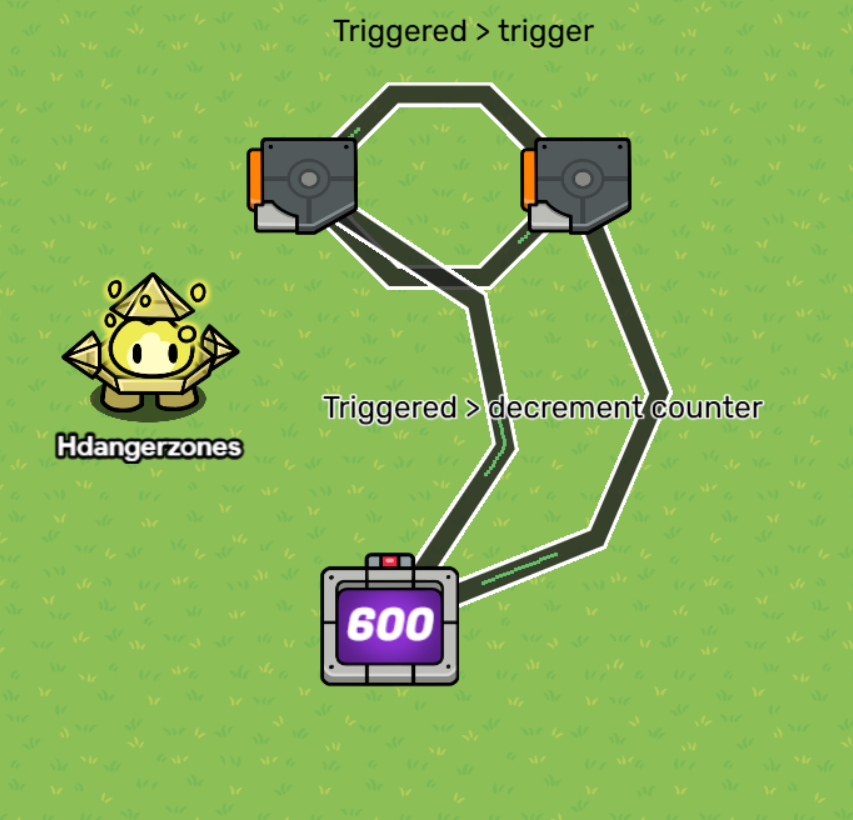
*Note: counter should be set to 600, because 600 seconds are in a minute. If you want less/more time, simply adjust the number accordingly.
Now, the trick(ier) part!
Make the counter update a property!
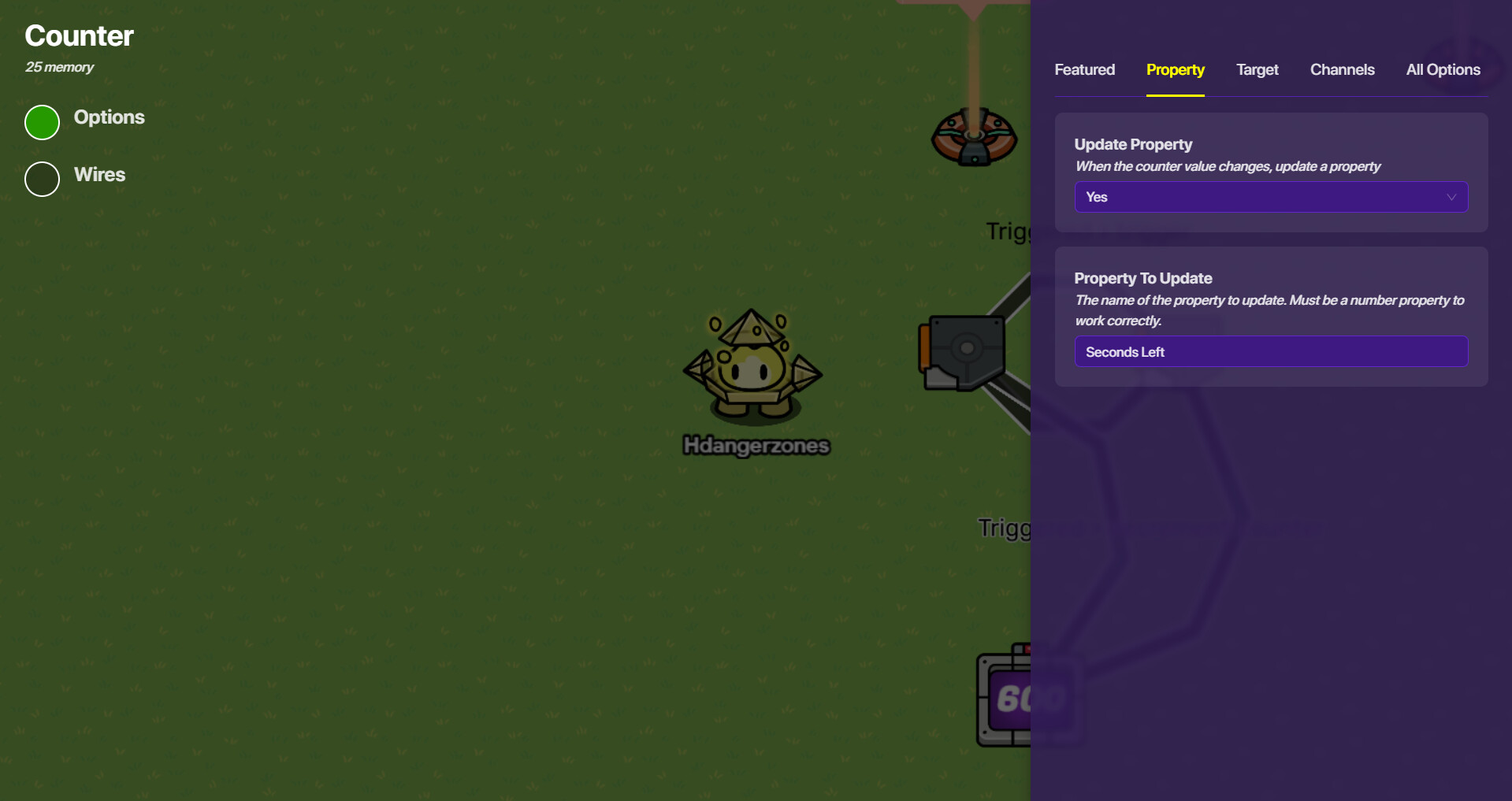
Next, you’re going to want to add a property device with the same name as the one the counter updates. Make sure the default number is 600, as well as the property type being a number and team-scoped. Finally, make it broadcast on a channel. I used “TimeTicking”, but you can (obviously) use whatever you want.
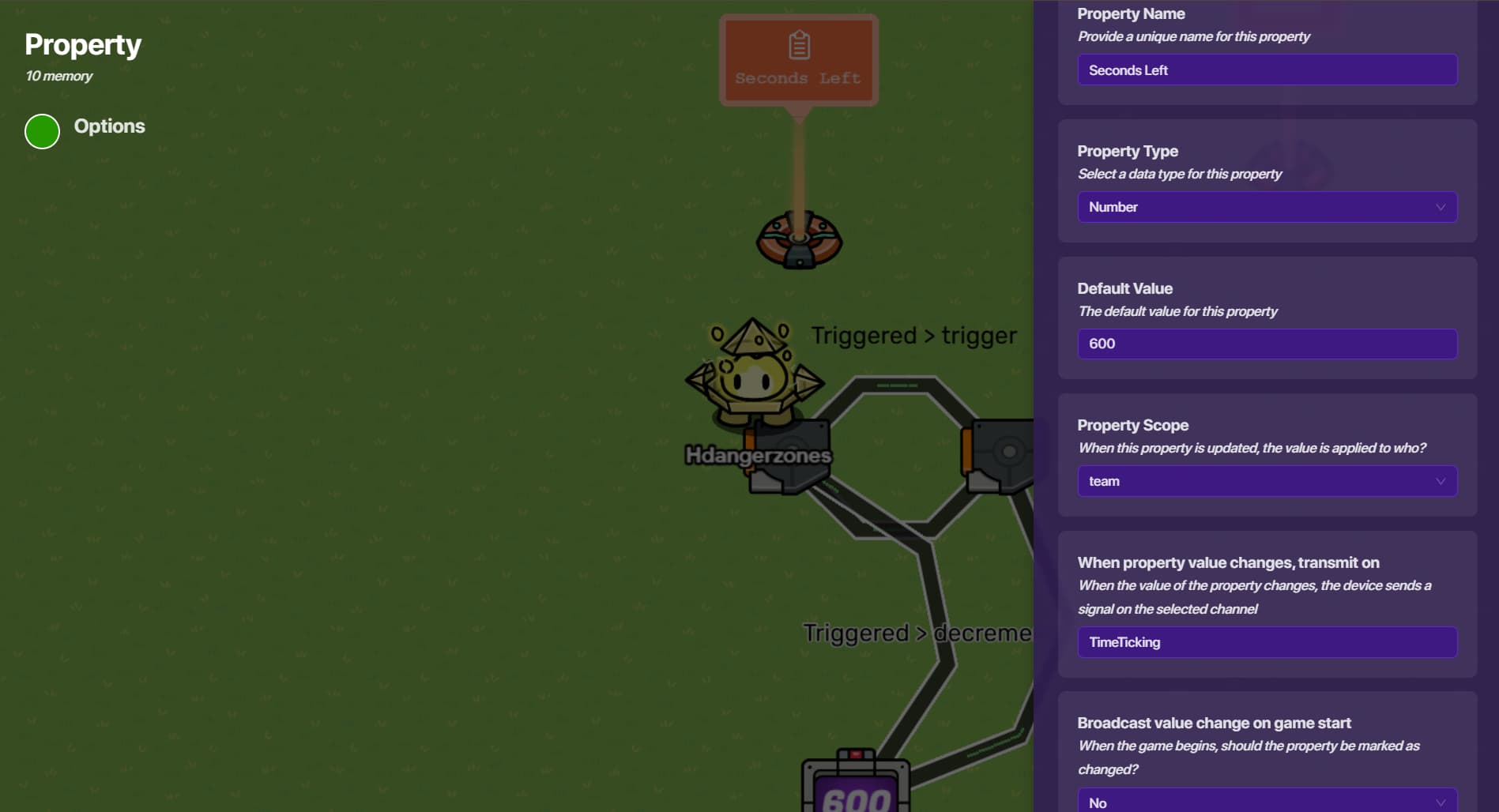
Now, add a game overlay. You don’t have to change anything in the initial settings, except for making it track a specific item. You don’t have to select the specific item, because we’re tracking our property.
Uploading: Screenshot 2026-03-04 203047.png…
Now, go to the Blocks tab at the left edge of your screen. Add a block when receiving on the previous channel (for me, it’s “TimeTicking”).
Now, put in this code:
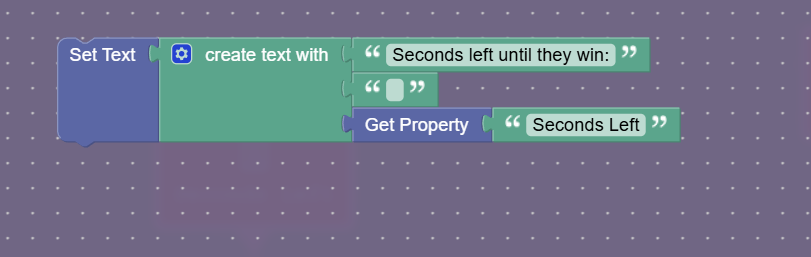
 I’m not 100% sure this works, my weird bug doesn’t allow me to see game overlays. Let me know if it doesn’t work
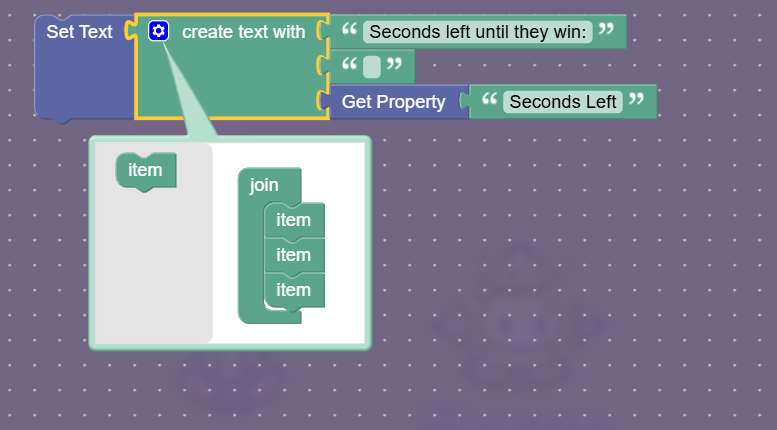
Regarding the above statement; the empty text box is there because it (allegedly) makes a space between the first sentence and the property value. Maybe it doesn’t, but I can’t exactly test it out…
But in case you don’t know how to add that extra space, click the blue settings wheel on the block. Then, drag and drop an item block into the right section.
Now, we have to make something happen once the timer runs out!
Here's how to do that!
Add a checker that runs a check when receiving on the same channel that updates the property (for me, it’s “TimeTicking”). Everything else can remain the same.
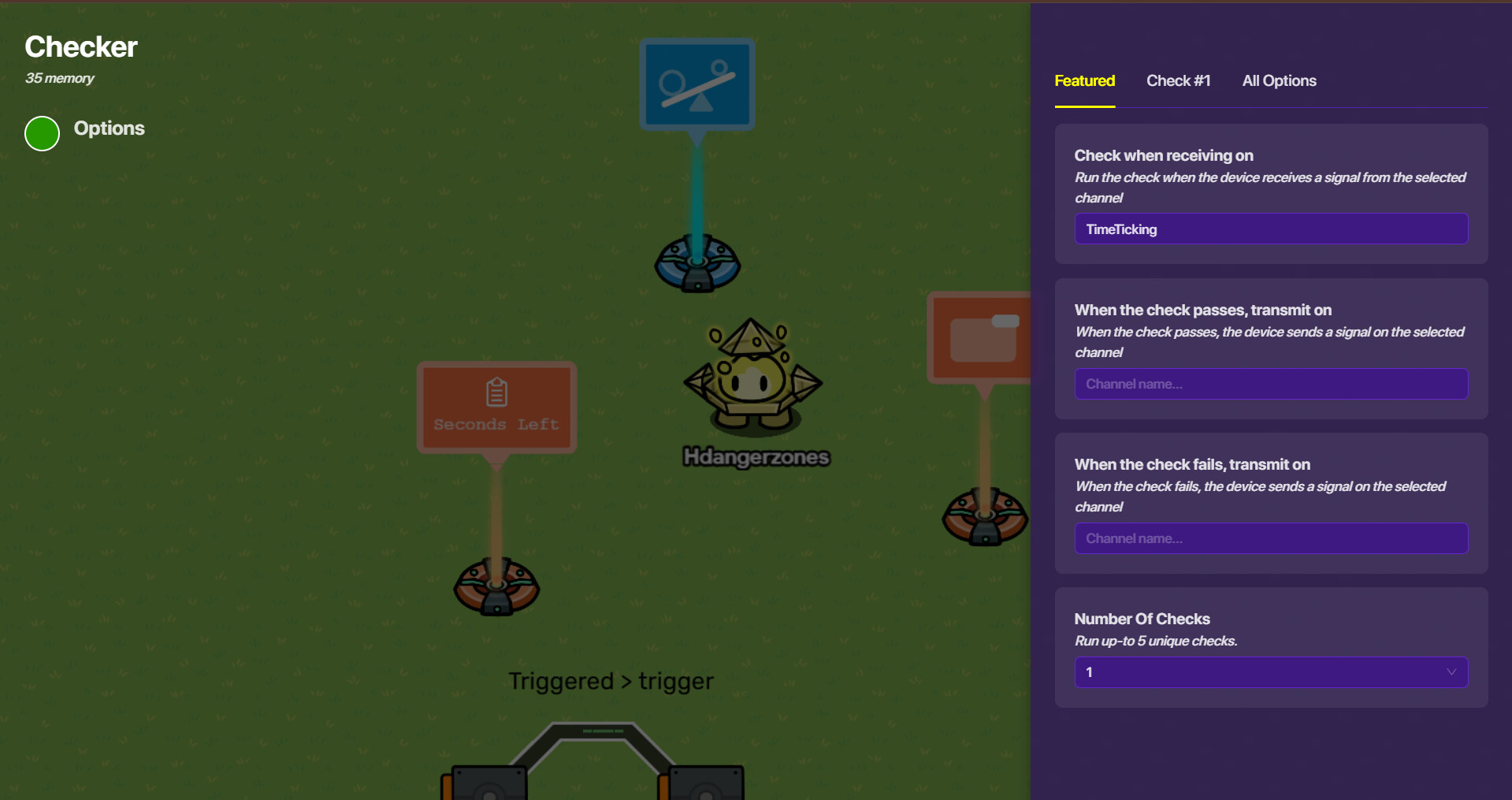
Now, make the check check the property value that the timer uses! For me, it’s “SecondsLeft”.

Now, wire whatever you want to the checker! It can be an end game device, popup device, anything you want to happen when they run out of time. Make sure it happens when the check PASSES for wiring, not when it fails.
You’re still here? After all that work? Well, there’s more! Because that was JUST the timer 
Now, the base designs! Let’s start off with the capture zones!
Dropdown for that :0
It never hurts to have waypoints indicating which direction you should go, in your case, three of them! Three waypoints, one for each capture location.
Simply smack down a waypoint device on top of where the capture zone’s gonna be, and make it track the device location. Name it whatever you want. I did mine like so:

Now, for the capture zones themselves:
I added a no-collision barrier that’s inactive on game start, has no collision, and is colored. All the important settings are there. If you like the color I used, the RGB is 0, 255, 251.
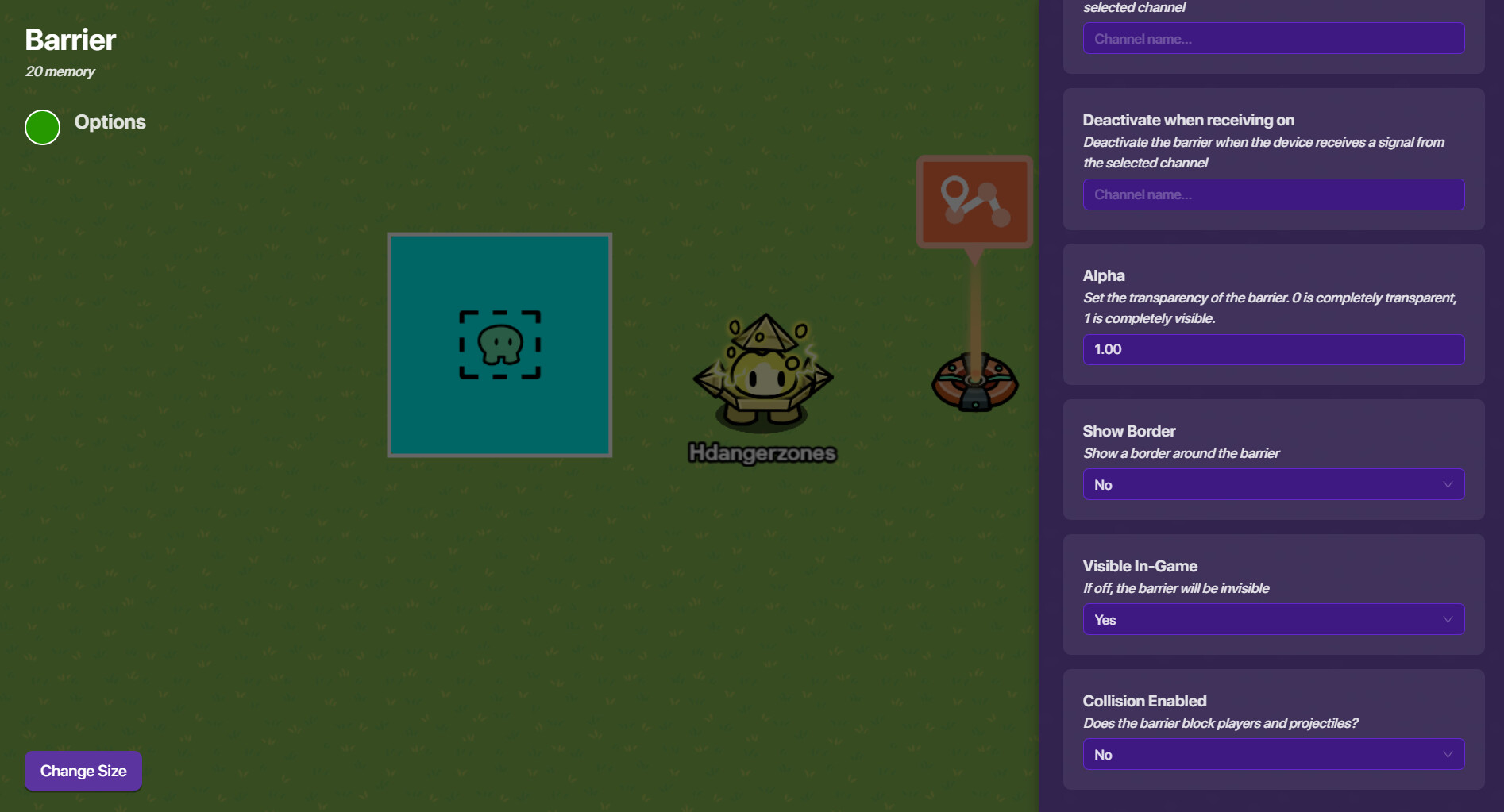
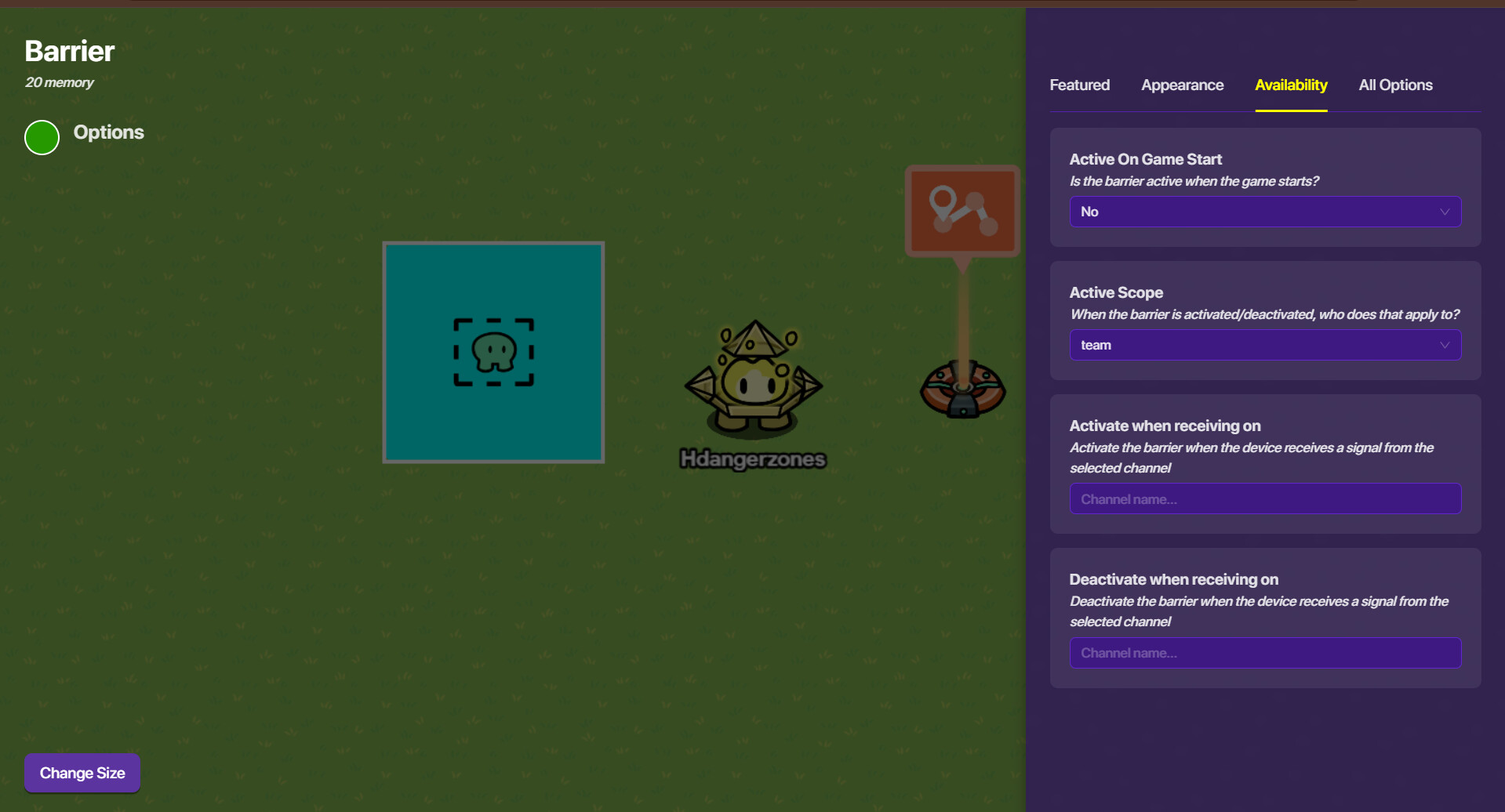
To make it non-active on game start, go to the availability tab and make it inactive on game start:
Now, add a zone. Leave everything as it is, no changes are needed! Phew!
Now, there are two different ways we can do this. Either have them enter the zone, and the time’s ticking! If they leave, it’s still ticking. If that’s what you want, then the lower dropdown is for you!
Easier way, but flawed
Now, add a trigger. Adjust the delay time to however long they must stay inside of the zone to capture it. I’ll use 5 seconds as a baseline. This trigger should also be invisible and have collision disabled. When it’s triggered, have it broadcast on a channel. I used “ZoneCaptured!”
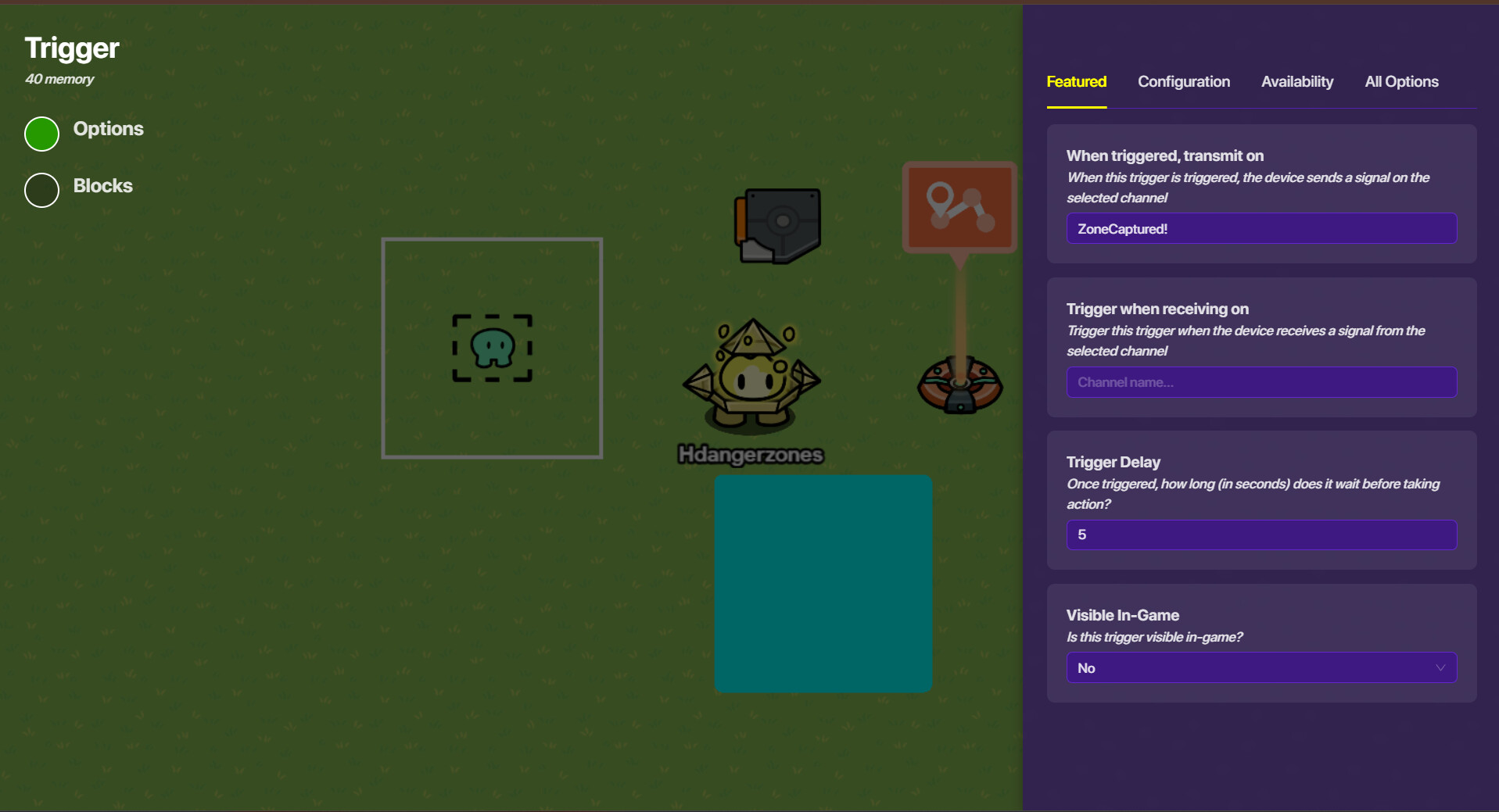
Now, wire the zone to the trigger (player enters zone > trigger), and the trigger to the barrier (triggered > activate barrier).
But if you want them to have to remain in the zone for the timer to tick, then this one’s for you:
This one!
We’re going to have to rig up ANOTHER timer, but this one has a little difference. Simply add your two triggers that each have a delay of 1 second and trigger each other and wire it to your counter with the starting value of how many seconds it’ll take to capture the zone. The concept is exactly the same as the steps somewhere above to make the game timer, but without the game overlay, the blocks, and the channels.
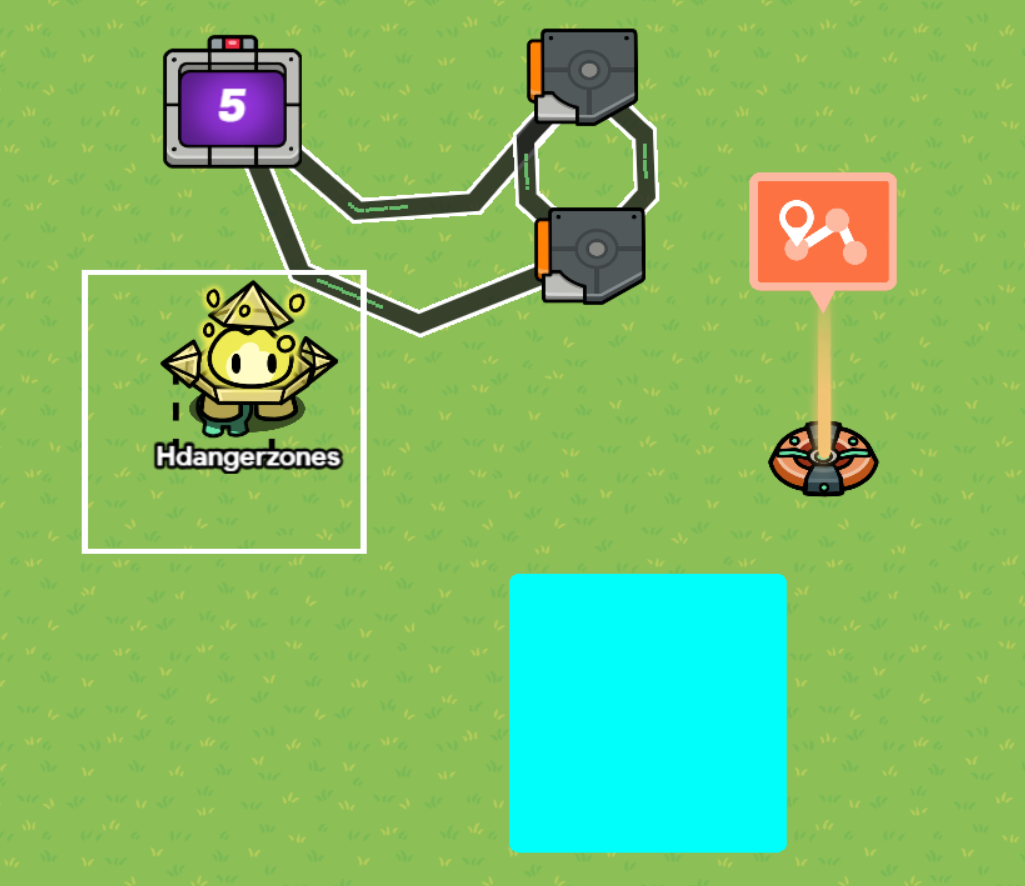
Now, we’re going to add our own channels! Make it broadcast on “BaseCapture” once the player enters, and “BaseCaptureDiscontinued” once they leave.
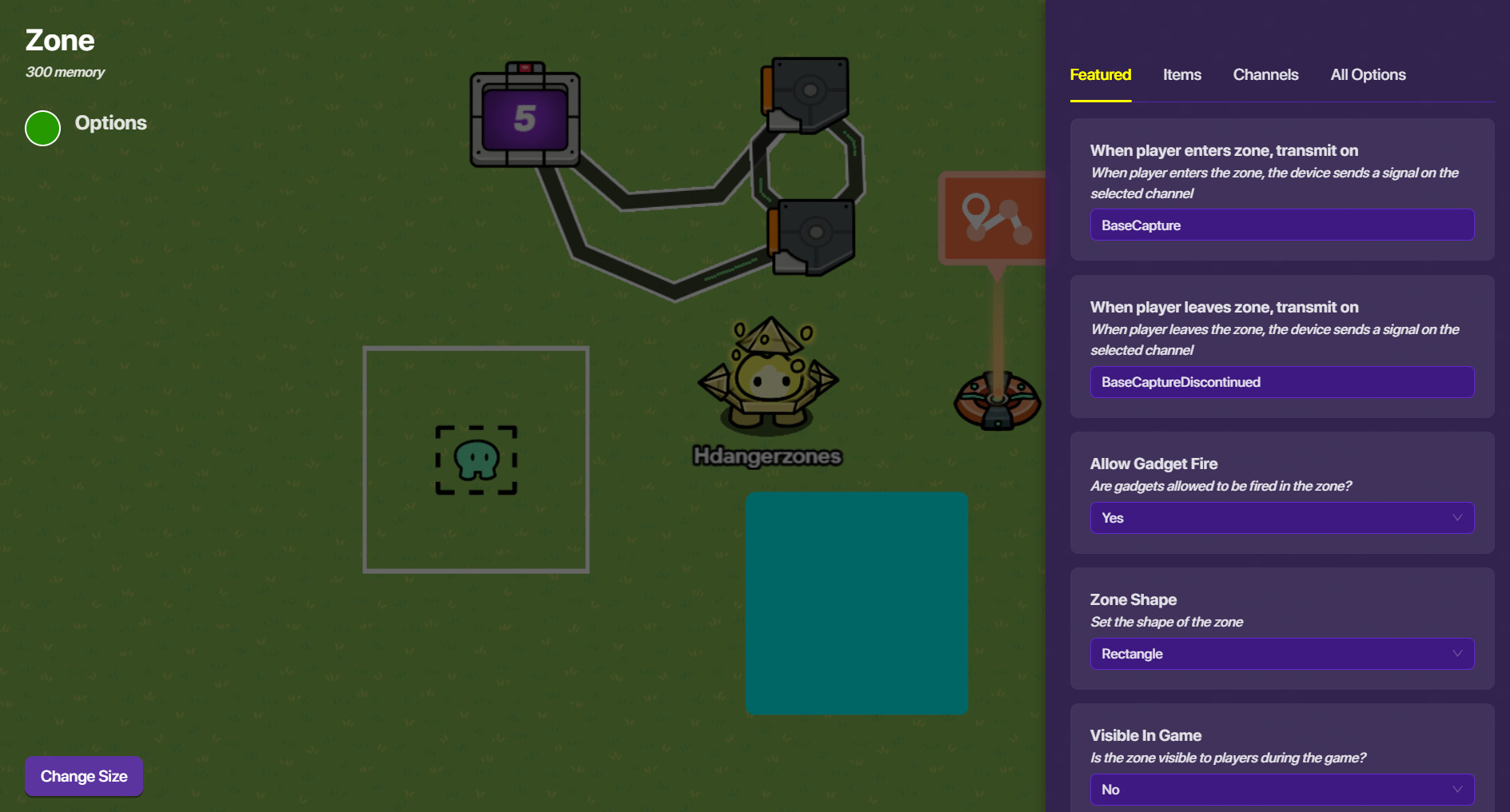
That part’s very important, because now we’re going to go BACK into our counter and have it reset when receiving on “BaseCaptureDiscontinued”.
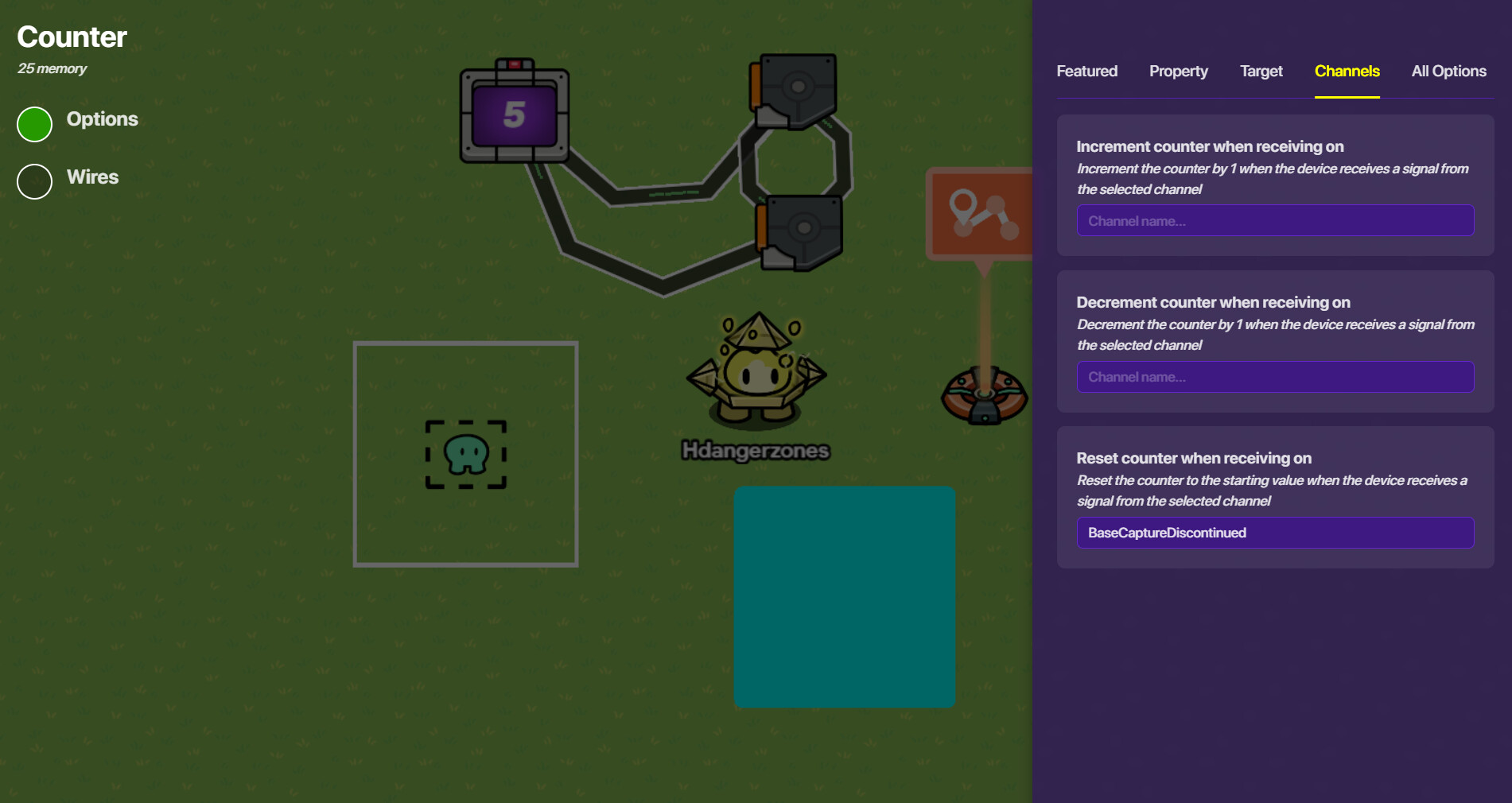
Finally, go into one of your triggers and have it trigger when receiving on “BaseCapture”, and deqactivate when receiving on “BaseCaptureDiscontinued”.
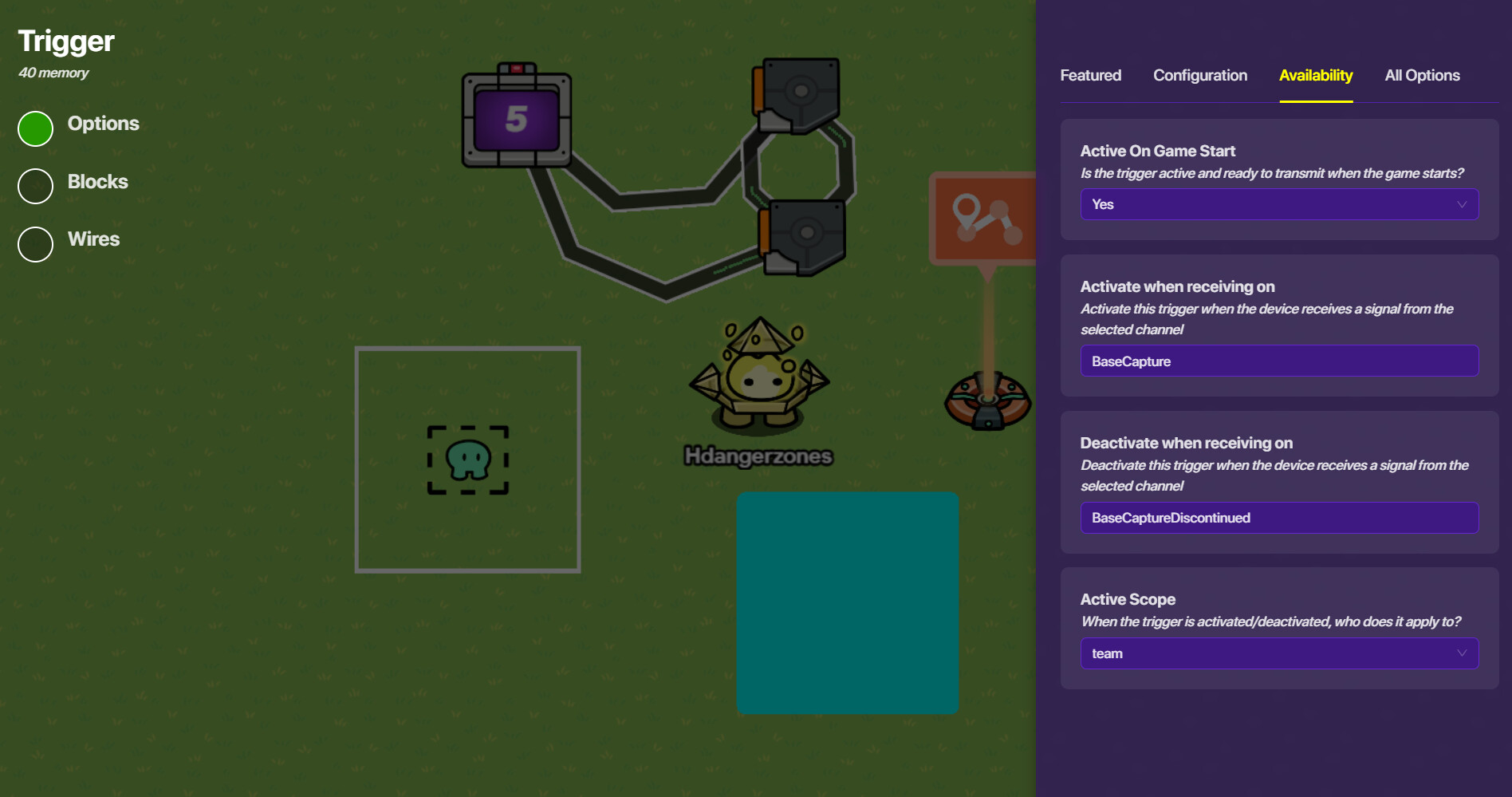
That’s it! Now, you can copy that whole system for each capture zone!
Yes! Multi-copying is a thing! Simply click & drag to select the devices/props you want to copy, rest your mouse over the selection, and press “C” for copy! Everything in your selection will copy exactly the same.
A SKILL ISSUE DETECTED
If you copy & paste the exact same setup, it’ll simultaneously activate/deactivate ALL OF THE ZONES EVERYWHERE!! So for the channels “BaseCapture” and “BaseCaptureDiscontinued”, you may want to rename them in a unique way. The easiest way is to number then (“BaseCaptured1” for the first base, “BaseCaptured2” for the second, so on and so forth).
That was a lot, so apologies if it was too much! But these are all mechanics, not deco. I’m… not the best at deco, but I’ll take a look tomorrow morning (it’s nighttime for me here and I’m a bit tired). This took too long (an hour! Wow!), so apologies that you had to wait this long, but hope this helped 
@Hdangerzones sooooooooooooooooooooo the whole guide here is to teach me how to make a timer for the holdout + how to make a capture zone?
btw this is how I want the capture system to work: if there is more people of the opponent team in the capture zone than ours, the point will be captured
yes 
Got it… well lemme see if I can think of something for that
–edit–
It looks like you’re gonna need blocks in a trigger, like so:
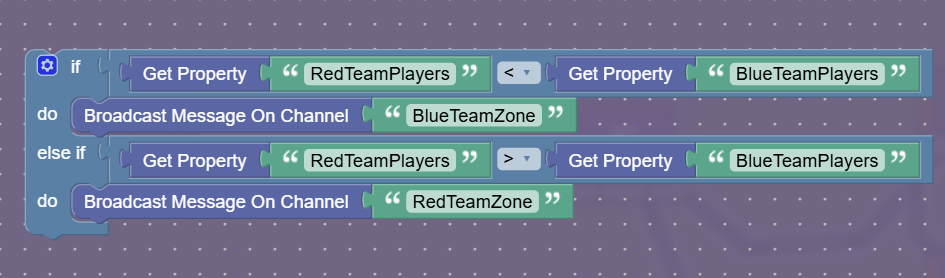
And have a different colored barrier for red team.
Now, I don’t know how to detect what team someone’s on, but I’ll think of something (probably) tomorrow. Sorry, but it’s late and I gotta sleep.
Now since I got all the system for the game Ig it’s time for mapping out the map (I still have no ideas tho)
Btw I wanted the fort to look like ts?:
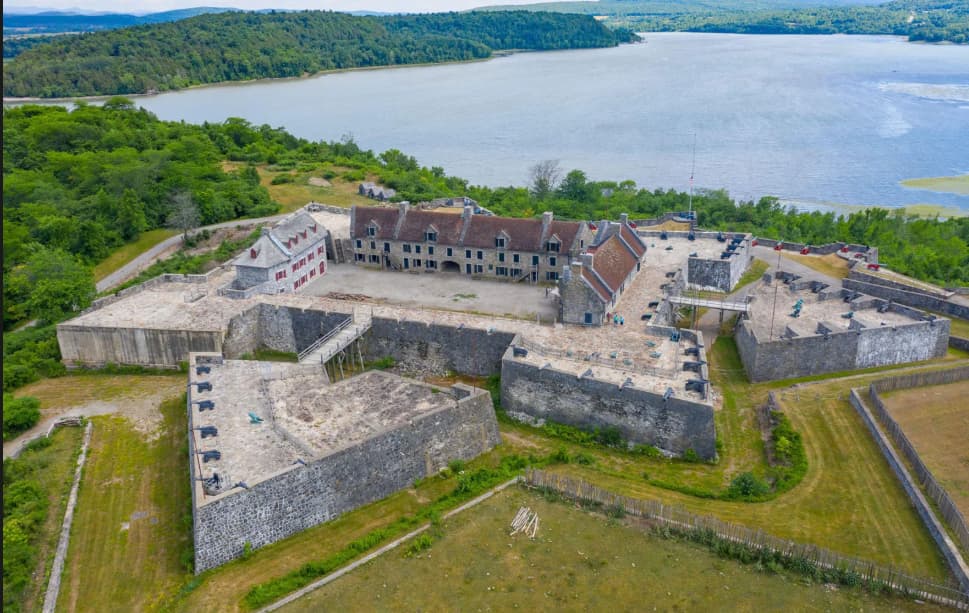
point A is in the white house on the left, point B is in the big middle house of the fort, and finally, point C is in the light brown house on the left
(fort Ticonderoga btw)
Ooooh nice! I’ll look up some photos and get back to you
@Petalmany123
Maybe to make it look like that make barrier art and use props. Also you can use custom barrier art. Also do you have the season ticket?
No, I am broke
Ehh, have any of you map out the fort yet?
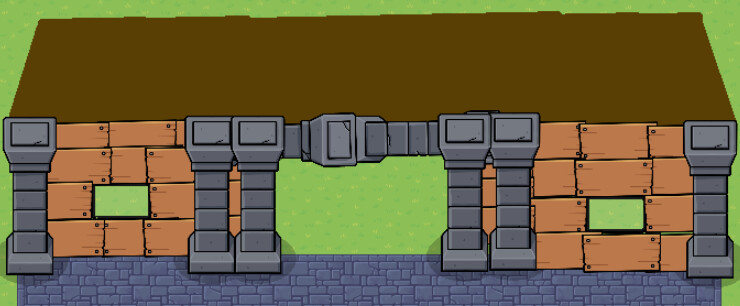
Wait lemme get ts clear:
Do you see the blue arrow pointing? That is where the entrance actually is, then, after entering the fort, the rebells was forced to go inside the small door in the white house on the left. (since most of the field of the center of the fort was blocked by barricades and stuff) After going into the house, they venture up and it’s also where the Royal Army have to defend point A
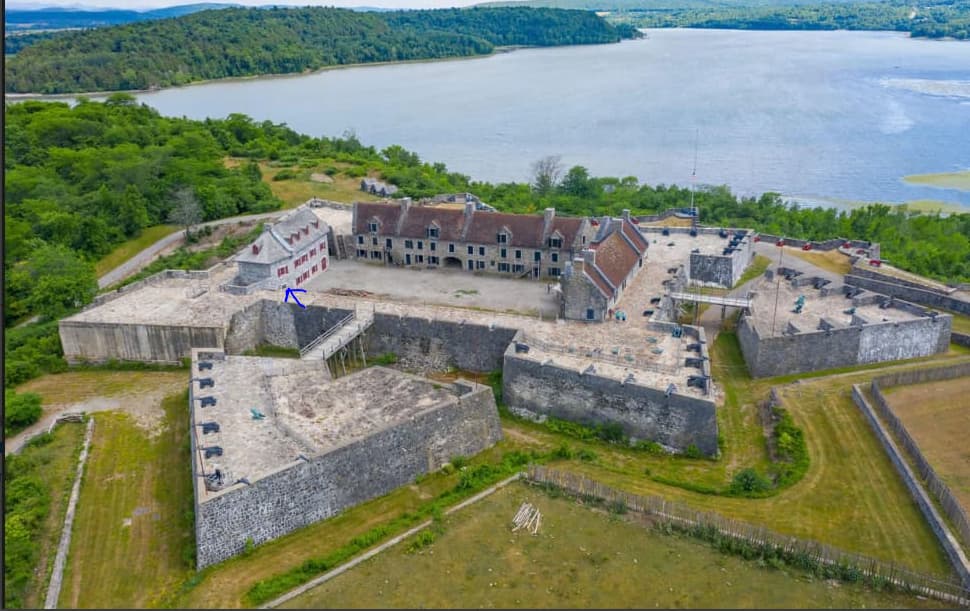
(Plus we can also climb up the stairs right next to the biggest house after when point A is captured)
I really I dont have high hopes about this thing becoming a real game since the fort itself is really confusing 