Hello, this is my second guide, and I haven’t seen many guides on this topic.
In here I will show how to make a dropper, different difficulty, and this is all without wires! So yeah anyway
SHOW GRID RECCOMENDED
The dropper gameplay
what I see about these kind of things are how difficult or how impossible these games are. Like, if you are making a dropper game, PLAY TEST THE GAME to know if its actually possible, and also give it difficulties.
difficulties
Easy, medium, hard, nightmare, etc.
I just realized that no one likes droppers

The actual dropper
Make the dropper as big as you want, but try to make it 10-20 blocks wide and 50-100 blocks tall. For this guide, I’m gonna go 15 block wide and 50 blocks tall. :]
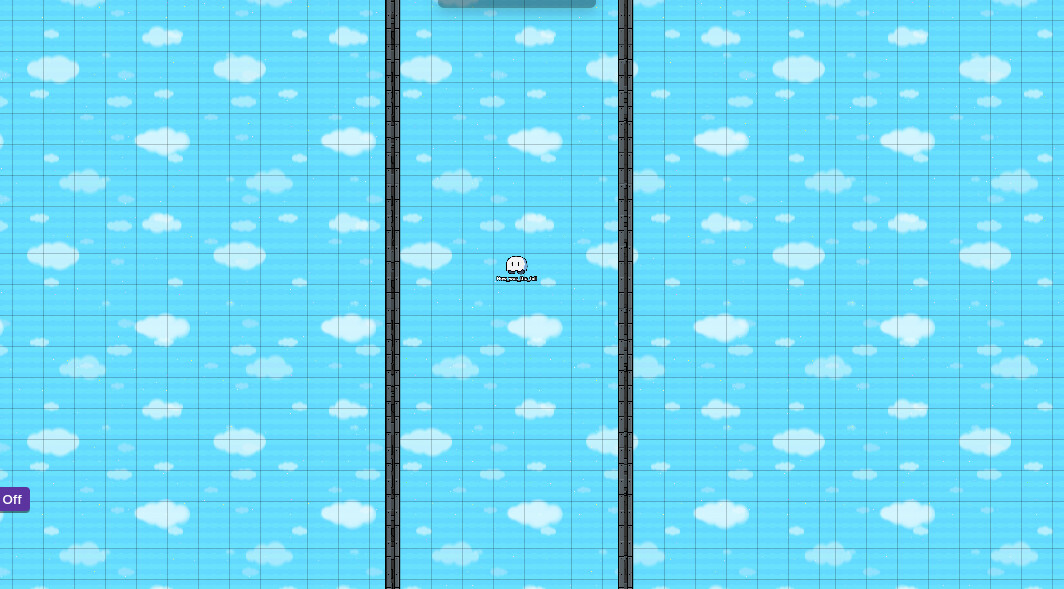
now we need the pillars for the dropper. Add those to be about 2/3 of how wide The dropper is AT BEST. For example,

Now get a zone, and make it the same width as the pillar on the dropper, and set the “when entered” channel to “oof”.

Now get a respawn device, and place it down, and set it to respawn at the channel “oof.”

Now do that as much as you want to finish the dropper.
The entrance to the dropper
Now you need to make the dropper entrance. This is kinda easy, but I’m gonna put it here cause I WANT TO
Anyway Put down a barrier and make it any color you want. then you place down two triggers. I’m gonna stop using words I’m lazy
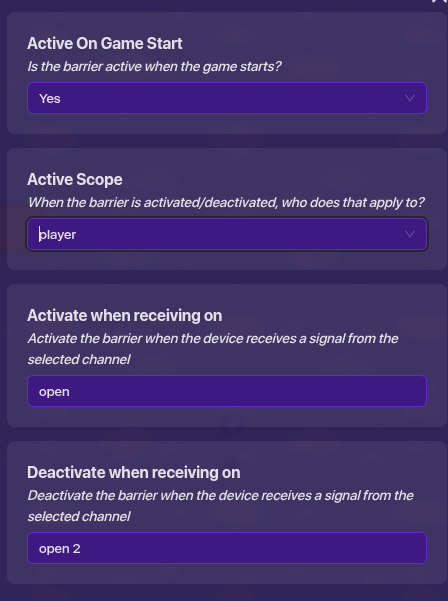
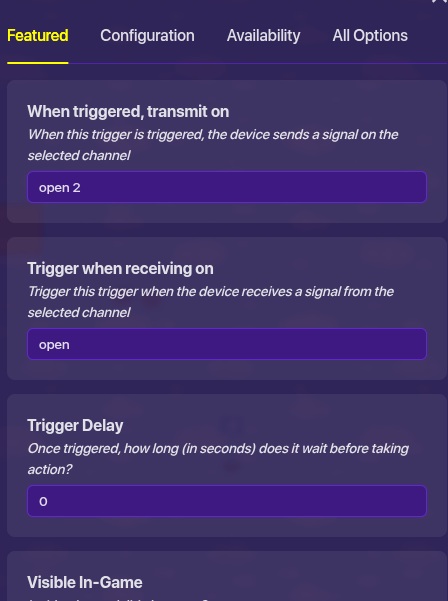
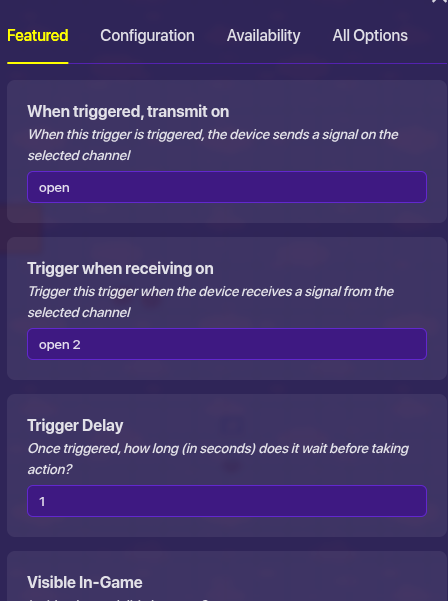
Now place down a button, make it not visible in game, and make it so that when you press it, it channels the channel, “open”.
There we go, now this is probably a bit confusing, but it should be okay.
Decoration
Many ideas for decoration are like themes, like fall, or scary, or winter, so you can change the tile and props to the theme, or you can make Decoration using barriers and custom shapes. For example, I’m going to use a winter theme for my dropper. Place a barrier, and make it the same size of a pillar. Like so.
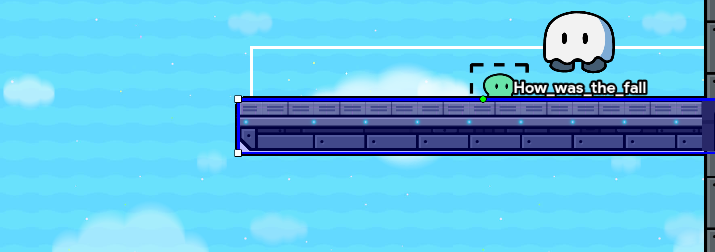
Now you go to the layers tab on the top left, and make it above terrain.
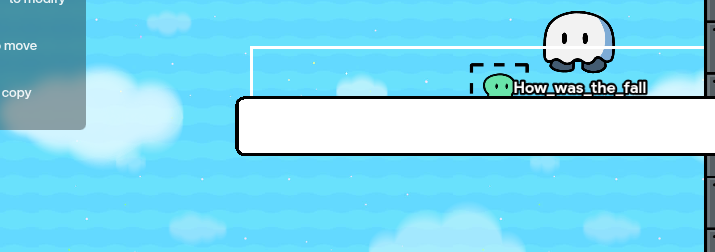
make sure the barrier is white. Now you can add more things like snowy grass, or trees, and maybe a snowman. Make sure they done have collision!

Now…
this rating is cooked
How good was this guide?
- Best guide Ive ever seen
- Pretty nice
- Okay
- Meh
- This is the worst guide in the entire existence of gimkit
How hard was this guide?
- Easy guide
- Medium guide
- Hard guide
- Nightmare guide
- Gimposible guide

 I’m lwkey getting old