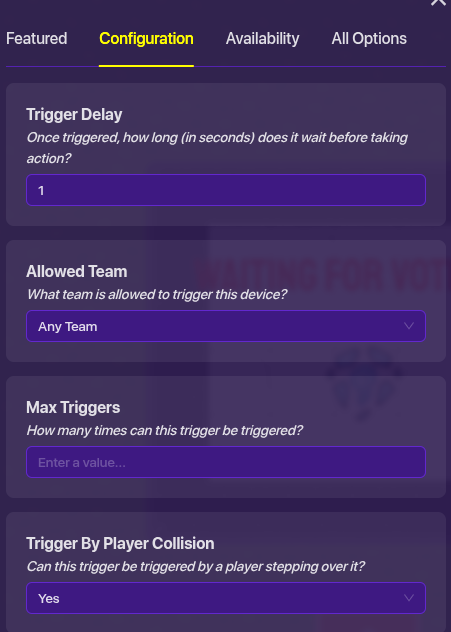
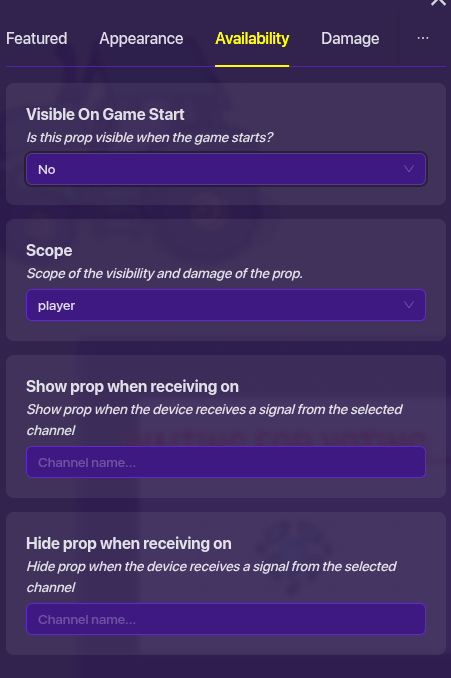
Last time I made this topic and I solutioned @Egg_and_Cheese. However, I didn’t try the solution. Today (3/5/26) I tried it but it didn’t work so, I am back to ask.
You can make a prop repeatedly appear and disappear via a trigger loop with one trigger showing the prop and the other trigger disabling the prop.
Here is an image to make the explanation simpler.
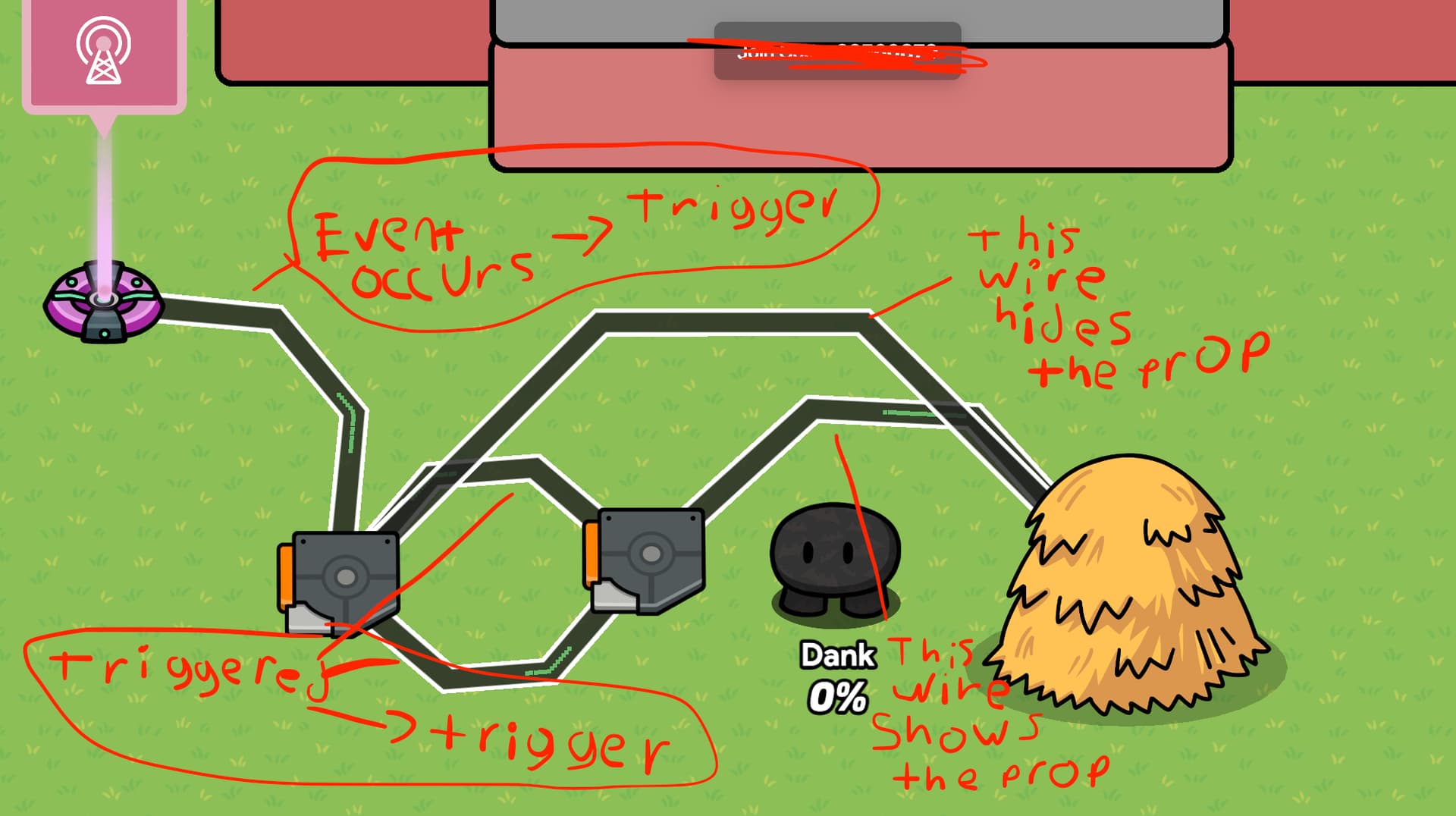
*Note make sure the triggers have a delay of anything or this might not work.
If you have any further question feel free to ask.
2 Likes
have you tried it @Demo?
Yes , It works , i tested it in the image above.
I need to step on the triggers tho
Use 2 buttons, wire one to show the prop, wire the other to hide the prop
then i need to click
If you want to use triggers, place 2 of them down, and make 2 channels, one for each trigger
Set the prop to hide/show when receiving on those channels
[1]
sorry I can’t access gimkit right now so no pictures ↩︎
I can’t show you what I did because of the 404 error
If you want to do what you tried to do in the last topic, you would actually need a 6 second delay, and a wire repeater set to a 3 second delay, wire the repeater to the prop (show), and wire the wire repeater to the prop (hide)
Another way @potato123
You want another way?
You can do this using anything that is interactable by the user and can transmit on a channel (like overlays, popups, etc), and set the prop settings to this:
show prop when receiving on channel: showpropchannel
hide prop when receiving on channel: hidepropchannel
or some other channel name
[1]
I haven’t tested this yet so ping me if you find a few issues ↩︎