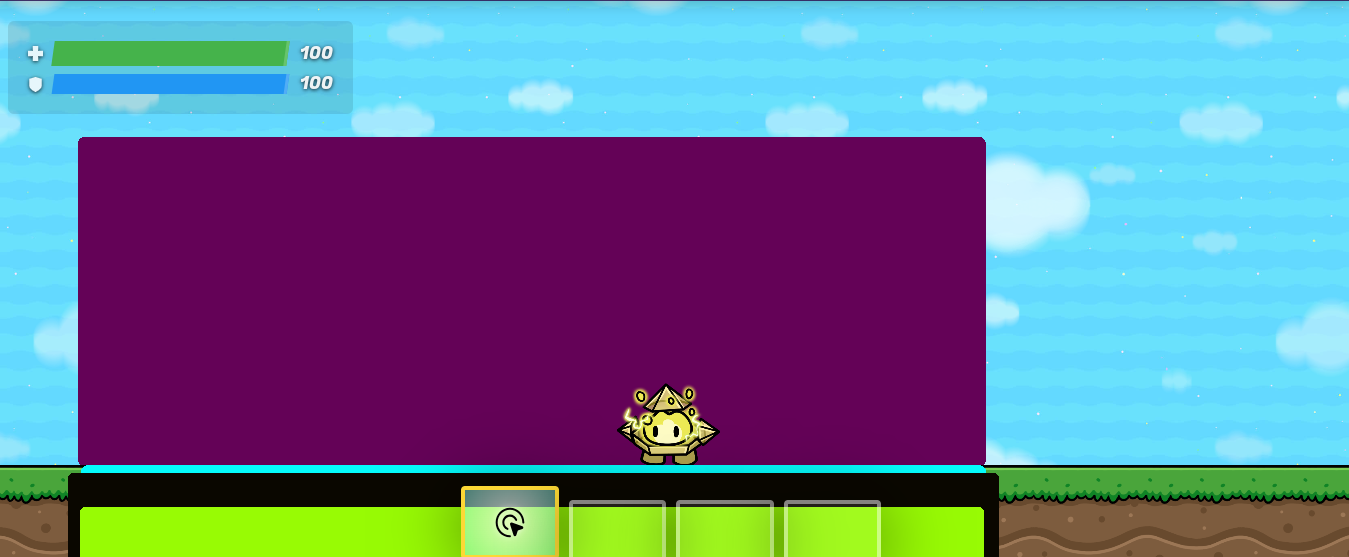
Layers not working when started?

So I was just playing around with barrier terrains. But my layers don’t work?

Before started

Before started


After started

After started

Am I doing something wrong?

hopefully y’all understand the names of the barriers. I am not so great at making names

Also the size of the barriers is NOT a problem. I was playing around

1 Like

Huh…? Wait I’m clueless I don’t get what the expected behavior is

Oh wait nvm I see

try the usual steps(yah know reload) then if that doesn’t work try relayering the props (put it to bottom layer then back to front),and if THAT doesn’t work, idk what to tell you and you should email hello@gimkit.com

5 Likes

Laying is geniunely horrific in gimkit, it’s just plain hard to use.

EXACTLY

Chances are something just got switched around for no reason.
Just redo it.

Already told ya, LAYERING IS PAIN
try it until it works
Edit: Actually, Same thing happened with me, lemme remeber what i did

4 Likes

Well reloading thrice deleted the barriers that were not visible in the picture I showed… MAN WHAT IS THIS GAME. Edit: @Zappy_Zaptos I tried doing it again but the SAME THING happened

3 Likes

Mb for accidently marking solution

1 Like

I’m not exactly sure why it happens

But i think when something is below something else (in position, not layering) it is shown under it
we all seen that happen

But another thing that happens, is that it’s changed in layering as well

I’d say what you can do is make the barrier be longer and go under the map
That way none of them are below another

that’s my best guess

3 Likes

Are the barriers still there? If so then it could be a layering error but if it isn’t then the barriers might have been deleted

3 Likes

No the barriers disappear when I start the game. And if I reload, they disappear without me starting the game too! @ReDGh0st They reappear

3 Likes

Do the barriers reappear when you go back into editing or are they just gone forever?

2 Likes

The grass is under it.

Well I let the barriers reach the bottom of the map.

2 Likes

I have an idea that is either genius or absolutely wrong, check your barriers, are they invisible? because if you were editing then it would show them but if you were playing then it wouldn’t show.

2 Likes

Invisible? Do you mean if they are active? Well, then yes.

2 Likes


I tried making the same thing

This cannot be a bug for only phantom
or any problem with being active on game start

Anyways i gotta go

3 Likes

Is it bugging for you or is it not?

2 Likes

that has happend to me before what I did is refreshed my page assuming your on computor

4 Likes

Layers suck. Top 5 worst GKC mechanics because of it’s horrible, horrible consistency. I would recommend just redoing everything, but putting them in order. Your base color in the back, then add the rest in the order of which you want it. If that doesn’t work, ping me.

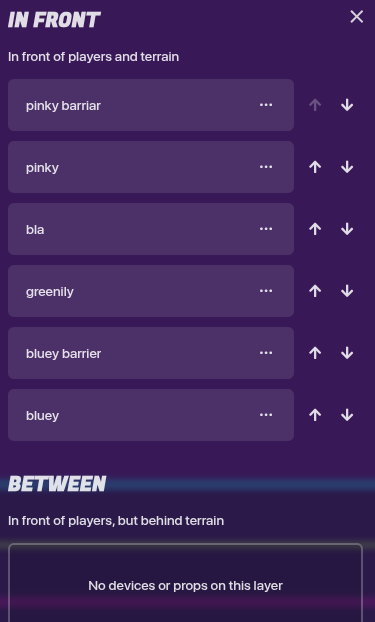
9 Likes