I’m making an “improved” version of diamond rush, more gadgets, and other things as well as a slight increase in encouraging pvp. I know how to make a randomized item granter. but I don’t know how to make a 3d looking lucky block with a cool down (where it turns grey and doesn’t work for a time) so that’s all, I just need a bit of help with that, pictures don’t always load on my computer so if you could explain in just text that would be great  thanks anyone and everyone who helps <3
Well the Lucky block is a dev only device(as of now), so you can only make a fake one with triggers, items granters, speed modifiers, and a box prop.
2 Likes
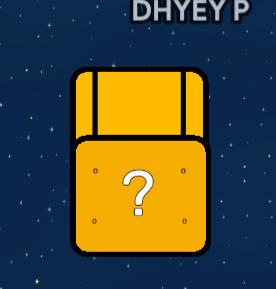
custom white shape on barrier, invisible button that gives you a set number of teal seeds, a gadget, less items, or a signal to give you a damage boost or speed boost. wire button to wire repeater which waits 2 seconds and activates button again
is this your solution?
changing colour
well so make a zone around the lucky block, if player enters the zone
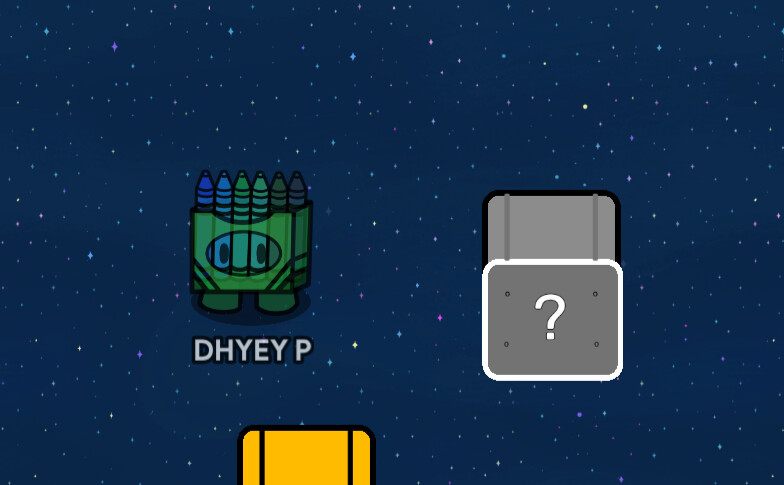
make a gray version of lucky block
so when player enters the zone >> the yellow lucky block (the props to it) disappears, and the gray lucky block ( the props of it) appears.
running the logic
When a player enters the zone >>> Disable the zone
( suggestion, a wire repeater to disable the zone, when player enters the zone>> run wire repeater ( delay = 0 seconds) and when wire repeater runs >>> deactivate zone
In addition when a player enters the zone>> trigger your randomizer, so it runs to do stuff
resetting system
So when player enters the SAME zone>> Another wire repeater ( set the delay to the amount of time you want for it to stay unusable)
and after wire repeater runs >>>> activate zone and show yellow props and hide gray props.
3 Likes
@That1Guy tell me if it works
they likely don’t know what that means.
what do ya mean???
they’re new. They don’t know about zones and wires too much
use pictures, mate. also @xlr8 wires are better than channels, easier to understand
but no pictures 
2 Likes
my explanation uses wires too
you don’t, just don’t use them
Every step you say in your explanation should have a picture/screenshot of the device settings or arrangement. A lot of people are visual learners and/or need to see it to understand it.
2 Likes
refer to my explanation above-
(note: the yellow and gray are on the same spot [ on top of eachother’)
Screenshots:
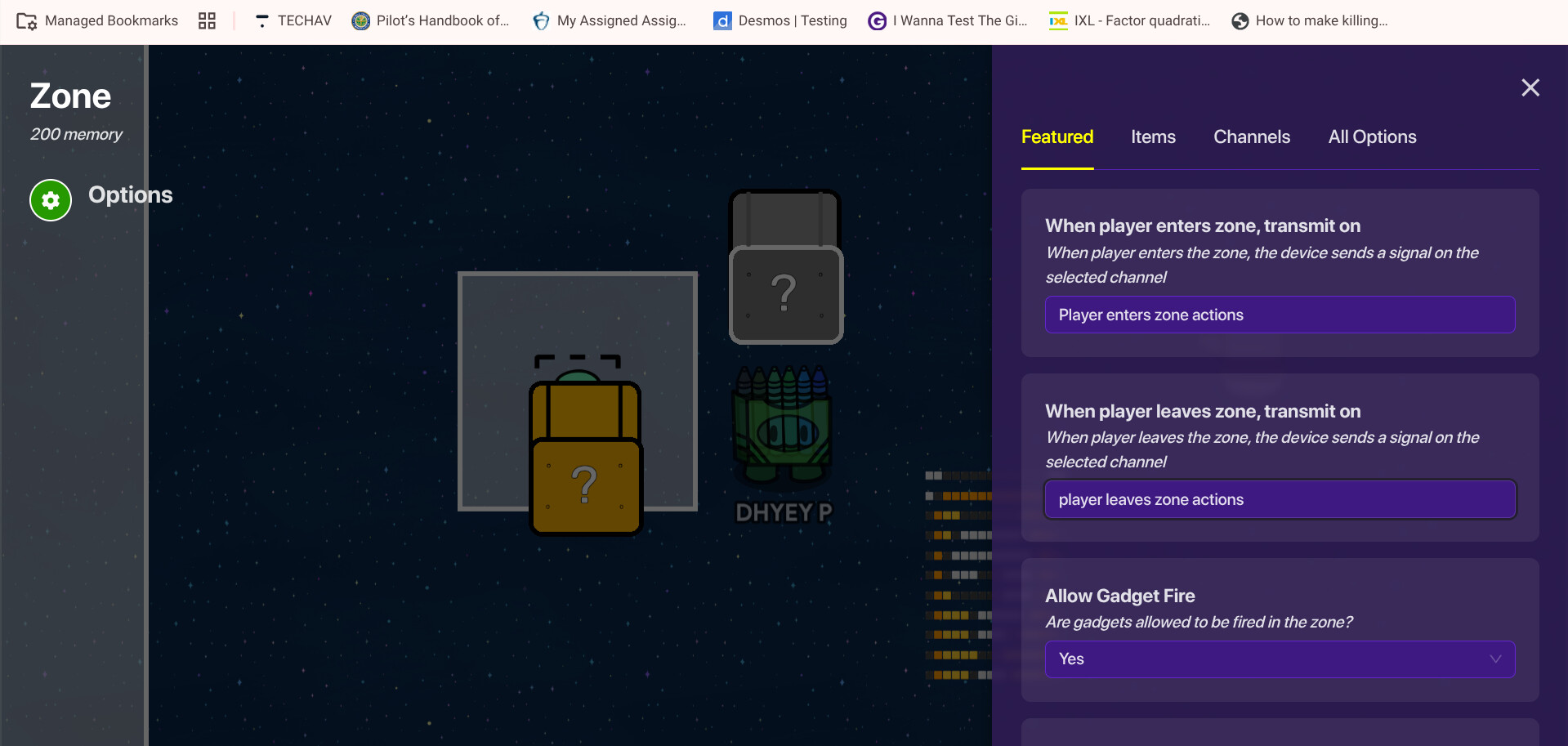
zone

the yellow props hide
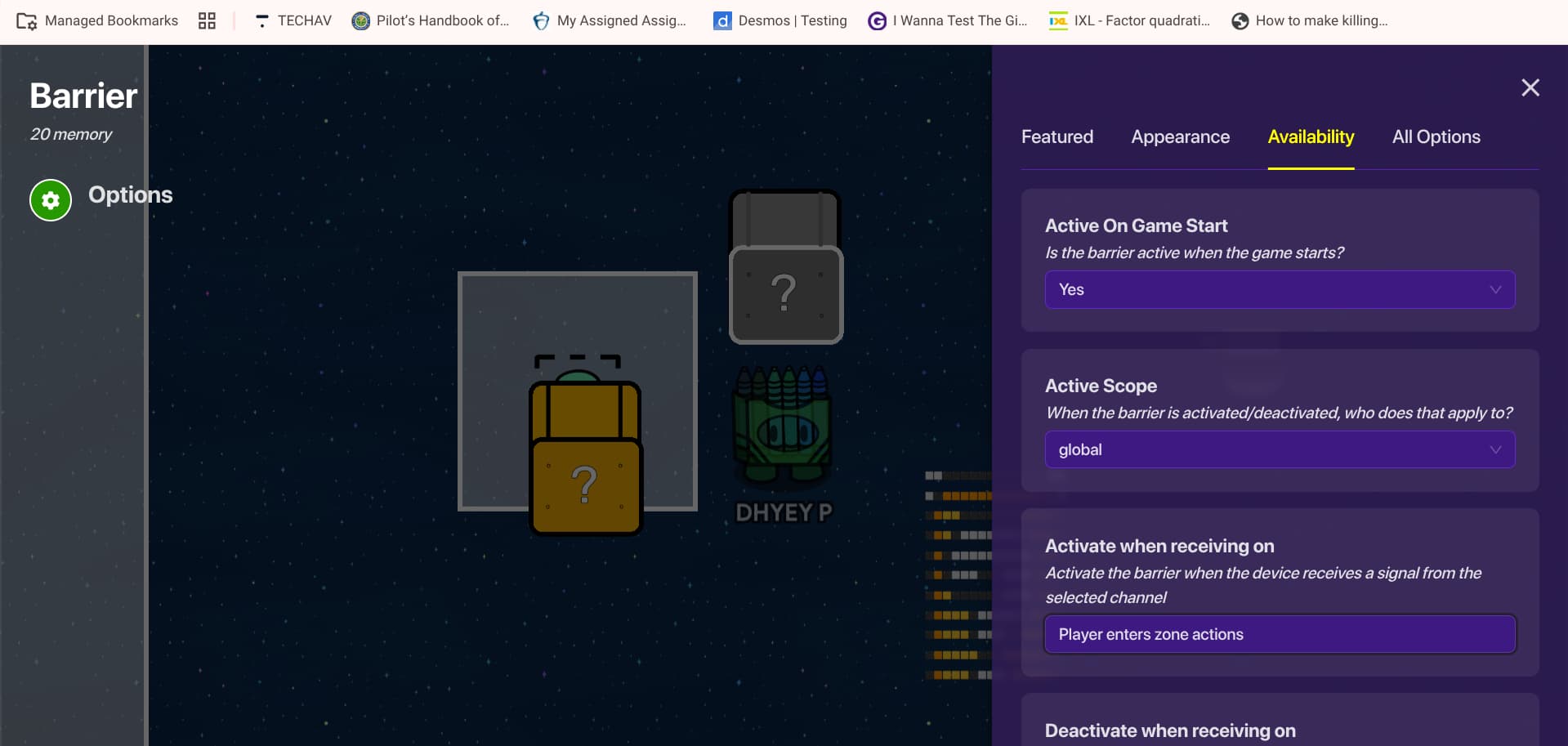
gray props show
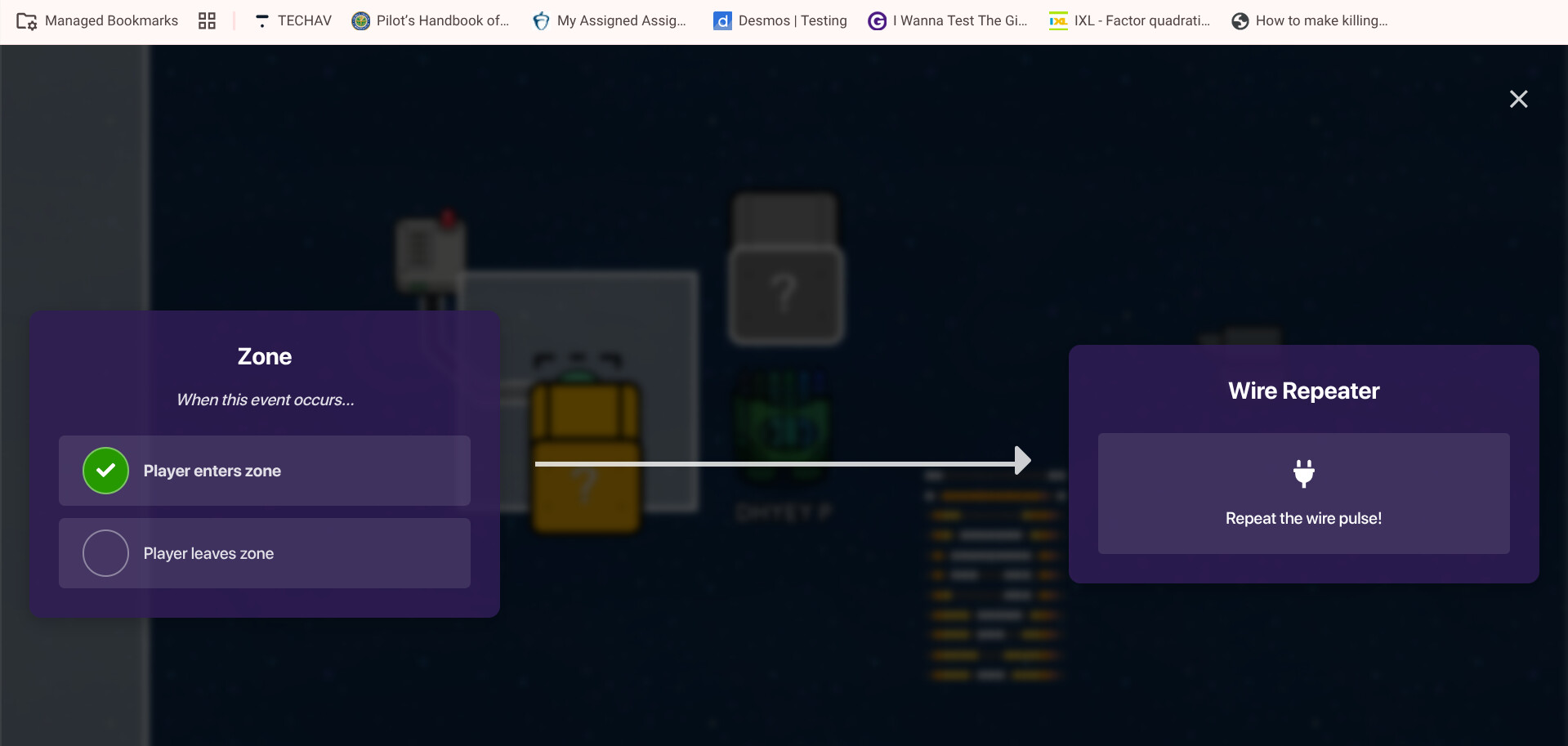
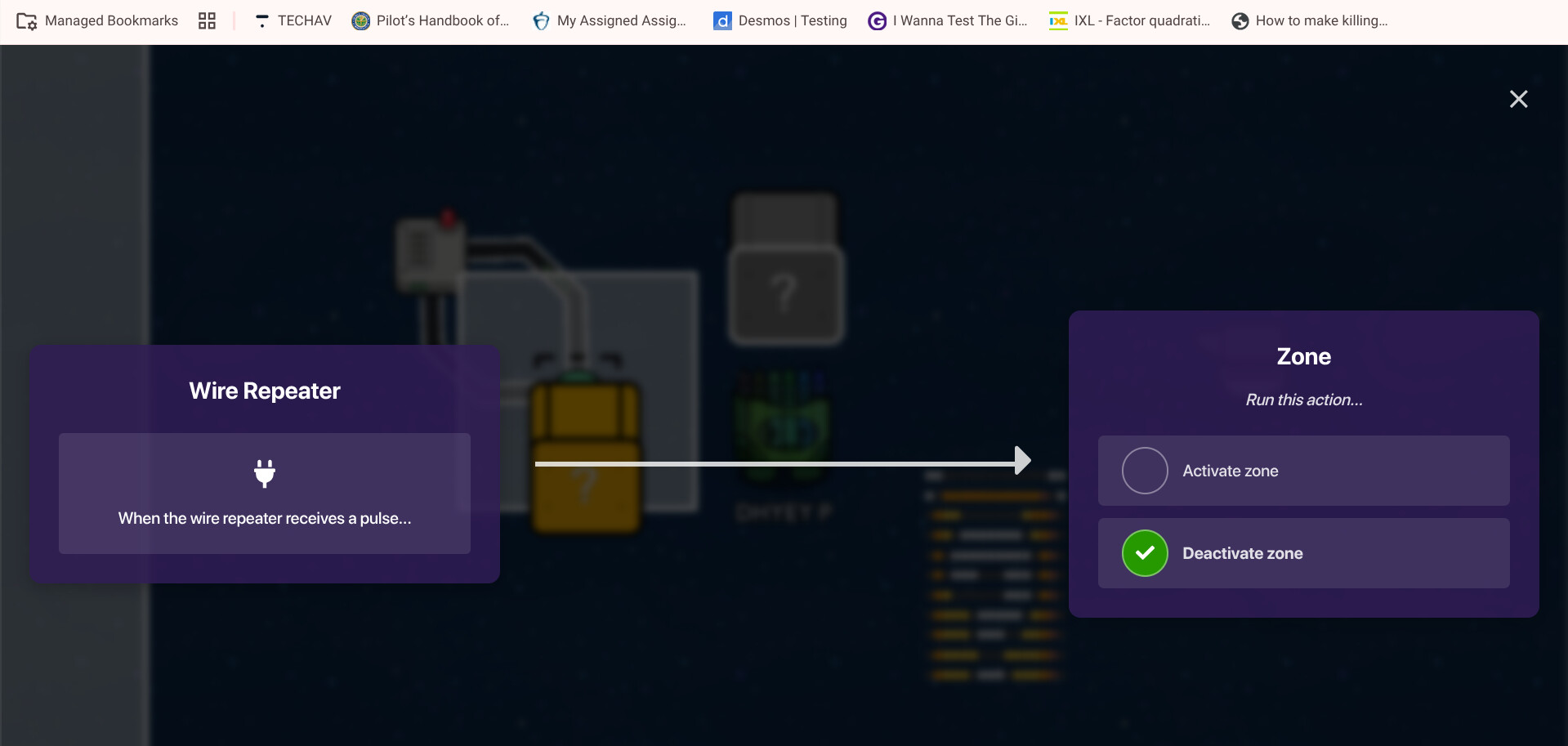
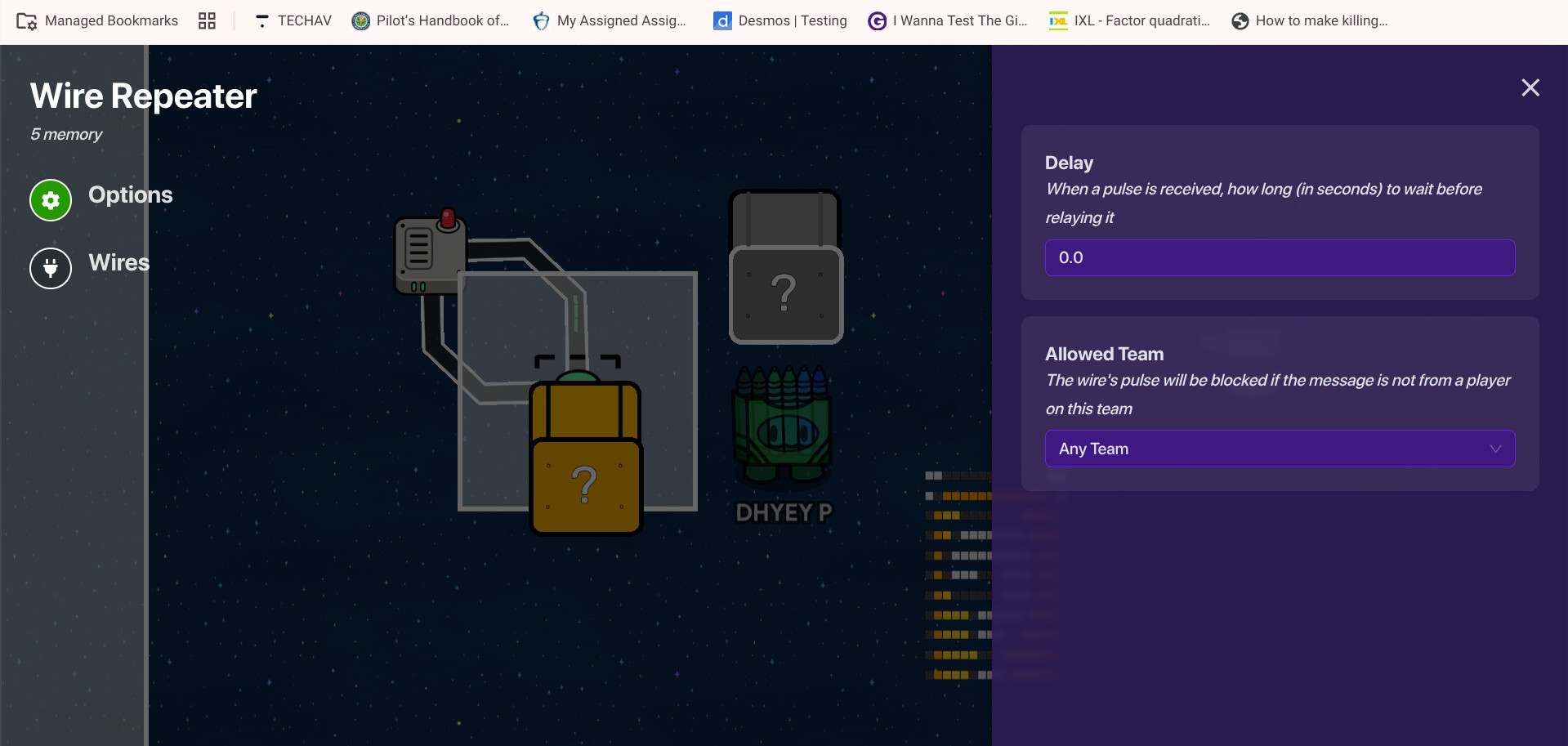
1 Like
You could’ve just edited your post that already had the explanation and added/arranged the pictures.
The edit button is the pencil button in the bottom right of your posts.

3 Likes
This topic was automatically closed 3 hours after the last reply. New replies are no longer allowed.