Endings games are fun, but most of the time, collecting an ending, well, ends the game. This slows down playing, and discourages players from getting more endings. The best way to fix this is by making endings instead knockout the player.
You will need
-1 popup per ending
-1 re-spawn device
-1 text per ending
-1 device to trigger each ending (I’ll be using a button)
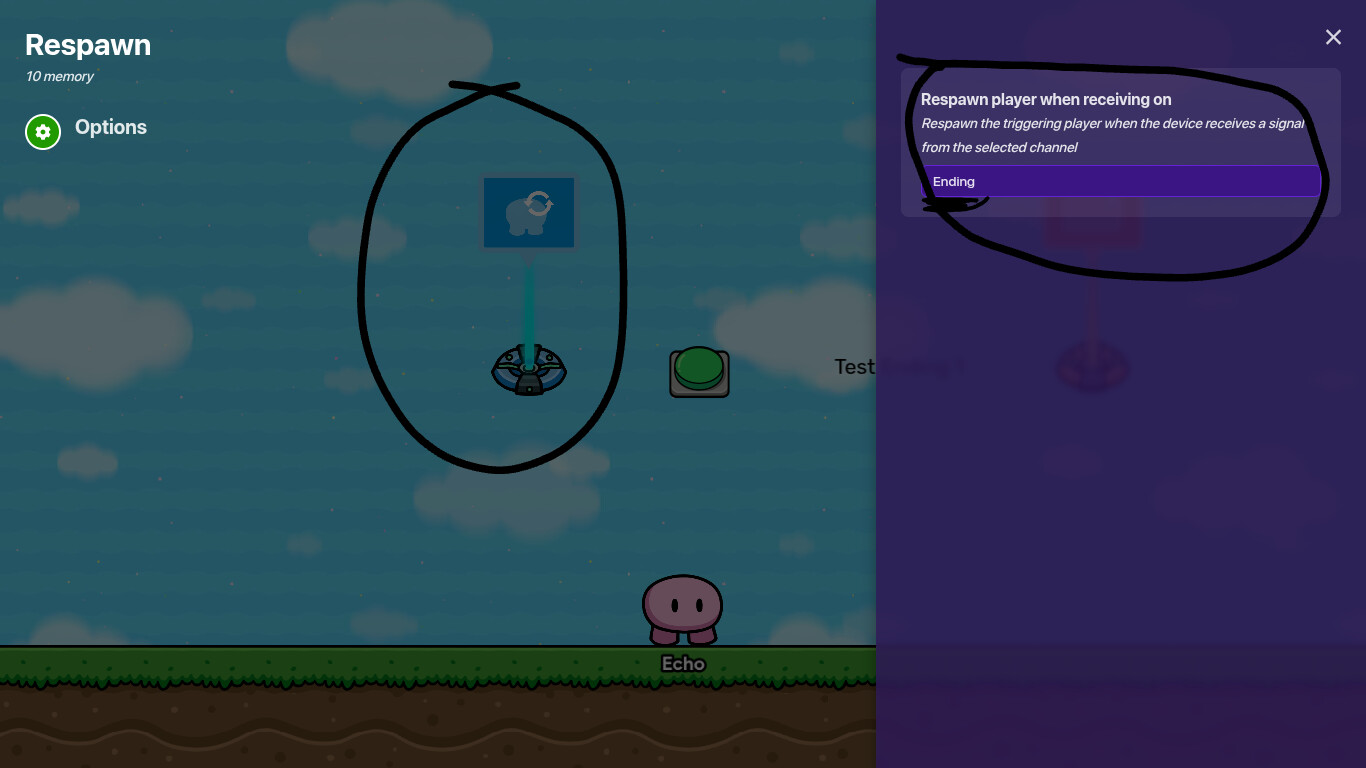
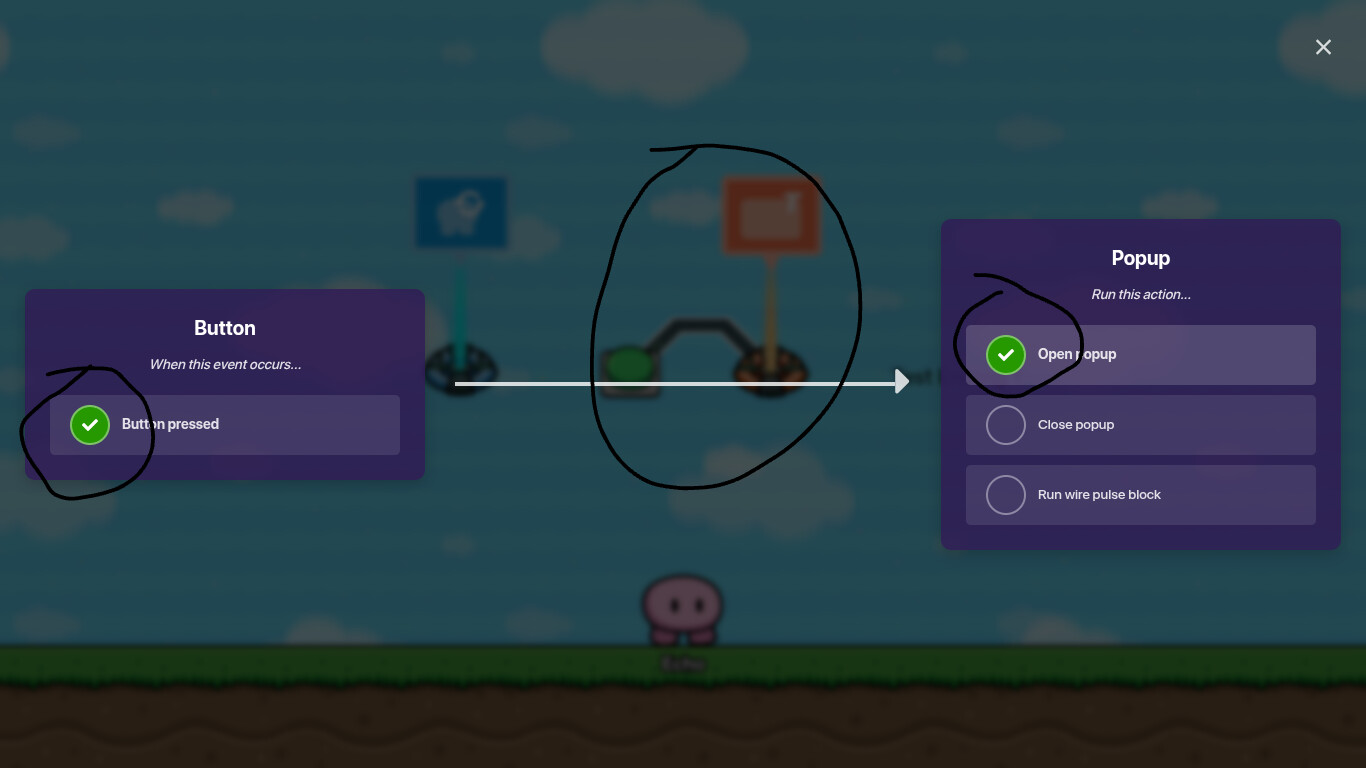
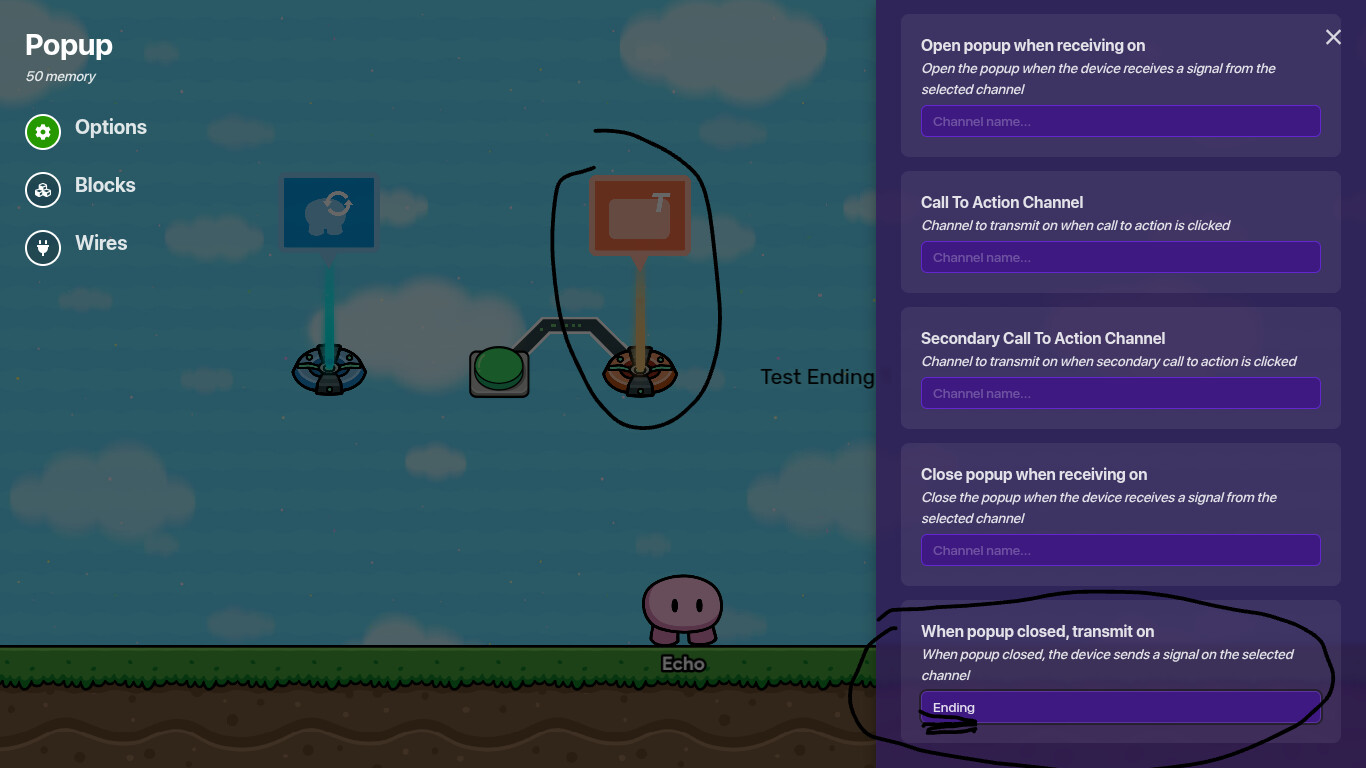
Start with the re-spawn device. Set it device to re-spawn the player when it receives on ‘Ending’ (Just type ‘ending’ into the ‘Re-spawn player when receiving on’ box.) Now, connect the whatever you used to trigger the ending (A zone, button, checker, ect.) to the popup. Then, click, when button pressed, or when player enters zone, or whatever trigger your device uses, as well as ‘open popup.’ Now go to the wire settings of the popup, and
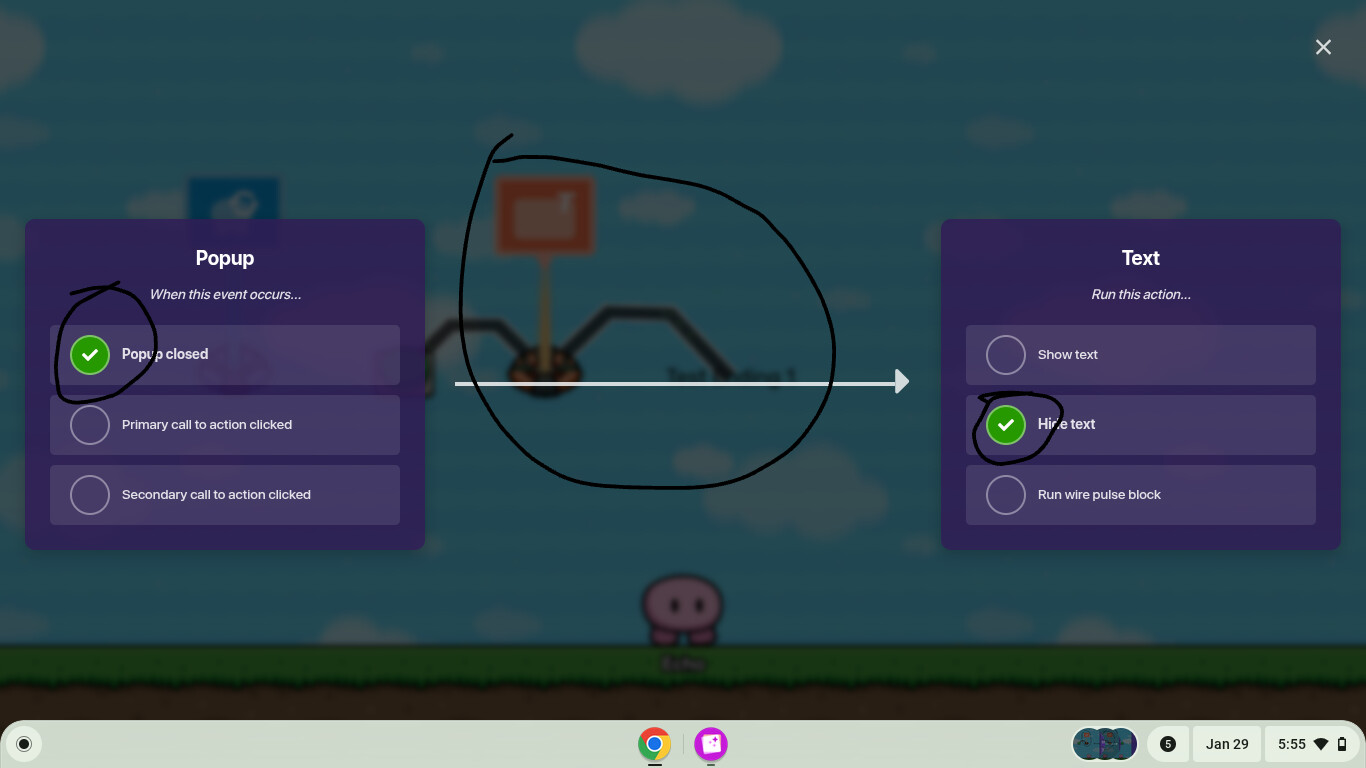
put ‘ending’ in when popup closed, transmit on. Finally, connect a wire from the popup to the text, and click ‘when popup closed’ and ‘hide text’. That’s are there is to it!
Edit - Also maybe use channels and format the guide a bit better.
Edit 2 - The knockout device can’t knock players out by the way, its called the respawn device or the damager device (they are 2 different devices but can both knock out the player). Also maybe add the gimkit-beginners tag to this.
One thing I would like to note, This actually can be useful for story games instead of forcing you to end the game this also makes it so that you can add progress based off what’s already there like trophy’s items other gimicks. Anyways, nice guide :vD
(I added the nose so the smile doesn’t auto set to the smile emoji it’s annoying)
I think instead of knocking out the player, you could just teleport them back to the starting area of the game and place a checkpoint there. That way, any checkpoints they already have won’t interfere.
Well, it depends on the game your making. If it has a platformer vibe with checkpoints, you should probably do that. If it is a normal ending game, or has multiple areas, the other way is easier, and if there are multiple areas, you will be taken to the correct one.
Sorry, I’m just wondering, is this aloud in my guide?
BTW, there are two games that show this in action. Easiest game ever (Search easiest) and Tower of Endings (Search 78) This isn’t advertising, I didn’t make either of these games, I just want to provide examples.
 Mini Guide] into the title