How to make sentrys bigger
Click on the sentry then click on change size
it should be in the bottom left corner
its a blue button
if it works dont forget to mark a solution to keep from cluttering! 
3 Likes
thanks so much ill try this
2 Likes
Actually, that’s to change the range of the sentry, LOL

To change the size of the sentry, go to the “All Options” tab and scroll down to the Sentry Size section. Then type in your size ratio (I believe 2 is the largest and .5 is the smallest).

7 Likes

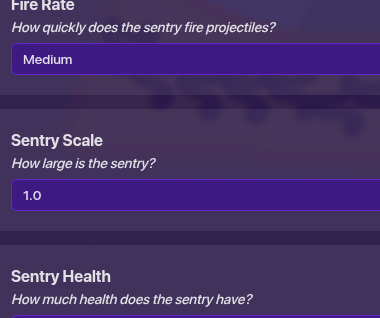
next time you should check if someone already asked how to and see what their answer is (if this sounds rude I’m sorry, I’m not meaning to)
there is a button in the sentry settings, to access it, click on, “all options” then look for the sentry scale, and scale it up or down to whatever you need it to be 