Like Farmchain, there is that one mechanic that lets you collect water bottles and get stuff with them. To get some background knowledge, there is a “Junkyard” area that lets you start a mission to gather water bottles and turn them in for stuff. If you know what I’m talking about now, let’s get into the guide.
(BTW: This is my first guide. Hope it helps!)
DEVICES YOU NEED
-Buttons
-Item granters
-Item image
-Waypoints
THATS ALL!
LET'S GET STARTED!
Step one
First of all, we need to make the area to let you collect the objects. Make a button, and on the part that says, “when button pressed”, type in START.
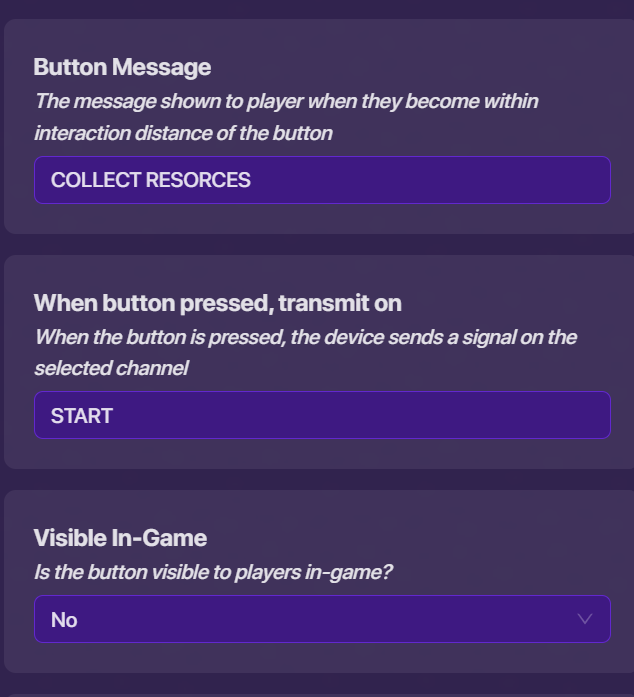
Once you’ve done that, you can now place the objects.
PLACING THE OBJECTS
Place the item images around your map, and in the “availability” section, put START in the channel, “show when receiving on.”
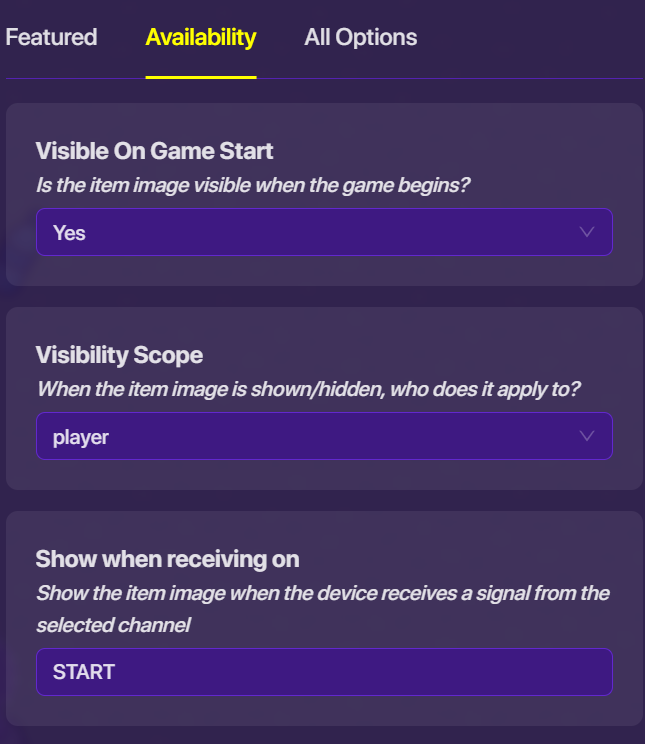
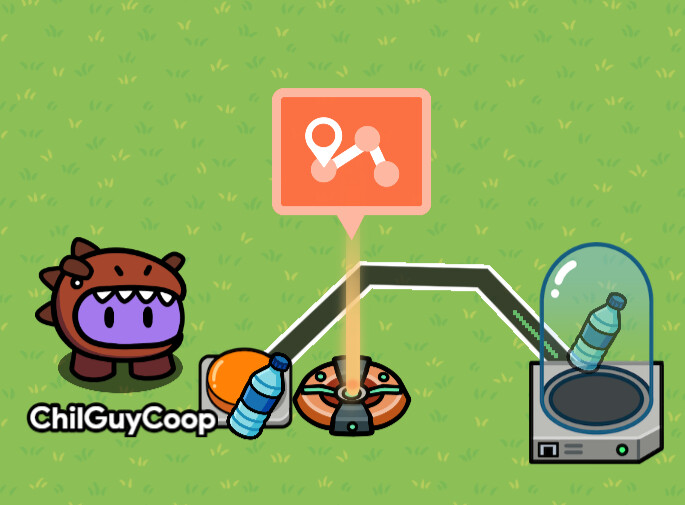
Now that you’ve done that, we can really start making the mechanic! (You can copy the item images around the map after you completed the one.) Place a button, waypoint, and item granter for each item, like this:
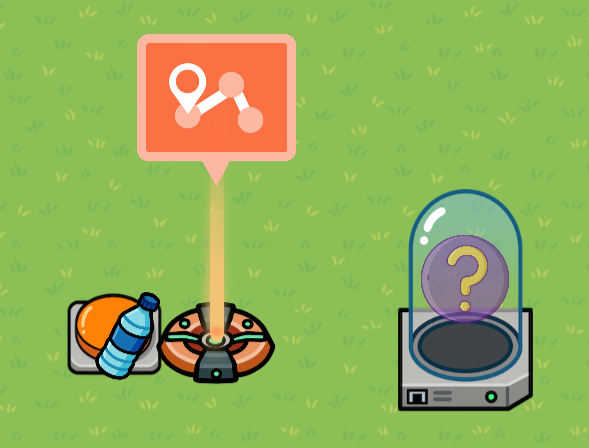
This is what to do with each device now:
Button/item granter
For the button, change the setting to look like this:
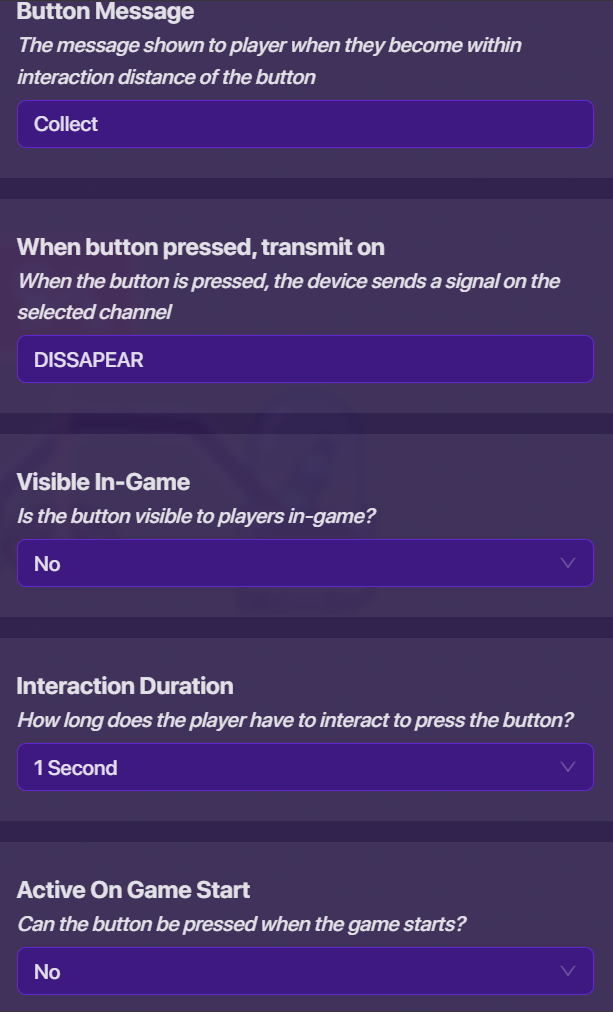
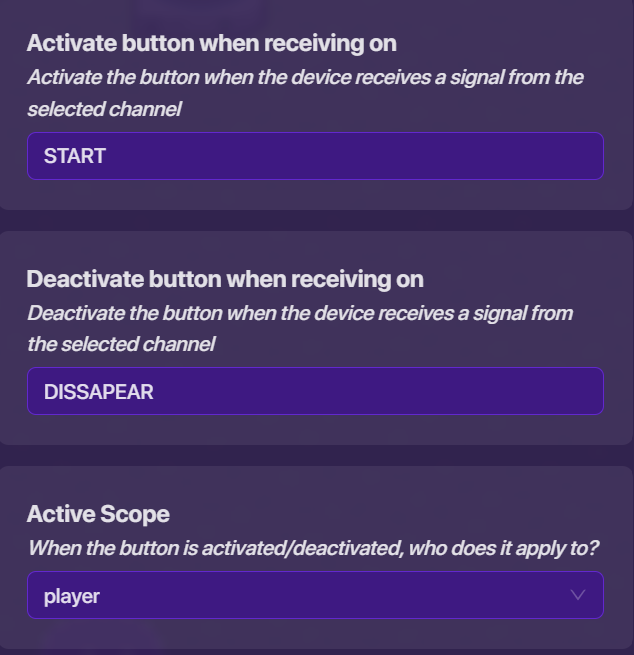
Change the item granter to the object you’re making the player find. (I ofc did a water bottle.)
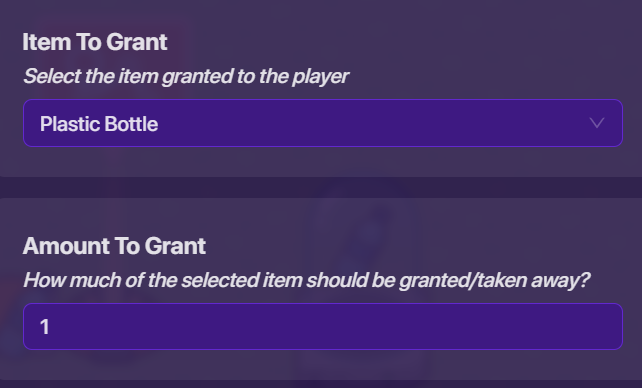
Now wire the button to the item granter.
Button pressed–>grant item.
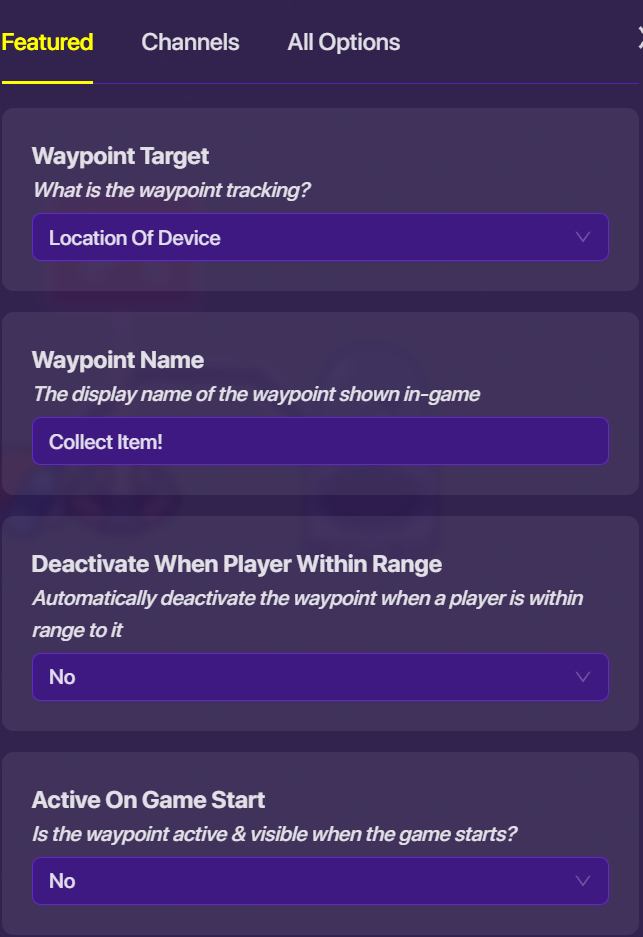
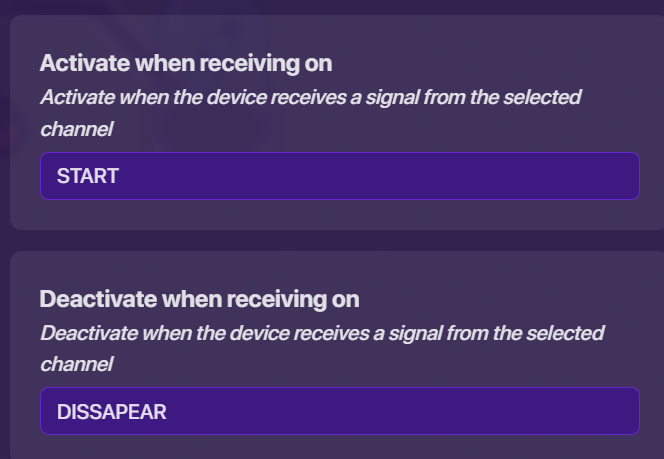
Other things I’d like to say is that I’m giving the tutorial for one object to pick up. To solve it though, in all the devices that make you type, “START,” or “DISSAPEAR,” type in a “DISSAPEAR1, DISSAPEAR2, DISSAPEAR3” and so on… (you would ofc do this with the corresponding “STARTS” too.)
AND THAT’S IT!
You just made a great system for any game.
Thanks for reading and learning with this article! But one more thing-
How difficult was this guide to understand?
THANKS FOR YOUR HELP!
- 1/5-Super easy to understand
- 2/5-Easy to understand
- 3/5-Okay, needs work, helps though
- 4/5-I think I understand, need more help…
- 5/5-This makes no sense to me…
 No humor..? I love it when people add humor/jokes to their guides lolz.