Intro
Hey guys, 𝕂or here, remaking an old guide that USES REPEATERS!
ew
ew
ew
Yeah, this was an idea based of @_error’s guide. He/she used repeaters, and so, I wanted to remake it BUT without repeaters and my version. We’ll also have a cute little animation here as well!
So, who doesn’t want to dive in? I certainly do.
Guide
Materials
1x gadget (through starting inventory)
1x damageable prop
1x (or more, depending on how many locations you want) teleporter
1x zone
1x wire repeater (optional)
1x barrier (optional)
Main
Alright, well, grab your starting inventory. Personally, I’m using a snowball launcher. And then grab a prop, like a barrier. We want to make sure the prop health is set to 1.

Following this, add a teleporter near the prop. Make it hidden, so that you can’t see it in game. Wire the prop to the teleporter (prop destroyed → teleport player here).
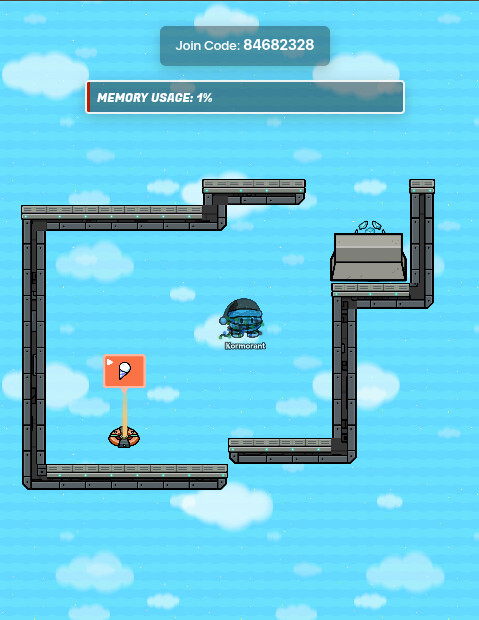
Now, add a zone, and wire it to the prop (player enters zone → show prop). This allows for the player to be able to get back up if they fall. That’s it for the main guide – animation is next.
Optional Animation
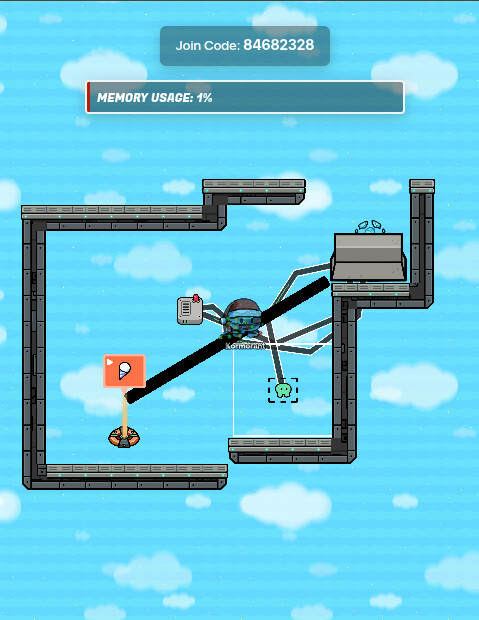
Pretty simple here. All you need is a black barrier with an alpha of 1.00 (no transparency) and have it be inactive on game start. Then, wire the teleporter to the barrier (player teleported here → activate barrier). Lastly, grab a wire repeater, set its delay to 2.0, and wire the teleporter to it. Then, wire it to the barrier, which will deactivate the barrier.
This system deactivates the barrier after two seconds.
Outro
Well, that’s all from 𝕂or today! I’ll see you next time, and have a great day!
- 1
- 2
- 3
- 4
- 5
- 6
- 7
- 8
- 9
- 10
Cya,
𝕂or
 ?
?