how to i searched but nothing with pictures
use barrels and bread
recolor bread as black and remove outline & transpaerancy for barrier
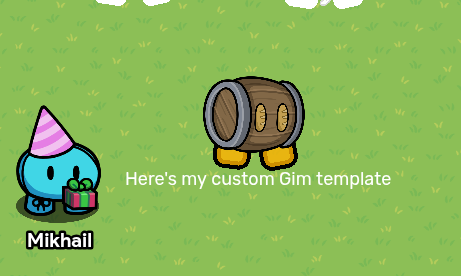
WHY DO YOU EVEN NEED A GUIDE BRO

1 Like
You can use a barrier and change the size/color with the settings.
Body of the Gim:
Create a circle barrier. Change the color to whatever color you like.
Legs of the Gim:
2 Rectangle barriers with 2 circle barriers on the bottom (to make it curvy).
Change the color to whatever you like.
For the eyes, you can use black circle barriers or just use: ⬮ emoji
You don’t even need a guide to do this, it’s SELF-EXPLANATORY.
2 Likes
did you even try 

you need 1 circle barrier
2 rectangle barriers
and you do the rest I’m too lazy
3 Likes
Grab barrier, make it a circle.
Then grab 2 more barriers, make them small and square, and place them below the circle to make the feet. To add eyes, add a text button and use this emoji:
⬮

here is the finished product!
3 Likes
Theirs a couple different methods , but most of it comes down to what gim you wanna do.
The easiest method is to just use the custom shape device , as it produces the best result. But if your low on memory this is probably not the best option.

here is an example though it is a bit rushed I think you would be able to understand the idea.
1 Like
Yes but its trash 
also the thing is a circle barrier dosnt ge the oval shape but thank yall!
Yep, that’s why you should use this emoji: ⬮
2 Likes

What gim do you want exactly?
regular