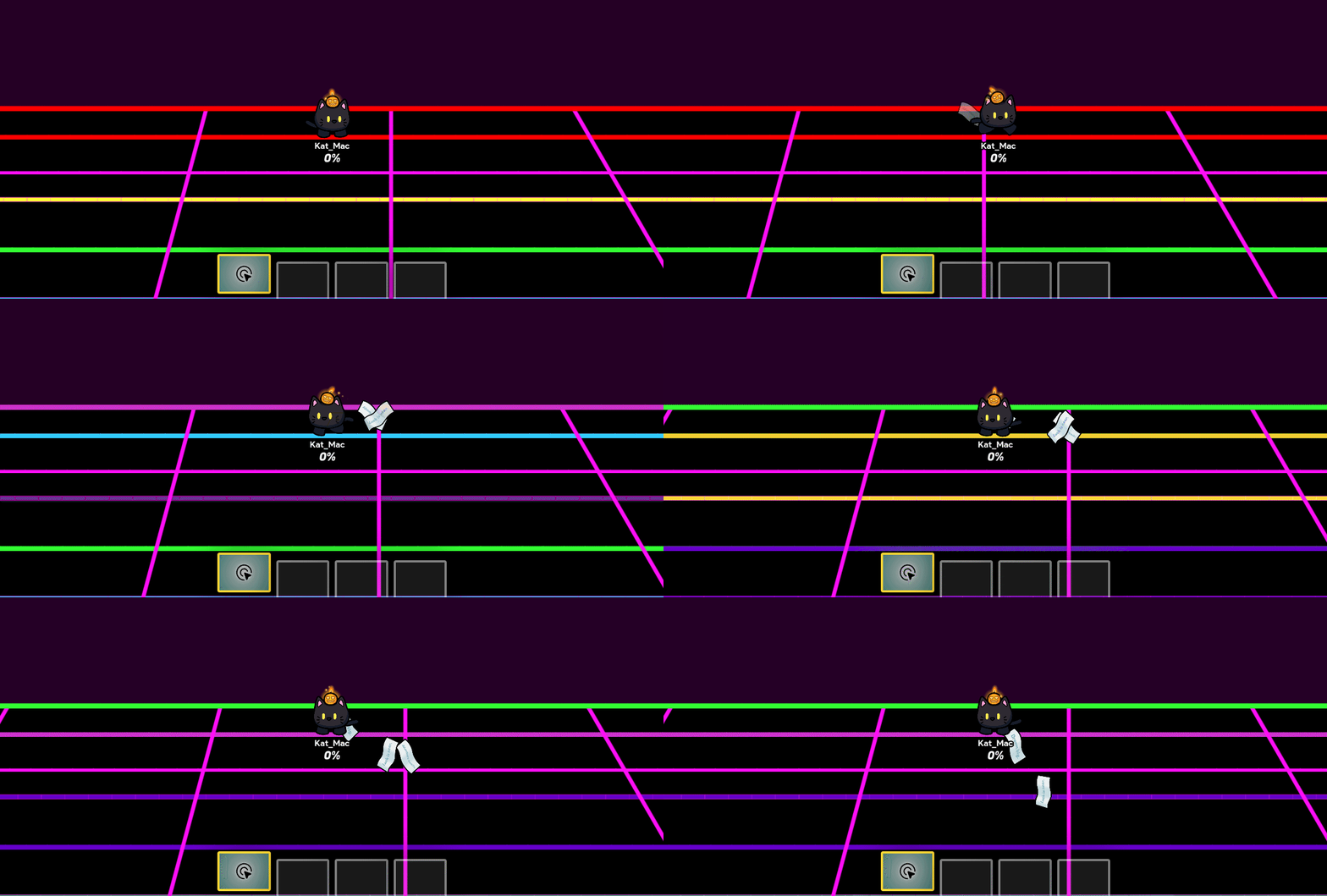
How to make Color-Changing text [a simpler way]

I know, chaps

yes there’s like, two other guides from 2024 without images

but this one doesn’t need too much devices.


the materials that I used:
x1 lifecycle
x2 triggers

the goal:
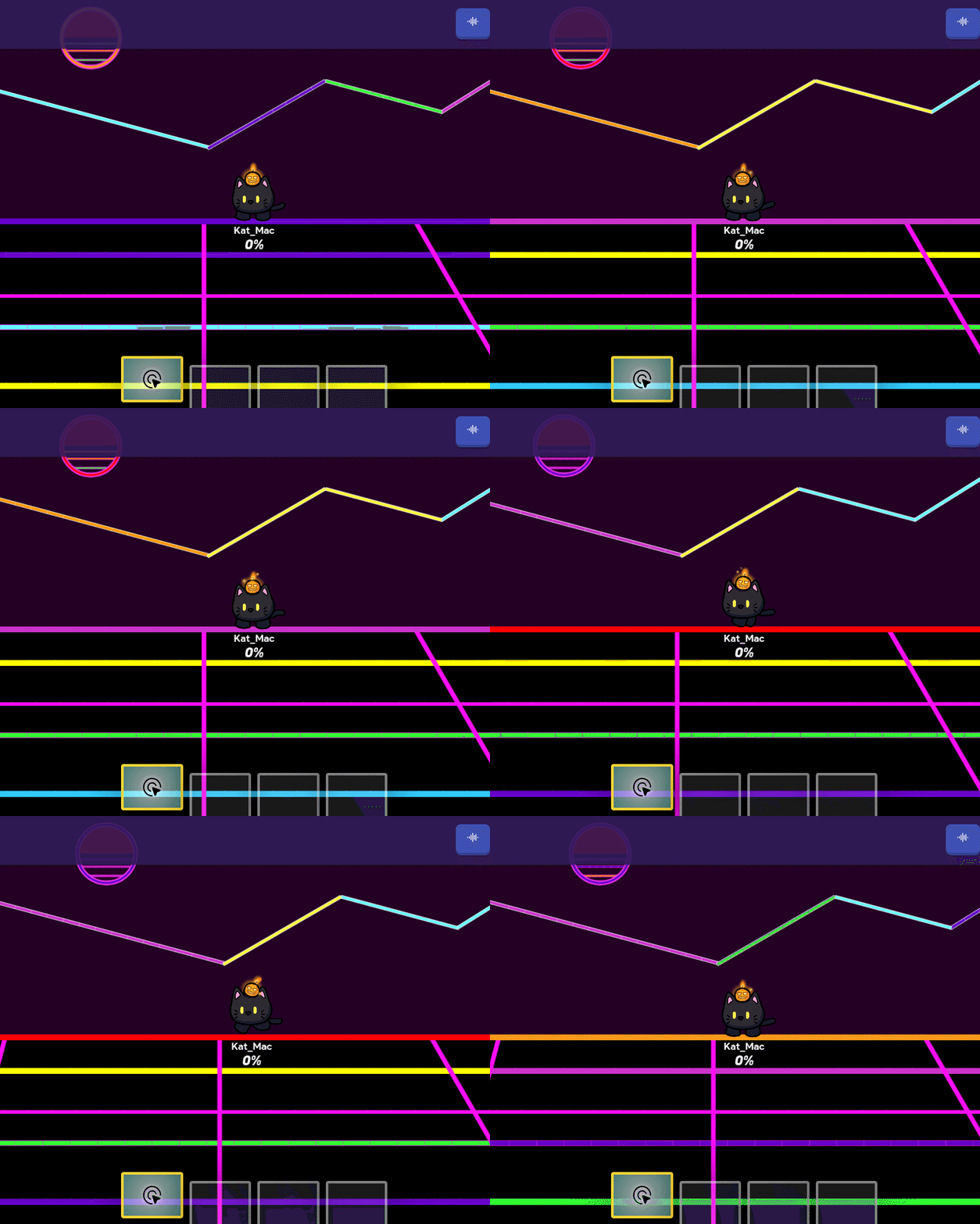
Screen recording 2025-04-06 7.13.18 PM

other progressive examples

Screen recording 2025-04-06 6.18.11 PM

Screen recording 2025-04-06 4.52.43 PM
(yes, it’s pretty compressed)


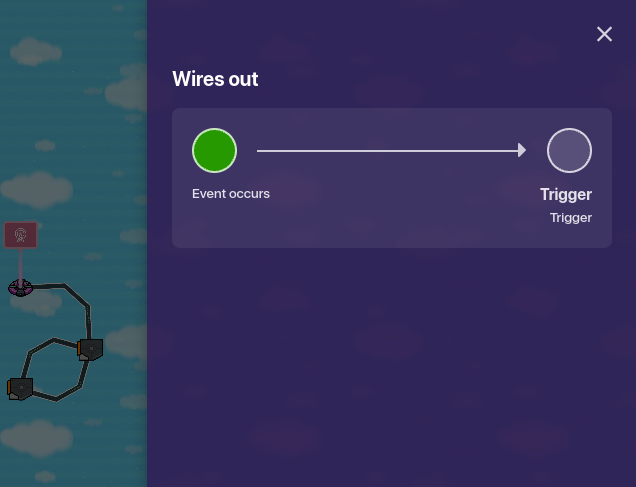
The lifecycle:

Take the lifecycle, and slap on these settings

Then, connect it to your first trigger like so


The triggers

Bigg trigger is watching you
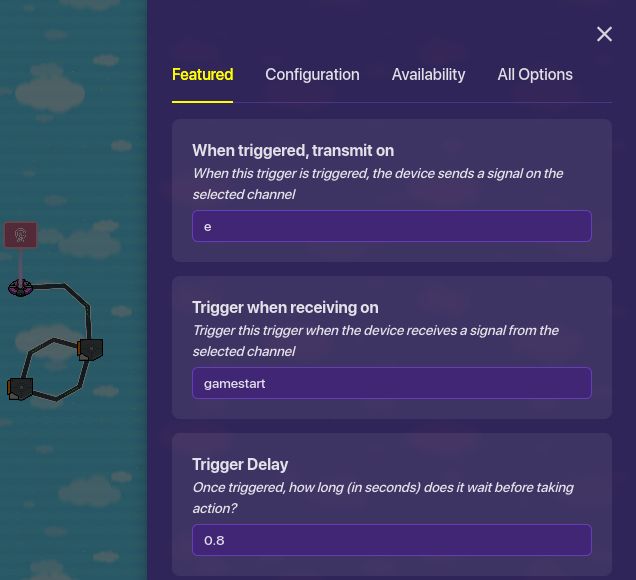
big trigger 1

make your desired channel, and have it trigger on the lifecycle’s channel

bigg trigger 1's opp, bigg trigger 2

as big trigger 1’s opp, trigger 2 doesn’t wanna be on the same “when receiving on channel”, so it doesn’t need one!

alas, connect those two opps together.
image
trigger (1) → trigger (2)


time for some block code

whip out your text, and click on blocks.
(make sure your 2nd channel bt2’s solo channel is selected)

if you want it rainbow like my example, set up seven random integer blocks:

block code


this isn’t all seven of them, but you get what I mean.

or just save yourself some time and make one big block (unlike me)
and do this:

the yummy yoyo version

after you set it up like so, go ahead and test it out!


outro:

now if there’s a way to shorten the block code, I’d love to know myself because i’m going to have to do it several times more!!


and make sure to like before saying “good guide” or i’ll stare at you funny like this:

45 Likes

There is a way, instead of using 4 if blocks hit the gear on that block and add else if blocks and an else bloch at the end.

I have some conkat (get it? concatenation… concat… conkat because you’re kat?) for this guide.

And some feedback.

  1. Random but all the blocks should be connected? Not sure why they aren’t or if that was just for like fun anyways.
  2. PurerVanilla already said this but you can make it one if do else block and instead of having an If random integer from 1 to 7 equals 7 part just do if else at the end.

  1. Can you add a way to adjust timing between color changes? That’d be useful.
  2. Can you explan the blockcode? Specifically why it’s random (just so the color changing is random and not in order?) because then maybe it can be concatenated even more?
  3. Where are the penguins I know you’re hiding them

All in all good guide.

4 Likes

it’s so my brain doesn’t scream at myself.
(ADHD is real :sob: )
separating them helps me focus on which block I was on

if I knew already, but thanks y’all.

it depends on the trigger interval, if it’s set to 0.8, it will switch 0.8 seconds.
(both triggers have to have the same interval)

Woah
Yummy Kat new guide drop :o


Some suggestions about the guide:

Firstly, you only need one Trigger. Yep, 1 Lifecycle, 1 Text, and 1 Trigger is all you need to make this, you can make a single trigger loop to save more memories for your game.


Trigger loop settings:

Trigger when receive on [X Channel], trigger on [X Channel] when triggered, and set your desired interval.

Me personally would set the interval to 0.25 - 1.00 (seconds) to create a seizure effect lol.

With that being said, now you can do the same thing as using two triggers as a looping system, very sigma memory-efficient.


For the block code part, like turtle said, you can use concatenation[1] to narrow down the block code to a simpler version (to save the spaces for you to place down more codes, like this:

(As you can see in this image, you can create all the basic colors with half of the limit)


You might also want to add more explanations and analyzations, but overall, this guide is really creative and cool, thanks for making it :D


Edit: I actually have NEVER thought of this idea, like I know how to make this system, but I never thought of combining text, trigger loop and a randomizer :sob:

Also kewl art at the end of the guide
I am gonna EAT it :fork_and_knife:


  1. Google definition: Error-correcting codes that are constructed from two or more simpler codes in order to achieve good performance with reasonable complexity. ↩︎

6 Likes

honestly I just ripped wegg0’s idea and noticed I could make it change colors with block code.

but thanks :>

5 Likes

Birthday Bump!!!

Happy birthday Kat :birthday_cake: :partying_face:

4 Likes

Happy birthday @Kat_aronii! This is an awesome guide. The design is amazing :smiling_cat_with_heart_eyes:.

2 Likes

Happy birthday! What a coincidence my birthday is tomorrow…

2 Likes

bumpity bump bump bump bump

bumperdoo :trade_mark:

2 Likes

Reusable bump nullified.

4 Likes

you kinda nullified the reusable bumb, and because you arent tl3, yours doesn’t work

so much posting about trust levels :soap:

1 Like

In addition, you can’t bump topics within 5 days of the last post.

Why would you reply with a non reusable bump :sob:

And you also literally bumped the topic already with Korm’s reusable bump.

I hate my life

Thank you Nitram…

alright, this time.

NOBODY ELSE POST, JUST USE THE REUSABLE BUMP

Reusable bump nullified.

Please refrain from using wiki reusable bumps to be off-topic and to chat. Enjoy my daily D1 minimodding!
-Kai

1 Like

You just come in every guide!?

bro you nullified the reusable bump.

gee thanks

@Zappy_Zaptos we know

@Zappy_Zaptos no, i am not bready for freddy

AHHHHHH THE PINGS IT HURTS
@Zappy_Zaptos noooooooooooooo

3 Likes

@Nitram12233 spare us another box
[1]

that is punishment
get bready.

@JustAToaster
95% chance that accounts like @LiViNgLiFeIsGoOd are just ragebait alts
STOP ALTING AROUND PEOPLE


  1. @TheCatIsCrazy Are you bready for Freddy? ↩︎

1 Like