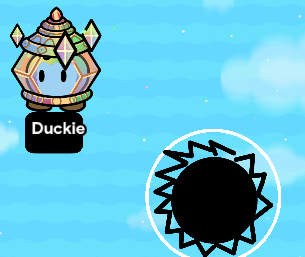
This is how to make a sawblade.
It’s fairly simple and you could definitely figure how to make one yourself, but for those who can’t, here’s a short guide to help.
Making the shape
Get a custom shape from devices. You’ll have to make a new shape. To make a new custom shape, click “Manage shapes” in the device options and click “New shape”.
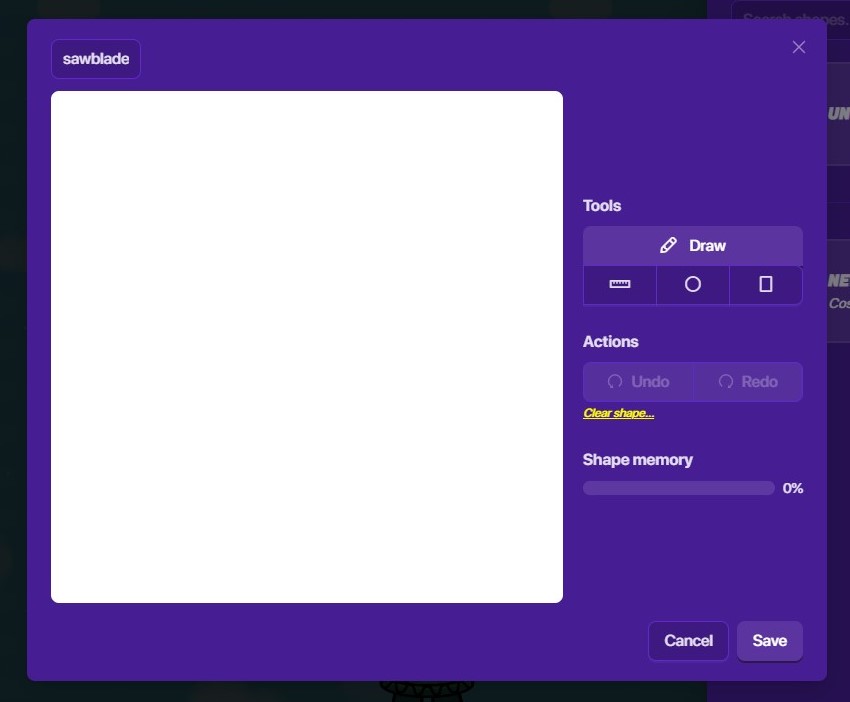
Now, we’re in the editor! Name your shape “sawblade” to make it easier to identify among your list of custom shapes.
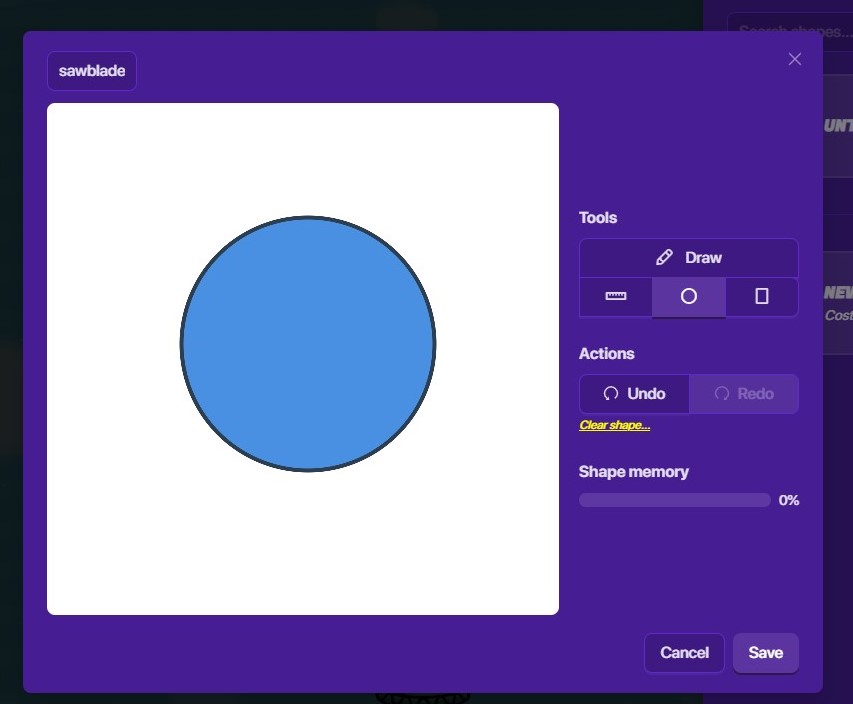
Next, use the circle tool to create a circle like so. Try to center it as much as possible, because it will be good for when you’ll animate your shape.
Now, you’ll want to use the line tool to create many angled triangles on the edges of the circle. Your sawblade should then look like this:
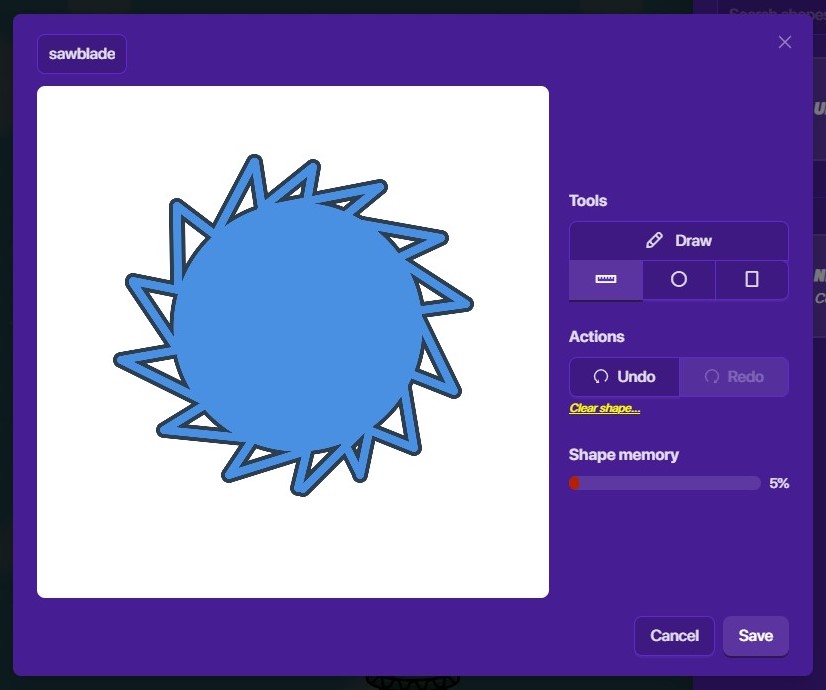
Spiky! spooky scary spinning blades send shivers down your spine
Make sure you save your shape by clicking the save button in the bottom right corner.
Now, make sure you selected the “sawblade” shape you created to be the custom shape. Then, make it gray so it looks more metallic. Make the border width small but not 0, so it looks more sharp and sCaRy.
Good job, you just finished making the shape! Onto the next step.
Making it spin
This step is easy.
Go to the “Animation” section of the device options. Set your animation settings like this:
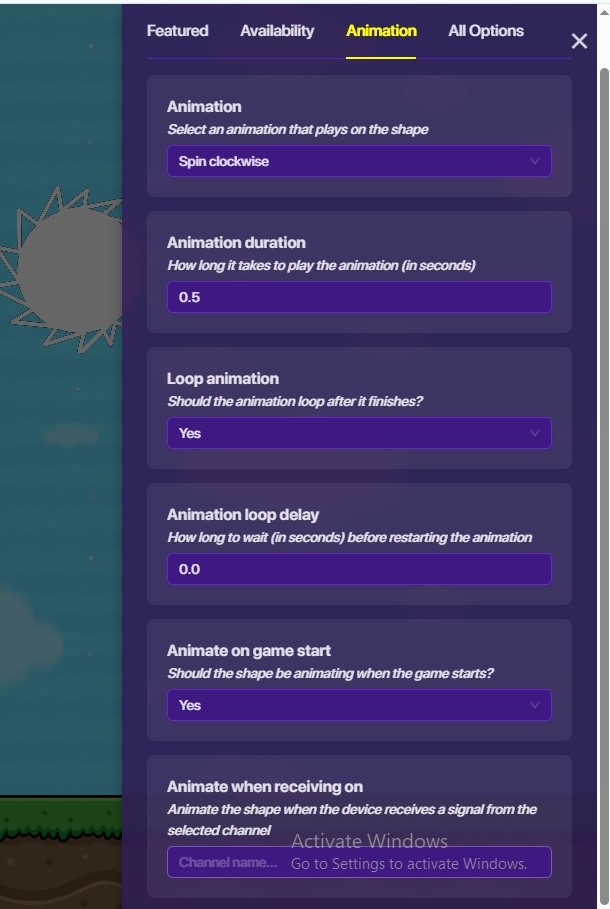
In fact, you may customize the animation type to either types of spinning. You can also make the animation speed anything below 1 second, and you can make the sawblade only turn on if something specific happens.
Well, this is another step finished! One more to go.
Making it SLICE
To make the sawblade actually damage a player, you’ll need to do this step.
First, get a zone. Then, make it circular and have it cover just a bit more than the whole sawblade.
Now, make it so that when the zone is entered, it transmits a signal on a channel named “respawn”. You do not need to change any other settings for the zone.
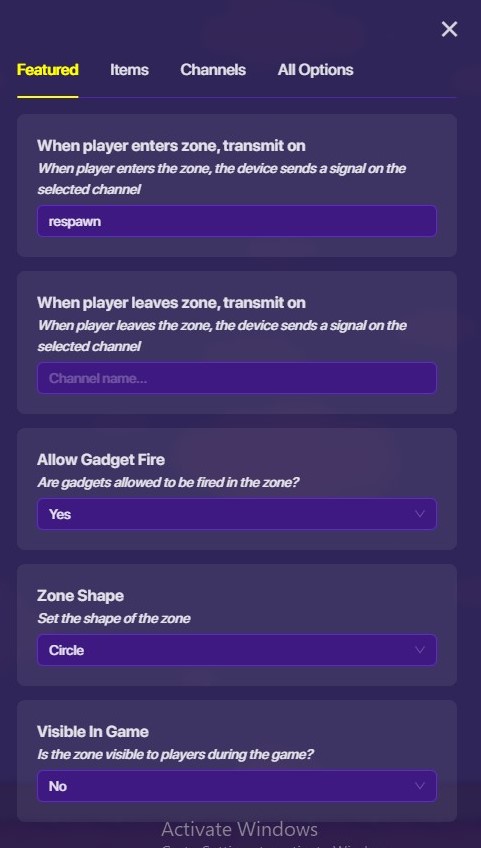
Now, go to the list of devices and get a Respawn device. Make it so that the respawn device will respawn a player when the channel “respawn” gets a signal.
Congrats! You have created your SPOOKY and SCARY sawblade.
So, that’s how you make a sawblade. But where do you use it?
You could use it as a circular replacement for lasers in your platformer games, or use it as decoration. But the uses are not limited to those, of course, if you find another one.
Once you are done making your sawblade, you can test the game to see it in action. If something is wrong with your sawblade, you may comment here so the forum members can help.
Enjoy your scary sawblade!