I need a “working” index. What I mean by “Working” is that if the player has that item then there will be a checkmark above the item in the index. Plus, there will be a list of items to see in the index. How to do this?
If you don't understand
Ok, so in my game I need a index(made with multiple popups in the list way) and then names the item and tells something about it. But, if you have the item in your base or inventory then in your pop-up a checkmark will appear next to it. How to do that?
1 Like
could you please elaborate? sorry we aren’t all that smart lol
Also not a lot of ppl are on at this time of day. If you could edit the firstt post as a sort of buump during the school day, more ppl will see this. You could also put this in the devices catagory
2 Likes
Ok, so in my game I need a index(made with multiple popups in the list way) and then names the item and tells something about it. But, if you have the item in your base or inventory then in your pop-up a checkmark will appear next to it. How to do that?
3 Likes
Checkers can check if a player has a certain item, right? Have it broadcast on a different channel for each item, and if the popup has a “make text with” block like I’m thinking, you can prolly remake that
(This is me theorizing since it’s to early for me to pull up Gimkit meself)
Edit:
If you get somebody on the Wix to add in ticket devices for ya, you could try this thing out:
imagine supplying someone with a quote from one of your very first help topics on this forum
3 Likes
Ok, but what if its not a in-game item… or even a sentry(most probably LOTS of block code).
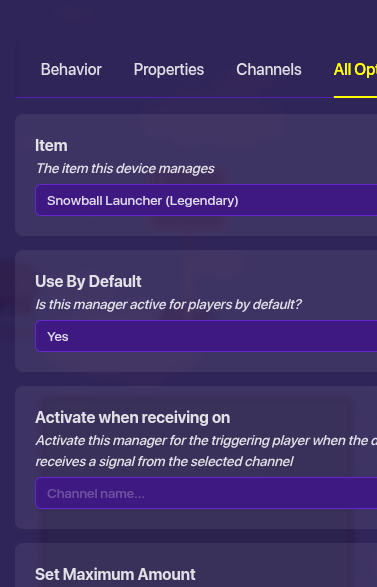
Get a inventory item manager for each item you want in the index and set it to the item and it tracks your inventory.
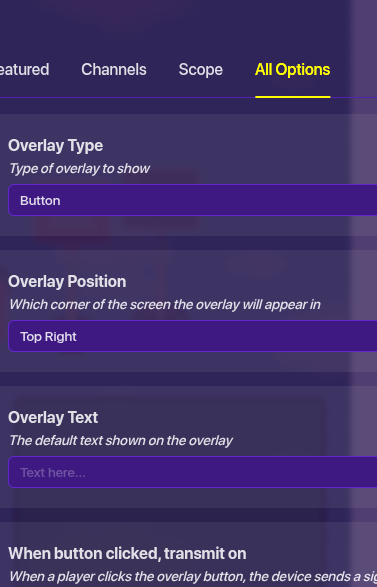
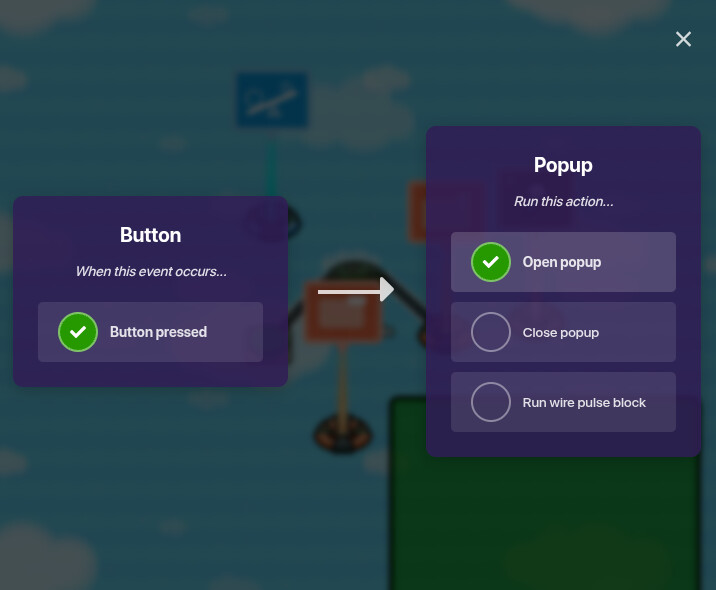
Than get a pop-up device to show the item list, and in the settings pick the list, and get a call to action button in the pop-up. Then you need a checker to see if you have the item, and make the checker look at your inventory for the item, if the player has the item, wire the checker to update the pop-up changing the item name to have a checkmark like ( Snowball Launcher) using 1 pop-up, If you don’t have the item just make it show the regular name (Snowball Launcher), using another pop-up, than when you open the index popout, it should activate the checkers so it updates the inventory you have. Than use a game overlay (button) in the top right or left for the inventory button,
and wire the button to open pop-up for the main index menu,
and use the list call to action to link to more popups because you probably have more than 1 item.
@SuffyPro97 Ok, I’ll try right now or later.
I might be able to help with a much simple one but I would real trust it
Summary
I haven’t played in so long also why do I have 55 pings X_X
2 Likes