I’m trying to make a button to appear on the player’s screen and when they click it they respawn
just use game overplay and connect wires or channles to respawn device
4 Likes
Use a button on a game overlay to appear on screen, wired to a respawn device that activates when the button is clicked.
Might be what @Monoreuk said…
2 Likes
Do a game overlay set to button, and wire it to a damager
Button Pressed–> damage player.
If you put checkpoints in the game, it will respawn you to the last checkpoint.
3 Likes

To do this, use an overlay device (set to Button) and a respawn device!
Set the overlay to transmit on Respawn when button is pressed, and make the respawn device respawn player when receiving on Respawn.

3 Likes
Just wire a button overlay to a respawn. It’s easy
2 Likes
Make a game overlay from text to button. Then make the text on the button Respawn. Then wire the game overlay to the respawn device and make it button pressed —> Respawn
1 Like
Use a respawn device and a game overlay. The overlays type should be set to “button” and the text should be “Respawn”. Then use wires to connect them together, make sure it goes like this:
When button pressed  respawn player.
Hi I think these pictures in the drop down will help you if that all sounded to hard to understand
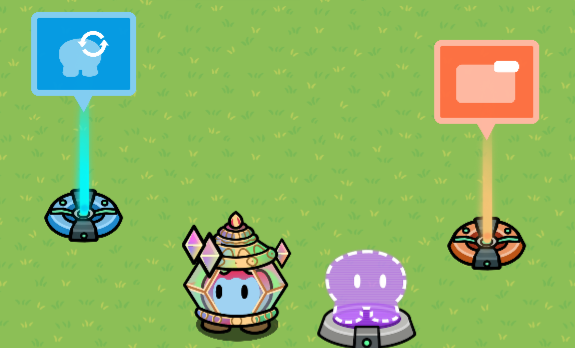
Settings on Devices
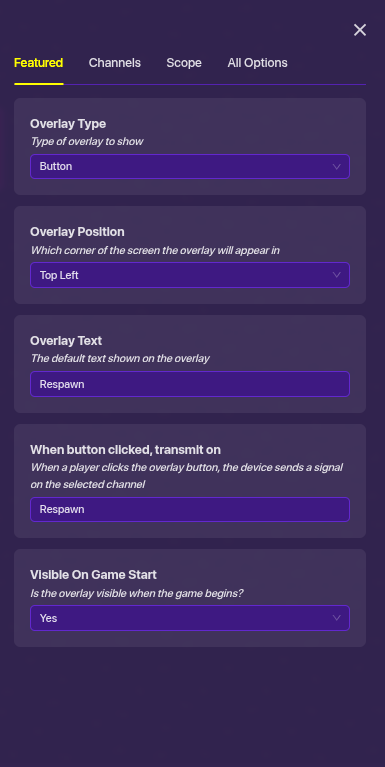

On the game overlay swap it to button name it respawn and add in any Chanel to transmit on. Also, you can swap the position of the button on screen.
On the respawn just add in the channel name that you chose then test in game
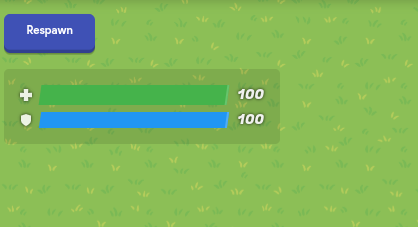
You should close this soon by choosing a person who helped you the most and clicking correct
This topic was automatically closed 3 hours after the last reply. New replies are no longer allowed.