First you have to get a ball and place it in the middle of the square. Then make four corners.

Now that you’ve made the arena, we have to now use logic. In the device tab get the ball capture zone. then put it in the four corners. Then put the channels in clockwise order.

Then now we will put the channel 1,2,3,4 in clockwise order starting with the top left corner.
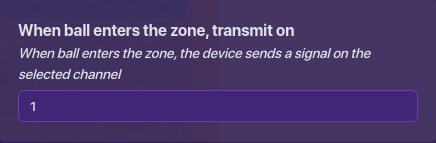
Now that we have that we do the same thing but with counters. And then make the counters have the channel of an opposite corner. Like if we have the top right corner world have the channel 4 because the bottom left corner has a ball capture zone with a channel of 4.

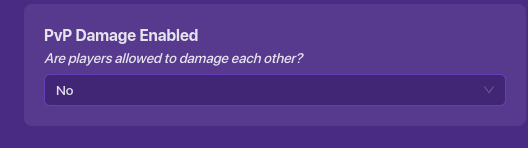
Then go to options after you finish doing the step before. It says map options and click on it. After go to the health & shield category. Scroll to the bottom and disable PvP.
Next, make spawners and then in the spawners put the teams. In clockwise order like top left would be team 1.

Now the last step is that you need to get a blaster. Go to devices and get the starting inventory.
Then place it somewhere out of the way. Next, make it give blasters and it doesn’t matter the rarity.

You can also make a shop in the center so you can get speed upgrades, but that’s for another guide . Hope you learned some more about gimkit creative.

Difficulty poll
- 1/10
- 2/10
- 3/10
- 4/10
- 5/10
- 6/10
- 7/10
- 9/10
- 10/10
- 11/10
- 1000/10
0
voters