How to Make a Blox Fruit Dealer  | By NagiSeishiro
Hello there! My name’s Nagi. Welcome to my Blox Fruit guide! I’ll be showing you how to make a Blox Fruit Dealer (or, a “Blox Fruit Buying Mechanism,” if you wanna be fancy.) from the popular ROBLOX game, Blox Fruits.
Let’s get to it!
Make The Fruits
(BEFORE YOU START MAKING THE FRUITS: Please turn all the “Active on game start?” settings of each Text Device and Barrier to “NO”.)
First we’ll be making the Ice Fruit:
Grab a  Barrier
  and re-size it like this:
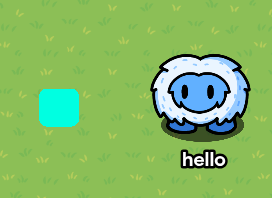
(Also disable border and re-color it.)
Now grab x4 Text Devices and copy and paste these individual symbols in them:
⯆ | ⯆ | ℇ | ._. |

(Re-color to match mine.)
Now, place the Text Devices on the Barrier like this:

Now you’re done with the Ice Fruit!
Next, let’s make the Stone Fruit:
Grab another Barrier and make it the same size (or just duplicate the previous Barrier and re-color it.):

Now grab x4 more Text Devices and copy and paste these symbols:
⯆ | ⯆ | ★ | d: |

(Remember to re-color)
Now place them on the Barrier like so:

Now you’re done with the Stone Fruit!
(You can make more fruits, I have just made these for now.)
Vending Machine
Grab a Vending Machine and re-color it to however you would like. I made mine look like this:
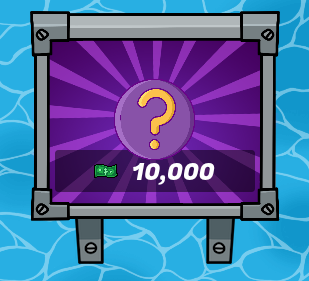
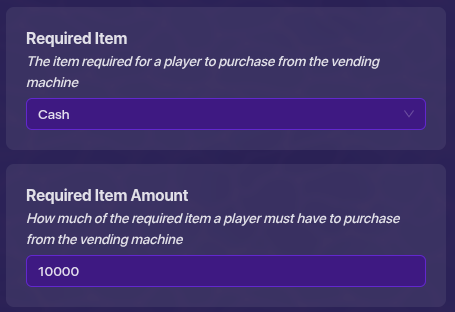
Now add the required item to purchase, and adjust the amount of that item to your liking:
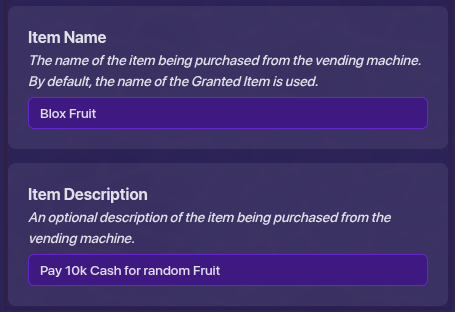
Change the item name and description if you would like:
Granting The Fruits
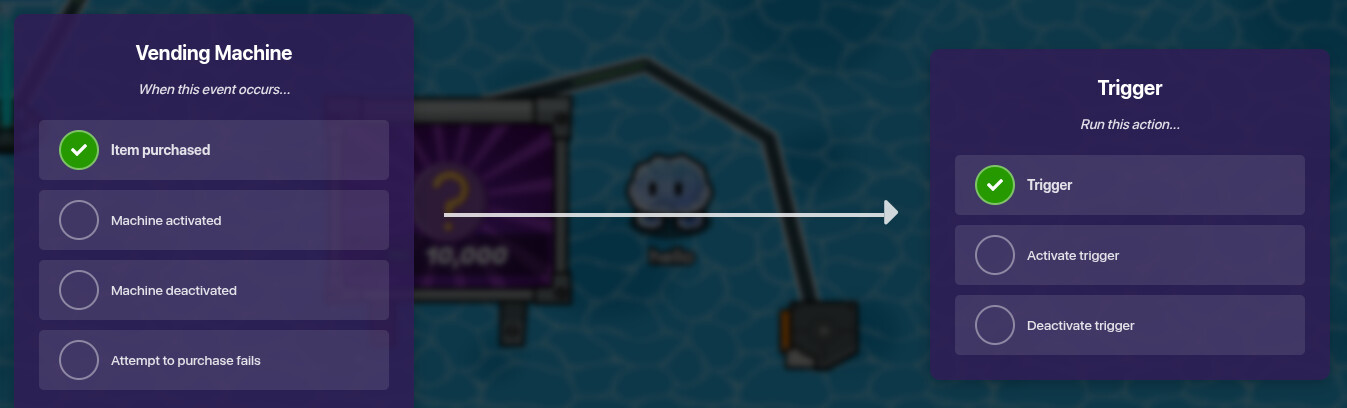
Add a Trigger and wire the Vending Machine to it:
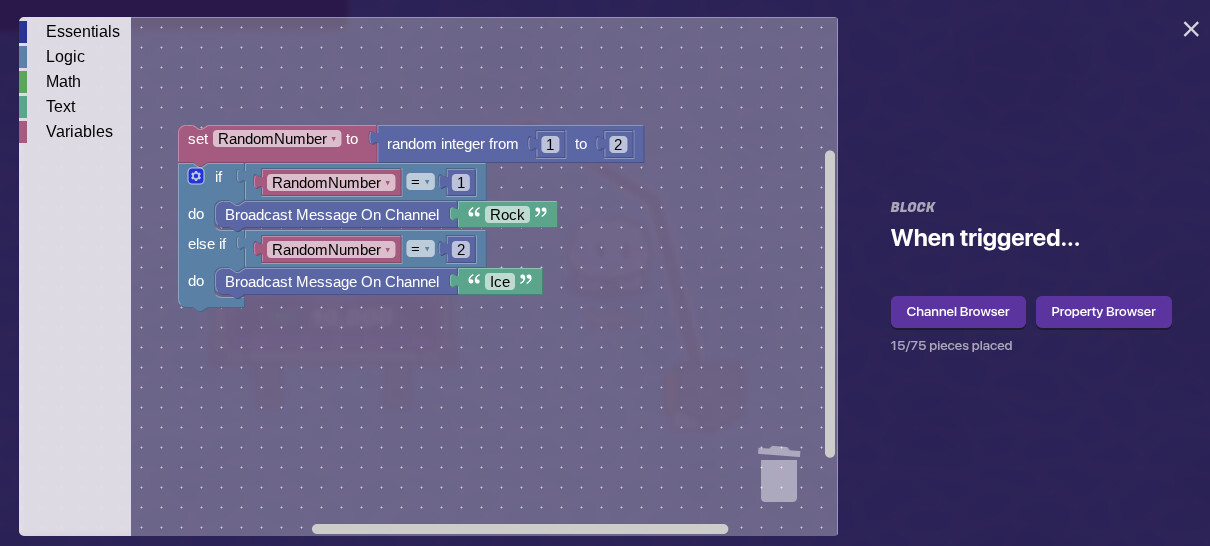
Select the Trigger, then go to Blocks and create a new code. Copy my code on the screen:
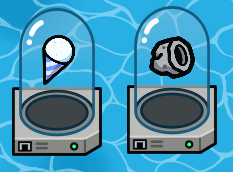
Add an Item Granter for each Fruit and select a Gadget that matches the type:
Add a Button for each Item Granter. Make sure both are not active on game start.
For the 1st Button, make it activate when receiving on “Rock”, which is the #1 channel that our block code transmits on. (Lmk if you are confused in the comments)
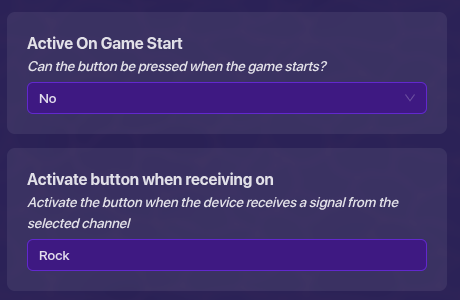
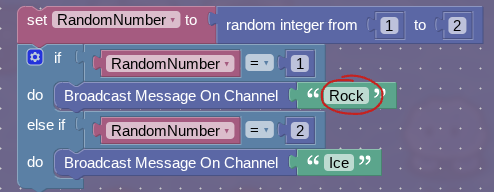
(See how the channel the Button is receiving on matches the 1st channel the Trigger transmits on?)
So basically the same thing for the second Button, but change the channel name to match the 2nd channel the Trigger transmits on:
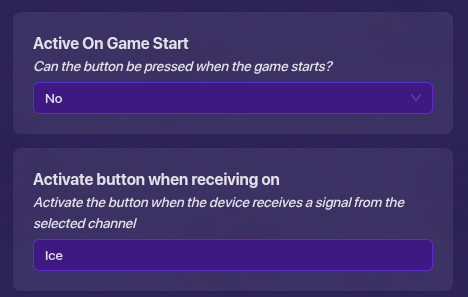
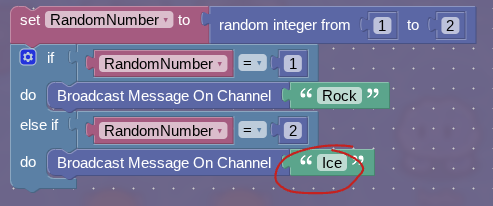
For the Rock Fruit, make all the parts of it activate when receiving on “Rock”.
For the Ice Fruit, make all the parts of it activate when receiving on “Ice”.
Now, edit both Buttons. Make both of their messages “Eat fruit?”. For the first Button, have it transmit on a new channel, called “EatRock” (Also, feel free to make it invisible in-game.):
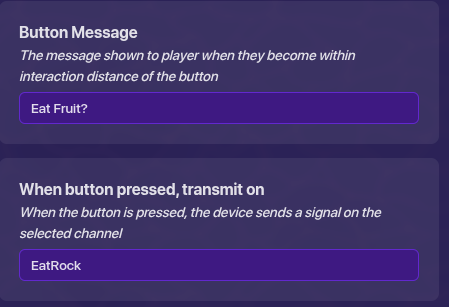
For the second Button, have it transmit on another new channel, “EatIce”:
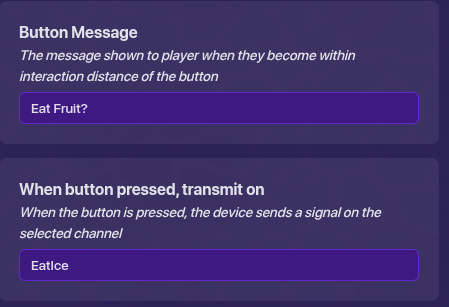
For the Rock Fruit, make all of its parts deactivate when receiving on “EatRock”.
For the Ice Fruit, make all of its parts Deactiviate when receiving on “EatIce”.
Now, wire the Buttons to their respective Item Granters.
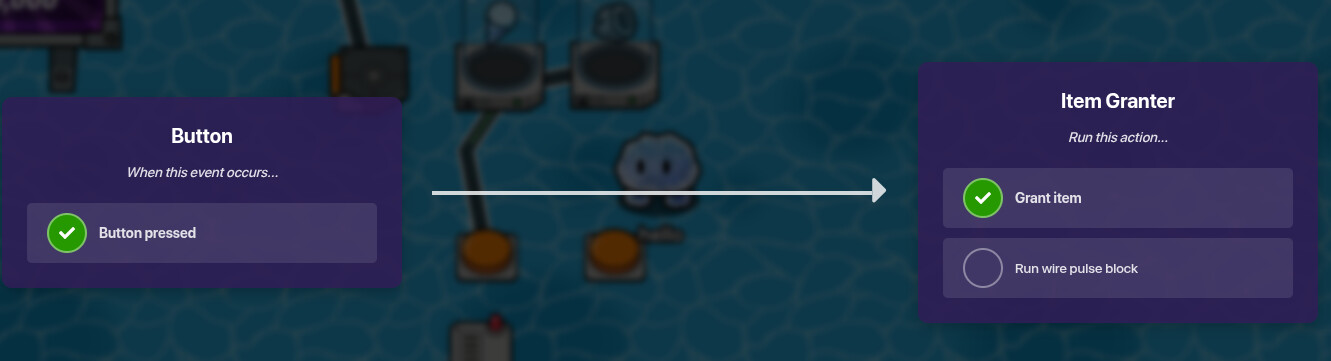
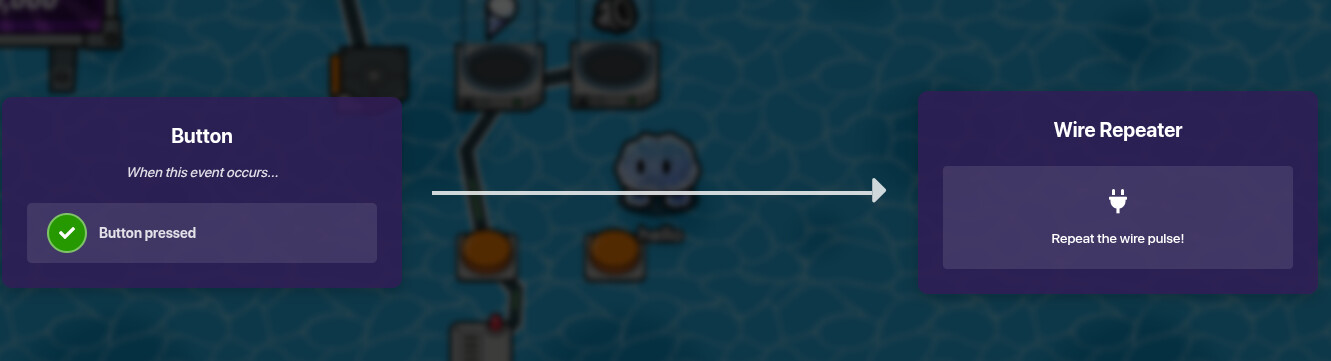
Lastly, we need to have the Buttons deactivate, so that the player can’t just spam the Button and obtain a bunch of Fruits. To do this grab a Wire Repeater :
First, wire the Button to the Wire Repeater:
Then wire the Wire Repeater to the Button:
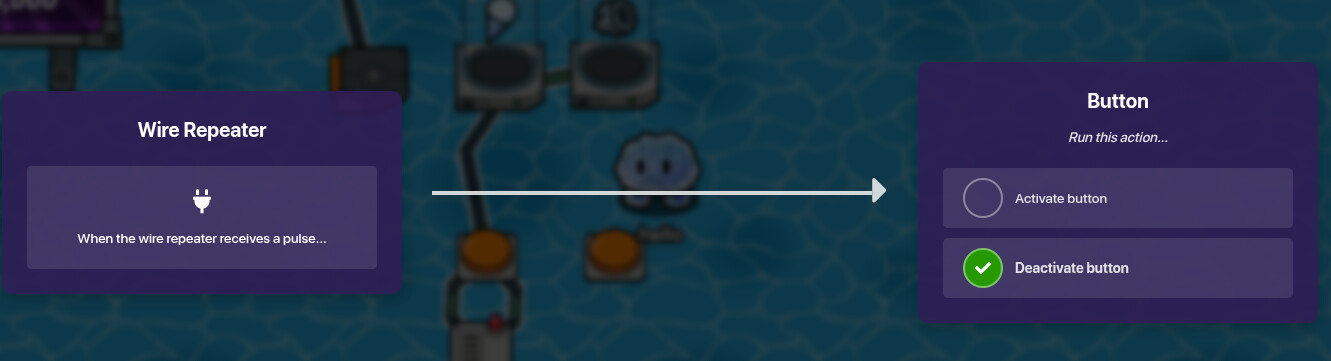
Make sure to do this for both Buttons.
End Result:
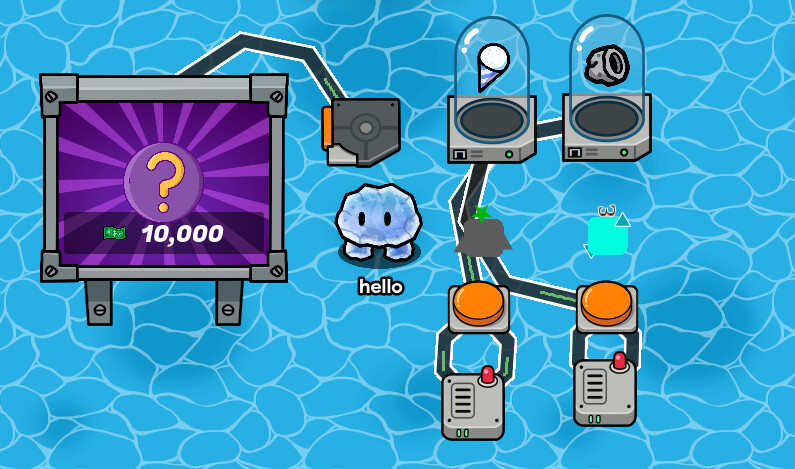
Conclusion:
Please let me know if you have any questions on how to make yours work. If you want to add more Fruits, add another line of code and increase the variety of numbers the randomizer has to choose from. (Example below)
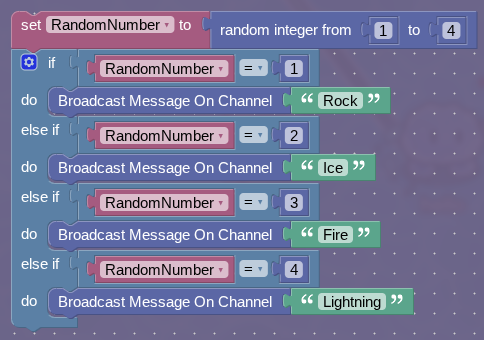
Basically copy the steps until you have the Fruit amount you are content with. Also, you may want to add a Barrier on-top of the Trigger so that the player can’t just run over it multiple times.
You could, but I’ve already made another topic for more Fruit ideas. Ill link it below:
Need “Blox Fruits: Gim Rising” Ideas
Well, that’s basically it, I hope this helps you and make sure to drop a  below! Thanks, and I’ll see you around.
– Nagi :3
 ! Thank you so much.


 etc…
etc…